
Scan to PDF - Doc Scanner
Scan to PDF - Doc Scanner generates an estimated $2–$8/month in revenue from 3–20 downloads/month on the App Store, according to AppCurrents estimates (updated 2026-10-02).
| Est. revenue / month | $2–$8 |
|---|---|
| Est. downloads / month | 3–20 |
| Estimate confidence | low |
| Pricing | Free + IAP |
| Rating | 5.00 ★ (1 ratings) |
| Category | Business |
| Released | 06.01.2026 |
| App last updated | 18.09.2026 |
| Platform | iOS |
Modeled monthly estimate · rating velocity · low confidence
About
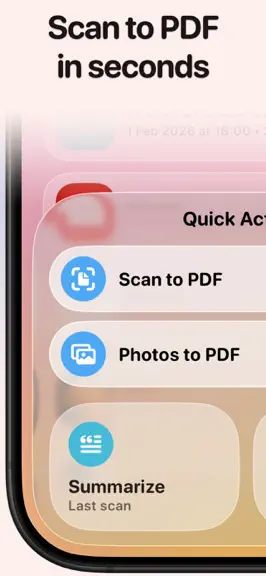
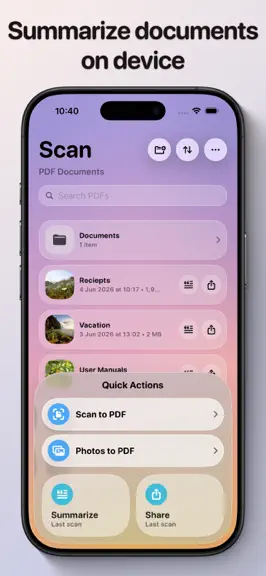
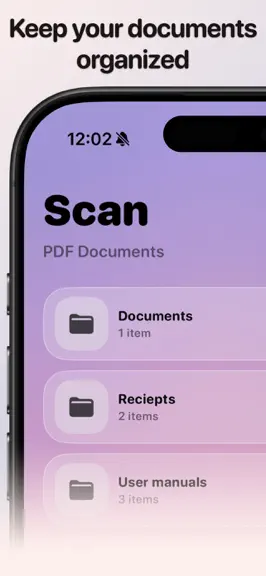
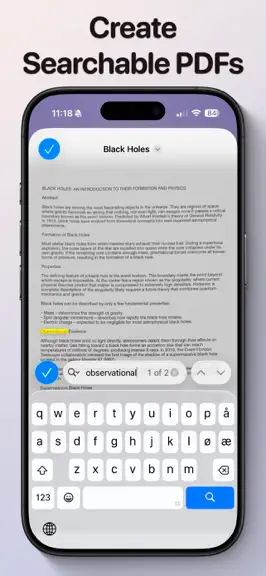
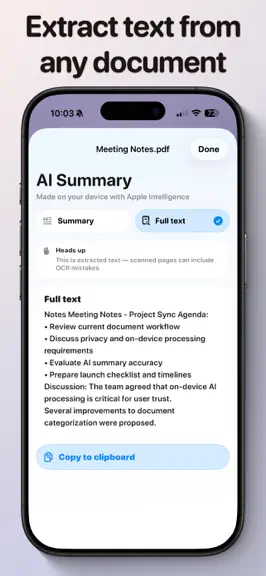
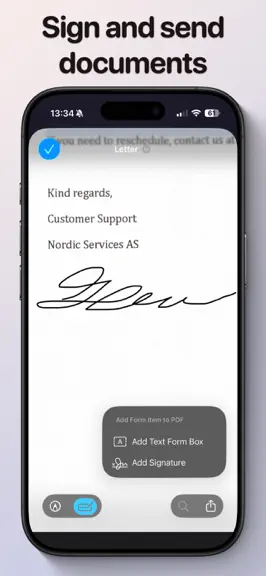
A modern scanner with no clutter. Scan to PDF turns paper into clean, searchable PDFs in seconds, and stays out of your way. No account. No ads. No cloud. Your documents never leave your phone. ON-DEVICE INTELLIGENCE Apple Intelligence runs entirely on your iPhone, so nothing is uploaded anywhere. • Files name themselves. Scan an invoice and the app suggests a name before you have typed a letter…
Trends & analysis
Chart rank trend
US · overallWhy it's surfacing
Scout 15Ratings & velocity
★ +5 in windowGeographic reach
best rank · 0 storefrontsRevenue & downloads trend
ARPU $1In-app purchases
2 tiersUpdate history
2 updates tracked- v1.513d ago
Scan to PDF 1.5 gives you more ways to get your documents where they need to go. • Share your way: choose a smaller file for email and WhatsApp, share pages as images, or save them straight to Photos. • Password protection: lock a PDF so it asks for a password before it opens. Ideal for IDs, contracts and medical letters. • ID card mode: scan the front and back of a card and combine them on one page. • Open PDFs from anywhere: use "Open in Scan to PDF" from Files, Mail or WhatsApp, or import from Files inside the app. • Merge PDFs: combine two documents into one with a long press. • Better text recognition: searchable PDFs, summaries and file names now follow your device language. • Refined dialogs and buttons throughout, plus fixes and polish.
- v1.33mo ago
Searchable PDFs Every new scan is now fully searchable. Open your PDFs in Preview, Files, or Spotlight to find any word in seconds, copy text directly out of your scans, or let VoiceOver read them aloud. Everything is processed privately on your device. Sort your library Arrange your PDFs the way you want — by newest, oldest, name (A–Z or Z–A), or file size. Your choice is remembered next time you open the app. Also new • Search your PDF library by name to quickly find any document.
Scan to PDF - Doc Scanner — FAQ
How much money does Scan to PDF - Doc Scanner make?
According to AppCurrents estimates, Scan to PDF - Doc Scanner generates approximately $2–$8 per month (low confidence), modeled from its the App Store chart performance, rating velocity, and monetization signals.
How many downloads does Scan to PDF - Doc Scanner get?
Scan to PDF - Doc Scanner sees an estimated 3–20 downloads per month on the App Store, per AppCurrents modeling.
Is Scan to PDF - Doc Scanner free?
Scan to PDF - Doc Scanner is free to download on the App Store, monetizing through in-app purchases.
What is Scan to PDF - Doc Scanner's rating?
Scan to PDF - Doc Scanner holds a 5.00-star average from 1 ratings on the App Store.
When was Scan to PDF - Doc Scanner released?
Scan to PDF - Doc Scanner launched on the App Store on 06.01.2026. Its latest version shipped 18.09.2026.


