Project Manager - Workflow
Project Manager - Workflow generates an estimated $0/month in revenue from 0 downloads/month on the App Store, according to AppCurrents estimates (updated 2026-06-18).
| Est. revenue / month | $0 |
|---|---|
| Est. downloads / month | 0 |
| Estimate confidence | low |
| Pricing | Paid $19.99 |
| Rating | 0.00 ★ (0 ratings) |
| Category | Productivity |
| Released | 01.04.2026 |
| App last updated | 12.06.2026 |
| Platform | iOS |
Modeled monthly estimate · rating velocity · low confidence


About
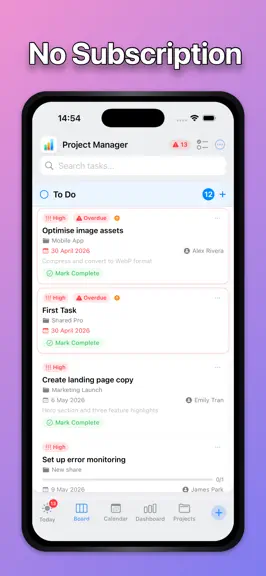
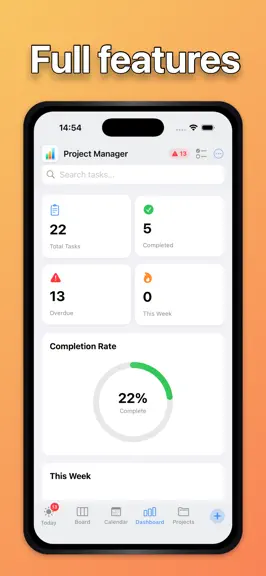
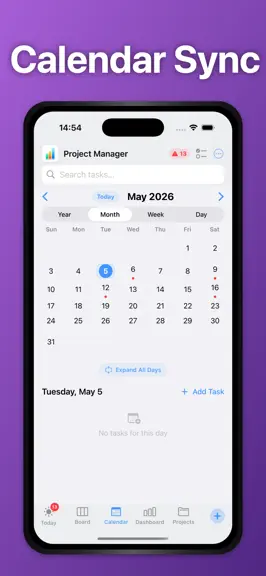
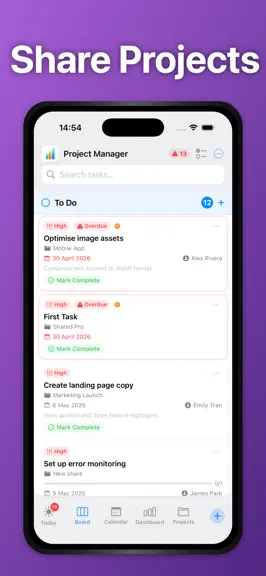
Project Manager - WorkFlow is the privacy-first project manager built natively for iOS. One purchase, no subscriptions, no trackers — just powerful tools to help you get things done. PLAN YOUR WAY Five view modes let you work the way you think. Drag tasks across a Kanban board, plan your week in the calendar, track deadlines in Reminders, measure progress on the Dashboard, or organise everything…
Trends & analysis
Chart rank trend
US · overallWhy it's surfacing
Scout 36Ratings & velocity
★ 0 in windowGeographic reach
best rank · 0 storefrontsRevenue & downloads trend
monthly estimateUpdate history
3 updates tracked- v3.46d ago
Your board, your way. Group the board by status, priority, project or due date with the new Task Views switch — and act on whole projects at once with multi-select and bulk actions. • Task Views: see the board by status, priority, project or due date • Drag between columns to re-assign whatever you're viewing by • Multi-select inside projects: complete, reschedule or delete in bulk • Tags reimagined as a proportional area chart — spot your big themes • Slimmer top bar: search tucks behind a magnifier, logo opens About • Fixed a crash when selecting tasks with the Cover card style
- v3.111d ago
What's new in 3.1 • Built for teams. Shared tasks are unmistakable — a Shared badge on every card style, participant avatars, and a new Team card layout showing who's involved, who edited last, and the latest comment. • See your team live. Open a shared task and see "Maria is viewing" or "Alex is typing…" as it happens. • One-tap assignment. Participant chips on shared projects, plus an Assign to… menu on every shared task card. • My Work. A new view gathering tasks assigned to you, comments that @mention you, and your recent edits — across every project. • Comments grew up. React with emoji - tap any @mention to see that person's contributions, and the activity log now shows who did what on every device. • Make the bottom bar yours. Choose which four views sit in the tab bar — the rest tuck into a ⋯ menu — and pick a style: Classic, Floating, Glass, Pills, or Auto-Hide. • Documents. Every photo, voice note, and file across all your tasks in one place — filter by kind, group by task, tap to jump to the task. • Gantt. Your whole portfolio on a timeline: every project (and loose tasks) as bars with a Today marker and days-until-due at a glance. • Quality of life: Undo when deleting multiple tasks, completed tasks no longer count as Due Today, and new projects typed in the task editor are created properly.
- v2.9.121d ago
What's New in 2.9.1 - Make your task cards truly your own. • Task Border styles — Give every card a new edge in Settings → Task Border. Choose from Shadow, Dotted, Dashed, Bubble, a translucent Glass Edge, a clean Hairline, or none at all. Borders tint to each task's priority colour. • scrollable strip of photo attachments right on the card, and tap any one to open it full-screen with zoom and annotation. • Save confirmation bounce — Saved tasks now give a satisfying little bounce alongside the confirmation pill, so your changes feel locked in. • Polish and performance improvements throughout.
Project Manager - Workflow — FAQ
How many downloads does Project Manager - Workflow get?
Project Manager - Workflow sees an estimated 0 downloads per month on the App Store, per AppCurrents modeling.
Is Project Manager - Workflow free?
Project Manager - Workflow is a paid app priced at $19.99 on the App Store.
When was Project Manager - Workflow released?
Project Manager - Workflow launched on the App Store on 01.04.2026. Its latest version shipped 12.06.2026.


