
Pling: SSH Client & SFTP
Pling: SSH Client & SFTP generates an estimated $0/month in revenue from 0 downloads/month on the App Store, according to AppCurrents estimates (updated 2026-10-02).
| Est. revenue / month | $0 |
|---|---|
| Est. downloads / month | 0 |
| Estimate confidence | low |
| Pricing | Free + IAP |
| Rating | 0.00 ★ (0 ratings) |
| Category | Developer Tools |
| Best chart rank | #73 Developer Tools Grossing |
| Released | 14.04.2026 |
| App last updated | 15.09.2026 |
| Platform | iOS |
Modeled monthly estimate · rating velocity · low confidence


About
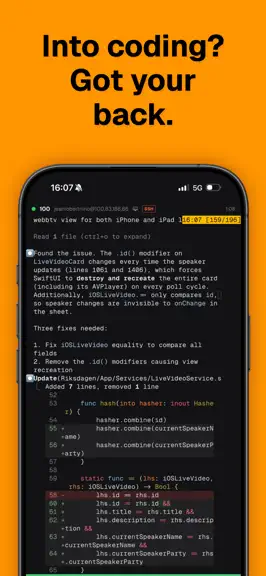
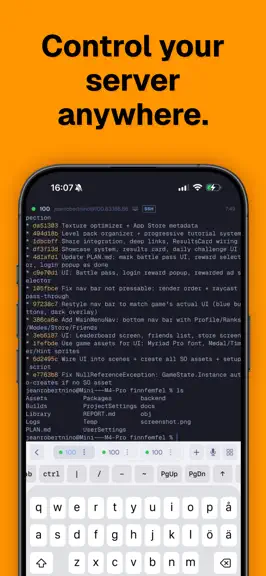
Your servers, in your pocket. Pling is the most powerful SSH client and push notification platform for iPhone, iPad, and Apple Watch. Spin up a terminal in seconds, or say what you want done and let Pling run the session. COMMAND AGENT Describe a task in plain English and Pling runs the SSH session for you: planning, dispatching, reading output, and adjusting as it goes. It asks on real decisions…
Trends & analysis
Chart rank trend
US · categoryWhy it's surfacing
Scout 21Ratings & velocity
★ 0 in windowRating distribution
100% positive · 1 ratingsGeographic reach
best rank · 1 storefrontRevenue & downloads trend
monthly estimateIn-app purchases
3 tiersUpdate history
5 updates tracked- v2.5.1017d ago
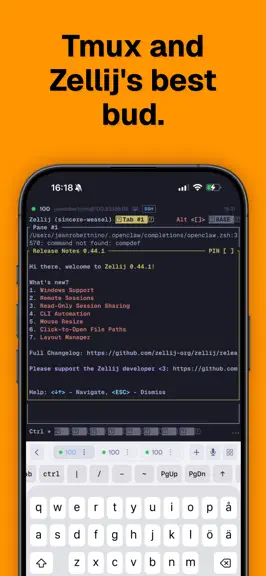
Terminal Links Links in your terminal are now a tap away, including output from Claude Code and Codex. Open them straight from the session, with support for tmux and Zellij too, so you can follow a link without copying it out first. Connection Previews Your connection cards now show the full terminal preview, keeping text at the top and bottom in view. Home updates as soon as a new preview is available, without the previous refresh delay. Mac Agent Status Pling now uses the newest Mac agent status when a host appears under more than one name. Older reports can no longer overwrite newer permission and readiness information. Polish Connection errors now give clearer guidance when an SSH hostname cannot be found, including Tailscale names and jump hosts. Small copy improvements throughout the app make messages easier to read, with cleaner punctuation across supported languages.
- v2.4.101mo ago
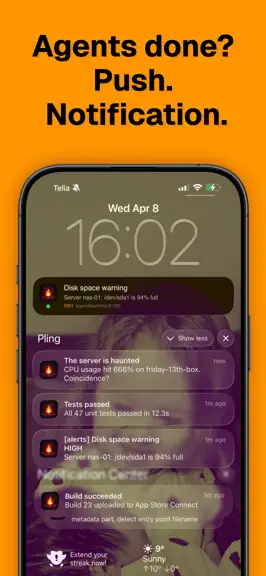
Agent Approvals Coding agents like Claude Code ask permission before doing anything risky, and now those requests land on your phone. Approve or deny straight from the push notification, wherever you are, and the agent carries on the moment you answer. Setup is one button on the host: Pling installs the hook over SSH and everything else is automatic. Scrolling That Feels Right One-finger scrolling now works the way your thumb expects, even inside tmux and Mosh. Flick through history while the session stays live, and the view holds its place when the keyboard appears. No more losing your spot mid-scroll. Snippet Ghost Preview Pick a snippet and see it ghosted inline at the cursor before you commit to it. What you preview is exactly what gets typed, so long commands stop being a leap of faith. Wake Proxy Wake-on-LAN packets rarely make it across networks, so Pling now hands you a portable wake command that runs through any host that can reach the sleeping machine. Run it from another server, a cron job, or a friend's laptop,cthe machine still gets its wake-up call. Polish The quick-keys bar no longer lingers on screen after returning from the background, the Hosts tab now shows the same OS icons as the rest of the app, streamed cursor flicker is gone, and Claude Code is detected reliably on hosts that have it.
- v2.3.112mo ago
Session Sharing, Upgraded Share a terminal and your link now comes with a QR code, a live viewer count, and time remaining at a glance. Viewers can raise a hand to ask for typing access and you grant it with a tap. The web viewer reconnects on its own after a blip, keeps the terminal exactly the host's size, and loads instantly with nothing fetched from third parties. Agentic Command Tell Pling what you want done in plain English and it runs the SSH session for you: planning each step, dispatching agent, reading the output, and adjusting as it goes. It asks a quick question when it hits a real decision and stops to check with you before anything destructive. Kick it off from the new Spotlight-style launcher or the Command Agent button in any terminal. Screen: Remote Desktop See and control a host's full graphical desktop right inside the app, streamed live as smooth, hardware-accelerated H.264 video. Move the pointer with precision, type on the on-screen keyboard, pinch to zoom and pan, and push the resolution, frame rate and bitrate as high as your connection allows. Wake on LAN Power on a sleeping machine without getting up. Pling can auto-detect its MAC address from an active SSH session or take one you enter by hand, then send the magic packet straight to it or bounce it through another host on the same network, with live status until it wakes. Sign in with Google Sign in with Google now sits right alongside Sign in with Apple. Link both to a single Pling account so your hosts, keys and settings follow you to every device, and merge a second account into your main one if you started out on the wrong sign-in. Your Pling Account Signing up now creates a Pling account that's yours. Sign in to Pling on the web with it today, and it's the groundwork for Pling coming to more of your devices, with your hosts, keys and settings synced across every one. Your profile photo rides along too, so it's the same wherever you sign in. Live Host Status Every host card now tells you at a glance whether it's reachable, with a live online dot and a badge when the Pling agent is installed. Offline hosts quietly hide the actions you can't use right now, so the menu only ever shows what actually works. Smarter Sessions Tap a host that already has a tmux or zellij session running and Pling jumps straight back into it instead of opening a duplicate. And when a host can't be reached, it offers to close out the dead sessions in a single tap.
- v2.3.102mo ago
Agentic Command Tell Pling what you want done in plain English and it runs the SSH session for you: planning each step, dispatching agent, reading the output, and adjusting as it goes. It asks a quick question when it hits a real decision and stops to check with you before anything destructive. Kick it off from the new Spotlight-style launcher or the Command Agent button in any terminal. Screen: Remote Desktop See and control a host's full graphical desktop right inside the app, streamed live as smooth, hardware-accelerated H.264 video. Move the pointer with precision, type on the on-screen keyboard, pinch to zoom and pan, and push the resolution, frame rate and bitrate as high as your connection allows. Wake on LAN Power on a sleeping machine without getting up. Pling can auto-detect its MAC address from an active SSH session or take one you enter by hand, then send the magic packet straight to it or bounce it through another host on the same network, with live status until it wakes. Sign in with Google Sign in with Google now sits right alongside Sign in with Apple. Link both to a single Pling account so your hosts, keys and settings follow you to every device, and merge a second account into your main one if you started out on the wrong sign-in. Your Pling Account Signing up now creates a Pling account that's yours. Sign in to Pling on the web with it today, and it's the groundwork for Pling coming to more of your devices, with your hosts, keys and settings synced across every one. Your profile photo rides along too, so it's the same wherever you sign in. Live Host Status Every host card now tells you at a glance whether it's reachable, with a live online dot and a badge when the Pling agent is installed. Offline hosts quietly hide the actions you can't use right now, so the menu only ever shows what actually works. Smarter Sessions Tap a host that already has a tmux or zellij session running and Pling jumps straight back into it instead of opening a duplicate. And when a host can't be reached, it offers to close out the dead sessions in a single tap.
- v2.0.114mo ago
Workspaces Save a named bundle of hosts and their tmux/zellij sessions, then one-tap restore the whole set on any iCloud-synced device. Pick multiple existing sessions at once, queue brand-new ones, or snapshot your currently-open sessions into a fresh workspace. Lives in Sessions, Infrastructure, right next to SSH and SFTP. iCloud Vault Sync SSH private keys and host passwords now sync across iPhone and iPad via iCloud Keychain. No more re-typing the same sudo password on every device. A new audit screen under Settings, Keys & security shows exactly what's syncing, when each category last synced, and what stays device-only by design. Face ID before enabling. Synced items disappear automatically if you sign out of iCloud. Active Sessions Carousel The connections strip at the top of the Sessions tab is now a live carousel. Each card shows a real snapshot of its running session, refreshed continuously. Double-tap to jump in, long-press for Quick Resume (a full browser with pin/unpin/open shortcuts). Pin the sessions you keep coming back to so they stay on the carousel even when their tab is closed. Port Forwarding Control Surface Add, rename, toggle and remove SSH port forwards live on a connected host without reopening the session. The Add host sheet validates ports as you type, scrolls to the rule you just touched. SFTP Improvements The file browser now has in-directory search via the standard iOS search bar, and multi-select with bulk delete and share-sheet bulk download. Chat + Terminal Attachments Drop photos and files into chat mode or the terminal composer. The new staging sheet lets you tap any thumbnail to edit it before sending, and uploads stream with a live overlay. Smoother iPad Split Terminals Drag the divider between split panes on iPad and watch them respond properly. Plus a pile of bugs squished.
Pling: SSH Client & SFTP — FAQ
How many downloads does Pling: SSH Client & SFTP get?
Pling: SSH Client & SFTP sees an estimated 0 downloads per month on the App Store, per AppCurrents modeling.
Is Pling: SSH Client & SFTP free?
Pling: SSH Client & SFTP is free to download on the App Store, monetizing through in-app purchases.
When was Pling: SSH Client & SFTP released?
Pling: SSH Client & SFTP launched on the App Store on 14.04.2026. Its latest version shipped 15.09.2026.
Apps like Pling: SSH Client & SFTP
See all alternatives → GitHubDeveloper Tools · $92k–$500k/mo
 Replit: Vibe Code with AI FastDeveloper Tools · $48k–$260k/mo
 O-KAM ProDeveloper Tools · $33k–$180k/mo
 Termix Pro: SSH & SFTP ClientDeveloper Tools · $17k–$280k/mo
 Apple DeveloperDeveloper Tools · $22k–$120k/mo
 Termius - Modern SSH ClientDeveloper Tools · $18k–$100k/mo