
Pixen - pixel art editor
Pixen - pixel art editor generates an estimated $30–$300/month in revenue from 90–400 downloads/month on the App Store, according to AppCurrents estimates (updated 2026-10-02).
| Est. revenue / month | $30–$300 |
|---|---|
| Est. downloads / month | 90–400 |
| Estimate confidence | low |
| Pricing | Free + IAP |
| Rating | 4.71 ★ (175 ratings) |
| Category | Graphics & Design |
| Released | 11.10.2016 |
| App last updated | 06.09.2026 |
| Platform | iOS |
Modeled monthly estimate · rating velocity · low confidence
About
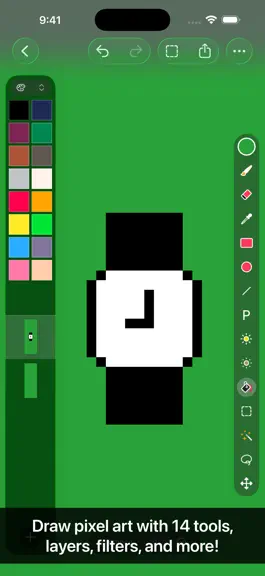
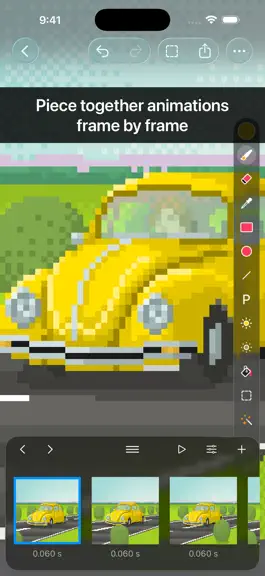
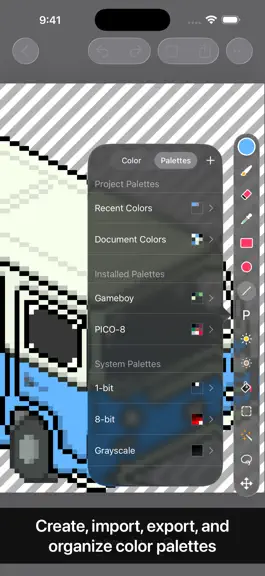
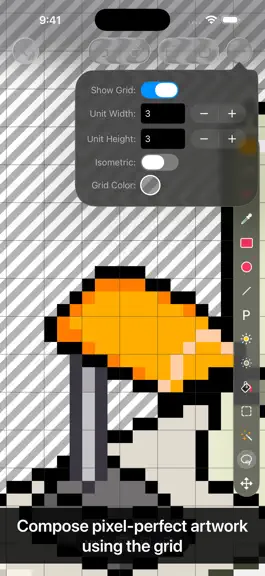
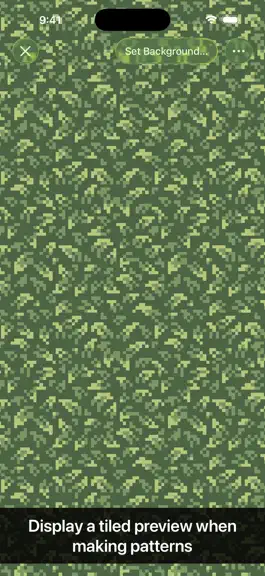
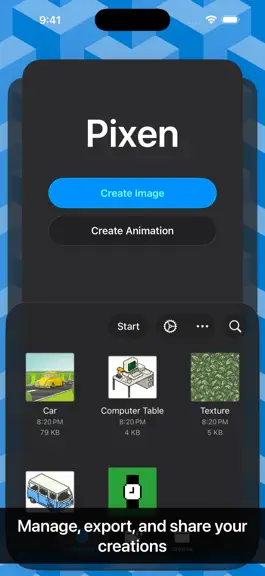
Pixen is a native pixel art editor for iOS and macOS, designed for working with low-resolution raster art such as those 8-bit sprites found in old-school video games. Pixen packs all the tools pixel artists need in an intuitive, native interface including support for high zoom levels, animation editing, color palettes, and a lot more. PROJECTS GALLERY The Pixen experience starts in the projects…
Trends & analysis
Chart rank trend
US · overallWhy it's surfacing
Scout 8Ratings & velocity
★ +0.01 in windowRating distribution
96% positive · 162 ratingsGeographic reach
best rank · 0 storefrontsRevenue & downloads trend
ARPU $0In-app purchases
1 tiersUpdate history
3 updates tracked- v4.0.626d ago
- Copying layers is more reliable - Performance improvements
- v4.0.51mo ago
- Handoff projects between devices with ease - The selected tool is now more obvious - Quick Look previews are now more reliable - The size of the app binary has been reduced
- v4.0.35mo ago
- Bug fixes Previously in Pixen 4: - Enjoy a refreshed design on iOS 26 with Liquid Glass - Run Pixen on iPhone for the first time and edit your projects on the go - Manage your creations more easily with the new document browser - Sync your work via third-party file providers like Dropbox - Use the app in Light Mode if you prefer a lighter environment (instead of Dark Mode) - Work in different documents in separate windows - Discover and access Pixen's features from the menu bar - Speed up drawing symmetrical objects with the Mirror X / Mirror Y options for the Pencil tool - Use the new "Clone Layer to All Frames" command to propagate layer changes to all frames in an animation, perfect for updating a background that is shared across all frames - Adjust the size of the layers / color palettes sidebar - Hide and show the layers / color palettes sidebar to free up canvas space - Hide and show tool properties to free up canvas space - Customize the toolbar to access common commands more easily - Added a new command for selecting visible pixels - Improved thumbnail rendering in the Files app
Pixen - pixel art editor — FAQ
How much money does Pixen - pixel art editor make?
According to AppCurrents estimates, Pixen - pixel art editor generates approximately $30–$300 per month (low confidence), modeled from its the App Store chart performance, rating velocity, and monetization signals.
How many downloads does Pixen - pixel art editor get?
Pixen - pixel art editor sees an estimated 90–400 downloads per month on the App Store, per AppCurrents modeling.
Is Pixen - pixel art editor free?
Pixen - pixel art editor is free to download on the App Store, monetizing through in-app purchases.
What is Pixen - pixel art editor's rating?
Pixen - pixel art editor holds a 4.71-star average from 175 ratings on the App Store.
When was Pixen - pixel art editor released?
Pixen - pixel art editor launched on the App Store on 11.10.2016. Its latest version shipped 06.09.2026.
Apps like Pixen - pixel art editor
See all alternatives → Reface: AI Face Swap & EditorGraphics & Design · $270k–$1.5M/mo
 AI Maker: Photo Video FiltersGraphics & Design · $250k–$1.4M/mo
 Nomad SculptGraphics & Design · $100k–$1.7M/mo
 ThemePack: Widgets & WallpaperGraphics & Design · $150k–$820k/mo
 Artmate: Drawing TogetherGraphics & Design · $150k–$800k/mo
 Artrace: AR Drawing & SketchGraphics & Design · $140k–$770k/mo