
PDF Editor・PDF File Converter
PDF Editor・PDF File Converter generates an estimated $50–$300/month in revenue from 100–400 downloads/month on the App Store, according to AppCurrents estimates (updated 2026-10-02).
| Est. revenue / month | $50–$300 |
|---|---|
| Est. downloads / month | 100–400 |
| Estimate confidence | low |
| Pricing | Free + IAP |
| Rating | 4.73 ★ (153 ratings) |
| Category | Productivity |
| Released | 16.06.2023 |
| App last updated | 08.09.2026 |
| Platform | iOS |
Modeled monthly estimate · rating velocity · low confidence
About
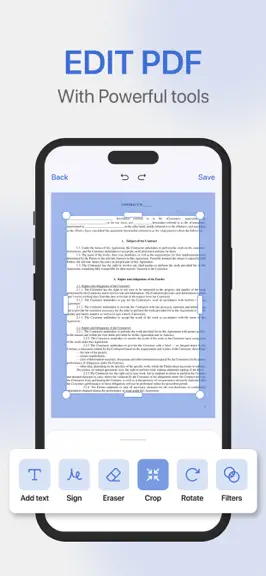
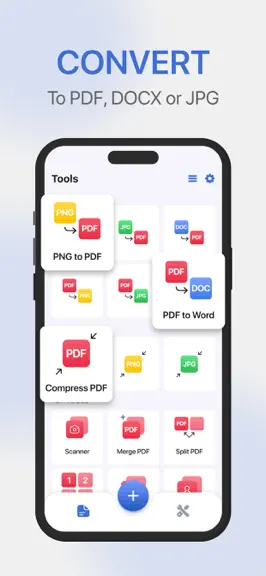
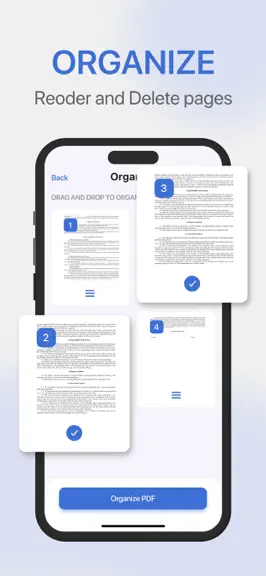
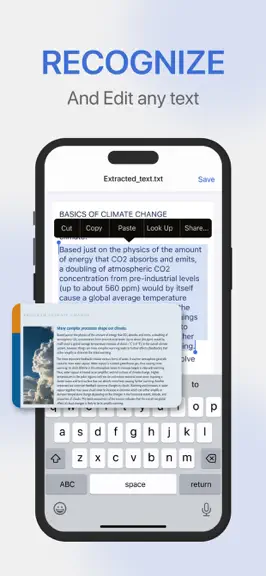
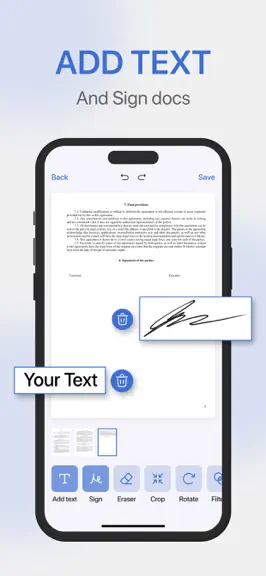
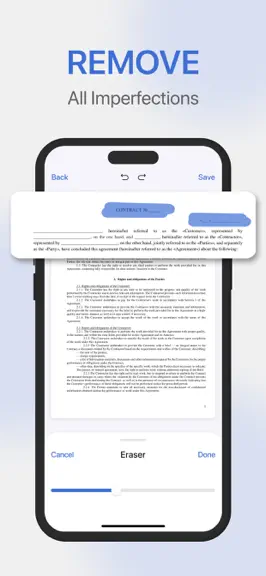
The all-in-one PDF editor and file converter to scan, convert, edit, and manage your documents in seconds. Whether for work, school, or personal projects, this app offers professional tools to handle PDFs effortlessly. WHO IT'S FOR Perfect for professionals, students, and anyone who needs to edit, convert, or manage PDF documents quickly and easily. WHAT YOU'LL GET PDF Editor: Edit text, fill ou…
Trends & analysis
Chart rank trend
US · overallWhy it's surfacing
Scout 8Ratings & velocity
★ 0 in windowRating distribution
93% positive · 151 ratingsGeographic reach
best rank · 0 storefrontsRevenue & downloads trend
ARPU $1In-app purchases
10 tiersUpdate history
3 updates tracked- v4.1.224d ago
- Bug fixes and performance improvements Thank you for your 5-star ratings * * * * *
- v4.1.03mo ago
New: Undo/redo feature while editing files. Added Home Screen widgets Bug fix for the OCR functionality Set default scan format to PDF Improved experience for multi-page scans Support for Microsoft Office documents is back! More fixes and improvements. Huge thanks for your 5-star ratings! They keep us going! *****
- v3.4.05mo ago
Productivity & File Management - Automatic Document Loading: Access your existing documents instantly by granting permission. Files will now load automatically from your device. - PDF as Default App: You can now set this app as your primary PDF viewer for opening all documents on your device. - Recent & Favorites Tabs: Navigation has been expanded to four tabs—My Files, Recent, Favorites, and Tools—for improved organization. - Format Navigation Ribbon: A new horizontal filter bar in My Files lets you quickly browse documents by their specific format. Expanded Support & Viewing - eBook Support: You can now open and manage .ePub and .mobi files, easily accessible via the new format filter. - Full-Screen Experience: The iOS status bar is now hidden in the viewer and editor to maximize your workspace and focus. - Precision Zoom: Enhanced zoom controls allow you to magnify documents for more accurate and detailed editing. Editor Improvements - Smoother Workflows: Elements now deselect automatically after use to keep your editing process fluid. - General Performance: Internal optimizations to ensure a faster and more stable experience across all tools. Huge thanks for your 5-star ratings! They keep us going! *****
PDF Editor・PDF File Converter — FAQ
How much money does PDF Editor・PDF File Converter make?
According to AppCurrents estimates, PDF Editor・PDF File Converter generates approximately $50–$300 per month (low confidence), modeled from its the App Store chart performance, rating velocity, and monetization signals.
How many downloads does PDF Editor・PDF File Converter get?
PDF Editor・PDF File Converter sees an estimated 100–400 downloads per month on the App Store, per AppCurrents modeling.
Is PDF Editor・PDF File Converter free?
PDF Editor・PDF File Converter is free to download on the App Store, monetizing through in-app purchases.
What is PDF Editor・PDF File Converter's rating?
PDF Editor・PDF File Converter holds a 4.73-star average from 153 ratings on the App Store.
When was PDF Editor・PDF File Converter released?
PDF Editor・PDF File Converter launched on the App Store on 16.06.2023. Its latest version shipped 08.09.2026.


