
Pado
Pado generates an estimated $30–$200/month in revenue from 10–40 downloads/month on the App Store, according to AppCurrents estimates (updated 2026-10-02).
| Est. revenue / month | $30–$200 |
|---|---|
| Est. downloads / month | 10–40 |
| Estimate confidence | low |
| Pricing | Free + IAP |
| Rating | 4.89 ★ (18 ratings) |
| Category | Health & Fitness |
| Released | 22.06.2014 |
| App last updated | 14.06.2026 |
| Platform | iOS |
Modeled monthly estimate · rating velocity · low confidence

About
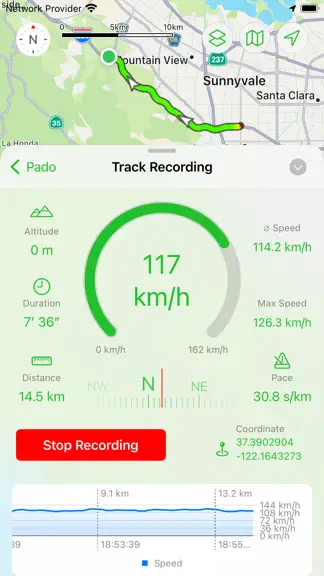
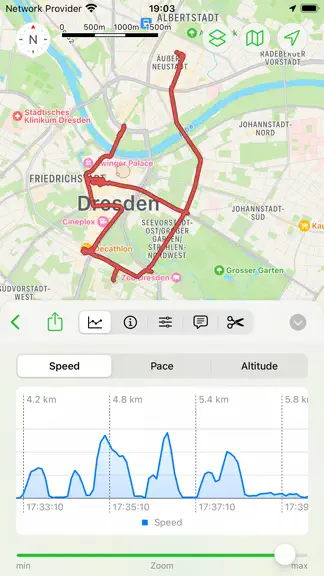
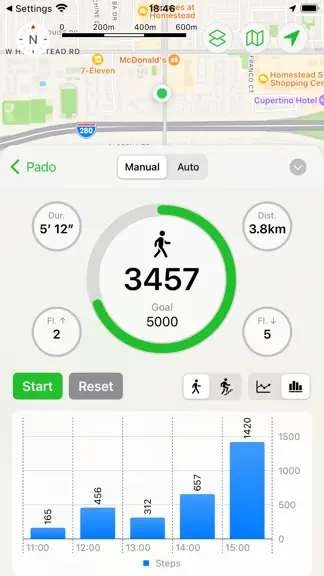
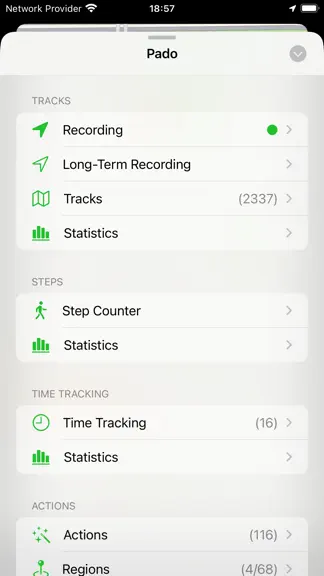
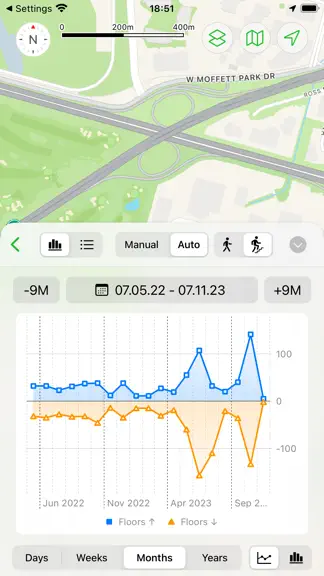
Pado is all about geo-tracking. RECORD TRACKS Record the routes/tracks of your hikes, bike tours, excursions, trips or sporting activities and evaluate them on a map, via diagrams and statistics. You can do this manually and spontaneously, but also fully automatically in the background. The latter can be helpful on vacations if you want to automatically record your local activities so that y…
Trends & analysis
Chart rank trend
US · overallWhy it's surfacing
Scout 6Ratings & velocity
★ +0.01 in windowRating distribution
94% positive · 17 ratingsGeographic reach
best rank · 0 storefrontsRevenue & downloads trend
ARPU $4In-app purchases
7 tiersUpdate history
1 update tracked- v3.13mo ago
- New option in the settings to configure the "activity" mode for the location services of the iOS. * The "Standard" option is usually best for general use cases if there's no other more specific option available (the iOS should not pause location updates even when the user doesn't move for a while as long as this action is active). * The "Automotive" option is best if you drive vehicles on roads (the iOS might pause location updates when the vehicle doesn’t move for an extended period of time). * The "Fitness" option is good for workout activity (the iOS might pause location updates if the user doesn’t move a significant distance over a period of time) * The "Airborne" option is good for all activities related to flying (airplane, helicopter, paragliding, skydiving etc) * The "Not tied to roads" option is good for activities that are not bound to roads or trails, Indoor and Outdoor (the iOS might pause location updates if the user doesn’t move a significant distance over a period of time). - There are some new options available to make the trigger for actions more specific. * The "Heading" options allows you to define in which direction you need to move in order to trigger the action. So you could make sure the action only ztriggers when you leave the region to the north, but not to the south, for example. * The "Type of locomotion" allows you to define whether the action should only be triggered when driving a vehicle or walking. In both cases the check for these options is done when the main trigger is activated (for example leaving a region) by the iOS. The "Locomotion" option checks if there were steps counted in the last 30 seconds to determine whether you are walking or driving. - A new Homescreen Widget can show the speed and altitude graph of the latest track recording. Tap the graph to toggle between speed and altitude, in case only one of the graphs is visible (only the large widget will show both graohs at the same time) - There are many additionals icons available to annotate saved regions or visited regions - It's now also possible to only show the visited regions (from the Diary feature) without their connections to each other on the map. - Bugfix: On the iPad changing the size of the sidebar did no longer work. - Bugfix: The option "Auto-Stop at same location" was removed for the "significant location change" trigger of the actions because this option only makes sense for concrete locations, not random/undefined ones.
Pado — FAQ
How much money does Pado make?
According to AppCurrents estimates, Pado generates approximately $30–$200 per month (low confidence), modeled from its the App Store chart performance, rating velocity, and monetization signals.
How many downloads does Pado get?
Pado sees an estimated 10–40 downloads per month on the App Store, per AppCurrents modeling.
Is Pado free?
Pado is free to download on the App Store, monetizing through in-app purchases.
What is Pado's rating?
Pado holds a 4.89-star average from 18 ratings on the App Store.
When was Pado released?
Pado launched on the App Store on 22.06.2014. Its latest version shipped 14.06.2026.
Apps like Pado
See all alternatives → Pacer Pedometer Step CounterHealth & Fitness · $3.9M–$21M/mo
 Scrambly: Earn Money WalkingHealth & Fitness · $1.4M–$7.9M/mo
 StepUp Pedometer Step CounterHealth & Fitness · $1.1M–$6.3M/mo
 Zero: Fasting & Food TrackerHealth & Fitness · $740k–$4.0M/mo
 Sweatmates: Partner FitnessHealth & Fitness · $680k–$3.6M/mo
 Planet FitnessHealth & Fitness · $630k–$3.4M/mo