Opal: Screen Time Control
Opal: Screen Time Control generates an estimated $360k–$2.3M/month in revenue from 100k–430k downloads/month on the App Store, according to AppCurrents estimates (updated 2026-07-26).
| Est. revenue / month | $360k–$2.3M |
|---|---|
| Est. downloads / month | 100k–430k |
| Estimate confidence | low |
| Pricing | Free + IAP |
| Rating | 4.73 ★ (84,432 ratings) |
| Category | Productivity |
| Best chart rank | #41 Productivity Grossing |
| Released | 15.12.2020 |
| App last updated | 20.07.2026 |
| Platform | iOS |
Modeled monthly estimate · rating velocity · low confidence
About
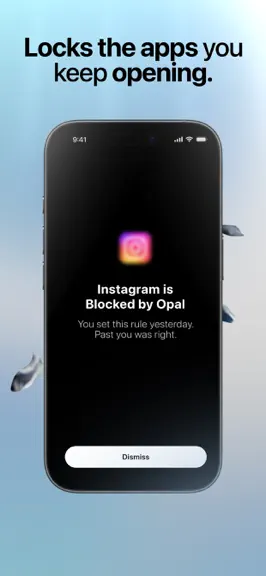
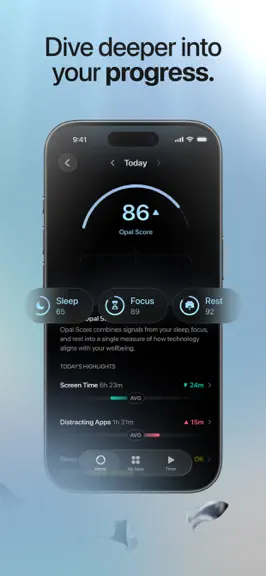
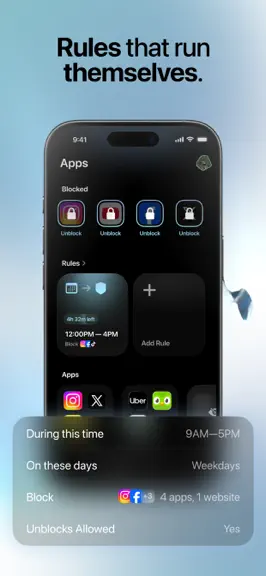
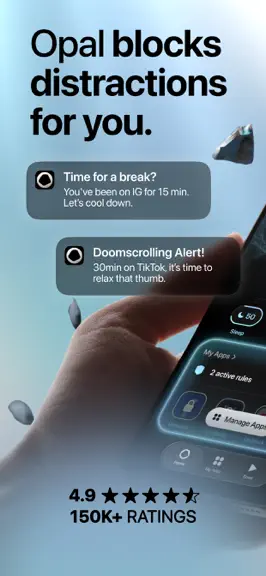
Achieve screen time control with the world’s most-loved screen time app! Opal is the fun, free Screen Time app to improve your focus and make the most out of every day. 5 to 6 hours. That’s the average time you’ll spend looking at your phone today, often without realizing it. It's time to fight back. With a combination of screen time control, app limits, app blockers, real time data, leaderboards…
Trends & analysis
Chart rank trend
US · categoryWhy it's surfacing
Scout 37Ratings & velocity
★ -0.05 in windowRating distribution
94% positive · 83k ratingsGeographic reach
best rank · 11 storefrontsRevenue & downloads trend
ARPU $4In-app purchases
5 tiersUpdate history
12+ updates tracked- v4.76d ago
4.7 is all about one thing: blocking that fires exactly when it should, 100% of the time, even when Opal is closed. That's the promise of the product, and it's where most of our energy went. New in 4.7 Blocking reliability • More fixes to ensure scheduled blocking applies on time in the background. Re-blocks after an unblock ends, scheduled Rule starts and stops, and time-limit blocks all happen without opening Opal • Opal now detects and repairs OS-level shield issues the old check couldn't see • Fixed a rare case where an already-expired time limit could lock you out again after midnight Unblocking • Fixed a case where "Unblock All" from the Rule card did nothing during a block-all-except session • "Unblock All" no longer wrongly lifts an app held by a reached time limit or a used-up open limit. Those stay blocked • The unblock Live Activity now has a "Block Again" button Limits and timers • Brought back the halfway heads-up notification for time limits • Sessions and timers can now run for multiple days, up to 14 days • Fixed a case where a countdown could get stuck at 0, like the waiting room after reopening Opal Fixes and polish • Fixed the Adult Websites screens getting cut off on Plus-size iPhones • Fixed a case where a paywall could appear when it shouldn't • Screen time reports no longer include Family Sharing members' usage. Many users who had family sharing setup with their partner or kids experienced this issue, which will now be fixed • Faster access to notification settings, a red dot for new support replies, and a smoother handoff to a human in support New in 4.6 • Scheduled blocks and unblocks now apply reliably in the background, so you no longer have to open Opal for them to take effect • Fixed blocking that misfired while your Rules were still reloading • Tap your profile photo to change it • Deleting your last active Rule now warns you before you remove your only protection • "Reset Limit" now appears above "Pause Rule" on active limit Rules • Cleaned up the App Unblocked notification, removed the "Pace yourself" line What's next, in priority order • A stunning home screen - better score (including screen time), gems, and recommendations. • Keep hardening background blocking so every Rule applies on time, every time, without opening Opal • Make timers stunning • Making time limits clearer when you reach one, so the unblock option is never misleading • Clearer onboarding so it's obvious what Opal does, what a Rule is, and how unblocking works After this, we are super excited to build many exciting updates for the product, including Family and School modes, Autofocus to power intelligent timely recommendations and interventions, more incredible timers and more. We read everything you send us, and it shaped this list directly. Thank you.
- v4.610d ago
4.6 is small but where it counts: blocking is more reliable and we've made multiple UX improvements. Here's what's new, what came before it, and what's next, in priority order. New in 4.6 • Blocking is much more reliable in the background, blocks should always start and end on time. Also fixed in recent updates Rules and blocking • Daily time limits can now be any duration in 5-minute steps, from 5 minutes to 23 hours 55 (4.5) • Waiting Room "Difficulty" is now "Resistance", with clearer Standard and Increasing options (4.5) • Sessions are back as a Rule, including Always On (4.4) • Before you delete a Rule, Opal offers to pause it instead (4.4) • The Adult Websites filter gained a Hard Mode commitment (4.4) • Better UX on all of our Rule creation flows (4.4) • Block whole categories during onboarding, with a nudge that picking apps one by one is safest (4.3.2) • Better detection of blocking silently drifting out of line (4.3.2) • Time limit resets are back, and usage counts again after you reach your limit (4.3.1) • Opal quietly repairs blocking in more situations (4.3.1) • Fixed PIN number migration + locked down disabling rules when it's active (4.3) Account and Pro • Pro subscribers no longer show up as Free when the subscription check is slow — Pro status loads instantly from your device (4.5) • Coming back to Opal is faster: re-onboarding skips the questions Opal already knows, and sign-in comes first when we detect a previous account (4.5) • More stability syncing your Pro access (4.3.2) • No more paywall for current Pro subscribers (4.3) • Fixed the unexpected logouts (server fix June 24, plus 4.2.2) • Pro access restores itself automatically, and everyone has unlimited Rules (4.2.2) Home screen and design • Your daily screen time is back on the home screen, with today's total and most-used apps (4.3.1) • The gem progress notification no longer appears for gemstones you've already unlocked (4.3.2) • Refreshed timer and unblock Live Activities, and fixed the widget gemstone color (4.3.1) Unblocking • A new "Unblock All" button in My Apps unblocks everything that can be unblocked quickly (4.5) • Waiting rooms can no longer be parked to bypass the wait (4.3.2) • One simple unblock flow everywhere, with your own unblock time, not just 5 minutes (4.2.2) • Fixed cases where unblocking didn't work at all (4.2.1) Streaks • Fixed an issue that could cause your streak to be incorrectly calculated (4.3.1) • Fixed the migration that wiped some streaks, and restored streaks for 3,500 affected people on June 25 (4.2.1) Stability • Cleaner screen time stats (4.3) • Fixed crashing on launch, overheating and lag on the home screen (4.2, 4.2.1) • Uninstall protection can no longer be turned off while blocking (4.2.1) Things you should know • Increasing wait time in the waiting room is in Settings → Waiting Room → Resistance → Increasing • Your daily screen time is on the home screen; tap the Screen Time card for the app-by-app view What's next, in priority order • Continuing to harden against apps getting stuck blocked • Fixing referrals • Further hardening streak resilience • Showing Focus Hours on the home screen • Clearer setup so it's obvious what Opal does, what a Rule is, and how unblocking works Your messages decide this list. We're still reading every one. Thank you.
- v4.516d ago
4.5 is a wide sweep of fixes and small upgrades: Pro status, Gems, time limits, unblocking, and the waiting room all got attention. Here's what's new, what came before it, and what's next, in priority order. New in 4.5 • Pro subscribers no longer show up as Free when the subscription check is slow. Your Pro status now loads instantly from your device • Coming back to Opal is much faster: re-onboarding skips the questions Opal already knows, and sign-in comes first when we detect a previous account • Daily time limits can now be any duration in 5-minute steps, from 5 minutes to 23 hours 55 • A new "Unblock All" button in My Apps unblocks everything that can be unblocked quickly • Waiting Room "Difficulty" is now "Resistance", with clearer Standard and Increasing options Also fixed in recent updates Rules and blocking • Sessions are back as a Rule, including Always On (4.4) • Before you delete a Rule, Opal offers to pause it instead (4.4) • The Adult Websites filter gained a Hard Mode commitment (4.4) • Better UX on all of our Rule creation flows (4.4) • Block whole categories during onboarding, with a nudge that picking apps one by one is safest (4.3.2) • Better detection of blocking silently drifting out of line (4.3.2) • Time limit resets are back, and usage counts again after you reach your limit (4.3.1) • Opal quietly repairs blocking in more situations (4.3.1) • Fixed PIN number migration + locked down disabling rules when it's active (4.3) Home screen and design • Your daily screen time is back on the home screen, with today's total and most-used apps (4.3.1) • The gem progress notification no longer appears for gemstones you've already unlocked (4.3.2) • Refreshed timer and unblock Live Activities, and fixed the widget gemstone color (4.3.1) Account and Pro • More stability syncing your Pro access (4.3.2) • No more paywall for current Pro subscribers (4.3) • Fixed the unexpected logouts (server fix June 24, plus 4.2.2) • Pro access restores itself automatically, and everyone has unlimited Rules (4.2.2) Unblocking • Waiting rooms can no longer be parked to bypass the wait (4.3.2) • One simple unblock flow everywhere, with your own unblock time, not just 5 minutes (4.2.2) • Fixed cases where unblocking didn't work at all (4.2.1) Streaks • Fixed an issue that could cause your streak to be incorrectly calculated (4.3.1) • Fixed the migration that wiped some streaks, and restored streaks for 3,500 affected people on June 25 (4.2.1) Stability • Cleaner screen time stats (4.3) • Fixed crashing on launch, overheating and lag on the home screen (4.2, 4.2.1) • Uninstall protection can no longer be turned off while blocking (4.2.1) Things you should know • Increasing wait time in the waiting room is in Settings => Waiting Room => Resistance => Increasing • Your daily screen time is now on the home screen; tap the Screen Time card for the app-by-app view What's next, in priority order • Getting everyone signed back into the right account and out of duplicate accounts • Continuing to harden against apps getting stuck blocked • Fixing referrals • Further hardening streak resilience • Bringing back "Leave early" • Showing Focus Hours on the home screen • Clearer onboarding so it's obvious what Opal does, what a Rule is, and how unblocking works (returning users already got a much shorter one in this release) Your messages decide this list. We're still reading every one. Thank you.
- v4.417d ago
4.4 brings back one of the most requested features from the old Opal, straight off our what's-next list: Sessions, including Always On. Here's everything in this update, what came before it, and what we're doing next, in priority order. New in 4.4 • Sessions are back as a Rule. Start one for a chosen duration, or choose Always On to keep blocking until you decide to stop • Before you delete a Rule, Opal now offers to pause it instead. Deleting is forever, pausing isn't • The Adult Websites filter now has a Hard Mode commitment, so it can't be casually switched off • Better UX on all of our Rule Creation flows Also fixed in recent updates Rules and blocking • Block whole categories during onboarding, with a nudge that picking apps one by one is safest (4.3.2) • Better detection of blocking silently drifting out of line (4.3.2) • Time limits work better: resets are back and usage counts again after you reach your limit (4.3.1) • Opal quietly repairs blocking in more situations (4.3.1) • Fixed PIN number migration + locked down disabling rules when it's active (4.3) • Added the ability to reload blocks from your Settings or blocks tab to refresh rules (4.3) Home screen and design • Your daily screen time is back on the home screen, with today's total and most-used apps (4.3.1) • The gem progress notification no longer appears for gemstones you've already unlocked (4.3.2) • Refreshed timer and unblock Live Activities, and fixed the widget gemstone color (4.3.1) Account and Pro • More stability syncing your Pro access (4.3.2) • No more paywall for current Pro subscribers (4.3) • Fixed the unexpected logouts (server fix June 24, plus 4.2.2) • Pro access restores itself automatically, and everyone has unlimited Rules (4.2.2) Unblocking • Waiting rooms can no longer be parked to bypass the wait (4.3.2) • One simple unblock flow everywhere, with your own unblock time, not just 5 minutes (4.2.2) • Fixed cases where unblocking didn't work at all (4.2.1) Streaks • Fixed an issue that could cause your streak to be incorrectly calculated (4.3.1) • Fixed the migration that wiped some streaks, and restored streaks for 3,500 affected people on June 25 (4.2.1) Stability • Cleaner screen time stats (4.3) • Fixed crashing on launch, overheating and lag on the home screen (4.2, 4.2.1) • Uninstall protection can no longer be turned off while blocking (4.2.1) Things you should know • Increasing wait time in the waiting room is in Settings => Waiting Room => Hard • Your daily screen time is now on the home screen; tap the Screen Time card for the app-by-app view What's next, in priority order • Getting everyone signed back into the right account and out of duplicate accounts • Continuing to harden against apps getting stuck blocked • Fixing referrals • Further hardening streak resilience (a big step shipped in this release) • Bringing back "Leave early" • Showing Focus Hours on the home screen • Clearer onboarding so it's obvious what Opal does, what a Rule is, and how unblocking works Everything here started as a message from one of you, and the next update will too. Keep them coming. Thank you.
- v4.3.220d ago
We're keeping the updates coming. 4.3.2 is about fewer surprises and more stability. Here's what's new, what's been fixed, and what's next, in priority order. New in 4.3.2 • You can now pick whole categories when choosing what to block during onboarding. One caution: categories can include apps you don't expect, so picking apps one by one is still the safest way • Waiting rooms can no longer be kept on the app selection or timer screens in order to bypass waiting • Added some more stability to syncing your Pro access • The gem progress notification no longer appears for gemstones you've already unlocked • Better detection of blocking silently drifting out of line, so stuck or missing blocks get found and fixed faster Also fixed in recent updates Rules and blocking • Time limits work better: resets are back and usage counts again after you reach your limit (4.3.1) • Opal quietly repairs blocking in more situations (4.3.1) • Fixed PIN number migration + locked down disabling rules when it's active (4.3) • Added the ability to reload blocks from your Settings or blocks tab to refresh rules (4.3) Home screen and design • Your daily screen time is back on the home screen, with today's total and most-used apps (4.3.1) • Refreshed timer and unblock Live Activities, and fixed the widget gemstone color (4.3.1) Account and Pro • No more paywall for current Pro subscribers (4.3) • Fixed the unexpected logouts (server fix June 24, plus 4.2.2) • Pro access restores itself automatically, and everyone has unlimited Rules (4.2.2) Unblocking • One simple unblock flow everywhere, with your own unblock time, not just 5 minutes (4.2.2) • Fixed cases where unblocking didn't work at all (4.2.1) Streaks • Fixed an issue that could cause your streak to be incorrectly calculated (4.3.1) • Fixed the migration that wiped some streaks, and restored streaks for 3,500 affected people on June 25 (4.2.1) Stability • Cleaner screen time stats (4.3) • Fixed crashing on launch, overheating and lag on the home screen (4.2, 4.2.1) • Uninstall protection can no longer be turned off while blocking (4.2.1) Things you should know • Increasing wait time in the waiting room is in Settings => Waiting Room => Hard • Your daily screen time is now on the home screen; tap the Screen Time card for the app-by-app view What's next, in priority order • Getting everyone signed back into the right account and out of duplicate accounts • Continuing to harden against apps getting stuck blocked (better detection shipped in this release) • Fixing referrals • Further hardening streak resilience • Bringing back "Leave early" • Bringing back Session / Always On as a Rule • Showing Focus Hours on the home screen • Clearer onboarding so it's obvious what Opal does, what a Rule is, and how unblocking works Every line above traces back to a message from one of you. We're still reading everything. Thank you.
Opal: Screen Time Control — FAQ
How much money does Opal: Screen Time Control make?
According to AppCurrents estimates, Opal: Screen Time Control generates approximately $360k–$2.3M per month (low confidence), modeled from its the App Store chart performance, rating velocity, and monetization signals.
How many downloads does Opal: Screen Time Control get?
Opal: Screen Time Control sees an estimated 100k–430k downloads per month on the App Store, per AppCurrents modeling.
Is Opal: Screen Time Control free?
Opal: Screen Time Control is free to download on the App Store, monetizing through in-app purchases.
What is Opal: Screen Time Control's rating?
Opal: Screen Time Control holds a 4.73-star average from 84,432 ratings on the App Store. It currently ranks #41 on the Productivity grossing chart.
When was Opal: Screen Time Control released?
Opal: Screen Time Control launched on the App Store on 15.12.2020. Its latest version shipped 20.07.2026.