Onform: Video Analysis App
Onform: Video Analysis App generates an estimated $700–$4k/month in revenue from 3k–12k downloads/month on the App Store, according to AppCurrents estimates (updated 2026-10-02).
| Est. revenue / month | $700–$4k |
|---|---|
| Est. downloads / month | 3k–12k |
| Estimate confidence | medium |
| Pricing | Free + IAP |
| Rating | 4.79 ★ (8,657 ratings) |
| Category | Sports |
| Best chart rank | #74 Sports Grossing |
| Released | 27.03.2020 |
| App last updated | 01.10.2026 |
| Platform | iOS |
Modeled monthly estimate · rating velocity · medium confidence




About
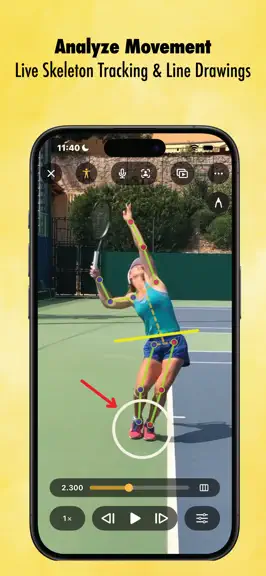
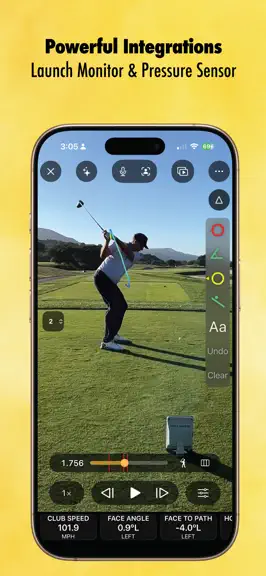
Onform is a mobile video coaching platform that helps coaches provide video feedback and communicate with athletes. With built-in individual and group communication tools, coaches can stay connected with remote and in-person athletes using voice-overs, messaging, and file/video sharing. Coach smarter, give athletes a better experience (athletes pay no fee to use the app with you), and get your ti…
Trends & analysis
Chart rank trend
US · categoryWhy it's surfacing
Scout 30Ratings & velocity
★ 0 in windowRating distribution
95% positive · 8k ratingsGeographic reach
best rank · 1 storefrontRevenue & downloads trend
ARPU $0In-app purchases
10 tiersUpdate history
10 updates tracked- v4.7.1today
Some small UI tweaks and bug fixes Issues or Questions? Please email us at [email protected]
- v4.7.06d ago
Shared Notes Write session plans, lesson recaps and feedback right in Onform. Share a note with your athletes or keep it private, choose who can edit it, and go back through its full version history any time you need an earlier draft. Voice-over transcription Record a voice-over and Onform transcribes it as you talk, so your feedback becomes text you can read and search instead of audio you have to scrub through. When you share a voice-over, an AI summary of what you said goes with it. Multi-Tagging Tag several athletes on the same video at once, then send it straight to a direct message without leaving the tagging screen. Faster 3D for Golf 3D generation for golf is now nearly twice as fast. Club Head Tracking Club head tracking is out of beta. It's more accurate and now works from the down-the-line view in addition to face-on. Made for iPad & iOS 27 Onform now resizes freely alongside your other apps. The video player controls have moved to the system navigation bar, so they take up less space over your footage. Launch Monitors and Sensors Pocket Radar now connects directly over Bluetooth. Garmin R50 shot metrics now match Garmin's specs. Stalker and KIT radars reconnect on their own if the connection drops. Sensor Edge pressure mat heatmaps have improved coloring, so pressure changes are easier to see. PGA Coach calendar Link your PGA Coach calendar and your bookings show up in Onform. Practice Swing Detection Auto-detect is better at telling a real shot from a practice swing, and you can set it to capture only real shots. Plus faster library and search, broader translation coverage, and bug fixes.
- v4.6.324d ago
Bug fixes and enhancements
- v4.6.21mo ago
- minor maintenance release
- v4.6.11mo ago
Bug fixes and enhancements.
Onform: Video Analysis App — FAQ
How much money does Onform: Video Analysis App make?
According to AppCurrents estimates, Onform: Video Analysis App generates approximately $700–$4k per month (medium confidence), modeled from its the App Store chart performance, rating velocity, and monetization signals.
How many downloads does Onform: Video Analysis App get?
Onform: Video Analysis App sees an estimated 3k–12k downloads per month on the App Store, per AppCurrents modeling.
Is Onform: Video Analysis App free?
Onform: Video Analysis App is free to download on the App Store, monetizing through in-app purchases.
What is Onform: Video Analysis App's rating?
Onform: Video Analysis App holds a 4.79-star average from 8,657 ratings on the App Store. It currently ranks #74 on the Sports grossing chart.
When was Onform: Video Analysis App released?
Onform: Video Analysis App launched on the App Store on 27.03.2020. Its latest version shipped 01.10.2026.


