
NiblyNotes generates an estimated $0/month in revenue from 0 downloads/month on the App Store, according to AppCurrents estimates (updated 2026-08-02).
| Est. revenue / month | $0 |
|---|---|
| Est. downloads / month | 0 |
| Estimate confidence | low |
| Pricing | Free + IAP |
| Rating | 0.00 ★ (0 ratings) |
| Category | Education |
| Released | 18.06.2026 |
| App last updated | 26.07.2026 |
| Platform | iOS |
Modeled monthly estimate · rating velocity · low confidence

About
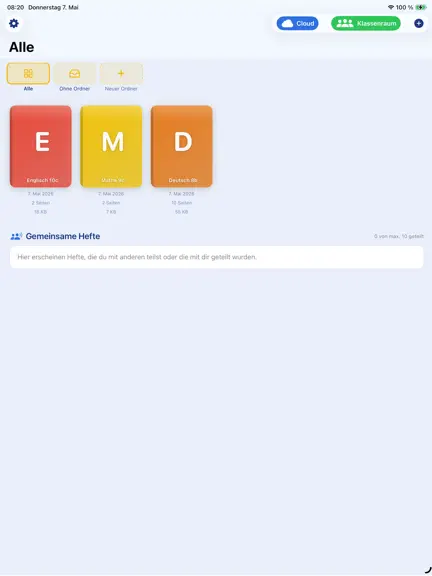
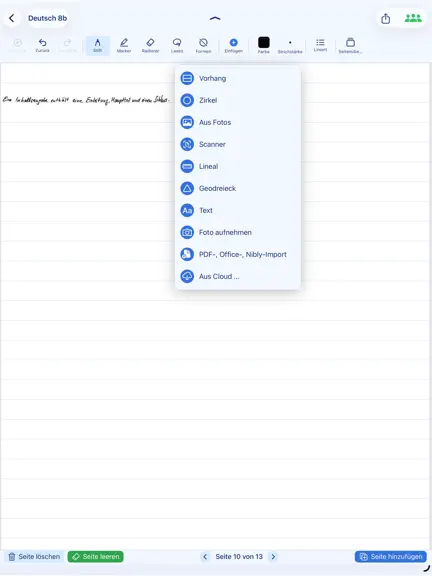
NiblyNotes is the digital notebook for school — developed in Germany, together with teachers. Every tool needed in class, in one app: no subscription, no ads, no tracking. FREE AND AD-FREE We promise to keep NiblyNotes free for at least 5 years. If you'd like to, you can buy us a coffee in the supporter area — no features get unlocked, NiblyNotes stays fully usable for everyone. WRITING AND DRAW…
Trends & analysis
Chart rank trend
US · overallWhy it's surfacing
Scout 29Ratings & velocity
★ 0 in windowGeographic reach
best rank · 0 storefrontsRevenue & downloads trend
monthly estimateIn-app purchases
3 tiersUpdate history
4 updates tracked- v1.0.510d ago
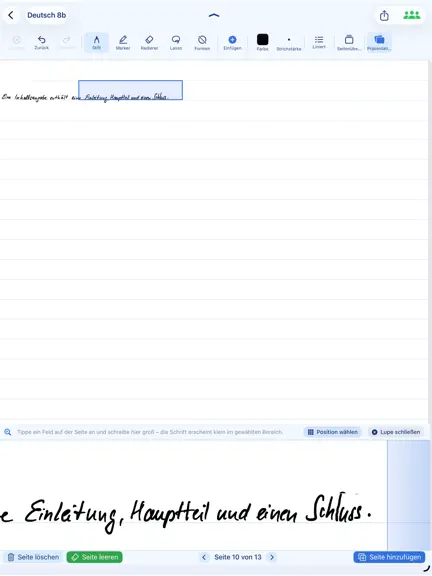
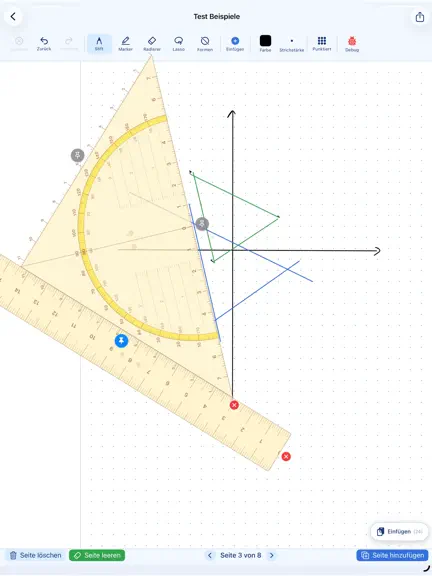
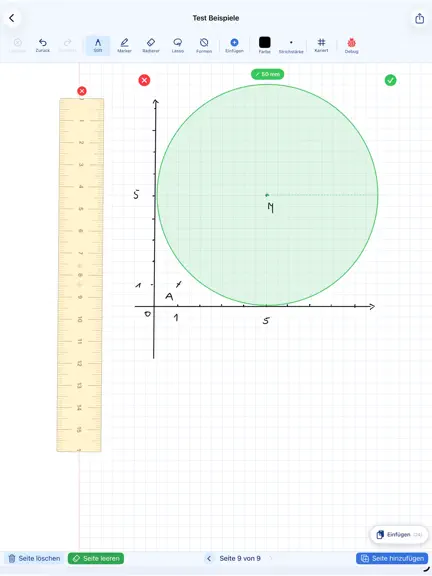
**New Split Screen feature.** While a notebook is open, you can now open and view a PDF or another notebook at the same time. The feature is available via the **Share** button. In Split Screen mode, the reading pane can now be moved to the right side. This is especially useful for left-handed users. The reading pane in Split Screen now supports two-finger pinch-to-zoom. Pages can also be changed by swiping. Only one page is displayed at a time. Links can now be opened directly while using Split Screen. In Split Screen mode, the currently open notebook can now also be selected and opened. The sticker menu can now be moved freely. The compass tool has been improved. After creating a circle, the radius input dialog is displayed again immediately, allowing multiple circles to be drawn in quick succession. While drawing a circle with the compass tool, the ruler and protractor are automatically hidden. They reappear as soon as the circle has been created. Text selected with the lasso tool can now be rotated just like images. Automatic line straightening now takes place while holding the stylus in place. You no longer need to lift the stylus to straighten a line. The laser pointer is now displayed live in the projector view. The zoom function has been improved. Objects now remain much more stable while zooming and move less. The scrolling behavior has been improved. Scrolling is now faster and objects move much more smoothly. When using the compass, ruler, or protractor, the page can now be scrolled using a scroll bar. Text fields now support adjustable line spacing.
- v1.0.415d ago
**Major new feature:** Classroom Control now works directly over the Internet. For schools that block communication within the Wi-Fi network, the new **Mailbox via Web Server** feature is now available. Shared notebooks are now only displayed under **All** or **No Folder**. Notebooks submitted by students are now displayed in different colors in Classroom Control. When connecting to Classroom Control, students now always see their own name. It can be changed directly, which is especially useful when using shared iPad carts. In addition, the student's BayernCloud username is now displayed when connecting. If there is no connection to BayernCloud, the username can be entered directly. This allows the teacher to see the student's BayernCloud username in Classroom Control and send files directly to the student. This is especially useful when using shared iPad carts. Classroom Control has been extended with the new **Screenview** feature. When enabled, the teacher always sees a screenshot of the student's most recently modified notebook page. This screenshot can be inserted directly into a notebook. Alternatively, the latest screenshots from all students can be inserted into a notebook with a single click. Each screenshot includes the student's username and a timestamp. Text fields now support up to 8,000 characters.
- v1.0.21mo ago
Sticker functions have been optimized. New setting: You can now disable the Apple Pencil double-tap action for the Smart Eraser. New "Continue to Next Page Without Lifting" option in Settings. Improved shape and line editing for even more precise adjustments. More accurate starting point when drawing straight lines. Smoother workflow when switching between Shape and Lasso modes. The crop frame now automatically adjusts to the resized image.
- v1.0.11mo ago
This version includes numerous improvements and new features: The compass tool has been improved. In addition to circles, arcs can now also be drawn. The text box feature has been enhanced. Text boxes can now be moved all the way to the top edge of the page. Bullet points are now also supported in text boxes. The backup feature has been optimized. Login via BayernCloud has been simplified. Images can now be labeled with captions. The ruler, set square, and compass are now also displayed in presentation mode. Classroom use has been optimized for teachers and students. Bookmarks can now be added to individual pages. Zoom writing has been optimized.
NiblyNotes — FAQ
How many downloads does NiblyNotes get?
NiblyNotes sees an estimated 0 downloads per month on the App Store, per AppCurrents modeling.
Is NiblyNotes free?
NiblyNotes is free to download on the App Store, monetizing through in-app purchases.
When was NiblyNotes released?
NiblyNotes launched on the App Store on 18.06.2026. Its latest version shipped 26.07.2026.


