
MuxPad
MuxPad generates an estimated $0/month in revenue from 0 downloads/month on the App Store, according to AppCurrents estimates (updated 2026-08-02).
| Est. revenue / month | $0 |
|---|---|
| Est. downloads / month | 0 |
| Estimate confidence | low |
| Pricing | Paid $5.99 |
| Rating | 0.00 ★ (0 ratings) |
| Category | Developer Tools |
| Released | 14.07.2026 |
| App last updated | 30.07.2026 |
| Platform | iOS |
Modeled monthly estimate · rating velocity · low confidence
About
MuxPad is a native tmux terminal built from the ground up for iPad. Unlike ordinary SSH apps that draw a single terminal screen, MuxPad runs tmux control mode (tmux -CC) over SSH and maps tmux sessions, windows, and panes directly onto a native iPad interface. NATIVE TMUX PANES & WINDOWS Windows become tabs and splits become real split views. Every pane has native scrollback, selection, and copy…
Trends & analysis
Chart rank trend
US · overallWhy it's surfacing
Scout 45Ratings & velocity
★ 0 in windowGeographic reach
best rank · 1 storefrontRevenue & downloads trend
monthly estimateUpdate history
4 updates tracked- v1.3.05d ago
Preview your dev server, jump anywhere with ⌘P, and ask an agent about a change — all inside MuxPad. - Forward a port and your site opens in a tab right next to the terminal and your code. No more bouncing out to Safari. - Press ⌘P to search your muxes, open tabs and screens. Type a few letters, press Return. - Reading a diff? Tap Ask Agent — MuxPad fills in the file and line range, so you only type what you want done. - Review and commit git without leaving the app: changed files, diffs, staging, branches and worktrees. - Safe by default: force push uses --force-with-lease unless you opt in, and destructive actions ask twice. Also fixed: the app no longer freezes when moving between the terminal and other tabs on Mac, and rotating your iPad now keeps the remote terminal at the right size. Give it a try — we'd love to hear what you think!
- v1.2.012d ago
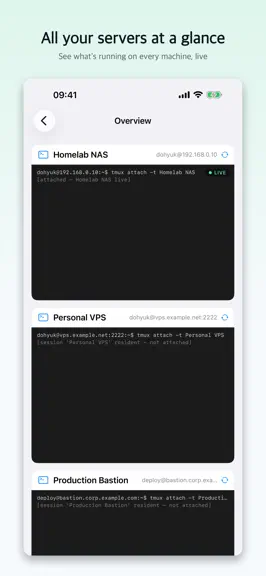
Keep an eye on your AI coding agents — right from the sidebar. - muxpad now shows the live status of Claude, Codex, Gemini, Copilot and more running in your tmux sessions: working, waiting for you, or done. No setup on the server required. - When an agent needs your input or finishes, you see it at a glance across every session — even on your Home Screen and Lock Screen. - Finished a Claude session? Resume it right where it left off with a single tap. - Plus reliability and polish across reconnection and the terminal. Give it a try — we'd love to hear what you think!
- v1.1.114d ago
Sync Claude Code status. Various fixes and improvements for a better development experience.
- v1.1.020d ago
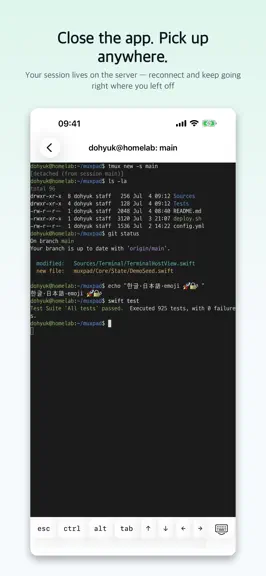
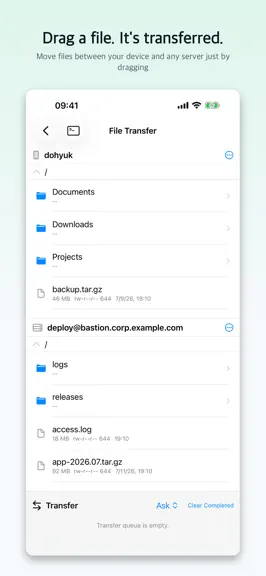
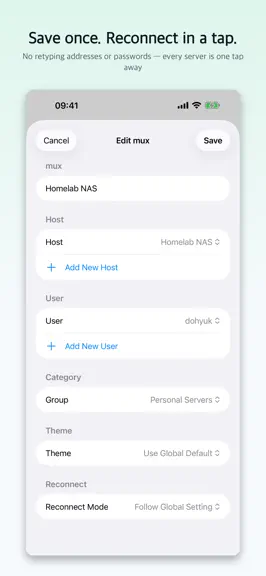
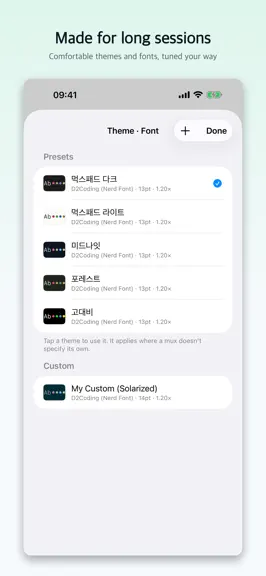
The easiest way to reach your servers from iPad and iPhone. - Close the app anytime — your session keeps running on the server, so you pick up right where you left off. - Moving files? Just drag and drop between your device and any server. - Connect a keyboard and type like you're right at your desk. - Save a server once, then reconnect with a single tap. - iCloud keeps your iPad and iPhone in sync automatically. - Pick a theme and font that's easy on your eyes. Give it a try — we'd love to hear what you think!
MuxPad — FAQ
How many downloads does MuxPad get?
MuxPad sees an estimated 0 downloads per month on the App Store, per AppCurrents modeling.
Is MuxPad free?
MuxPad is a paid app priced at $5.99 on the App Store.
When was MuxPad released?
MuxPad launched on the App Store on 14.07.2026. Its latest version shipped 30.07.2026.


