
Maintenance Management
Maintenance Management generates an estimated $0/month in revenue from 500–2k downloads/month on the App Store, according to AppCurrents estimates (updated 2026-10-02).
| Est. revenue / month | $0 |
|---|---|
| Est. downloads / month | 500–2k |
| Estimate confidence | high |
| Pricing | Free |
| Rating | 1.63 ★ (49 ratings) |
| Category | Business |
| Released | 10.03.2026 |
| App last updated | 13.09.2026 |
| Platform | iOS |
Modeled monthly estimate · rating velocity · high confidence
About
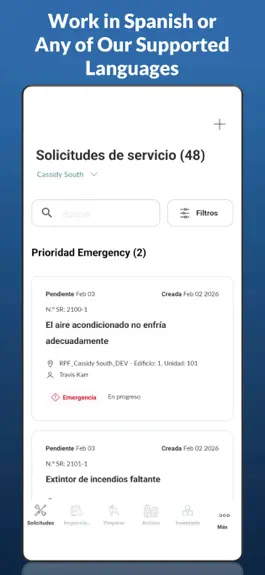
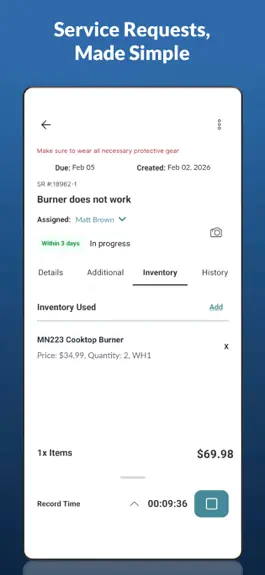
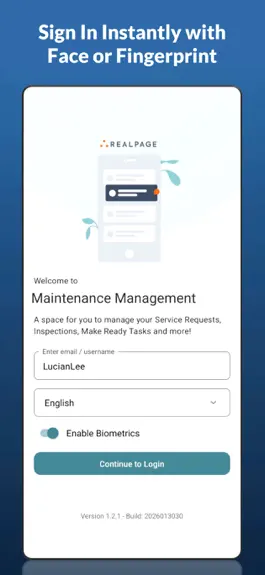
• Modern, Secure Login Instant, secure access with Face ID or fingerprint authentication. • AI‑Powered Assistance Get smart, context‑aware suggestions for technician steps and resolutions — boosting accuracy and saving valuable time. • Fast Service Request Management Create, update, and complete maintenance tasks in seconds with a clean, intuitive interface. • Smart Inspections Perform guided i…
Trends & analysis
Chart rank trend
US · overallWhy it's surfacing
Scout 20Ratings & velocity
★ -1.37 in windowRating distribution
42% positive · 12 ratingsGeographic reach
best rank · 0 storefrontsRevenue & downloads trend
ARPU $0Update history
6 updates tracked- v1.3.719d ago
AI agent creates service requests via chat AI voice-logs inspection results hands-free Scan asset labels for recalls/warranty/risk Dark mode added for app Configurable push notifications New task-prioritized landing dashboard Send inspections to outside vendors View resident ledger (read-only) View completed items by location
- v1.3.51mo ago
Tablet Support View list and detail side-by-side in a new tablet layout (portrait & landscape) across Service Requests, Inspections, Make Ready, Assets, Due Diligence, Pending Syncs, and AI Inspection Onboarding. Priority Filter & Urgent/Overdue Grouping Filter Service Requests and Inspections by priority. 1st Priority and Overdue items now show in separate groups for a clearer view of what needs attention first.
- v1.3.42mo ago
Due Diligence We have added Due Diligence to Maintenance Management Mobile. Click the More button and choose Due Diligence to create and perform due diligence inspections. To add Due Diligence to the Action Bar at the bottom of the screen, click the More menu->Menu Bar option
- v1.3.22mo ago
- When starting a Time Worked record, unassigned SRs will be automatically assigned to the technician recording time. If assigned to another technician, technicians will be prompted to reassign - Added the ability to edit Created Date and Time from Edit Service Request - Service Requests and Inspections that fail to upload will display resubmission options or clear error messages
- v1.3.13mo ago
- General Notes on Service Requests — You can now view, add, and edit General Notes directly on a Service Request, with the latest note shown on the Detail tab -Clear All Data option — A new option in Settings lets you safely wipe all locally stored data and reset the app to a fresh state - Haptic feedback — The app now gives a subtle vibration on key interactions, such as press-and-hold on a Make Ready task - Redesigned Inspection headers — Inspection Area and Item screens now have a streamlined header with a pinned progress bar, a built-in search/filter, and auto-collapse on scroll to give you more room to work - Contact dropdown on SR creation — The Contact field is now a dropdown, letting you quickly choose the correct resident when a unit has more than one active tenant - Submit always available on Inspections — You can now click Submit on an Inspection before completing all Areas. If you have set an Auto-Response on the Inspection Template, submitting will auto-fill all empty fields with this response. -Special characters in Inspections — Inspection text fields now accept special characters and symbols in the Area Comments section
Maintenance Management — FAQ
How many downloads does Maintenance Management get?
Maintenance Management sees an estimated 500–2k downloads per month on the App Store, per AppCurrents modeling.
Is Maintenance Management free?
Maintenance Management is free to download on the App Store, with no in-app purchases detected.
What is Maintenance Management's rating?
Maintenance Management holds a 1.63-star average from 49 ratings on the App Store.
When was Maintenance Management released?
Maintenance Management launched on the App Store on 10.03.2026. Its latest version shipped 13.09.2026.


