
LeadNav GPS
LeadNav GPS generates an estimated $14k–$230k/month in revenue from 2k–8k downloads/month on the App Store, according to AppCurrents estimates (updated 2026-10-02).
| Est. revenue / month | $14k–$230k |
|---|---|
| Est. downloads / month | 2k–8k |
| Estimate confidence | medium |
| Pricing | Paid $19.99 |
| Rating | 3.80 ★ (110 ratings) |
| Category | Navigation |
| Best chart rank | #77 Navigation Paid |
| Released | 01.10.2013 |
| App last updated | 28.09.2026 |
| Platform | iOS |
Modeled monthly estimate · rating velocity · medium confidence
About
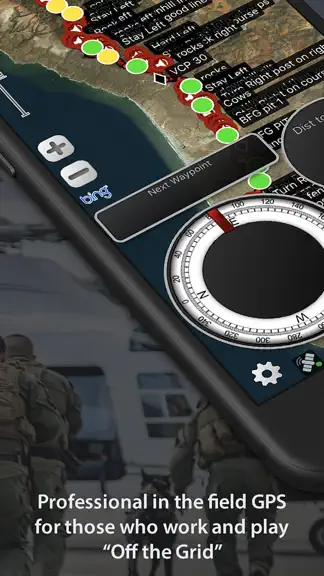
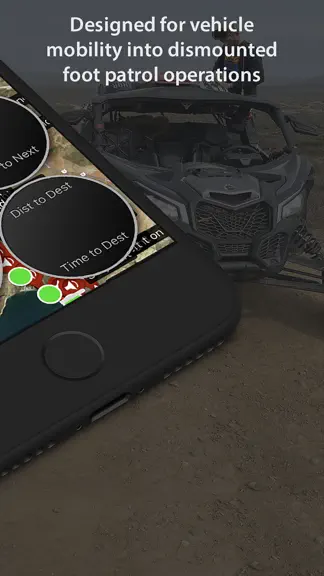
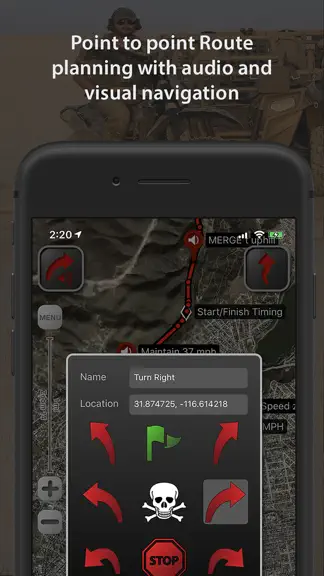
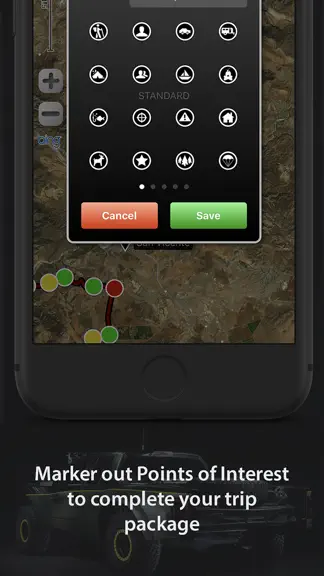
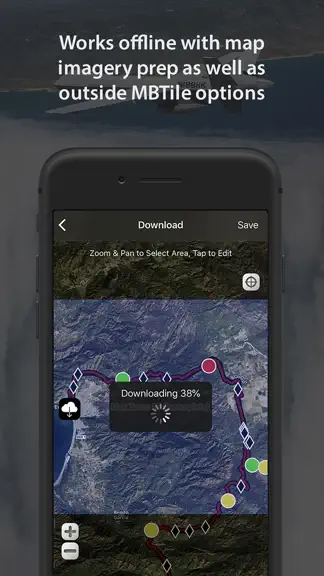
LEADNAV GPS is the professional off-road GPS for iPhone and iPad. Plan the route at home, run it with turn-by-turn voice guidance where there are no roads, and put your whole team on one map. Built for teams that work and travel off the grid: search and rescue, security details, expeditions, hunting camps, work crews, race teams and their chase crews. NAVIGATE WHERE THERE ARE NO ROADS • Turn-by-t…
Trends & analysis
Chart rank trend
US · categoryWhy it's surfacing
Scout 19Ratings & velocity
★ +0.05 in windowRating distribution
67% positive · 106 ratingsGeographic reach
best rank · 1 storefrontRevenue & downloads trend
ARPU $14In-app purchases
10 tiersUpdate history
7 updates tracked- v6.483d ago
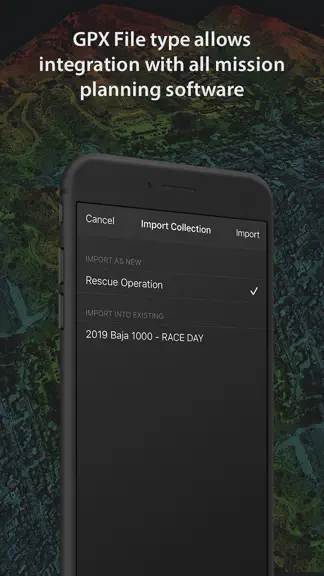
This is a big one...biggest boost in capability since LEADNAV released in 2014...and just getting started. Consider this Phase 1 Team Codes and Comms - Build a team with one Team Code, a QR or an invite link. Teammates join in seconds and see each other on the map. - My Contacts is now My Team. Teams set up the older way are retired with this update; open My Team, tap Get a Team Code and share it. - Comms (Pro License): hold to talk from the pad on the map or from a wireless button. Every message is written out as text in the team thread, with an Unheard button for what you missed and a Radio Check. - Teams still start off when the app fully closes. If a team was on when the app last closed, the app tells you. PreRunning and buttons - Wireless buttons: two-button pads and single-button push-to-talk buttons. Drop waypoints, record tracks, zoom and talk without touching the screen. - Speed Highlighter (Pro License): your green, yellow and red dots paint the route in road order, however many runs it took to place them. - Ring alerts on every note you drop, on the route or off it, for every tier. - Off Route Alert (Pro License), off by default: a clear call when you leave the line, and which side the route is on. - Audible Markers now offers Off, Rings Only and All Markers. - Edit waypoints and notes from the map with a route loaded: Edit, Delete, Make Serpentine. - Undo: editor changes, Menu deletes, converts, joins and reverses can all be taken back. The editor X steps back one change, and Undo Last Change waits on the Trip Package page. - Route Editor guide on the info button beside Total Distance. Files and maps - Trip Package categories in the Menu, and Recently Deleted with thirty days to bring a package back. - Clearer import: see what a file holds, then start a new Trip Package or add it to one you have. - Join Multiple Routes and Convert Markers to Audio Waypoints (both Pro License) each get a live map view. - Export to GPS Unit: the whole Trip Package for a Lowrance or Garmin, long tracks delivered in parts. - Package Rules (Pro License): proximity rings and marker symbols by name, saved in the file and shared with it. - Recon, Aviation and Hunting marker sets are now free for everyone. - Tap a route, track or marker on the map for Run, Edit, Go To and Menu. - Background Map shows a sample of each map, with your current map marked. Also in this update: a rebuilt Menu and Settings, dark on every screen, a one-time What's New on the first launch after an update, and many fixes from weeks of field testing. Requires iOS 15 or later.
- v6.47.129d ago
LEADNAV 6.47.1 MAP STORAGE CLEANUP NOW ASKS FIRST • 6.47 ran its map storage cleanup silently at launch. On heavily used devices that could lock the map for several minutes with no explanation, and it could repeat. Fixed. • The app now asks before cleaning: a card explains what it found and you tap Start Cleanup or Later. The offer only appears while you are parked, not navigating, and not recording. Progress and the amount reclaimed are shown on screen. • Deleting a saved map or clearing a map cache in Settings > Map now reclaims leftover data right then, behind a progress card, so the buildup cannot return. • Your saved offline maps are never touched. Map areas you viewed online but never saved reload the next time you visit them. • Saved-area names on the Download screen no longer disappear while another area downloads. Only the area currently downloading hides its label, so incomplete areas stay easy to spot. • Waypoint Mic (Beta) now listens in US English on every device. 6.47 used the iPad's language setting, so an iPad set up in Spanish listened in Spanish. Waypoint Mic understands English only for now; Spanish is planned. You can always type a name instead. • New in Settings > Voice Prompts: an Offline Speech Pack row. Offline speech in any app needs Apple's on-device English speech pack. On iOS 26 and later the row shows whether that pack is on this device and downloads it for you with progress. On older iOS the row opens the setup guide. • If Waypoint Mic is on and that file is missing, the app now tells you, once, when you turn the switch on or open the prerunner bar while parked, with a Download button right there (iOS 26 and later). The switch is never changed for you. • The Audio Input Troubleshooting guide is one tap away from Settings > Voice Prompts and the Mic Access alert. EVERYTHING FROM 6.47 IS INCLUDED FASTER MAPS: MAJOR STORAGE FIX • Fixed a long-standing storage issue: leftover offline map data built up over months of saving and deleting maps. Symptoms included minutes-long freezes when switching map types, slow map loading, and slow saved-area deletes. NEW: WIRELESS BUTTONS (Pro) • Pair wireless remote buttons in Settings > Buttons. One press drops a waypoint with the mic live, the next press saves it. A button can instead start and stop track recording. Part of our patent-pending prerunning system. NEW: POCKET PRERUNNER ON IPHONE (Pro) • The prerunner bar comes to iPhone as a slide-out. Run a route, pull the PRERUNNER tab: waypoint dropper plus a wipe-safe screen lock. NEW: WAYPOINT MIC (Pro, Beta) • Hands-free voice notes at speed, straight through your helmet comms. Drop a waypoint from the prerunner bar or a button and just talk. • Headset setup, do this once: Cardo users turn Intelligent Noise Block OFF (Cardo app, Advanced audio settings), it eats the first word of every note. Raise mic sensitivity one notch. Set phone-call volume high: the confirmation tones ride the call link. For offline use, enable iOS Dictation once in Settings > General > Keyboard. PRERUNNING SUITE (Pro) • Off Route Waypoints and Hotline Alerts: drops beyond the race line save at their true position and guide you off the line and back. • Edit at speed: tap any waypoint in run mode to edit or delete it. • Tap a track line on the map to select it, then convert it to a route or delete it. NAVIGATION AND FIXES • Direction-of-travel arrows on route lines. • Coming back to the course from a hotline now locks to where you rejoin, not miles behind. • External GPS antenna recovery if the antenna stream dies mid-run. • Landscape iPads no longer swing the map when you stop. • Waypoint save is instant and the confirm tone plays reliably over Bluetooth headsets. • Max zoom can no longer stick at 16 until relaunch.
- v6.471mo ago
LEADNAV 6.47 FASTER MAPS: MAJOR STORAGE FIX • Fixed a long-standing storage issue: leftover offline map data built up over months of saving and deleting maps, slowing everything down. Symptoms included minutes-long freezes when switching map types, slow map loading, and slow saved-area deletes. • The app now cleans this up automatically and keeps it clean. On heavily used devices the one-time cleanup runs in the background for a few minutes after updating, then maps are fast again. Your saved offline maps are not touched. NEW: WIRELESS BUTTONS (Pro) • Pair wireless remote buttons in Settings > Buttons. One press drops a waypoint with the mic live, the next press saves it. A button can instead start and stop track recording. Part of our patent-pending prerunning system. See the card in Settings > Buttons for hardware. NEW: POCKET PRERUNNER ON IPHONE (Pro) • The prerunner bar comes to iPhone as a slide-out. Run a route, pull the PRERUNNER tab: waypoint dropper plus a wipe-safe screen lock (pan and zoom locked, buttons stay live). NEW: WAYPOINT MIC (Pro) • Hands-free voice notes at speed, straight through your helmet comms. Drop a waypoint from the prerunner bar or a button and just talk. • Headset setup, do this once: Cardo users turn Intelligent Noise Block OFF (Cardo app, Advanced audio settings), it eats the first word of every note. Raise mic sensitivity one notch. Set phone-call volume high: the confirmation tones ride the call link. For offline use, enable iOS Dictation once in Settings > General > Keyboard. PRERUNNING SUITE (Pro) • Off Route Waypoints and Hotline Alerts: drops beyond the race line save at their true position and guide you off the line and back. • Edit at speed: tap any waypoint in run mode to edit or delete it. • Tap a track line on the map to select it, then convert it to a route or delete it. NAVIGATION AND FIXES • Direction-of-travel arrows on route lines. • Coming back to the course from a hotline now locks to where you rejoin, not miles behind where you left the line. • External GPS antenna recovery: the app recovers automatically if the antenna stream dies mid-run. • Landscape iPads no longer swing the map when you stop. • Waypoint save is instant and the confirm tone now plays reliably over Bluetooth headsets. • Max zoom can no longer stick at 16 until relaunch. • iPad next-waypoint text scrolls smoothly, live recordings always draw on top, and license codes activate on screen immediately.
- v6.461mo ago
GPS RELIABILITY - our biggest performance improvement to date: • External GPS (XGPS160) failover overhauled: if your receiver dies, disconnects, or loses signal, LeadNav switches to internal GPS in about a second - and switches back automatically when it returns. No more app restarts. • Fixed a rare frozen-position issue after locking/unlocking the screen. • Recording engine hardened for huge Trip Packages: file saves no longer interrupt the GPS stream, and unsaved edits are protected when the app is backgrounded or closed. • Fixed a rare route corruption that could throw a point across the globe - and affected files now repair themselves on load. • Track "Time" stat now shows true recording time. Max Speed is now immune to GPS glitches. GROUP TRACKING: • Saved team sessions are now far easier to review: teammate name tags at track endpoints, tap any track to identify the rider, and visible timestamps throughout. • Recording your own track while showing live teammate trails no longer competes for resources - proven with 12 live riders and a full race package on one device. • Fixed a launch crash when large saved team session overlays were left enabled. • Cleaner Group Tracking settings on iPhone and iPad. LICENSES - clearer names, more ways to pay: • Advanced Pack is now ENTRY LICENSE. Pro Pack is now PRO LICENSE. Same products, same features - clearer names. • New Licenses screen: live pricing, your plan status and renewal date, side-by-side tier comparison, and offer code redemption. • Monthly payment options are now available for both licenses. • Marker sets remain yours for life once unlocked. Plus battery improvements and UI fixes throughout.
- v6.433mo ago
Group Tracking gets a major upgrade for teams: • See who's active — every teammate now shows a live online/offline status and how often they're updating. • Live speed — view each teammate's current speed right on their map marker. • Breadcrumb trails — follow where teammates have traveled with a color-coded track for each member. • Saved team sessions — group-tracking sessions are recorded automatically so you can review, replay, or share them as GPS files. Also new: • "Collections" are now "Trip Packages" — same GPS file bundles, clearer name. • Offline map storage management to keep your downloads in check. • More update-interval options, with faster refresh rates for Pro. • Improved team color contrast, stability fixes, and UI polish.
LeadNav GPS — FAQ
How much money does LeadNav GPS make?
According to AppCurrents estimates, LeadNav GPS generates approximately $14k–$230k per month (medium confidence), modeled from its the App Store chart performance, rating velocity, and monetization signals.
How many downloads does LeadNav GPS get?
LeadNav GPS sees an estimated 2k–8k downloads per month on the App Store, per AppCurrents modeling.
Is LeadNav GPS free?
LeadNav GPS is a paid app priced at $19.99 on the App Store.
What is LeadNav GPS's rating?
LeadNav GPS holds a 3.80-star average from 110 ratings on the App Store. It currently ranks #77 on the Navigation paid chart.
When was LeadNav GPS released?
LeadNav GPS launched on the App Store on 01.10.2013. Its latest version shipped 28.09.2026.
Apps like LeadNav GPS
See all alternatives → Google MapsNavigation · $760k–$4.1M/mo
 Transit • Subway & Bus TimesNavigation · $690k–$3.8M/mo
 onX Hunt: GPS Hunting MapsNavigation · $350k–$1.2M/mo
 Speedometer SimpleNavigation · $48k–$260k/mo
 Trucker Path: Truck GPS & FuelNavigation · $48k–$260k/mo
 Find my Phone - Family LocatorNavigation · $37k–$210k/mo