
journeybot: trip packing list
journeybot: trip packing list generates an estimated $50–$300/month in revenue from 100–700 downloads/month on the App Store, according to AppCurrents estimates (updated 2026-08-02).
| Est. revenue / month | $50–$300 |
|---|---|
| Est. downloads / month | 100–700 |
| Estimate confidence | low |
| Pricing | Free + IAP |
| Rating | 4.80 ★ (10 ratings) |
| Category | Travel |
| Released | 16.02.2026 |
| App last updated | 03.08.2026 |
| Platform | iOS |
Modeled monthly estimate · rating velocity · low confidence
About
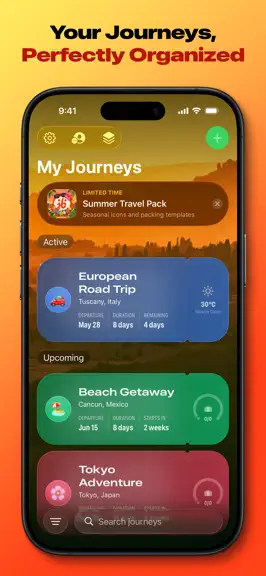
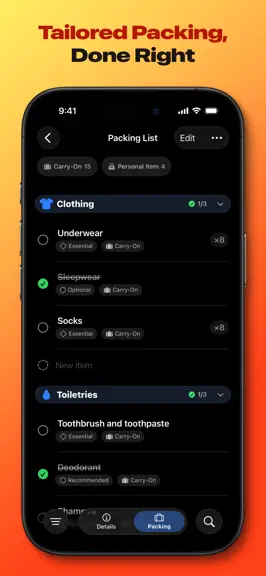
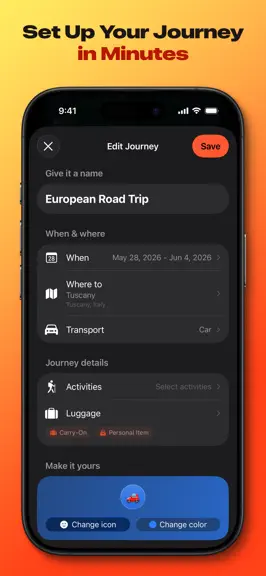
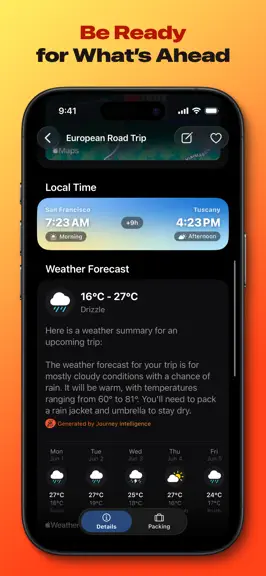
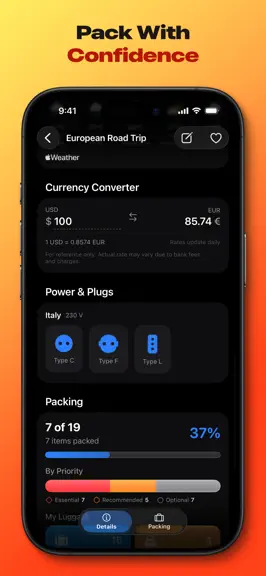
"Everything you need to plan a great trip." Loved by travelers: "It has everything I used to use multiple apps for." "Beautiful design, fantastic UX, and easy to use." Stress-free travel starts with smart preparation. journeybot is your ultimate trip planner and intelligent companion for organizing vacations and ensuring you never leave essentials behind. Designed exclusively for iOS, it combine…
Trends & analysis
Chart rank trend
US · overallWhy it's surfacing
Scout 25Ratings & velocity
★ +0.02 in windowRating distribution
100% positive · 9 ratingsGeographic reach
best rank · 3 storefrontsRevenue & downloads trend
ARPU $0In-app purchases
5 tiersUpdate history
5 updates tracked- v1.6.2today
Keep the screen on while you pack The packing list menu has a new Keep Screen Awake switch that stops the display from locking, so you can set your phone down between items without the screen going dark. It's off by default, and once you turn it on it applies to every journey's packing list.
- v1.6.13d ago
Siri and Shortcuts Ask when your next trip starts, what's left to pack, or whether you need a plug adapter. You can create a journey, add items to a packing list, and check them off just by asking. Every action is in the Shortcuts app too, ready to drop into your own automations. Journeys in Spotlight Search for a trip by name or destination from the Home Screen and go straight to it. Boarding pass widgets The journey widget is now a boarding pass in your trip's color, with a countdown stub and packing progress. Siri's answer cards match it. The currency converter is now free for everyone. Launch is quicker, and Siri and the widget now pick the trip you're actually on. This update also polishes the Home Screen widgets: the countdown on the small widget fits properly, text on the large widget is no longer tinted orange, and the medium widget has roomier margins.
- v1.5.01mo ago
Item photo stickers: snap a photo of anything you're packing and journeybot turns it into a clean sticker, so your lists look just like your gear. Everyone gets five free. Journey reminders: switch them on and journeybot nudges you as each trip gets close, with weather outlooks and packing prompts at the right moments. Plus a faster Settings screen, a tidier experience on Mac, and the usual round of fixes.
- v1.4.31mo ago
Small fixes and improvements to keep journeybot running smoothly.
- v1.4.01mo ago
- Make your journey icon truly yours — Premium users can now create a custom journey icon with Genmoji or pick any emoji from the keyboard, and it shows up everywhere, including the widget. - Always-pack items, upgraded — Give each always-pack item its own category, bag, priority, and quantity. Smart packing lists now put them exactly where they belong instead of lumping them under Other. - A friendlier start with templates — The My Templates screen now explains how templates work and lets you add ready-made starters like Weekend Getaway or Business Trip in one tap. - Helpful tips at the right moment — journeybot now points out handy tricks as you go, like linking a template to an activity or saving a big packing list as a template. - Expand and collapse everything — Open or close all categories at once in your packing list, template details, and the smart list preview. - Sort your packing list alphabetically — A new sorting option in the filter menu puts items in A to Z order. - Smarter defaults for new items — New packing items start with the bag and priority you used last, and quick-added items follow your active filter so they stay visible. - Smarter search — Finding a journey now works without typing accents or apostrophes: Kaneohe finds Kāne’ohe, Sao Paulo finds São Paulo. - Quick temperature flip — Tap any temperature in the weather section to peek at it in Celsius or Fahrenheit, without changing your settings. - Better user experience across the app when using accessibility settings — journeybot now adapts more gracefully to large text sizes. Recently in journeybot: packing templates on the free plan with ready-made starters, the Summer Travel Pack seasonal event, motorcycle trips, temperature unit and appearance controls in Settings, more reliable smart packing lists, and support for Italian and Korean.
journeybot: trip packing list — FAQ
How much money does journeybot: trip packing list make?
According to AppCurrents estimates, journeybot: trip packing list generates approximately $50–$300 per month (low confidence), modeled from its the App Store chart performance, rating velocity, and monetization signals.
How many downloads does journeybot: trip packing list get?
journeybot: trip packing list sees an estimated 100–700 downloads per month on the App Store, per AppCurrents modeling.
Is journeybot: trip packing list free?
journeybot: trip packing list is free to download on the App Store, monetizing through in-app purchases.
What is journeybot: trip packing list's rating?
journeybot: trip packing list holds a 4.80-star average from 10 ratings on the App Store.
When was journeybot: trip packing list released?
journeybot: trip packing list launched on the App Store on 16.02.2026. Its latest version shipped 03.08.2026.


