
JBL Performance
JBL Performance generates an estimated $0/month in revenue from 3–20 downloads/month on the App Store, according to AppCurrents estimates (updated 2026-08-02).
| Est. revenue / month | $0 |
|---|---|
| Est. downloads / month | 3–20 |
| Estimate confidence | medium |
| Pricing | Free |
| Rating | 5.00 ★ (6 ratings) |
| Category | Music |
| Released | 03.08.2022 |
| App last updated | 27.07.2026 |
| Platform | iOS |
Modeled monthly estimate · rating velocity · medium confidence
About
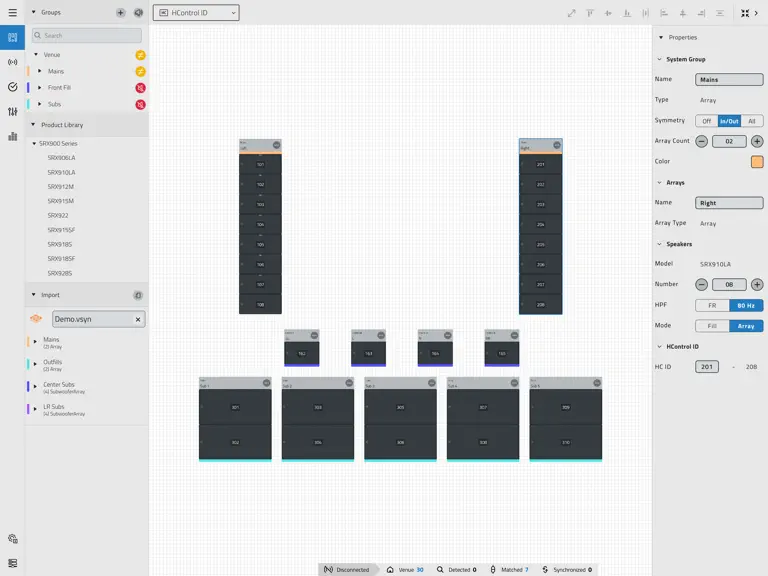
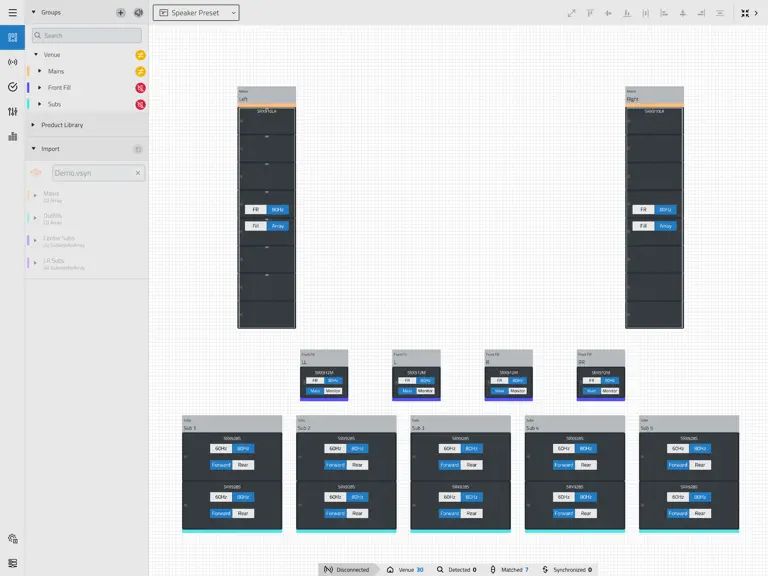
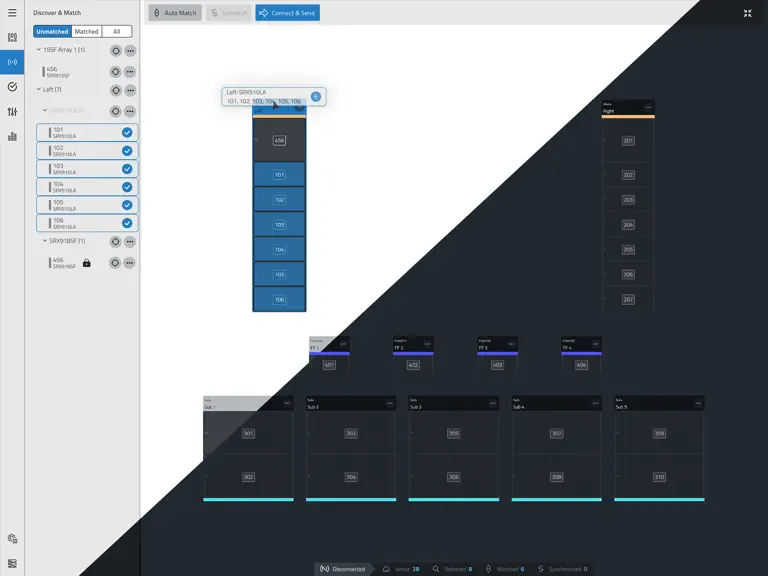
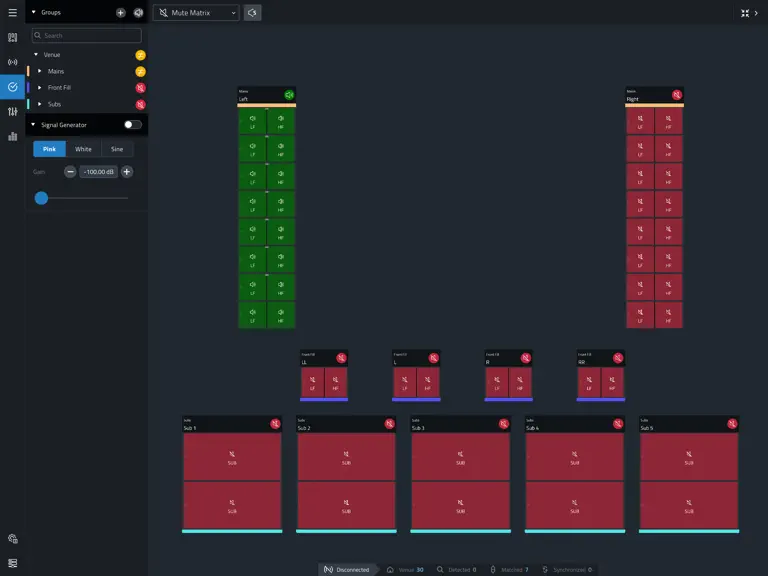
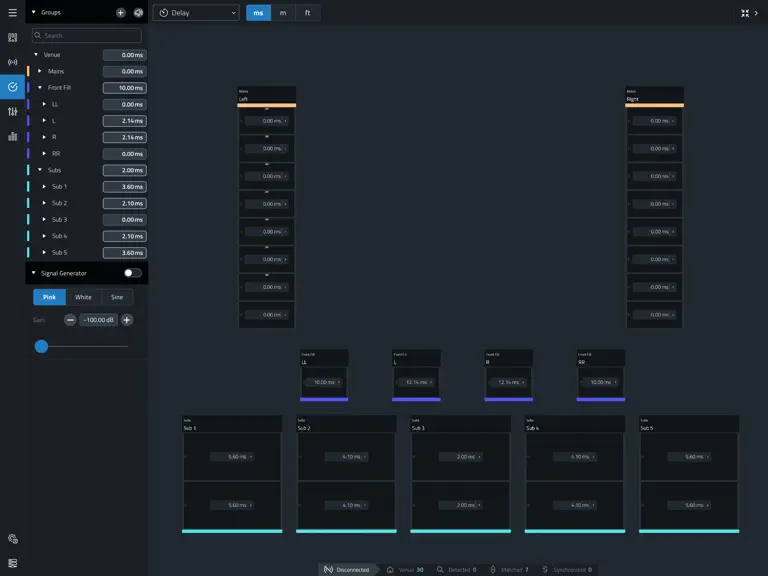
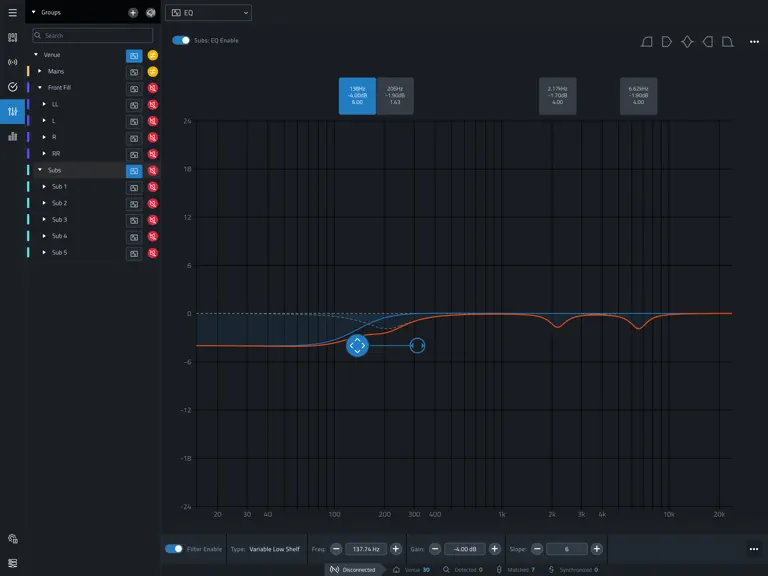
JBL Performance is a full-featured application designed to work with JBL SRX900 Series sound systems. The application allows real-time system control, testing, tuning, and device health monitoring using WiFi or wired network connections. • The powerful user interface lets you forget about complex configuration screens and design the system visually. • Automatically generated groups provide easy s…
Trends & analysis
Chart rank trend
US · overallWhy it's surfacing
Scout 6Ratings & velocity
★ 0 in windowRating distribution
100% positive · 6 ratingsGeographic reach
best rank · 0 storefrontsRevenue & downloads trend
ARPU $0Update history
2 updates tracked- v1.10.08d ago
VERSION 1.10.0 NEW FEATURES: Smart Select • Added a new selection feature that provides intelligent highlighting of related System Groups, Arrays, Devices, User Groups, and parameters, making relationships and the impact of potential changes easier to understand. User Group EQ Support • It is now possible to EQ User Groups. • User Group EQ filters are automatically managed and combined with other System Group EQs at the device level. Full Venue Import for Venue Synthesis • Performance can now import entire Venue Synthesis venues into the Workspace with a single drag-and-drop action. • System Groups imported from Venue Synthesis maintain relative positioning information to match the original venue layout. • The Spacing and Scaling tool will automatically be activated, speeding up venue organization and layout. Event Log • A new Event Log feature has been added to the Application Tools. The Event Log tracks events from the application and synchronized devices. • Events can be filtered, searched, sorted, and exported as CSV files for processing and sharing. Device Event Log Export • A new tool in NetSetter enables the entire event log from devices to be downloaded as CSV files. These logs continue to update on the device, regardless of the software connectivity state. • Log files can be downloaded per device using the row context menu. When multiple devices are selected, logs can be exported as a .zip file with the individual logs packaged together, or as a consolidated single CSV file. IMPROVEMENTS: Gain and Delay Contribution Editing in the View • Gain and Delay contributions can now be edited directly from the Gain and Delay Views by clicking the displayed total value for any device. • Selecting a contributor uses Smart Select to highlight related devices and groups. Any changes are automatically applied to all linked controls. General Improvements • Example files can now be found in the Main Menu. • Focus Preset zoom boundaries are now more consistent across Design, Tune, Test, and Show modes. • Gain and delay values from Venue Synthesis are now imported at the correct Contribution Group level. • Improved mixed-array device matching workflows in Connect Mode. • Improved handling of amplifier health synchronization after a device re-sync. • Improved application performance when loading and updating large systems on Windows. • Improved the Connect Mode sorting and filtering menu to make it easier to match systems. • Expanded the available range for Contributor Gain levels. • Increased trackpad zoom speed to make it faster to move around a venue. BUG FIXES: • Fixed a bug where the app could crash when attempting to connect to a device with incompatible firmware. • Fixed a bug where NetSetter Locate did not behave correctly for discovered devices in certain network states. • Fixed a bug on Windows where mute status updates could take longer than expected in large venues. • Fixed a bug on iPadOS where NetSetter rescanning could take longer than expected after repeated scans. • Fixed a bug where Alignment Tools would disappear or behave incorrectly after switching between application modes. • Fixed a bug on macOS where the application toolbar could overlap workspace content when reopening maximized windows. • Fixed a bug where the Select All keyboard shortcuts did not function consistently across text fields. • Fixed a bug where amplifier health indicators could persist incorrectly after device synchronization changes. • Fixed a bug where venue update workflows did not properly refresh imported Venue Synthesis data. • Fixed a bug where System Mute could automatically unmute when navigating between the Device Panel and application modes. • Many, many other small fixes. COMPATIBLE FIRMWARE: • SRX900- 2.1.11 Refer to the SRX900 Firmware Change Log for additional information on firmware changes. Note: LAC import support will be ending with the next release.
- v1.9.05mo ago
VERSION 1.9.0 NEW FEATURES: Support for SRX912M, SRX915M, and SRX922 • Added three new point-source models to the Product Library. • More information about these products can be found at JBLPro.com. Support for Point-Source System Groups • Point-Source systems can include the SRX912M, SRX915M, and SRX922. • Point-Source systems and System Groups can now be imported from Venue Synthesis. Contribution Groups • Gain, Delay, and EQ are now individually tracked and managed at every level of the system hierarchy. Groups are tracked and summed on the device to one total applied value. This will allow users to better track and apply settings in a transparent and extremely flexible way. • While under software control, Gain and Delay cannot be modified from the LCD. Spacing Scaling Tool • Added a tool to Design Mode for quickly scaling spacing between selected items in the vertical, horizontal or both axes. Focus Presets • Adds the ability to save and recall favorite workspace areas and zoom levels with quick number key navigation across modes. This helps users move faster and stay focused. System Mute • A new “System Mute” button at the top of the Groups Panel mutes the whole system when toggled on and restores the previous state of the system when unmuted. In Show Mode, this toggle will pop-up a confirmation to eliminate accidental mute toggling. IMPROVEMENTS: • Each mode now remembers the last used view and will return to it when switching between views. • Improved interactions between scrolling and dragging on touch screens. • System and User Groups can now be rearranged in the Groups Panel. • User Groups now automatically include any symmetric partners to ensure system consistency. • The application colors were improved to increase contrast and clarity in dark mode. • Icon sizes were optimized to clean up the UI. • Keyboard shortcuts are now displayed in iPadOS menus. • The Discovered Devices list in Connect Mode can now be grouped and sorted by user preference. • System Group color can now be modified in the Design Mode Properties Panel. • Underlaying frameworks updated: HControl 1.16.1.28 BUG FIXES: • Fixed a bug on iPadOS where the splash screen did not match the application's Light/Dark Mode setting. • Fixed a bug where polarity remained changeable in Show Mode. • Fixed a bug on macOS where quitting the app while the application window was maximized would cause it to reopen at the wrong size. • Fixed a bug where resizing the app with the Settings Window open would not resize the Settings Window. • Fixed a bug where, after the host computer went to sleep and woke, the presets section of the UI would disappear. • Fixed a bug in NetSetter where the HCID field would not bring up the keypad when enabled. 1PER FORMANCE • Fixed a bug where the application window would not open correctly when quit while minimized on MacOS. • Fixed a bug that caused keyboard shortcuts to stop working after discovering a venue file on the network. • Fixed a bug that would cause a device that was unmatched in Connect Mode to not move back the Matched tab after matching. • Fixed a bug where NetSetter would take longer than expected to display results after a Rescan. • Fixed a bug where, while editing some fields, a user pressed the Esc key, keyboard shortcuts would break. • Fixed a bug where an interrupted firmware update would cause Performance to persistently report the device as stuck in the transfer. • Fixed a bug where the software would report a successful Firmware Download if “Check For Updates” was clicked multiple times while downloading in the background. • Fixed a bug where elements of the UI would have an elastic behavior when a scroll gesture on a trackpad was performed over them. • Many, many other small fixes. COMPATIBLE FIRMWARE: • SRX900 - 2.0.1 Refer to the SRX900 Firmware Change Log for additional information on firmware changes.
JBL Performance — FAQ
How many downloads does JBL Performance get?
JBL Performance sees an estimated 3–20 downloads per month on the App Store, per AppCurrents modeling.
Is JBL Performance free?
JBL Performance is free to download on the App Store, with no in-app purchases detected.
What is JBL Performance's rating?
JBL Performance holds a 5.00-star average from 6 ratings on the App Store.
When was JBL Performance released?
JBL Performance launched on the App Store on 03.08.2022. Its latest version shipped 27.07.2026.


