
iLinux: Linux Command Manual
iLinux: Linux Command Manual generates an estimated $0/month in revenue from 0 downloads/month on the App Store, according to AppCurrents estimates (updated 2026-08-02).
| Est. revenue / month | $0 |
|---|---|
| Est. downloads / month | 0 |
| Estimate confidence | low |
| Pricing | Paid $1.19 |
| Rating | 0.00 ★ (0 ratings) |
| Category | Developer Tools |
| Released | 05.05.2026 |
| App last updated | 28.06.2026 |
| Platform | iOS |
Modeled monthly estimate · rating velocity · low confidence

About
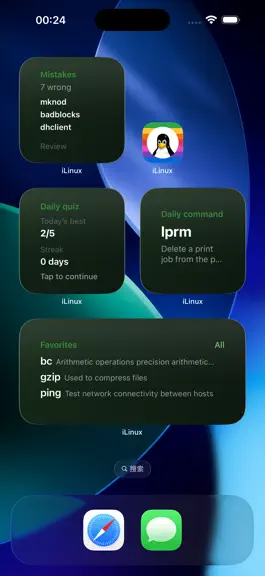
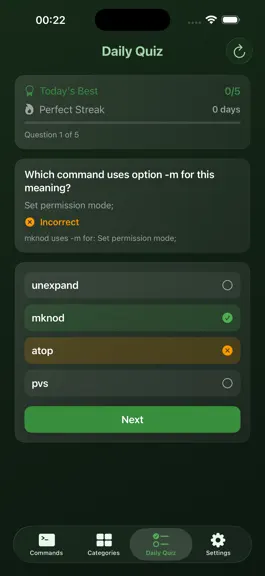
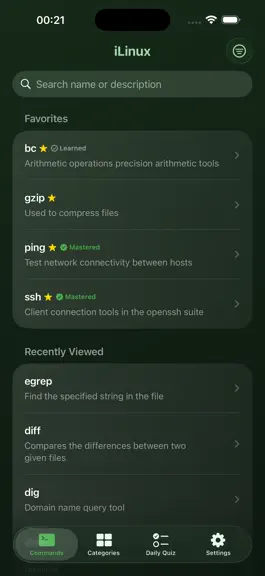
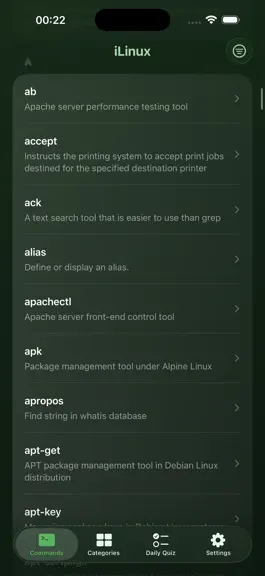
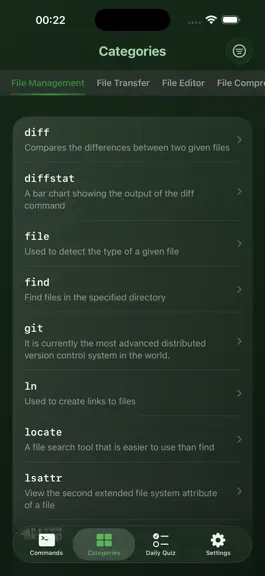
iLinux is a shell command reference and learning app for developers, operators, and terminal enthusiasts. It covers Linux, Windows CMD Batch, and PowerShell. Fully offline, no ads, no tracking. Carry a complete command handbook in your pocket. Core Features Command Library 1. 1650+ offline entries: 1050+ Linux CLIs, 300 CMD Batch commands, and 300 PowerShell cmdlets. Topics include filesystem, t…
Trends & analysis
Chart rank trend
US · overallWhy it's surfacing
Scout 36Ratings & velocity
★ 0 in windowGeographic reach
best rank · 2 storefrontsRevenue & downloads trend
monthly estimateIn-app purchases
1 tiersUpdate history
4 updates tracked- v1.6.01mo ago
iLinux 1.6.0 Release Notes - Library grows to 1650+ offline entries: Linux 1050, Windows CMD Batch 300, PowerShell 300, with trilingual summaries and Markdown articles - Adds modern CLIs such as pipx, atuin, mosh, nushell, and biome. Categories expand to 14, covering cloud-native, security, observability, and build tooling - List and grid layouts on Commands and Categories tabs, with adjustable columns on iPhone and iPad for faster browsing - Switch Linux, CMD, or PowerShell from Commands, Categories, or Daily Quiz. Search and browse stay scoped to your active platform - Cross-platform equivalents on the detail screen: 100+ mapped groups. Jump between ls, dir, and Get-ChildItem in one tap - Equivalent jumps no longer change your global shell platform, so your browsing context stays intact when you go back - Daily quiz tracks scores separately per shell platform, with reshuffle, streaks, and wrong-answer review linked to command detail - Favorites link across platforms, with optional all-platform or current-platform scope - One-tap clear for recently viewed commands on the Commands tab - Five Home Screen widgets can use Linux, CMD, or PowerShell libraries, with daily command shuffle - iCloud sync for favorites, quiz progress, theme, and display preferences across iPhone, iPad, and Mac. Dedicated toggle in Settings. New installs default to off - Deep links support a platform parameter to open the right command library - Updated About page and share copy reflecting the three-library catalog - Fixed equivalent links that failed to open the matching command - Fixed favorites scope labels not updating immediately after a language change - Cleaned Chinese text from 115+ English command articles - Polished Traditional Chinese summaries, categories, and articles for consistent wording Built to teach and reference commands, not to emulate a terminal. We welcome your feedback, and an App Store rating if iLinux helps you learn.
- v1.5.01mo ago
iLinux 1.5.0 is a major update: one app for Linux and Windows shell commands. - Library grows to 1650+ offline entries: 1050 Linux commands plus new Windows CMD Batch (300) and PowerShell (300) - Switch shell platforms from Commands, Categories, or Daily Quiz: Linux, CMD, or PowerShell with search scoped to your choice - Cross-platform equivalents on the detail screen: 100 mapped groups. Jump between ls, dir, and Get-ChildItem in one tap - Daily quiz scores are tracked per platform, with reshuffle and wrong-answer review - Widgets can use Linux, CMD, or PowerShell libraries from Settings - Favorites work across platforms with optional all-platform or current-platform scope - Updated About page and share copy reflecting the three-library catalog - Fixed equivalent links that failed to open the matching command Built to teach and reference commands, not to emulate a terminal. We welcome your feedback, and an App Store rating if iLinux helps you learn.
- v1.3.01mo ago
iLinux 1.3.0 is here with a major upgrade to how you browse and learn Linux commands. - New list and grid layouts on Commands and Categories: switch freely between list and grid, with 1 to 6 columns on iPhone and 1 to 8 on iPad for faster scanning - Tap the star on grid cells to favorite commands without leaving the view - Library expanded beyond 1000 commands: 382 new modern CLIs covering shells and launchers, Kubernetes and containers, major cloud CLIs, Git and code security, AI and LLM tools, and more - 232 new 2026 network and ops commands: zero trust and tunnels, reverse proxies and API gateways, DNS and security recon, observability and load testing, certificates and IaC, and more - 50 more must-have 2026 tools: pipx, atuin, mosh, opentofu, glab, nushell, biome, containerd, grpcurl, and others - Categories grow from 10 to 14: Cloud and Containers, Security and Audit, Monitoring and Observability, and Development Tools - Richer reference articles for the latest command batch with clearer syntax, flags, and examples - Redesigned About screen with product highlights and at-a-glance stats - New More Recommendations entry in Settings to explore other apps from the developer - Fixed quiz wrong-answer review card width when only one question was missed Thank you for learning with iLinux. We welcome your feedback in the app, and if iLinux helps you, please consider leaving a rating on the App Store.
- v1.2.02mo ago
Version 1.2.0 Release Notes --- What's New --- 1. Customizable Home Screen Quick Actions (New) Long-press the iLinux icon on your Home Screen to jump straight into your most-used features. Open Settings to pick up to 4 shortcuts from: Search Commands, Daily Quiz, Favorites, Wrong Book, Categories, Feedback, and Rate App. Labels update automatically when you switch the app language. 2. 15 Theme Presets with Custom Color Support Seven new Eastern-inspired themes added - Mountain Mist, Celadon Jade, Moonlit Blue, Misty Violet, Amber Glow, Aloeswood, and Jade Cream - bringing the total to 15 built-in presets. A new color picker lets you set any accent color freely. Gradients, widget backgrounds, and navigation chrome all sync instantly with real-time preview. 3. Daily Command Widget Shuffle Button Tap the new button in the corner of the small or medium Daily Command widget (iOS 17 and later) to instantly swap to a different command - no need to open the app, works fully offline. 4. 100+ New Commands Added A major expansion of the command library covering modern toolchains: zoxide, uv, bun, deno, colima, wg-quick, yq, skaffold, crictl, limactl, certbot, iptables-nft, asciinema, and many more. Full Markdown reference articles available in Simplified Chinese, Traditional Chinese, and English. 5. Daily Quiz Upgraded A new toolbar button gives you a completely fresh quiz set every time you tap it - no repeated questions. Common flags like --help and --version are now excluded to prevent ambiguous answers, and distractor selection is significantly smarter. 6. iPad App Icon Switching iPad users can now switch between 5 alternate app icons in Settings, fully matching the iPhone experience. --- Fixes and Improvements --- - Fixed: Long-press Home Screen quick actions were completely unresponsive due to a SwiftUI Scene lifecycle issue - Fixed: Tapping Search Commands now opens and focuses the search bar automatically on iOS 17 and later - Fixed: Mail feedback and rating prompts triggered via a quick action on a cold launch now appear correctly - Fixed: Widget content was shown in the wrong language for Traditional Chinese and Cantonese system locales
iLinux: Linux Command Manual — FAQ
How many downloads does iLinux: Linux Command Manual get?
iLinux: Linux Command Manual sees an estimated 0 downloads per month on the App Store, per AppCurrents modeling.
Is iLinux: Linux Command Manual free?
iLinux: Linux Command Manual is a paid app priced at $1.19 on the App Store.
When was iLinux: Linux Command Manual released?
iLinux: Linux Command Manual launched on the App Store on 05.05.2026. Its latest version shipped 28.06.2026.


