
ibis Paint X
ibis Paint X generates an estimated $53k–$290k/month in revenue from 120k–510k downloads/month on the App Store, according to AppCurrents estimates (updated 2026-10-02).
| Est. revenue / month | $53k–$290k |
|---|---|
| Est. downloads / month | 120k–510k |
| Estimate confidence | medium |
| Pricing | Free + IAP |
| Rating | 4.71 ★ (298,404 ratings) |
| Category | Graphics & Design |
| Best chart rank | #9 Graphics & Design Free |
| Released | 01.08.2011 |
| App last updated | 29.09.2026 |
| Platform | iOS |
Modeled monthly estimate · rating velocity · medium confidence
About
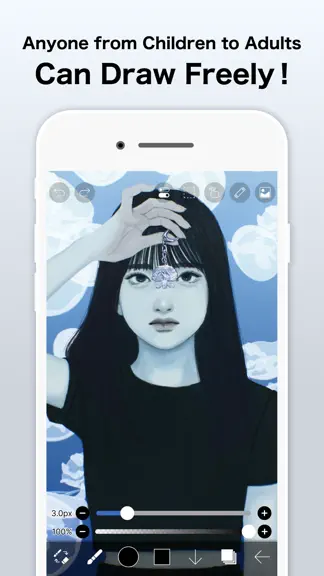
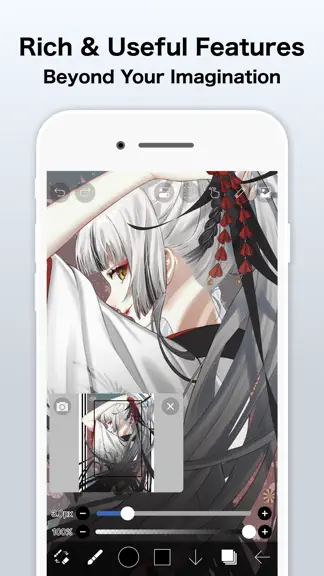
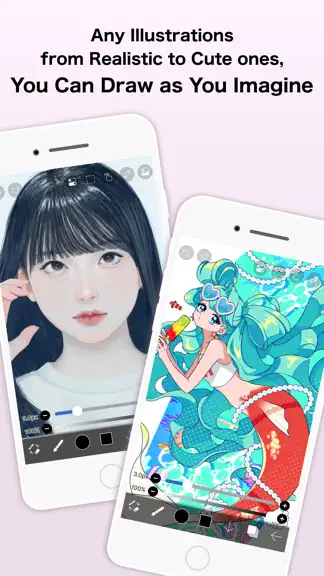
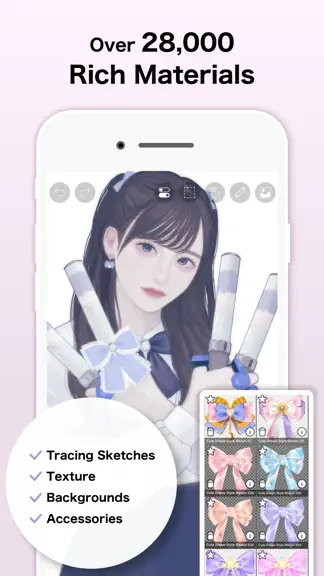
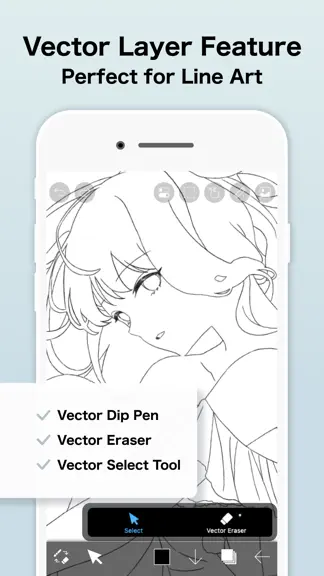
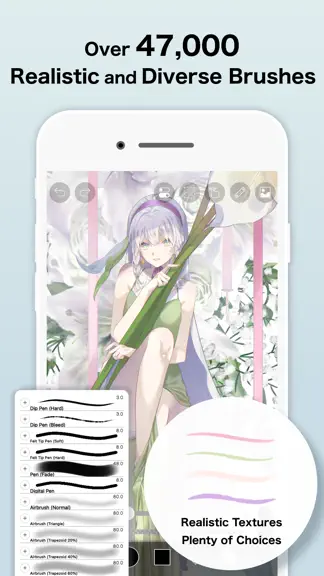
For everyone around the world who wants to draw and animate, freely and without pressure. ibisPaint X is a full-featured illustration and animation app for smartphones and tablets, with over 500 million cumulative downloads across the series. "Drawing looks hard" — this app is made especially for people who think that. A creative experience that doesn't compromise even for free, an interface sim…
Trends & analysis
Chart rank trend
US · categoryWhy it's surfacing
Scout 38Ratings & velocity
★ 0 in windowRating distribution
94% positive · 287k ratingsGeographic reach
best rank · 1 storefrontRevenue & downloads trend
ARPU $0In-app purchases
3 tiersUpdate history
7 updates tracked- v14.1.23d ago
Thank you for using ibisPaint X! The summary of this update is as follows. [Improvements, Changes] - Changed the orientation in which you place the Q6W tablet so that its keys are on the left when the screen is in portrait. [Fixed Bugs and Problems] - Fixed an issue where, when there was a Selection Area, a shape drawn with Smart Shape on a Vector Layer could be distorted after being applied. - Fixed an issue where the app could crash when returning to My Gallery with a keyboard shortcut while a tutorial was displayed. - Fixed an issue where Text Layers and Frame Layers were not changed correctly when changing the image resolution of an artwork containing them. - Fixed an issue where the message explaining why a command could not be run was not displayed for certain combinations of layer type and keyboard shortcut. - Fixed a bug where the app could crash when applying "Translate Scale" in the Transform tool on a vector layer while a selection was active. - Fixed a bug that could cause a crash when drawing after canceling a stroke with the Shape Tool and then turning the Shape Tool off. - Fixed an issue where turning on Cloud Sync while logged out did not redirect you to the login screen. - Fixed an issue where, while logged out, performing an operation on a cloud artwork that had not been downloaded did not redirect you to the login screen. - Fixed an issue where small kana such as "っ" and "ゃ" appeared too high in vertical text in the Text tool. If you want this applied to an existing text, please re-edit the text or modify the style. [New Features in ver. 14.1.0] - Added the ability to customize Stabilizer and Force Fade settings individually for each brush. - Added two Real time stabilization modes: Constant and Fast Strokes. - Improved the brush tool’s stroke-tracking responsiveness and made the fade length consistent. You can return to the previous drawing feel from the Settings window via "Brush Prediction" . You can also configure this per brush with the brush parameter “Disable Prediction”. - Added the brush parameters "Fade Start Time" and "Fade End Time". - Added the ability to add audio to animation artworks. - Added keyboard shortcuts for playing/stopping an animation and for adding and deleting clips in animation artworks. - Added a "3D Layer" feature that lets you place 3D materials. - Added a “Smart Shapes” feature that automatically corrects freehand drawings into “straight lines,” “Bézier curves,” and other shapes. - Added "Relief HQ" filter to "Style" filter category. - Added "Smart Credits" — a points system required to access some of the advanced features in ibisPaint (referred to as "Smart Features"). Credits can be purchased from each Smart feature, and your balance can be viewed in the Settings window. - Added keyboard shortcuts for actions such as displaying the ruler and adding vector layers. - Added keyboard shortcuts to switch between custom brushes. - Added a "Solo Mode" feature that displays only the specified layer. - Added a Premium feature that moves deleted artworks to “Recently Deleted Artworks” and retains them for 30 days. - Added "Oil Paint" filter to "Artistic" filter category. - Enhanced the Trim feature. You can now enter Position, Width, and Height as numerical values, specify a crop area that extends beyond the original canvas, and trim while rotating the canvas. - You can now undo and redo adjustments while using the Transform Tool. - The mouse cursor now changes depending on the situation. This setting can be changed in the "Cursor" section of the Settings window. - When using a stylus with hover functionality, the cursor is now displayed at the hover position. This setting can be changed in the "Cursor" section of the Settings window. - Improved the design of rulers to be less obtrusive while drawing, and added the ability to change the ruler color. - Added "Touch History Completion", which captures more touch points (enable from the Settings window).
- v14.1.121d ago
Thank you for using ibisPaint X! The summary of this update is as follows. [Improvements, Changes] - Added a keyboard shortcut for opening and closing the Shape Tool window. [Fixed Bugs and Problems] - Fixed an issue where the scroll position would return to the top when adding or deleting a layer in the Floating Layer Window. [New Features in ver. 14.1.0] - Added the ability to customize Stabilizer and Force Fade settings individually for each brush. - Added two Real time stabilization modes: Constant and Fast Strokes. - Improved the brush tool’s stroke-tracking responsiveness and made the fade length consistent. You can return to the previous drawing feel from the Settings window via "Brush Prediction" . You can also configure this per brush with the brush parameter “Disable Prediction”. - Added the brush parameters "Fade Start Time" and "Fade End Time". - Added the ability to add audio to animation artworks. - Added keyboard shortcuts for playing/stopping an animation and for adding and deleting clips in animation artworks. - Added a "3D Layer" feature that lets you place 3D materials. - Added a “Smart Shapes” feature that automatically corrects freehand drawings into “straight lines,” “Bézier curves,” and other shapes. - Added "Relief HQ" filter to "Style" filter category. - Added "Smart Credits" — a points system required to access some of the advanced features in ibisPaint (referred to as "Smart Features"). Credits can be purchased from each Smart feature, and your balance can be viewed in the Settings window. - Added keyboard shortcuts for actions such as displaying the ruler and adding vector layers. - Added keyboard shortcuts to switch between custom brushes. - Added a "Solo Mode" feature that displays only the specified layer. - Added a Premium feature that moves deleted artworks to “Recently Deleted Artworks” and retains them for 30 days. - Added "Oil Paint" filter to "Artistic" filter category. - Enhanced the Trim feature. You can now enter Position, Width, and Height as numerical values, specify a crop area that extends beyond the original canvas, and trim while rotating the canvas. - You can now undo and redo adjustments while using the Transform Tool. - The mouse cursor now changes depending on the situation. This setting can be changed in the "Cursor" section of the Settings window. - When using a stylus with hover functionality, the cursor is now displayed at the hover position. This setting can be changed in the "Cursor" section of the Settings window. - Improved the design of rulers to be less obtrusive while drawing, and added the ability to change the ruler color. - Added "Touch History Completion", which captures more touch points (enable from the Settings window). [New Features in ver. 14.0.8] - Added a feature to protect artworks using Yuify. [New Features in ver. 14.0.6] - You can now install brushes from the install button on ibispaint.com brush pattern artwork pages, even when the page is opened in an external browser.
- v14.1.025d ago
Thank you for using ibisPaint X! The summary of this update is as follows. [New Features] - Added the ability to customize Stabilizer and Force Fade settings individually for each brush. - Added two Real time stabilization modes: Constant and Fast Strokes. - Improved the brush tool’s stroke-tracking responsiveness and made the fade length consistent. You can return to the previous drawing feel from the Settings window via "Brush Prediction" . You can also configure this per brush with the brush parameter “Disable Prediction”. - Added the brush parameters "Fade Start Time" and "Fade End Time". - Added the ability to add audio to animation artworks. - Added keyboard shortcuts for playing/stopping an animation and for adding and deleting clips in animation artworks. - Added a "3D Layer" feature that lets you place 3D materials. - Added a “Smart Shapes” feature that automatically corrects freehand drawings into “straight lines,” “Bézier curves,” and other shapes. - Added "Relief HQ" filter to "Style" filter category. - Added "Smart Credits" — a points system required to access some of the advanced features in ibisPaint (referred to as "Smart Features"). Credits can be purchased from each Smart feature, and your balance can be viewed in the Settings window. - Added keyboard shortcuts for actions such as displaying the ruler and adding vector layers. - Added keyboard shortcuts to switch between custom brushes. - Added a "Solo Mode" feature that displays only the specified layer. - Added a Premium feature that moves deleted artworks to “Recently Deleted Artworks” and retains them for 30 days. - Added "Oil Paint" filter to "Artistic" filter category. - Enhanced the Trim feature. You can now enter Position, Width, and Height as numerical values, specify a crop area that extends beyond the original canvas, and trim while rotating the canvas. - You can now undo and redo adjustments while using the Transform Tool. - The mouse cursor now changes depending on the situation. This setting can be changed in the "Cursor" section of the Settings window. - When using a stylus with hover functionality, the cursor is now displayed at the hover position. This setting can be changed in the "Cursor" section of the Settings window. - Improved the design of rulers to be less obtrusive while drawing, and added the ability to change the ruler color. - Added "Touch History Completion", which captures more touch points (enable from the Settings window). [Improvements, Changes] - Added 33 new brushes including "Tilt Mesh 1", "Vintage Tilt Mesh 1", "Multi Line", "Parallel Lines (Thin)" and "Ink Bloom". - Added new blurring shape "Brush 19". - Added new brush patterns "Coral", "Dot Line 1", "Dot Line 2", "Double Line", "Triple Line", "Parallel Lines 1", "Parallel Lines 2", "Parallel Lines 3", "Grunge Texture" and "Layered Paint". - Added new texture patterns "Dot Mesh 1", "Dot Mesh 2", "Dot Mesh 3", "Dot Mesh 4", "Dot Mesh 5", "Vintage Mesh 1", "Vintage Mesh 2", "Vintage Mesh 3", "Bleeding Wood Grain" and "Marble". - A new vertical text layout method has been introduced for newly created text in the text tool. - The colors of UI elements such as buttons now react and change in response to hovering by mouse or stylus. - "Brush Cursor while Hovering" and "Show Cross Mark while Hovering" in the "Stylus" section of the Settings window have been renamed to "Brush Tool Cursor" and "Show Cross Mark", respectively, and moved to the "Cursor" section. - When "Show Cross Mark" is enabled in the Settings window, the cross mark now remains visible even while drawing with the brush. - Added the ability to resize the window height of some filters and the Transform Tool. - In My Gallery, after tapping an artwork to enlarge it, tapping the artwork once more now opens the Canvas screen. - Added support for importing multiple files. etc. For more details, see: https://ibispaint.com/historyAndRights.jsp?newsID=303340270
- v14.0.92mo ago
Thank you for using ibisPaint X! The summary of this update is as follows. [Improvements, Changes] - Changed advertisements' processing. [New Features in ver. 14.0.8] - Added a feature to protect artworks using Yuify. [New Features in ver. 14.0.6] - You can now install brushes from the install button on ibispaint.com brush pattern artwork pages, even when the page is opened in an external browser. [New Features in ver. 14.0.0] - You can now create and name multiple color palettes for easier management. - Added a feature to share color palettes via QR code. - Brushes in the "Basic" tab of the Brush window are now organized by category. - Added support for selecting CMYK colors when saving artwork as a JPEG or flattened layer PSD file. - Added support for selecting grayscale (8bit) color space when saving artwork as a PNG or JPEG file. - Added support for selecting binary (1bit) color space when saving artwork as an opaque PNG file. - Added "Speech Bubble" to the Shape tool. - Added "Thin Arrow" to the Shape tool. - You can now adjust the position, shape, and other properties of a shape before finalizing it in the Shape tool. - Added an "Anti-aliasing" option available when "Fill" is enabled in the Shape Tool. When turned on, it smooths the edges of the filled area. - Added "Draw Line by Brush" to the Shape tool settings. - Added new special pens: “Parallel Gradation Pen” and “Concentric Gradation Pen”. - Added knobs to move the start and end points of the gradation in “Parallel Gradation” and "Concentric Gradation". - Added "Transparent-Current Color" to preset of gradation slider. - Added new parameter “Extension Method” to “Parallel Gradation” and "Concentric Gradation”. - For iPad, added the floating view of the Color window. - Added a graph to the "Dynamic" tab of each brush setting to customize the response of size and opacity to pen pressure. - Added a Brush Lock feature. You can access it via the lock icon located in the top-right corner of each brush's settings screen. - Added the Brush Cursor feature. When using a stylus with hover support, you can now display the brush pattern on the screen while hovering. To enable this, go to the "Stylus" section in the Settings window and select "Brush Pattern" under "Brush Cursor while Hovering." - Added "Lasso Selection" feature to the Vector tool, Text tool, and Frame Divider tool. - Some filters in the "Art," "Pixelate," and "Transform" categories can now be used as adjustment layers. - Significantly expanded keyboard shortcuts. Press "Shift + /" to view the list and customize assignments. - Added a Layer Lock feature. You can toggle the lock via the menu accessed through the "⋮" button in the Layer window.
- v14.0.82mo ago
Thank you for using ibisPaint X! The summary of this update is as follows. [New Features] - Added a feature to protect artworks using Yuify. [New Features in ver. 14.0.6] - You can now install brushes from the install button on ibispaint.com brush pattern artwork pages, even when the page is opened in an external browser. [New Features in ver. 14.0.0] - You can now create and name multiple color palettes for easier management. - Added a feature to share color palettes via QR code. - Brushes in the "Basic" tab of the Brush window are now organized by category. - Added support for selecting CMYK colors when saving artwork as a JPEG or flattened layer PSD file. - Added support for selecting grayscale (8bit) color space when saving artwork as a PNG or JPEG file. - Added support for selecting binary (1bit) color space when saving artwork as an opaque PNG file. - Added "Speech Bubble" to the Shape tool. - Added "Thin Arrow" to the Shape tool. - You can now adjust the position, shape, and other properties of a shape before finalizing it in the Shape tool. - Added an "Anti-aliasing" option available when "Fill" is enabled in the Shape Tool. When turned on, it smooths the edges of the filled area. - Added "Draw Line by Brush" to the Shape tool settings. - Added new special pens: “Parallel Gradation Pen” and “Concentric Gradation Pen”. - Added knobs to move the start and end points of the gradation in “Parallel Gradation” and "Concentric Gradation". - Added "Transparent-Current Color" to preset of gradation slider. - Added new parameter “Extension Method” to “Parallel Gradation” and "Concentric Gradation”. - For iPad, added the floating view of the Color window. - Added a graph to the "Dynamic" tab of each brush setting to customize the response of size and opacity to pen pressure. - Added a Brush Lock feature. You can access it via the lock icon located in the top-right corner of each brush's settings screen. - Added the Brush Cursor feature. When using a stylus with hover support, you can now display the brush pattern on the screen while hovering. To enable this, go to the "Stylus" section in the Settings window and select "Brush Pattern" under "Brush Cursor while Hovering." - Added "Lasso Selection" feature to the Vector tool, Text tool, and Frame Divider tool. - Some filters in the "Art," "Pixelate," and "Transform" categories can now be used as adjustment layers. - Significantly expanded keyboard shortcuts. Press "Shift + /" to view the list and customize assignments. - Added a Layer Lock feature. You can toggle the lock via the menu accessed through the "⋮" button in the Layer window.
ibis Paint X — FAQ
How much money does ibis Paint X make?
According to AppCurrents estimates, ibis Paint X generates approximately $53k–$290k per month (medium confidence), modeled from its the App Store chart performance, rating velocity, and monetization signals.
How many downloads does ibis Paint X get?
ibis Paint X sees an estimated 120k–510k downloads per month on the App Store, per AppCurrents modeling.
Is ibis Paint X free?
ibis Paint X is free to download on the App Store, monetizing through in-app purchases.
What is ibis Paint X's rating?
ibis Paint X holds a 4.71-star average from 298,404 ratings on the App Store. It currently ranks #9 on the Graphics & Design free chart.
When was ibis Paint X released?
ibis Paint X launched on the App Store on 01.08.2011. Its latest version shipped 29.09.2026.
Apps like ibis Paint X
See all alternatives → ProcreateGraphics & Design · $300k–$5.0M/mo
 Reface: AI Face Swap & EditorGraphics & Design · $270k–$1.5M/mo
 AI Maker: Photo Video FiltersGraphics & Design · $240k–$1.3M/mo
 Nomad SculptGraphics & Design · $100k–$1.7M/mo
 ThemePack: Widgets & WallpaperGraphics & Design · $160k–$850k/mo
 Artmate: Drawing TogetherGraphics & Design · $140k–$790k/mo