
HTML5 Viewer
HTML5 Viewer generates an estimated $0/month in revenue from 0 downloads/month on the App Store, according to AppCurrents estimates (updated 2026-06-18).
| Est. revenue / month | $0 |
|---|---|
| Est. downloads / month | 0 |
| Estimate confidence | low |
| Pricing | Paid $1.99 |
| Rating | 0.00 ★ (0 ratings) |
| Category | Developer Tools |
| Released | 27.04.2026 |
| App last updated | 09.06.2026 |
| Platform | iOS |
Modeled monthly estimate · rating velocity · low confidence



About
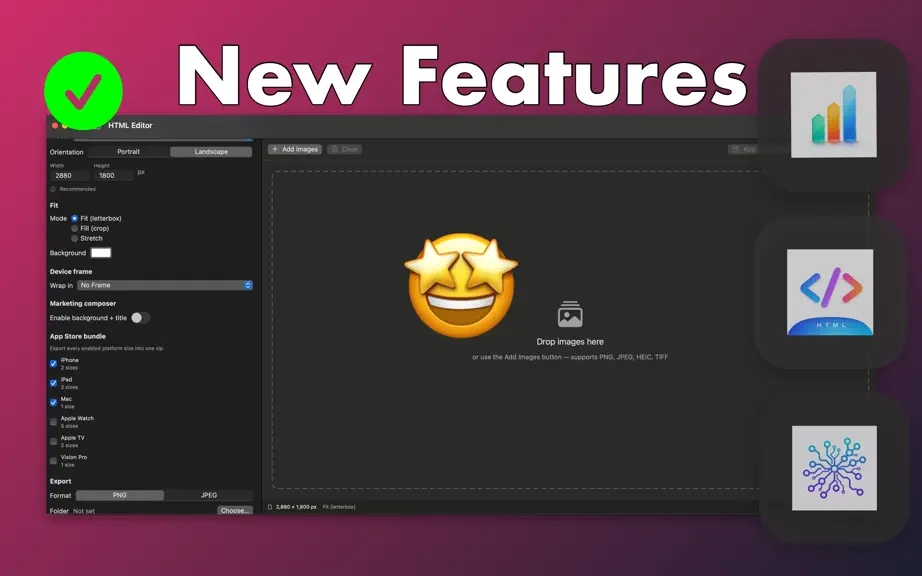
HTML Editor is a focused native Mac app for the last mile of shipping to the App Store: writing and polishing HTML, and turning your screenshots into every size Apple asks for. Two tools live inside one quiet window. THE EDITOR • Open any .html, .htm, .css, or .js file. • See it rendered instantly in a live WebKit preview next to your code. • HTML syntax highlighting — tags, attributes, strings,…
Trends & analysis
Chart rank trend
US · overallWhy it's surfacing
Scout 36Ratings & velocity
★ 0 in windowGeographic reach
best rank · 0 storefrontsRevenue & downloads trend
monthly estimateUpdate history
2 updates tracked- v1.29d ago
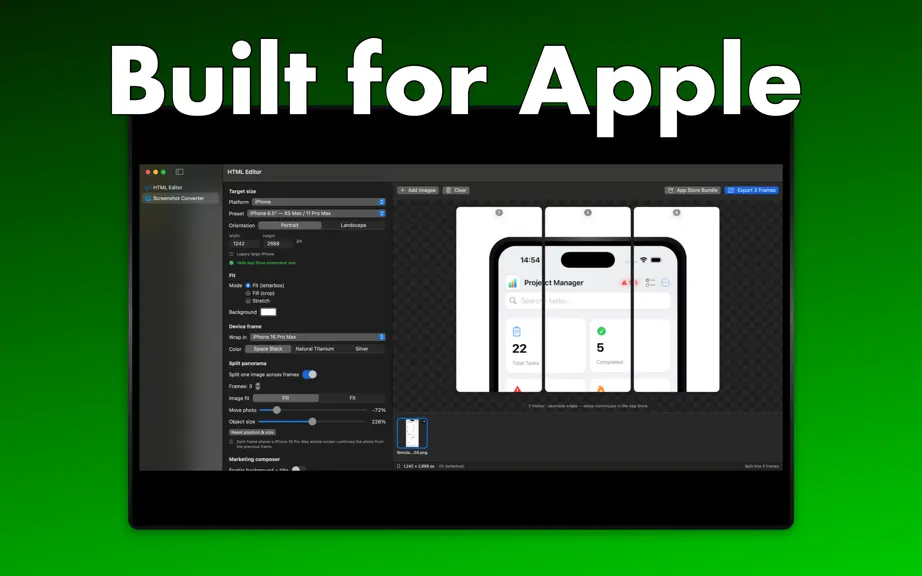
Version 1.2 — Panoramas, device frames, fonts, icons, and a bridge between both tools. Split Panorama (new) - Slice one wide image into multiple App Store screenshots that line up edge-to-edge — swipe the carousel and the picture flows seamlessly from frame to frame. - Choose 2–10 frames; every slice exports at the exact size you picked. - Move the photo up or down (up to a full frame) to open dramatic negative space. - Object size control to scale the photo or device so it spans as many frames as you like. - Fill or Fit, with a Solid or continuous Gradient backdrop that flows behind the whole panorama. Device frames in panoramas - Wrap the panorama in a single iPhone / iPad / Mac / Watch frame that spans every screenshot — one continuous device split across the slides. Fonts — curated library (System Rounded, Avenir Next, Futura, Georgia, …) for titles and subtitles. Icons & shapes — SF Symbols picker with tint; Circle/Rounded/Hexagon badges with even, adjustable thickness; plain shapes with auto-scaling borders. HTML Editor — Send to Composer (render the live preview into the screenshot tool); open HTML/Markdown/text/source files and set as default app. Marketing composer in panoramas — continuous background, one centered title, and stickers spanning the whole panorama. Reliability — App Store size checker; added the iPhone 6.7" (1284 × 2778) preset. Fixes — landscape iPhone/iPad frames render as proper wide devices.
- v1.11mo ago
Version 1.1 — Find, polish, and creative tools. HTML Editor • Built-in Find & Replace bar (⌘F, ⌘⌥F) with live match count, next/previous (⌘G / ⇧⌘G), case-sensitive toggle, and inline highlighting that scrolls to the current match. Screenshot Converter • Live preview pane shows the rendered result as you tweak settings — no more editing blind. • Click any image in the new thumbnail strip to switch which one is being previewed. • Marketing composer reorganized into collapsible sections: Background, Text, Text effects, Image effects, and Stickers. Background • New Image background option with Fit / Fill / Tile, blur, and darken controls. • Eight one-tap gradient presets (Sunset, Ocean, Berry, Mint, Plum, Slate, Peach, Iris). Text & layout • Free-form Move X / Move Y sliders to nudge title and subtitle anywhere on the canvas. • Left / Center / Right text alignment. Text effects • Drop shadow with adjustable blur and drop distance. • Clean glyph-path outlines (replaces the previous outline mode). • Color glow with adjustable radius. Image effects • Tilt the screenshot up to ±25°. • Color glow halo behind the device. • Reflection with smooth alpha falloff. Stickers & emojis • Add unlimited emoji stickers (works with the macOS emoji picker). • Add image stickers from any PNG, JPEG, HEIC, or TIFF. • Per-sticker position, size, rotation, and opacity controls. Fixes • "+ Add Images" no longer re-imports the previously cleared selection. • "Choose Image…" dialogs reopen at the last folder used without re-selecting prior files. • Exporting twice in a row no longer overwrites the previous file — duplicates are numbered automatically.
HTML5 Viewer — FAQ
How many downloads does HTML5 Viewer get?
HTML5 Viewer sees an estimated 0 downloads per month on the App Store, per AppCurrents modeling.
Is HTML5 Viewer free?
HTML5 Viewer is a paid app priced at $1.99 on the App Store.
When was HTML5 Viewer released?
HTML5 Viewer launched on the App Store on 27.04.2026. Its latest version shipped 09.06.2026.
Apps like HTML5 Viewer
See all alternatives → GitHubDeveloper Tools · $230k–$950k/mo
 Apple DeveloperDeveloper Tools · $210k–$880k/mo
 Replit: Vibe Code with AI FastDeveloper Tools · $73k–$300k/mo
 Vibecode Apps IDE - LastAppDeveloper Tools · $66k–$270k/mo
 Python Coding Editor & IDE AppDeveloper Tools · $55k–$230k/mo
 Surge 5Developer Tools · $46k–$190k/mo