
HeyWrite: Master Handwriting
HeyWrite: Master Handwriting generates an estimated $0/month in revenue from 0 downloads/month on the App Store, according to AppCurrents estimates (updated 2026-08-02).
| Est. revenue / month | $0 |
|---|---|
| Est. downloads / month | 0 |
| Estimate confidence | low |
| Pricing | Free + IAP |
| Rating | 0.00 ★ (0 ratings) |
| Category | Education |
| Released | 29.04.2026 |
| App last updated | 22.07.2026 |
| Platform | iOS |
Modeled monthly estimate · rating velocity · low confidence
About
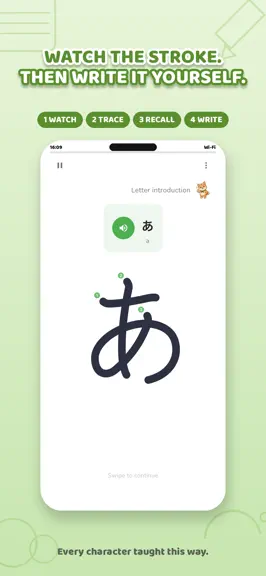
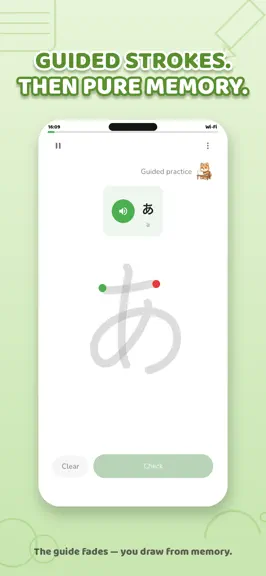
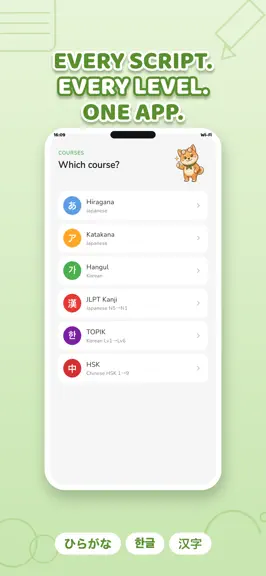
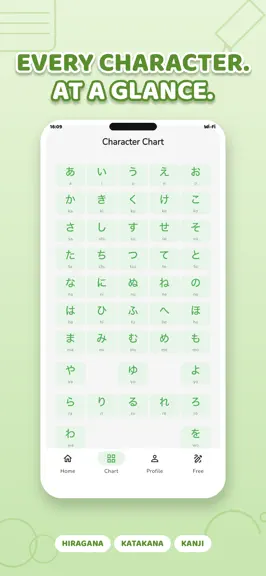
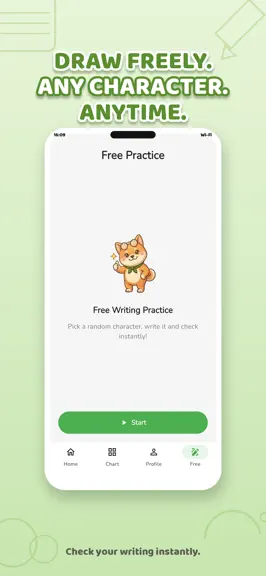
Master Japanese, Korean, and Chinese by writing every character stroke by stroke — the way native speakers actually learn. HeyWrite teaches correct stroke order through guided drawing practice on your phone. Unlike flashcard apps, your muscle memory does the memorizing — characters stick because your hand remembers them. -- WHY STROKE ORDER MATTERS -- Research shows handwriting beats passive st…
Trends & analysis
Chart rank trend
US · overallWhy it's surfacing
Scout 21Ratings & velocity
★ 0 in windowGeographic reach
best rank · 0 storefrontsRevenue & downloads trend
monthly estimateIn-app purchases
4 tiersUpdate history
4 updates tracked- v3.1.513d ago
What's new in v3.1.5: - Lesson resume - pick up where you left off, even after closing the app - Auto-hint after 2 wrong strokes in a row - so you never get stuck - Speed Training badges: Top X% ranking after each session - Word of the Day reminder dot when you haven't written today - Faster, clearer text-to-speech and volume improvements - New splash screen with loading indicator (iOS + Android) - Themed collections now show multilingual meanings and word details - Paywall bypass fix, back-button lesson resume on Android - Streak counter guard - no more accidental double days - Analytics fixes so retention and drop-off charts reflect real behavior - Many polish tweaks from your TestFlight feedback
- v3.1.422d ago
What's new in v3.1.4: - NEW: iPad layout - NavigationRail, responsive grids, landscape two-pane - NEW: Apple Pencil support with tilt and pressure - NEW: Calligraphy brush - authentic ink stroke with tapered ends - NEW: Undo (redo the last stroke instead of the whole character) - NEW: Traditional Chinese TOCFL Novice 2 (263 characters) + TOCFL 3 and 4 - NEW: JLPT meanings in Russian (2204 kanji), Chinese meanings for all JLPT levels - NEW: HSK etymology in Arabic, Thai, Turkish; English meanings for all HSK - NEW: Weekly recap sheet - see your writing streak at a glance - NEW: See stroke order in Free Mode - NEW: Themed collections widened to all HSK/TOCFL levels - NEW: Swipe to jump to a random character - Smarter snap-to-guide tied to Difficulty (Easy only, Medium stays free-form) - Unified drawing toolbar across Lesson, Free Mode, SRS, and Custom List - Brush style selector now available from Lesson settings and main Settings - Milestone celebration no longer overlaps end-of-lesson survey - Magic Keyboard shortcuts on iPad - Dark mode polish, back navigation improvements, edge swipe-back onboarding - Bug fixes: iPad SRS layout, Speed Training stroke size, Apple button in dark mode, badge share, Word of the Day alignment
- v3.1.21mo ago
What's new in v3.1.2: - NEW: Themed Collections - practice by topic (food, family, travel, colors and more) - NEW: Traditional Chinese (TOCFL Novice 1) - 170 characters with meanings in English/Vietnamese - NEW: Smarter SRS review - write the whole character and get accuracy scored (up to 4*) with hints on shape/position/direction - Word of the Day widget refined - animated stroke replay + fun fact card - Milestone badges redesigned as tier crests (bronze -> diamond) - PDF export now embeds Noto Serif for crisp pinyin tones, hiragana, and hangul - Vocabulary detail preview extended to 3 free views at lesson result - Certificate now reflects your course level (HSK/JLPT/TOPIK) - Dark mode polish and full app localization - Bug fixes: back button in Free Mode, home button on lesson complete, and various UI improvements
- v3.1.11mo ago
What's new in v3.1.1: · NEW: Hanzi Etymology — see the radical, components, and the story behind each HSK character · NEW: Stroke Style options — pick between Classic (filled outline) and Rounded (centerline) · NEW: Vocabulary Detail — readings, examples, and Han-Viet pronunciations · JLPT readings now show romaji alongside furigana · Cleaner Chinese stroke animations · Premium popup redesigned with a fresh coupon-style look · Various bug fixes and UI polish
HeyWrite: Master Handwriting — FAQ
How many downloads does HeyWrite: Master Handwriting get?
HeyWrite: Master Handwriting sees an estimated 0 downloads per month on the App Store, per AppCurrents modeling.
Is HeyWrite: Master Handwriting free?
HeyWrite: Master Handwriting is free to download on the App Store, monetizing through in-app purchases.
When was HeyWrite: Master Handwriting released?
HeyWrite: Master Handwriting launched on the App Store on 29.04.2026. Its latest version shipped 22.07.2026.


