HDRfy – HDR Photo Lab
HDRfy – HDR Photo Lab generates an estimated $100–$900/month in revenue from 300–2k downloads/month on the App Store, according to AppCurrents estimates (updated 2026-08-02).
| Est. revenue / month | $100–$900 |
|---|---|
| Est. downloads / month | 300–2k |
| Estimate confidence | low |
| Pricing | Free + IAP |
| Rating | 4.56 ★ (9 ratings) |
| Category | Graphics & Design |
| Released | 10.01.2026 |
| App last updated | 15.07.2026 |
| Platform | iOS |
Modeled monthly estimate · rating velocity · low confidence
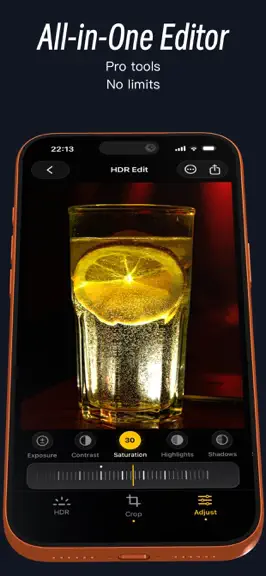
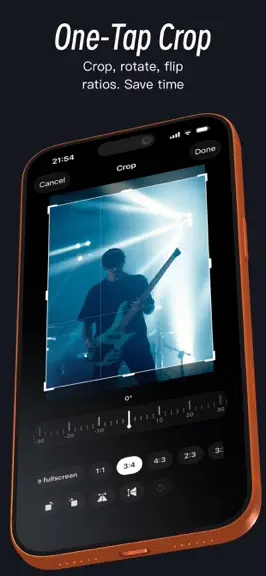
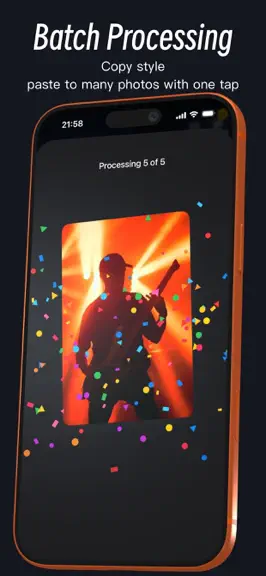
About
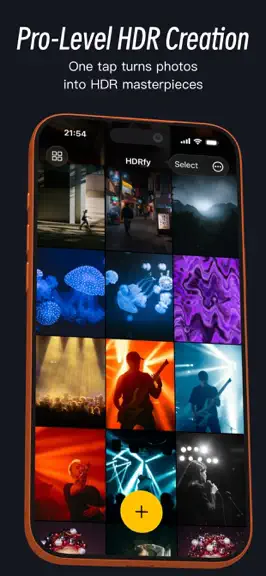
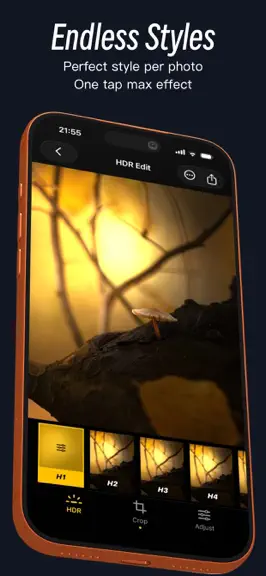
HDRfy - Make photos closer to what the human eye sees. We often think our photos have captured everything. Until I reopened them with HDRfy. Details once hidden in shadows and flattened highlights begin to reappear. The sky feels clearer, sunlight more real, and memories more vivid. I suddenly realized this isn’t just enhancement, but a restoration of the scene. The realism and presence feel…
Trends & analysis
Chart rank trend
US · overallWhy it's surfacing
Scout 19Ratings & velocity
★ -0.44 in windowRating distribution
100% positive · 6 ratingsGeographic reach
best rank · 3 storefrontsRevenue & downloads trend
ARPU $0In-app purchases
3 tiersUpdate history
3 updates tracked- v3.3.021d ago
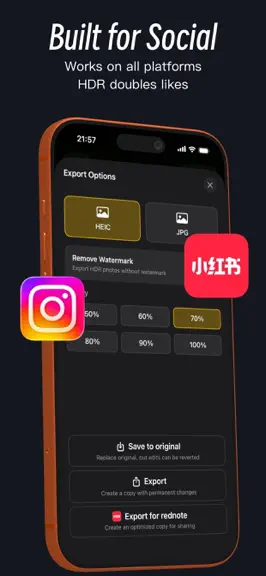
Thank you for using HDRfy. If you're enjoying HDRfy, we'd really appreciate your rating. If you have any questions or suggestions, please go to Settings > Contact Us. + Improved HDR generation support for RAW photos + Fixed color shift when importing TIFF images + Added PQ and HLG encoding support + Fixed HDR photo import issues from the native Camera app + Added HDR PNG export + Swipe left or right to switch photos on the editing page + Various performance improvements, UX enhancements, and bug fixes Previous Updates + Optimized RAW photo preview speed and reduced memory usage + HDR Collage now supports using photos as backgrounds with multiple background styles + Select multiple photos from the Photos app for batch HDR processing or HDR collage creation + Drag to reorder presets + Improved HDR Live Photo cropping + Added Presets for creating, editing, and batch processing + Introduced HDR Collage with horizontal, vertical, and grid layouts + Added more import options: import all photos, import by album, or import from Files + Added "Max Edge" export setting with customizable dimensions + Redesigned the crop experience with smoother interactions and custom aspect ratios + Added a "Preserve Capture Time" option in Settings to keep the original photo's capture date when exporting + Shortcuts now support batch HDR conversion for improved workflow + Fixed brightness issues when exporting over the original photo + Export still photos as HDR videos or Live Photos + Introduced the all-new HDR Preset N for portraits, artistic, documentary, still life, commercial, events, and more + Added Shortcuts support + Added 8K HDR processing and export + Improved large image processing performance
- v3.2.71mo ago
Thank you for using HDRfy. If you enjoy HDRfy, please consider leaving us a rating. If you encounter any issues or have suggestions, go to [Settings] - [Contact Us] to send us your feedback. + Added HDR export in PNG format + Swipe left or right to switch between photos on the editing screen + Improved preview speed and reduced memory usage for RAW photos + HDR Collage now supports using photos as backgrounds, with multiple background styles available + Select multiple photos from the Photos app for batch HDR processing or collage creation in HDRfy + Preset Manager now supports drag-and-drop sorting + Improved HDR Live Photo cropping + Various performance improvements, UX enhancements, and bug fixes Previous Updates + Added Presets with support for creating, editing, and batch processing + Introduced HDR Collage with horizontal, vertical, and grid layouts for creating high-quality HDR collages + Added multiple import methods: import all photos, import by album, or import from Files + Added "Maximum Edge" option in export settings with customizable output size + Rebuilt the crop interaction for a smoother experience, with support for custom aspect ratios + Added "Preserve Capture Date" option (enabled in Settings) to keep the original capture date when exporting copies + Shortcuts now support batch HDR conversion for improved workflow efficiency + Fixed an issue where exporting to the original photo could result in incorrect brightness + Export still photos as HDR videos or Live Photos + Introduced the all-new HDR Preset N, ideal for portraits, artistic, documentary, still life, commercial, events, and more + Shortcuts support + Support for 8K HDR processing and export + Improved large image processing performance
- v3.2.51mo ago
Thank you for using HDRfy. If you enjoy HDRfy, please consider leaving us a rating. If you encounter any issues or have suggestions, please go to [Settings] - [Contact Us] and let us know. + Optimized RAW photo preview speed and reduced memory usage + HDR Collage now supports using photos as backgrounds, with multiple background styles available + Added support for selecting multiple photos from the system Photos app for batch HDR processing or collage creation + Preset Manager now supports drag-and-drop sorting + Improved HDR Live Photo cropping + Various detail improvements, user experience enhancements, and bug fixes Previous Updates + Added Presets feature, allowing you to create and edit presets for batch processing + Introduced HDR Collage, supporting horizontal, vertical, and grid layouts for creating high-quality HDR collages + Added multiple import methods: import all photos with one tap, import by album, or import from Files + Added "Max Edge" control in export settings with customizable dimensions + Rebuilt the cropping experience for smoother interactions and added custom crop ratios + Added a "Preserve Capture Date" option (enabled in Settings), allowing exported copies to retain the original photo's capture time + Shortcuts now support batch HDR conversion for improved workflow efficiency + Fixed an issue where brightness could appear incorrect when saving to the original photo + Added support for exporting still photos as HDR videos or Live Photos + Introduced the brand-new HDR Preset N, suitable for portraits, artistic styles, documentary photography, still life, commercial work, events, and more + Shortcuts support + Support for 8K HDR processing and export + Improved large image processing speed for a better experience
HDRfy – HDR Photo Lab — FAQ
How much money does HDRfy – HDR Photo Lab make?
According to AppCurrents estimates, HDRfy – HDR Photo Lab generates approximately $100–$900 per month (low confidence), modeled from its the App Store chart performance, rating velocity, and monetization signals.
How many downloads does HDRfy – HDR Photo Lab get?
HDRfy – HDR Photo Lab sees an estimated 300–2k downloads per month on the App Store, per AppCurrents modeling.
Is HDRfy – HDR Photo Lab free?
HDRfy – HDR Photo Lab is free to download on the App Store, monetizing through in-app purchases.
What is HDRfy – HDR Photo Lab's rating?
HDRfy – HDR Photo Lab holds a 4.56-star average from 9 ratings on the App Store.
When was HDRfy – HDR Photo Lab released?
HDRfy – HDR Photo Lab launched on the App Store on 10.01.2026. Its latest version shipped 15.07.2026.
Apps like HDRfy – HDR Photo Lab
See all alternatives → Cricut Design SpaceGraphics & Design · $410k–$2.3M/mo
 Reface: AI Photo & Face EditorGraphics & Design · $270k–$1.5M/mo
 Nomad SculptGraphics & Design · $140k–$2.4M/mo
 Home AI - AI Interior DesignGraphics & Design · $230k–$1.3M/mo
 Artrace: AR Drawing & SketchGraphics & Design · $190k–$1.1M/mo
 ThemePack: Widgets & WallpaperGraphics & Design · $160k–$900k/mo