
GoneCycling
GoneCycling generates an estimated $0/month in revenue from 0 downloads/month on the App Store, according to AppCurrents estimates (updated 2026-08-02).
| Est. revenue / month | $0 |
|---|---|
| Est. downloads / month | 0 |
| Estimate confidence | low |
| Pricing | Free |
| Rating | 0.00 ★ (0 ratings) |
| Category | Health & Fitness |
| Released | 15.06.2026 |
| App last updated | 26.07.2026 |
| Platform | iOS |
Modeled monthly estimate · rating velocity · low confidence

About
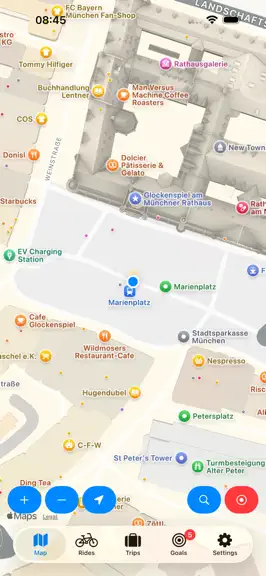
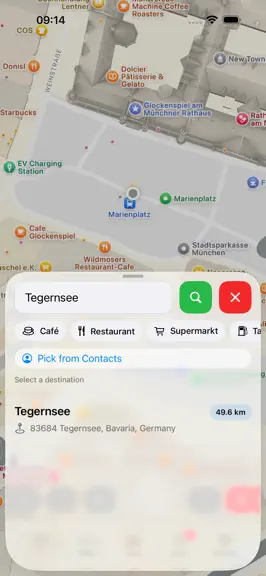
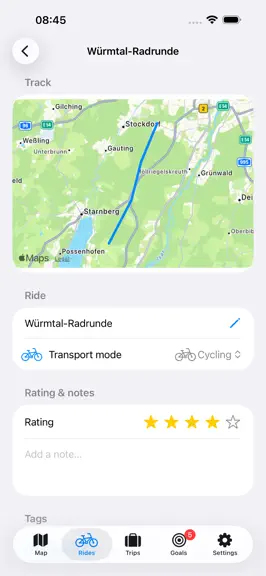
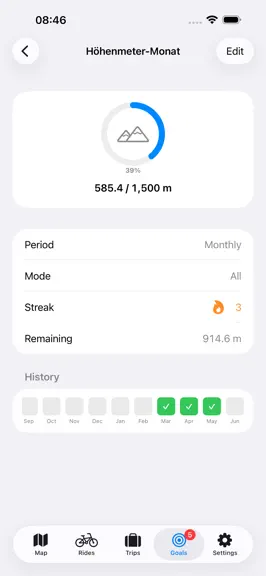
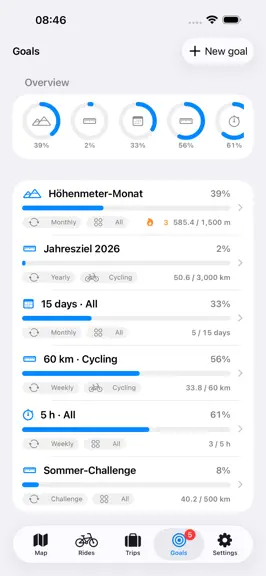
GoneCycling – cycling with full control over your data. GoneCycling is a focused cycling app for iPhone: record, plan, and ride – with no account, no subscription, no ads. All your rides, routes and settings live solely on your device. RECORD • Live map with your current position and heading; show your position as an icon if you like (bicycle, direction arrow, car …) • Ride recording with live s…
Trends & analysis
Chart rank trend
US · overallWhy it's surfacing
Scout 29Ratings & velocity
★ 0 in windowGeographic reach
best rank · 0 storefrontsRevenue & downloads trend
monthly estimateUpdate history
4 updates tracked- v1.710d ago
- Mixed transport per stage: a stage can now consist of cycling sections and transfer sections (train, car). Mark parts of your route as a transfer - the distance is broken down per mode (e.g. "35 km cycling + 20 km train") across the overview, stage and ride details. - Configurable route styling: colour, thickness and line style can now be set per route type (Settings > Map & display) - with a live preview. Planned routes appear uniformly bold, while stage and template routes are red, so the lines are easy to tell apart. - Tidied-up routing & navigation: a single "Start navigation" button; tapping a place while riding makes it your direct next stop; "Ride this tour" now behaves like a stage (with an approach leg from your location). Routing follows a template more closely now, and the remaining distance no longer jumps backwards. - Toggleable navigation overlay: a tap switches between the full and a compact view (direction arrow, maneuver and destination distance, arrival time). The size of the overlay elements is freely adjustable in Settings. - Battery level above the record button (optional), with an estimate of the remaining runtime. - Places along the active stage are visible and tappable during navigation - add one as an intermediate stop directly; the live POI markers are larger. - Notes saved visibly: a "Saved" indicator on trips, rides and stages, plus extra protection against data loss. - Fix: elevation gain is no longer overestimated from GPS noise (no invented climb on flat routes); an interrupted recording can be resumed prominently from the map.
- v1.526d ago
New in 1.5: • Travel diary: every trip now has a diary with one page per travel day – generated automatically from your plan (arrival, stages, rest days). Capture photos, notes and tags, and import photos from your recorded rides with one tap. • Places along the stage: while planning a trip, look up ice cream spots, playgrounds, swimming places & more along a stage and save them with a note and kilometre mark. Tapping a category automatically searches the whole route; on the map the places appear as markers along the stage – toggle them with the pin button. • Flatter routes: a new option to prefer as little elevation change as possible when planning – with BRouter as the "Flat (low elevation)" profile, with OpenRouteService as the "Avoid steep inclines" toggle (cycling/walking). • Fix: the average speed was shown far too high when riding slowly or walking – it's correct now.
- v1.4.11mo ago
• A reward when you finish: after recording, a "Ride completed!" dialog shows a map of your route and key stats – and celebrates if you reached a goal along the way. • Easier stage planning: pick a lodging and it becomes both the stage destination AND its accommodation; hits show address, city and – when a template exists – the distance to your route. • Faster search: several matching suggestions appear as you type (map, stage planner, waypoint picker), and the whole result row is tappable. • Pick places on the map: a trip's start, destination and stops can now also be set directly on a map – crosshair button next to search.
- v1.31mo ago
• Trip costs & accommodation: add an accommodation at the start point for one or more nights, a price per accommodation, a per-trip expense list (negative amounts allowed), optional travellers with assignment, and the trip's total cost at a glance. • More stable & smoother: fixes a freeze on older iPhones (e.g. iPhone SE). Recording, navigation and the overview screens run noticeably smoother – less CPU and battery, especially on long rides. • Leaner data: saved rides, iCloud backups and round trips take up less space. • Fixes on narrow iPhones (e.g. iPhone SE): the bottom tab bar is visible again, and all map controls fit in one row when you start a recording.
GoneCycling — FAQ
How many downloads does GoneCycling get?
GoneCycling sees an estimated 0 downloads per month on the App Store, per AppCurrents modeling.
Is GoneCycling free?
GoneCycling is free to download on the App Store, with no in-app purchases detected.
When was GoneCycling released?
GoneCycling launched on the App Store on 15.06.2026. Its latest version shipped 26.07.2026.
Apps like GoneCycling
See all alternatives → Planet FitnessHealth & Fitness · $3.9M–$22M/mo
 Strava: Run, Bike, WalkHealth & Fitness · $3.3M–$11M/mo
 MyFitnessPal: Calorie CounterHealth & Fitness · $930k–$5.0M/mo
 Simple: AI Weight Loss CoachHealth & Fitness · $900k–$4.8M/mo
 Workout for Women: Home & GymHealth & Fitness · $890k–$4.8M/mo
 Flo Cycle & Period TrackerHealth & Fitness · $780k–$4.9M/mo