
Git client - Working Copy
Git client - Working Copy generates an estimated $3k–$18k/month in revenue from 10k–43k downloads/month on the App Store, according to AppCurrents estimates (updated 2026-10-02).
| Est. revenue / month | $3k–$18k |
|---|---|
| Est. downloads / month | 10k–43k |
| Estimate confidence | low |
| Pricing | Free + IAP |
| Rating | 4.85 ★ (3,770 ratings) |
| Category | Developer Tools |
| Best chart rank | #22 Developer Tools Grossing |
| Released | 08.11.2014 |
| App last updated | 18.09.2026 |
| Platform | iOS |
Modeled monthly estimate · rating velocity · low confidence
About
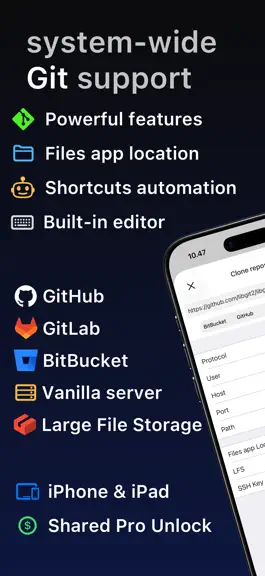
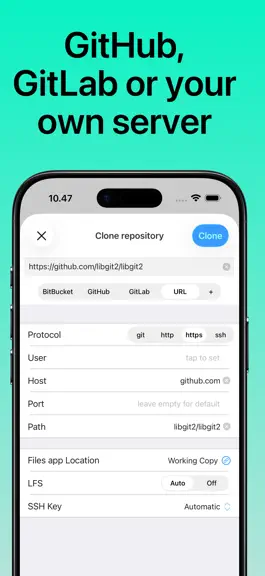
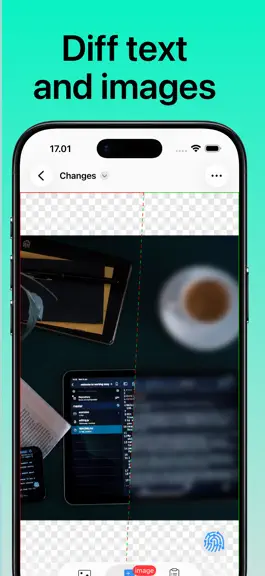
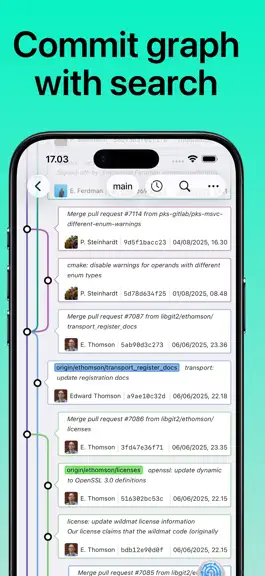
Access Git repositories on the go. Clone, edit, commit and push while allowing other apps access to repositories. Git is a important part of our work-life and iOS can take part in this. The ability to commit even when offline has added utility on a device that moves in and out of network coverage. Cloning repositories gets you a local copy on your iOS device with commits for all branches. You can…
Trends & analysis
Chart rank trend
US · categoryWhy it's surfacing
Scout 30Ratings & velocity
★ 0 in windowRating distribution
97% positive · 4k ratingsGeographic reach
best rank · 1 storefrontRevenue & downloads trend
ARPU $0In-app purchases
6 tiersUpdate history
12+ updates tracked- v7.0.214d ago
Repositories can be linked to hidden folders such as .vim inside iSH or iVim. The Files app never shows folders starting with a dot, so the new Hidden Directory option has you pick the folder containing it and then choose among the hidden folders inside. Auto-Sync no longer reports a failed sync when the device is locked while syncing, or when a remote on your local network cannot be reached because the device is on another network. Syncing continues at the next unlock or once you are back on that network. Includes latest improvements to 7.0.0 Repository Agent can now run on Apple's Private Cloud Compute, using a larger model than the one on your device while keeping your code inside Apple's privacy guarantees. It needs no API key and no subscription, and appears in the service menu on devices with Apple Intelligence running the latest version of iOS. When the daily allowance runs out, Working Copy offers to continue with whichever AI service you have set up. Fetch, Pull, Push and Sync actions for Shortcuts are no longer cut short when they take a while. A slow transfer keeps running with progress and a Stop button, so pushing a large repository from an automation finishes instead of stopping halfway, and the Fetch button on the widget works the same way. This needs the latest version of iOS.
- v7.0.118d ago
Improvements to Auto-Sync logging, notifications and the ability to keep syncing after the device has been locked. Includes latest improvements to 7.0.0 Repository Agent can now run on Apple's Private Cloud Compute, using a larger model than the one on your device while keeping your code inside Apple's privacy guarantees. It needs no API key and no subscription, and appears in the service menu on devices with Apple Intelligence running the latest version of iOS. When the daily allowance runs out, Working Copy offers to continue with whichever AI service you have set up. Fetch, Pull, Push and Sync actions for Shortcuts are no longer cut short when they take a while. A slow transfer keeps running with progress and a Stop button, so pushing a large repository from an automation finishes instead of stopping halfway, and the Fetch button on the widget works the same way. This needs the latest version of iOS.
- v7.0.019d ago
Repository Agent can now run on Apple's Private Cloud Compute, using a larger model than the one on your device while keeping your code inside Apple's privacy guarantees. It needs no API key and no subscription, and appears in the service menu on devices with Apple Intelligence running the latest version of iOS. When the daily allowance runs out, Working Copy offers to continue with whichever AI service you have set up. Fetch, Pull, Push and Sync actions for Shortcuts are no longer cut short when they take a while. A slow transfer keeps running with progress and a Stop button, so pushing a large repository from an automation finishes instead of stopping halfway, and the Fetch button on the widget works the same way. This needs the latest version of iOS.
- v6.9.622d ago
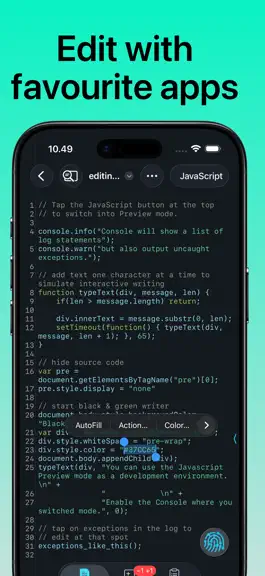
Markdown previews support custom styling. Pick Styling in the preview mode menu to edit the stylesheet in the built-in editor, and the preview updates as you type. Colors and fonts keep following your theme and text size, Revert goes back to the built-in styling, and a stylesheet can be shared with others or imported from a file. This is part of the same pro unlock as editor themes, available to everyone who purchased or upgraded after May 2024. Consider sharing your custom preview style in the r/WorkingCopy subreddit so I can include the best ones in a future update. Committing a directory with thousands of changed files is much faster and now shows progress while files are staged. Auto-Sync can tell you when it has synced. Turn on Notify After Sync to get a single notification for each sync that committed, pulled or pushed something, and stay silent when there was nothing to do. Support for SSH keys on YubiKeys and other security keys. Create one from the SSH Keys screen, and the private part never leaves the security key. This is part of the pro unlock for Secure Enclave keys, available to everyone who purchased or upgraded on December 14, 2024 or later. Astro components get syntax highlighting.
- v6.9.529d ago
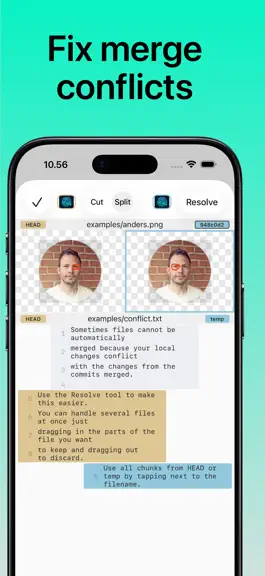
Auto-Sync keeps a repository and its remote in sync automatically. Enable it from the button above the Remotes section on the repository screen, and Working Copy commits your changes, pulls and pushes when changes are detected while the app is running. The commit message can be a fixed one of your choosing or suggested by AI, and everything Auto-Sync does for a repository is collected in a single log. Merge conflicts pause syncing with a notification until you resolve them inside the app. Auto-Sync requires the pro unlock because it pushes, with AI suggested messages available to users that purchased or upgraded after March 2022. Turn on Sync in Background to keep Auto-Sync checking efficiently for local and remote changes while you use other apps. You can also trigger syncing from automations with the new Sync Repository action for Shortcuts, for example whenever you open or close Obsidian. Linked repositories now show their repository icon in the repository list. Fixed issue where picking a repository icon from an image with a built-in thumbnail could make the icon solid black.
Git client - Working Copy — FAQ
How much money does Git client - Working Copy make?
According to AppCurrents estimates, Git client - Working Copy generates approximately $3k–$18k per month (low confidence), modeled from its the App Store chart performance, rating velocity, and monetization signals.
How many downloads does Git client - Working Copy get?
Git client - Working Copy sees an estimated 10k–43k downloads per month on the App Store, per AppCurrents modeling.
Is Git client - Working Copy free?
Git client - Working Copy is free to download on the App Store, monetizing through in-app purchases.
What is Git client - Working Copy's rating?
Git client - Working Copy holds a 4.85-star average from 3,770 ratings on the App Store. It currently ranks #22 on the Developer Tools grossing chart.
When was Git client - Working Copy released?
Git client - Working Copy launched on the App Store on 08.11.2014. Its latest version shipped 18.09.2026.
Apps like Git client - Working Copy
See all alternatives → GitHubDeveloper Tools · $92k–$500k/mo
 Replit: Vibe Code with AI FastDeveloper Tools · $48k–$260k/mo
 O-KAM ProDeveloper Tools · $33k–$180k/mo
 Termix Pro: SSH & SFTP ClientDeveloper Tools · $17k–$280k/mo
 Apple DeveloperDeveloper Tools · $22k–$120k/mo
 Termius - Modern SSH ClientDeveloper Tools · $18k–$100k/mo