
Floor Plan & AI Home - CamPlan
Floor Plan & AI Home - CamPlan generates an estimated $2k–$9k/month in revenue from 4k–16k downloads/month on the App Store, according to AppCurrents estimates (updated 2026-10-02).
| Est. revenue / month | $2k–$9k |
|---|---|
| Est. downloads / month | 4k–16k |
| Estimate confidence | low |
| Pricing | Free + IAP |
| Rating | 4.70 ★ (2,366 ratings) |
| Category | Graphics & Design |
| Best chart rank | #96 Graphics & Design Grossing |
| Released | 12.04.2023 |
| App last updated | 25.09.2026 |
| Platform | iOS |
Modeled monthly estimate · rating velocity · low confidence
About
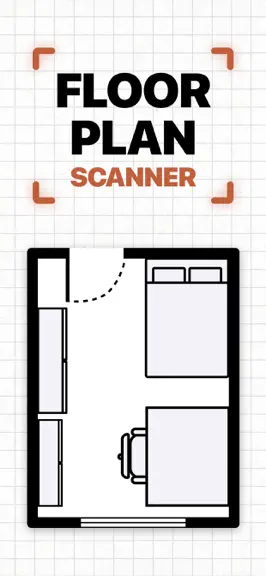
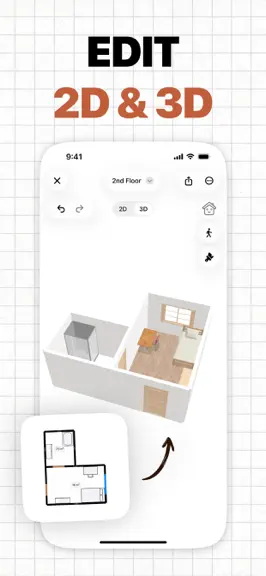
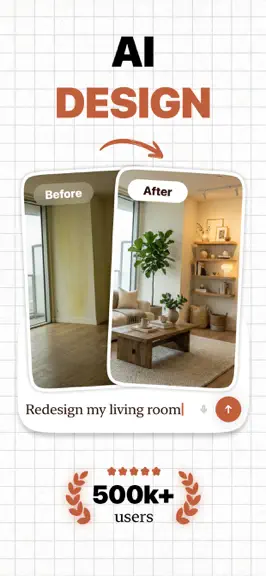
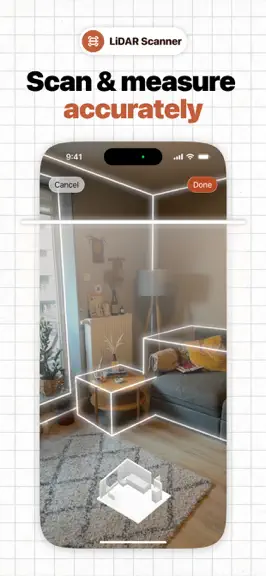
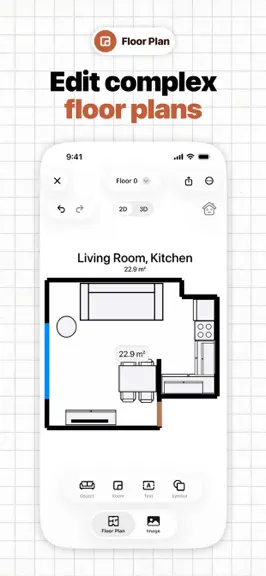
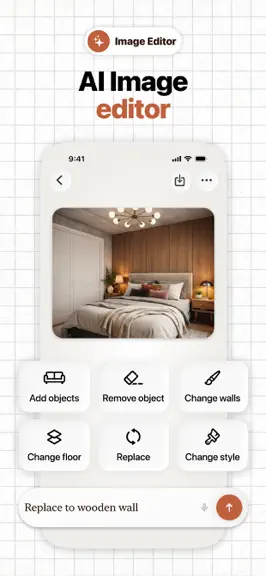
CamPlan gives you a fast, modern way to create 2D and 3D floor plans, room layouts, and interior design concepts with LiDAR scanning, AI design tools, detailed exports, and real-time collaboration. Floor Plan Scanner & Creator • LiDAR-based capture: Use your iPhone or iPad to scan a room. Walls, windows, doors, and measurements are detected automatically. • 2D and 3D editing: Adjust layouts in a…
Trends & analysis
Chart rank trend
US · categoryWhy it's surfacing
Scout 30Ratings & velocity
★ 0 in windowRating distribution
93% positive · 2k ratingsGeographic reach
best rank · 1 storefrontRevenue & downloads trend
ARPU $0In-app purchases
5 tiersUpdate history
12+ updates tracked- v2.8.186d ago
- Siri & Shortcuts: say "Scan a room with CamPlan", "Design a room with CamPlan", "Create a new CamPlan project" or "Open [project] in CamPlan". Every action is also available in the Shortcuts app, including a new Find Projects action. - Spotlight: search any project by name and open it right away. - Home Screen widgets: Recent Projects and Quick Actions (scan, AI design, new project) with one tap. - Control Center, Lock Screen and Action button: add the Scan a Room control to start a LiDAR scan instantly. - Visual Intelligence: point the camera at a room or take a screenshot, then choose CamPlan to redesign it with AI. - Updated for iOS 27, iPadOS 27 and macOS 27, plus fixes and performance improvements.
- v2.8.1721d ago
- Siri & Shortcuts: say "Scan a room with CamPlan", "Design a room with CamPlan", "Create a new CamPlan project" or "Open [project] in CamPlan". Every action is also available in the Shortcuts app, including a new Find Projects action. - Spotlight: search any project by name and open it right away. - Home Screen widgets: Recent Projects and Quick Actions (scan, AI design, new project) with one tap. - Control Center, Lock Screen and Action button: add the Scan a Room control to start a LiDAR scan instantly. - Visual Intelligence: point the camera at a room or take a screenshot, then choose CamPlan to redesign it with AI. - Updated for iOS 27, iPadOS 27 and macOS 27, plus fixes and performance improvements.
- v2.8.1623d ago
Introducing Estimates: turn scanned floor plans into professional quotes with automatically measured quantities, reusable price lists, and AI-assisted line items. Review pricing, add taxes and markups, export branded PDFs, create invoices, and track payments.
- v2.8.151mo ago
Introducing Estimates: turn scanned floor plans into professional quotes with automatically measured quantities, reusable price lists, and AI-assisted line items. Review pricing, add taxes and markups, export branded PDFs, create invoices, and track payments.
- v2.8.141mo ago
Introducing Estimates: turn scanned floor plans into professional quotes with automatically measured quantities, reusable price lists, and AI-assisted line items. Review pricing, add taxes and markups, export branded PDFs, create invoices, and track payments.
Floor Plan & AI Home - CamPlan — FAQ
How much money does Floor Plan & AI Home - CamPlan make?
According to AppCurrents estimates, Floor Plan & AI Home - CamPlan generates approximately $2k–$9k per month (low confidence), modeled from its the App Store chart performance, rating velocity, and monetization signals.
How many downloads does Floor Plan & AI Home - CamPlan get?
Floor Plan & AI Home - CamPlan sees an estimated 4k–16k downloads per month on the App Store, per AppCurrents modeling.
Is Floor Plan & AI Home - CamPlan free?
Floor Plan & AI Home - CamPlan is free to download on the App Store, monetizing through in-app purchases.
What is Floor Plan & AI Home - CamPlan's rating?
Floor Plan & AI Home - CamPlan holds a 4.70-star average from 2,366 ratings on the App Store. It currently ranks #96 on the Graphics & Design grossing chart.
When was Floor Plan & AI Home - CamPlan released?
Floor Plan & AI Home - CamPlan launched on the App Store on 12.04.2023. Its latest version shipped 25.09.2026.
Apps like Floor Plan & AI Home - CamPlan
See all alternatives → ProcreateGraphics & Design · $300k–$5.0M/mo
 Reface: AI Face Swap & EditorGraphics & Design · $270k–$1.5M/mo
 AI Maker: Photo Video FiltersGraphics & Design · $240k–$1.3M/mo
 Nomad SculptGraphics & Design · $100k–$1.7M/mo
 ThemePack: Widgets & WallpaperGraphics & Design · $160k–$850k/mo
 Artmate: Drawing TogetherGraphics & Design · $140k–$790k/mo