Finger3D HD
Finger3D HD generates an estimated $1–$20/month in revenue from 1–2 downloads/month on the App Store, according to AppCurrents estimates (updated 2026-08-02).
| Est. revenue / month | $1–$20 |
|---|---|
| Est. downloads / month | 1–2 |
| Estimate confidence | medium |
| Pricing | Paid $3.99 |
| Rating | 1.00 ★ (1 ratings) |
| Category | Productivity |
| Released | 28.09.2010 |
| App last updated | 24.06.2025 |
| Platform | iOS |
Modeled monthly estimate · rating velocity · medium confidence
About
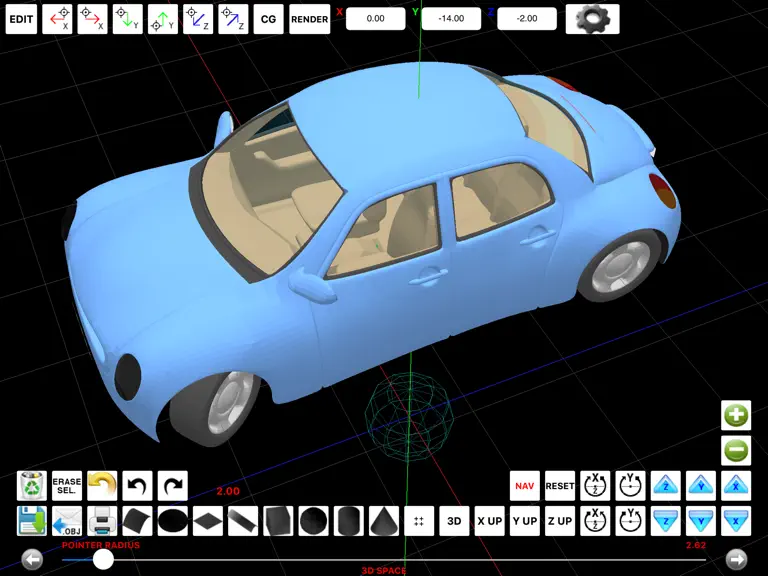
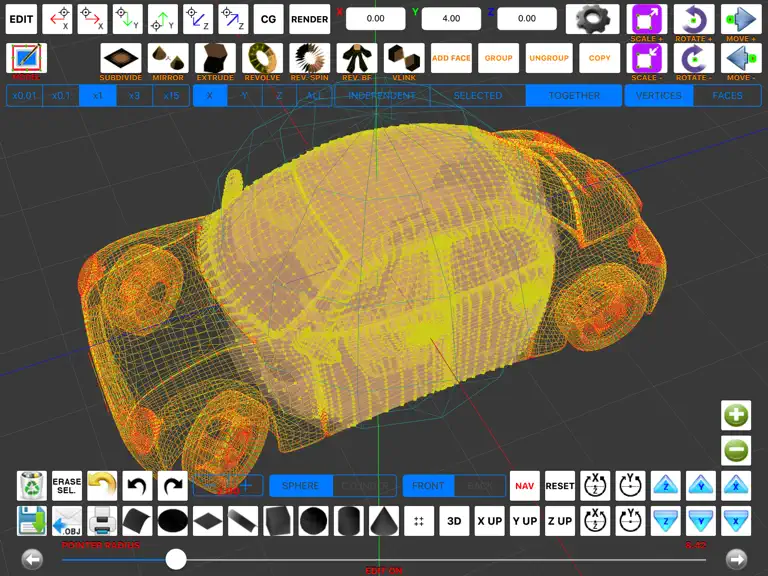
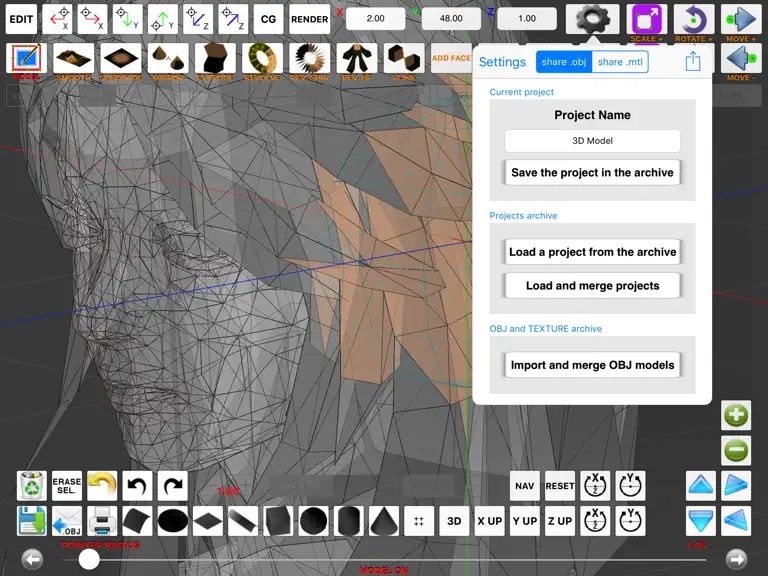
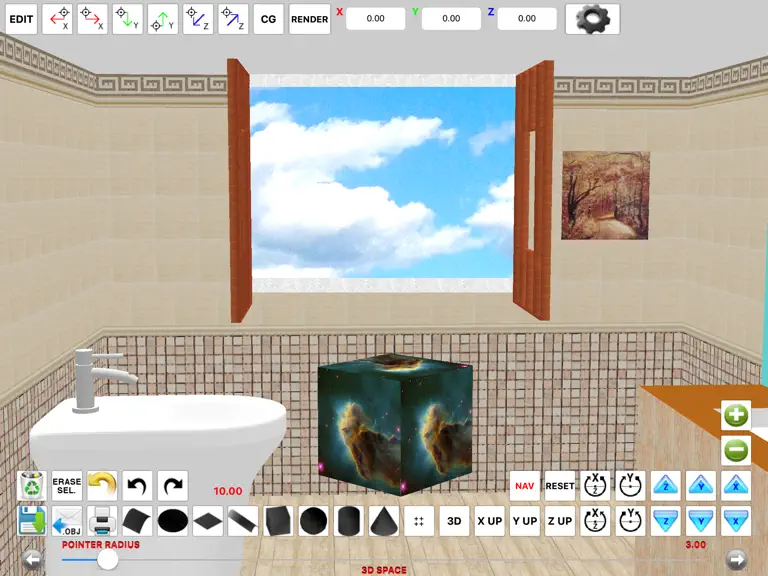
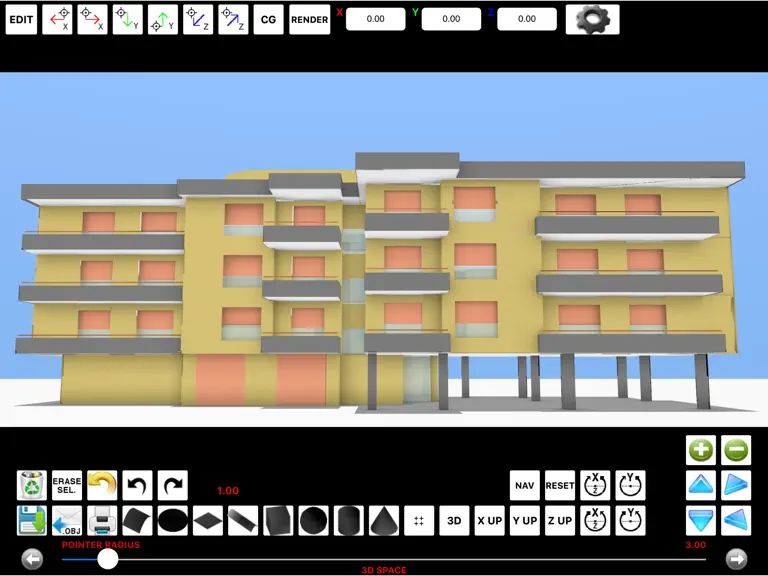
"Finger3D HD" turns your device into a three-dimensional modeler, the smallest and portable existing 3D modeler. With "Finger3D HD" you can create any shape/object/3D model, modeling the shapes with the fingers of your hands. To create Your 3D MODEL, You will have the 3D geometric primitives (spheres, cylinders, cones, cubes, planes, surfaces, discs, curves, etc...) typically used in the commercia…
Trends & analysis
Chart rank trend
US · overallWhy it's surfacing
Scout 12Ratings & velocity
★ 0 in windowRating distribution
0% positive · 1 ratingsGeographic reach
best rank · 0 storefrontsRevenue & downloads trend
ARPU $3Update history
1 update tracked- v4.2.21.1y ago
* Minor bugs fixed TEXTURES: * Added the ability to assign a texture to the selected faces of the 3D objects * The 3D model is displayed using the texture also during the exploration / visualization of the 3D model (to enable or disable the TEXTURE visualization: double tap the screen with two fingers in 3D SPACE mode) * Added the ability to choose the quality for the texture's image (in pixels) and the ability to “repeat” or “scale to fill” the textures on the selected faces of the 3D objects * Added the ability to choose the vertical number of texture to apply to the walls exported by FingerCAD (useful for example to draw tiled bathrooms using .jpg and .png images for the textures - photo album's image textures): the horizontal repeat number of textures will be automatically calculated (so, You can scale the model and the system will automatically calculate for You the horizontal repeat number for the textures) * Added the ability to use semitransparent textures (alpha channel used for the textures) * Smooth shading for the texture * New ground texture (You can now set the repeat number for the ground texture and its image quality in pixels) * New visualization algorithms for the "sky" and "background images" textures (high quality and high visualization performances) SHOT A PHOTO AND USE IT AS A TEXTURE FOR YOUR 3D MODEL: * Added the “image picker for textures” to pick the image for the texture from the device’s photo albums ILLUMINATION: * New algorithms for the scene illumination, for the color 3D models and for the textures (fixed some bugs of visualization of the colors during zoom out) * Added a sun light and an adjustable spot light 3D MODELING AREA: * Full screen visualization mode FACE MODELING (MODELING ON): * New face modeling algorithms (fixed some bugs) MODELING (EDIT ON): * Added the ability to move only the selected part of an object at a certain distance (using the "MOVE+" and "MOVE-" buttons) EXTRUDE: * New extrude routines along X, Y, Z axis (with a selectable extrude distance) FLAT SHADED or WIRED FRAME visualizations: * Added the FLAT SHADED and WIRED FRAME visualizations for EDIT ON and MODEL ON modes (to choose FLAT SHADED or WIRED FRAME: double tap the screen with two fingers in EDIT ON or MODEL ON modes) NORMALS CALCULATION: * Fixed many bugs for the calculation of normals for: circle, sphere, cylinder, cone UNDO / REDO: * Added the undone and redone buttons OBJ+MTL and TEXTURE archive: * Added the “OBJ + MTL” and the “TEXTURE” filters UNGROUP: * New ungroup algorithm (optimized and fixed some bugs) PERFORMANCES: * The source code was optimized to reach high performances for the refresh rate, also when the texture is used for the materials of the 3D objects
Finger3D HD — FAQ
How much money does Finger3D HD make?
According to AppCurrents estimates, Finger3D HD generates approximately $1–$20 per month (medium confidence), modeled from its the App Store chart performance, rating velocity, and monetization signals.
How many downloads does Finger3D HD get?
Finger3D HD sees an estimated 1–2 downloads per month on the App Store, per AppCurrents modeling.
Is Finger3D HD free?
Finger3D HD is a paid app priced at $3.99 on the App Store.
What is Finger3D HD's rating?
Finger3D HD holds a 1.00-star average from 1 ratings on the App Store.
When was Finger3D HD released?
Finger3D HD launched on the App Store on 28.09.2010. Its latest version shipped 24.06.2025.


