
FileBrowser Professional
FileBrowser Professional generates an estimated $5k–$76k/month in revenue from 900–4k downloads/month on the App Store, according to AppCurrents estimates (updated 2026-10-02).
| Est. revenue / month | $5k–$76k |
|---|---|
| Est. downloads / month | 900–4k |
| Estimate confidence | medium |
| Pricing | Paid $14.99 |
| Rating | 4.67 ★ (1,545 ratings) |
| Category | Business |
| Best chart rank | #21 Business Paid |
| Released | 18.04.2014 |
| App last updated | 25.08.2026 |
| Platform | iOS |
Modeled monthly estimate · rating velocity · medium confidence
About
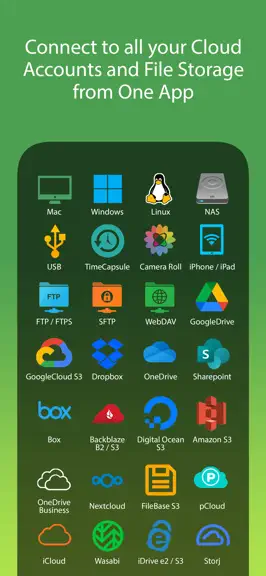
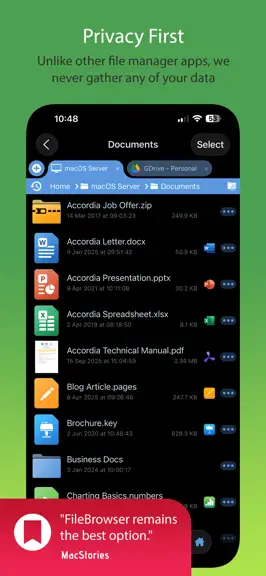
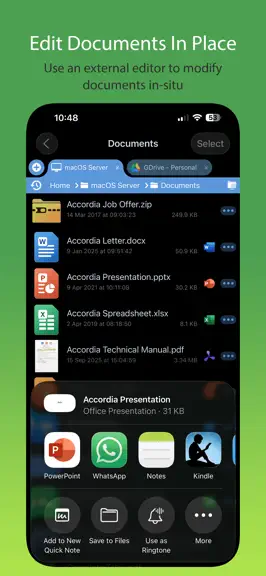
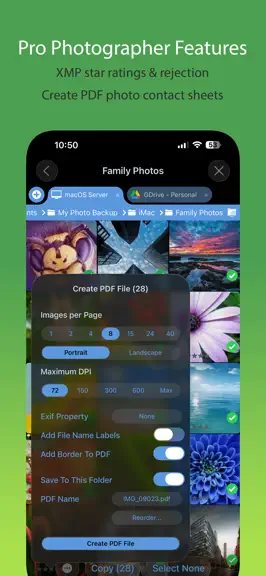
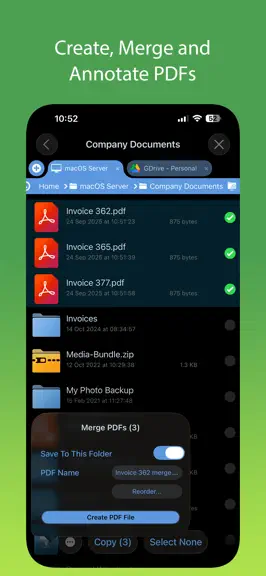
Professional document management for iOS, with bulk rename, backup and sync tasks. Edit your documents in-place, stream your media files and connect to over 20 different network and cloud storage locations. “Maximize the potential of what you can do with files on iOS” - Cult of Mac “FileBrowser remains the best option” - MacStories Direct and secure file access to your computers, servers and oth…
Trends & analysis
Chart rank trend
US · categoryWhy it's surfacing
Scout 18Ratings & velocity
★ -0.02 in windowRating distribution
93% positive · 1k ratingsGeographic reach
best rank · 1 storefrontRevenue & downloads trend
ARPU $11Update history
3 updates tracked- v26.61mo ago
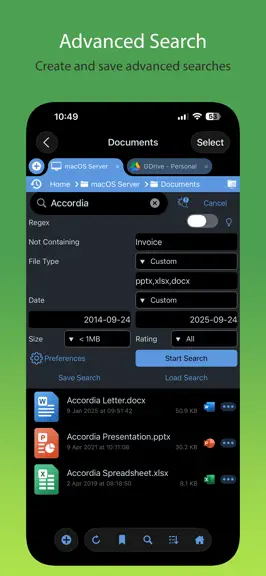
New Features * Sync tasks between two network locations is here! * Improved Backup Task destination folder chooser. * Added bulk item selection modes for Comparison View. * The WebDAV Server can now be enforced read-only. * Added SubSecond naming option for Exif bulk rename. * Markdown documents in local folders can now load images. * Advanced Search options are now easier to configure. * Bookmarks can now be used for video file playback positions. * Video files can now be launched via a Bookmark URL. * Added option to hide video file info panel. * Improved performance deleting folders on WebDAV connections. * Improved wording of in-app messages and help text. * Image file properties can now be copied to the clipboard. Bug Fixes * Fixed Access Denied error when browsing OneDrive. * Fixed Sync Task upload timeouts for slow connections. * Fixed Markup menu option not always appearing. * Fixed slideshow stopping when displaying playback controls. * Fixed hang when sending items on USB drives to the trash. * Fixed temporary files not being purged promptly. * Fixed image rating buttons not working in the sidebar. * Fixed Gallery View not always updating a document preview. Thank you for helping to make our apps better. If you would like to rate or leave a review on the App Store, we look forward to hearing your feedback. Unlike other file manager apps, we never gather any of your data. We also don't require you to create an account or register an email address with us.
- v26.53mo ago
New Features * Added Properties menu to video viewer. * New files added externally to On My iPad/iPhone now have the Backup mode applied. * Image Viewer's property panel now persists across image swipes. * Added support for more Markdown formatting. * Sort By Name now uses the same sort mode as Finder. * Empty folders are now reported as such. Bug Fixes * Restored Image thumb tray icon on image viewer info panel. * Restored the volume slider in the video viewer on iPad. * Improved renaming of folders with leading dot characters. * Improved performance of listing large folders. * Improved unzipping archives containing non ASCII filenames. * Improved message when removing an image from a Photo Library album. * Reduced screen-update motion when changing the Use Trash option. * Fixed loading of large images not completing. * Fixed glitchy slideshow image transitions. * Fixed web images closing the viewer when pinching to zoom. Thank you for helping to make our apps better. If you would like to rate or leave a review on the App Store, we look forward to hearing your feedback. Unlike other file manager apps, we never gather any of your data. We also don't require you to create an account or register an email address with us.
- v26.44mo ago
New Features * View HDR images at full dynamic range. * Improved audio player UI. * Improved image viewer UI. * Thumbnails are now generated for office documents. * File Sharing extension now offers recent folders to save to. * Improved workflow when editing Markdown documents. * Custom tasks can now copy to folders based on exif data. * New Custom Task options for renaming based on Date. * New tabs are now added to the right of the active tab. * Updated UI for local files web server. * Improved long filename display in grid mode. * Improved the image viewer swipe to dismiss feature. Bug Fixes * Fixed OneDrive for Business 'Shared With Me' listing. * Fixed case-sensitivity issue when saving to a XMP file. * Fixed FTP listing showing wrong size for files > 2GB. * Fixed crash when launching a Sync folder Home Screen favourite. Thank you for helping to make our apps better. If you would like to rate or leave a review on the App Store, we look forward to hearing your feedback. Unlike other file manager apps, we never gather any of your data. We also don't require you to create an account or register an email address with us.
FileBrowser Professional — FAQ
How much money does FileBrowser Professional make?
According to AppCurrents estimates, FileBrowser Professional generates approximately $5k–$76k per month (medium confidence), modeled from its the App Store chart performance, rating velocity, and monetization signals.
How many downloads does FileBrowser Professional get?
FileBrowser Professional sees an estimated 900–4k downloads per month on the App Store, per AppCurrents modeling.
Is FileBrowser Professional free?
FileBrowser Professional is a paid app priced at $14.99 on the App Store.
What is FileBrowser Professional's rating?
FileBrowser Professional holds a 4.67-star average from 1,545 ratings on the App Store. It currently ranks #21 on the Business paid chart.
When was FileBrowser Professional released?
FileBrowser Professional launched on the App Store on 18.04.2014. Its latest version shipped 25.08.2026.


