
Easy CSV Editor
Easy CSV Editor generates an estimated $0/month in revenue from 0 downloads/month on the App Store, according to AppCurrents estimates (updated 2026-08-02).
| Est. revenue / month | $0 |
|---|---|
| Est. downloads / month | 0 |
| Estimate confidence | low |
| Pricing | Paid $9.99 |
| Rating | 0.00 ★ (0 ratings) |
| Category | Developer Tools |
| Released | 24.01.2017 |
| App last updated | 31.07.2026 |
| Platform | iOS |
Modeled monthly estimate · rating velocity · low confidence
About
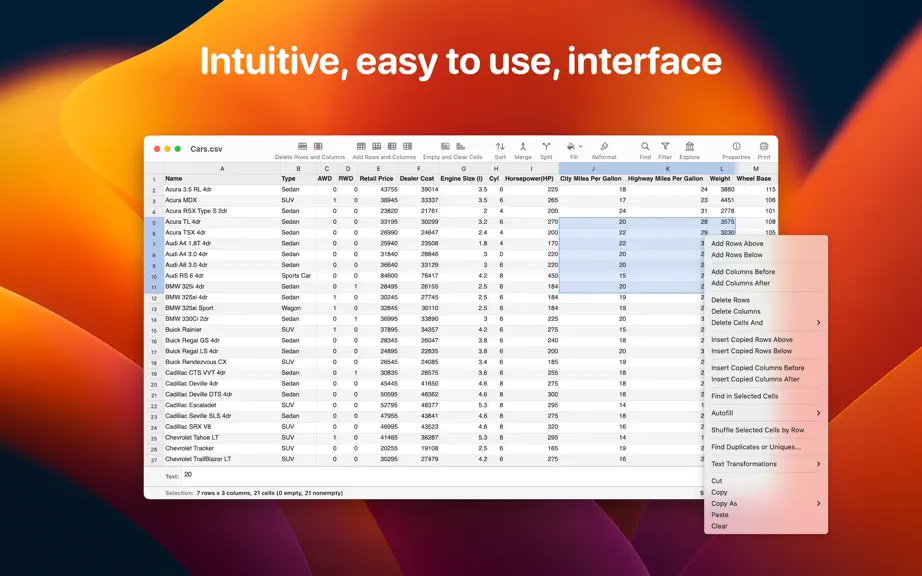
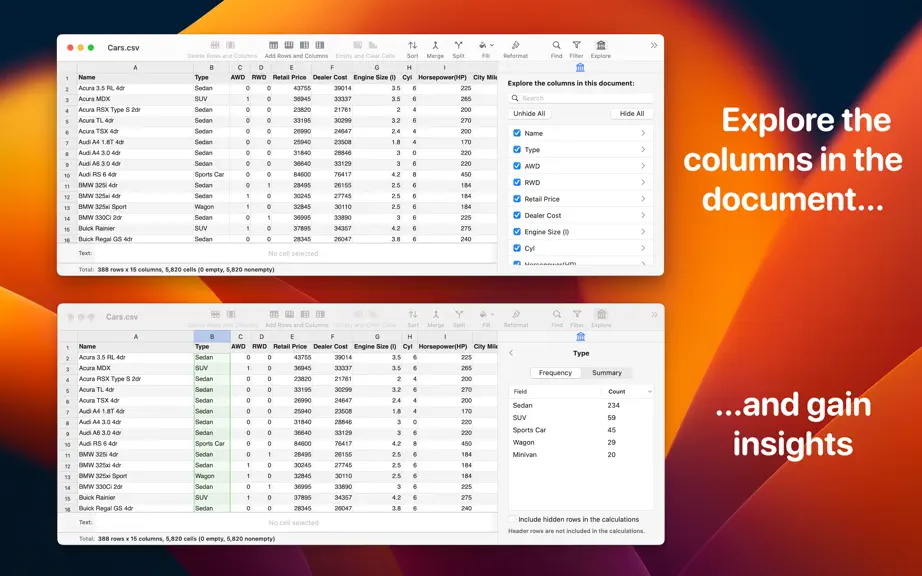
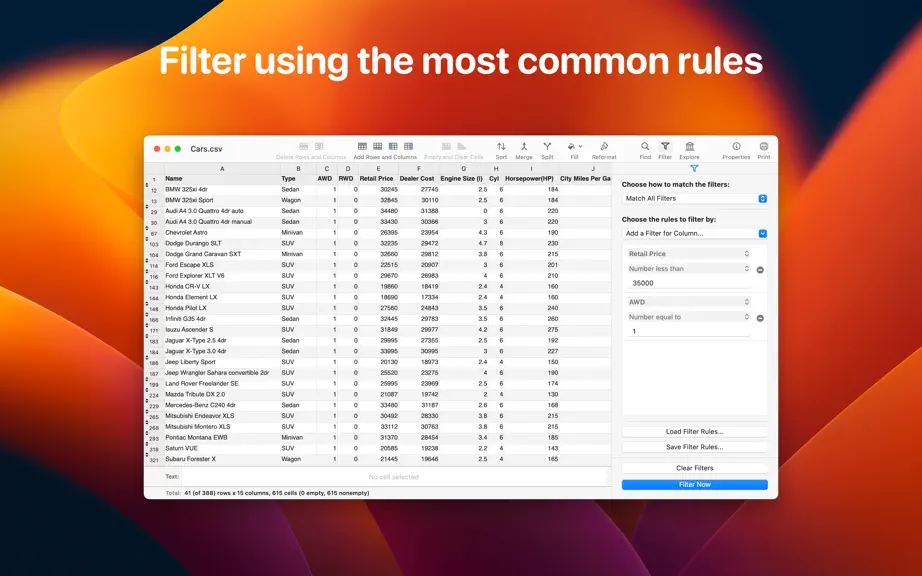
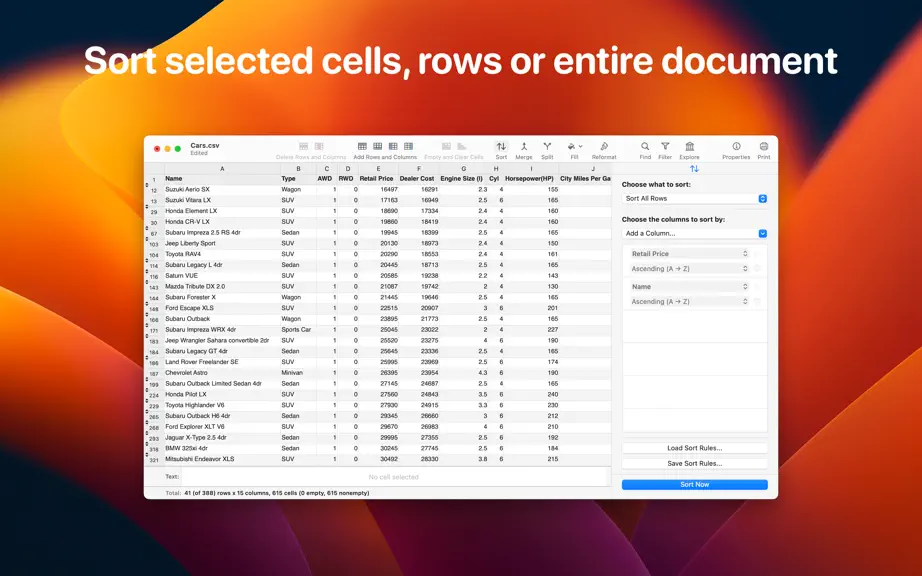
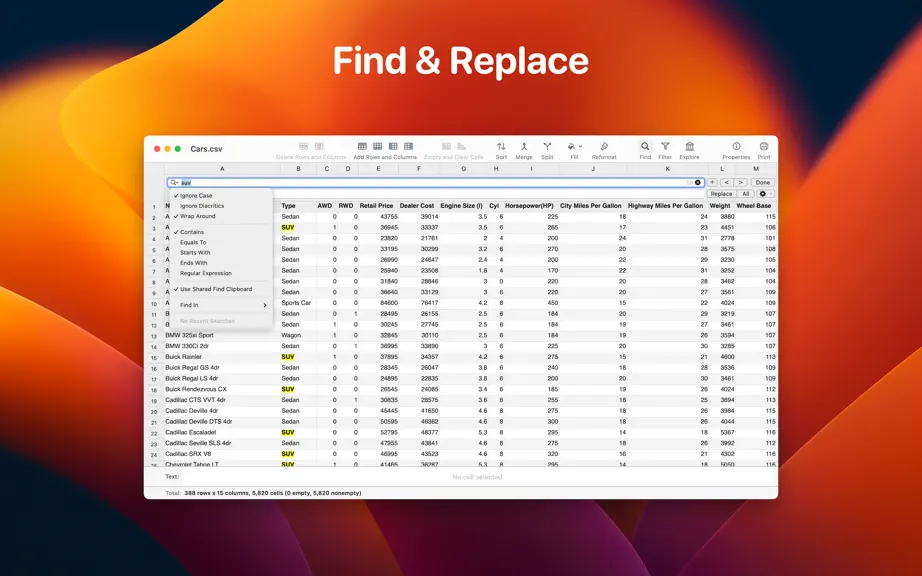
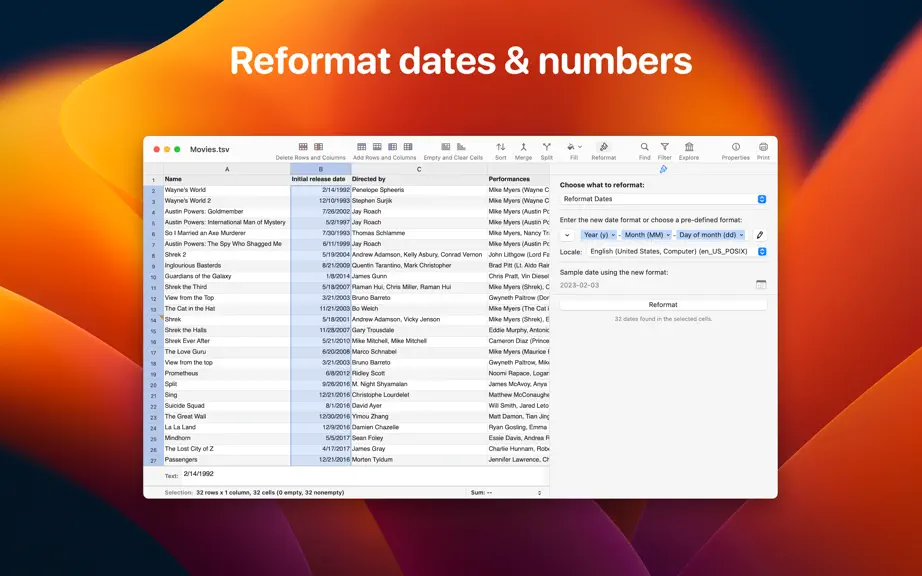
A native macOS CSV editor that stays fast, even with large files. • Edit CSV and TSV files in a familiar spreadsheet interface designed specifically for delimited data. • Open real-world CSV files with different dialects, inconsistent rows and comments, then sort, filter, search and edit them with ease. Work with CSV files the way you expect. • Navigate and edit tabular data using familiar sprea…
Trends & analysis
Chart rank trend
US · overallWhy it's surfacing
Scout 11Ratings & velocity
★ 0 in windowGeographic reach
best rank · 0 storefrontsRevenue & downloads trend
monthly estimateIn-app purchases
5 tiersUpdate history
3 updates tracked- v2.724d ago
Improvements • You can now create multiple filters per each CSV file. This should solve use cases like saving a filter to a file so you can later reapply it. The "Manage Filters" button, located in the "Filters" sidebar, allows you to perform various operations on the filters, like creating a new one, saving them, selecting a different one and so on. • The menu displayed when adding a column to sort or filter by, now contains an additional item called "Search for a Column...". This is especially handy when your CSV table contains a lot of columns, and it's more convenient to search for a certain column, instead of scrolling the menu. --- If you enjoy Easy CSV Editor and find it useful, please also consider Easy CSV Editor Mobile, the sibling app specifically made for iPhones and iPads. For any feedback, questions or ideas please contact us at [email protected]
- v2.711mo ago
New Feature - Vertical Row View • "Vertical Row View" (aka "VRow") presents the visible columns for one individual row/record vertically in an inspector sidebar and allows you to view all of its cells without horizontal scrolling. • To access the "Vertical Row View" sidebar you can click the dedicated toolbar button, labeled "VRow", or choose "View -> Show Vertical Row View" menu item. Other Improvements • The detection of CSV & TSV properties (i.e. the field separator) is slightly improved, especially when dealing with .tsv files. • "Edit" menu contains an additional submenu called "Copy Path". The menu items belonging to "Copy Path" allow you to copy the full path of the current document/file, its name, its URL or its home directory relative path (aka "tilde path"). • You can disable the shortcut to "add rows above" (Option-Up) by running the following command in the Terminal: `defaults write com.vladbadea.csveditor CsvDisableShortcutForAddRowsAbove -bool YES` • You can disable the shortcut to "add rows below" (Option-Down) by running the following command in the Terminal: `defaults write com.vladbadea.csveditor CsvDisableShortcutForAddRowsBelow -bool YES` • You can disable the shortcut to "add columns before" (Option-Left) by running the following command in the Terminal: `defaults write com.vladbadea.csveditor CsvDisableShortcutForAddColumnsBefore -bool YES` • You can disable the shortcut to "add columns after" (Option-Right) by running the following command in the Terminal: `defaults write com.vladbadea.csveditor CsvDisableShortcutForAddColumnsAfter -bool YES` Other Fixes • Fixes an issue, happening in the "default options when opening a file" panel, where the value of "Thousands Separator" would not be persisted if changed to "None".
- v2.702mo ago
Improvements • When editing a cell whose content is wider than the column the editable text field is temporarily expanded vertically so the full content becomes visible while editing. Fixes • The list of suggestions when editing cells is no longer displayed when deleting text. This is in-line with other established spreadsheet apps (i.e. Numbers).
Easy CSV Editor — FAQ
How many downloads does Easy CSV Editor get?
Easy CSV Editor sees an estimated 0 downloads per month on the App Store, per AppCurrents modeling.
Is Easy CSV Editor free?
Easy CSV Editor is a paid app priced at $9.99 on the App Store.
When was Easy CSV Editor released?
Easy CSV Editor launched on the App Store on 24.01.2017. Its latest version shipped 31.07.2026.


