
Droniq TraX
Droniq TraX generates an estimated $0/month in revenue from 0 downloads/month on the App Store, according to AppCurrents estimates (updated 2026-08-02).
| Est. revenue / month | $0 |
|---|---|
| Est. downloads / month | 0 |
| Estimate confidence | low |
| Pricing | Free + IAP |
| Rating | 0.00 ★ (0 ratings) |
| Category | Navigation |
| Released | 17.09.2024 |
| App last updated | 20.07.2026 |
| Platform | iOS |
Modeled monthly estimate · rating velocity · low confidence

About
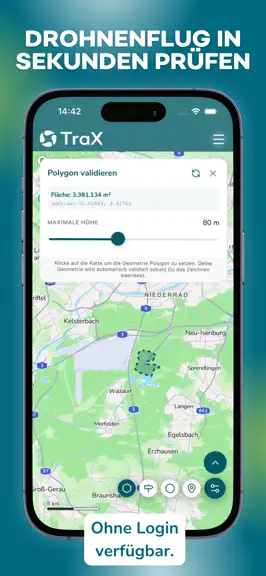
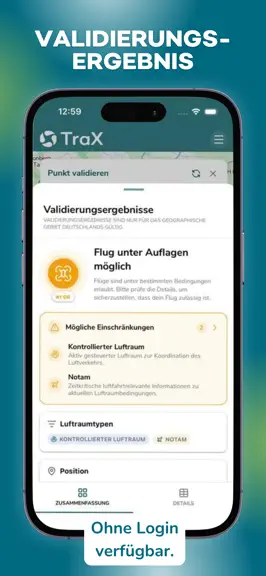
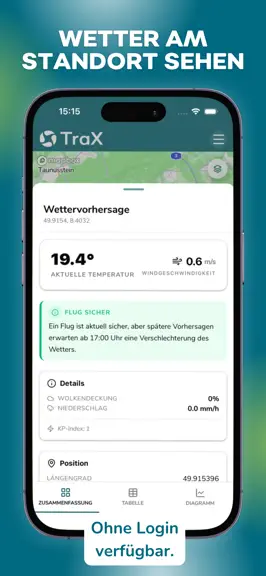
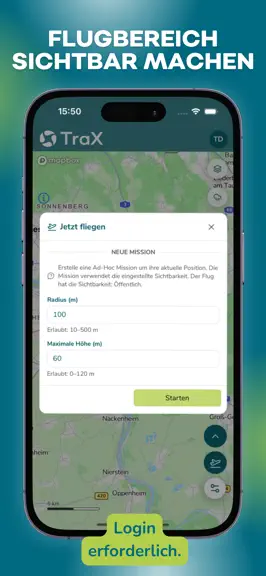
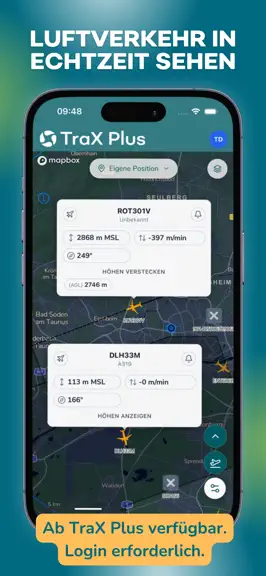
TraX is the drone app for anyone who wants to safely plan drone flights, quickly validate them, and conduct them with greater visibility in the airspace. As the successor to Droniq Maps, TraX shows you where you are allowed to fly, what restrictions apply, and what is currently happening in the airspace around your flight. More safety, visibility, and orientation for your flight: Fly now Make y…
Trends & analysis
Chart rank trend
US · overallWhy it's surfacing
Scout 7Ratings & velocity
★ 0 in windowGeographic reach
best rank · 1 storefrontRevenue & downloads trend
monthly estimateUpdate history
3 updates tracked- v2.0.416d ago
• New tabbed user menu — settings & account in one place • Sentry crash reporting with opt-in consent • Guided WMS map layer setup on first launch • "Fly Here" now works with weak GNSS signal • m/s added as a speed unit option • Skeleton loading screens for smoother UX • Auto-reconnect WebSocket on app resume • Bug fixes & stability improvements
- v2.0.31mo ago
- The weather button now shows a dynamic icon based on the current forecast, so you can see conditions at a glance - You can now minimize the validation view — making it easier to interact with the map while validating - Fixed a bug that could cause the app to crash or not start properly — things should run much smoother now - All DIPUL layers now load correctly again - Fixed an issue where the login popup wouldn't appear when using the Opera browser
- v2.0.22mo ago
New Features: • Redesigned validation results display: Flights near restricted airspace now show a yellow traffic light if a flight is possible under certain conditions—e.g., under the 1:1 rule. Additionally, the display of validation details has been simplified—results are now available at a glance in a list format. • Continuous validation: Press and hold the validation button to activate the mode. Then simply tap the map to validate any points directly. • Quick access to geo-zone details: Go directly to the relevant notices and advisories for a zone via “Airspace Types.” • Validation notices can be copied: Copy text to the clipboard to easily look up regulations. • Address search with pin: Search results are highlighted with a marker on the map. • Temporary location marker: A marker is placed when using “Can I fly here?”. Bug fixes: • Fixed map navigation in Mission Center – map was stuck on Frankfurt. • All DIPUL layers can now be activated simultaneously again. • “All”/“None” geo-zone buttons visually indicate active status. • Improved readability of labels on dark maps. • Wind direction arrow and compass rose rotate in sync. • Clearer zoom level indicator for DIPUL layers. • Weather view: Updated terminology for “Operational Areas.” • Aircraft type links to Eurocontrol restored. • Mission list: Repeat option for failed
Droniq TraX — FAQ
How many downloads does Droniq TraX get?
Droniq TraX sees an estimated 0 downloads per month on the App Store, per AppCurrents modeling.
Is Droniq TraX free?
Droniq TraX is free to download on the App Store, monetizing through in-app purchases.
When was Droniq TraX released?
Droniq TraX launched on the App Store on 17.09.2024. Its latest version shipped 20.07.2026.


