DriveDeck: Car Widgets & HUD
DriveDeck: Car Widgets & HUD generates an estimated $400–$2k/month in revenue from 1k–4k downloads/month on the App Store, according to AppCurrents estimates (updated 2026-10-02).
| Est. revenue / month | $400–$2k |
|---|---|
| Est. downloads / month | 1k–4k |
| Estimate confidence | low |
| Pricing | Free + IAP |
| Rating | 4.40 ★ (25 ratings) |
| Category | Navigation |
| Best chart rank | #94 Navigation Grossing |
| Released | 10.07.2026 |
| App last updated | 24.09.2026 |
| Platform | iOS |
Modeled monthly estimate · rating velocity · low confidence
About
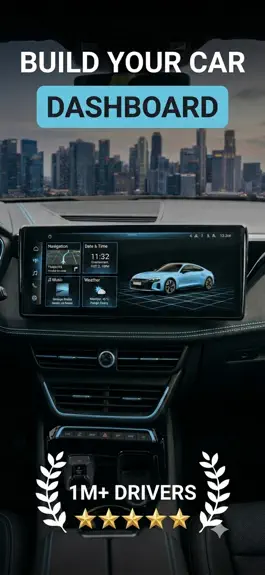
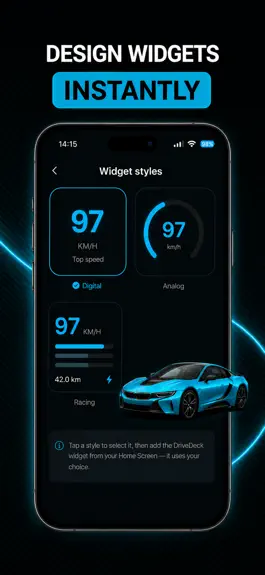
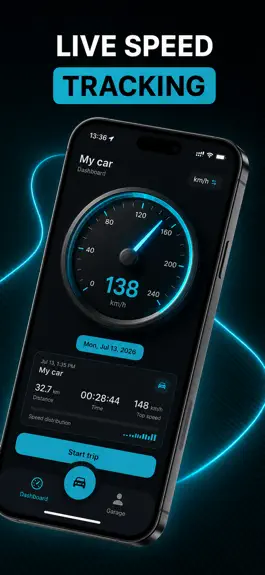
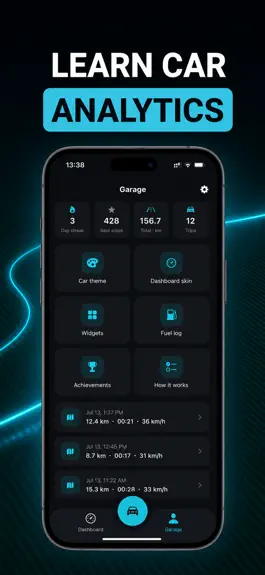
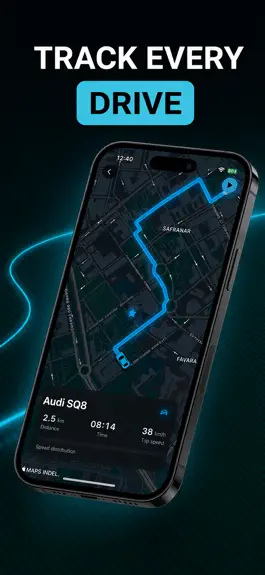
DriveDeck turns your iPhone into a real car dashboard: a live GPS speedometer, a drive-mode HUD, automatic trip logs, car sounds and 15+ Home & Lock Screen widgets, all styled to match your car. SPEEDOMETER & DRIVE MODE • Live speed from GPS, in km/h or mph • Drive Mode: full-screen speed, map and Apple Music controls in one view • HUD: giant digits that reflect off your windshield, with a mirror…
Trends & analysis
Chart rank trend
US · categoryWhy it's surfacing
Scout 53Ratings & velocity
★ -0.37 in windowGeographic reach
best rank · 1 storefrontRevenue & downloads trend
ARPU $0In-app purchases
3 tiersUpdate history
6 updates tracked- v1.4.27d ago
- Saves battery: a trip now ends by itself when you stop driving — walk away from your car and GPS switches off, and the trip keeps only the drive - The map turns with your direction of travel, with a button to get back to your location - Tap any achievement to see how to earn it and your progress, and tapping an achievement notification now opens it - 3D cars: your pick shows on the map right away, and your brand color covers the whole body - More accurate trip top speed and drive score - Stability improvements
- v1.4.010d ago
- Widgets in your car's color: every tile is painted in the shade of the brand you picked, and the different widget types no longer look alike on your Home Screen - A truer gallery: the preview you see before adding a widget is now in your car's color, not a stock one - Know what you're adding: a newly added widget shows what it will look like after your first drive, instead of an empty square - A shorter widget list: older tiles that were indistinguishable from the ones replacing them are out of the way - Fixed a crash that could happen when opening the app from a widget
- v1.3.01mo ago
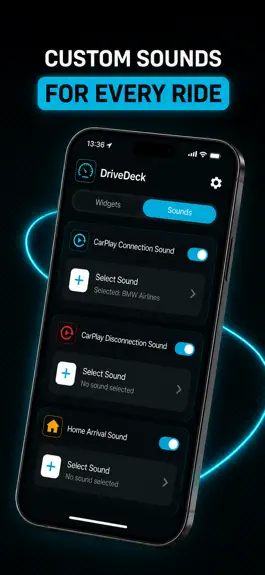
- Trips keep recording in the background and survive the app being closed - Speed widget shows the drive in progress, not just your last trip - AI widgets: give each widget its own image (long-press → Edit Widget) - Sounds: a full tab of car clips for connect, disconnect and arriving home - License plate and clock widgets, with an editor for framing and captions - Drive Mode: full-screen speed, map and music controls - Lots of layout and reliability fixes across every widget size
- v1.2.11mo ago
New Sounds: set a custom sound for connecting to CarPlay, disconnecting, or arriving home — pick from dozens of clips and preview before you set. Refined UI across the app: cleaner layouts, sharper details, and a redesigned offer screen. Performance optimizations for faster launches and smoother everyday use.
- v1.22mo ago
New Sounds: set a custom sound for connecting to CarPlay, disconnecting, or arriving home — pick from dozens of clips and preview before you set. Refined UI across the app: cleaner layouts, sharper details, and a redesigned offer screen. Performance optimizations for faster launches and smoother everyday use.
DriveDeck: Car Widgets & HUD — FAQ
How much money does DriveDeck: Car Widgets & HUD make?
According to AppCurrents estimates, DriveDeck: Car Widgets & HUD generates approximately $400–$2k per month (low confidence), modeled from its the App Store chart performance, rating velocity, and monetization signals.
How many downloads does DriveDeck: Car Widgets & HUD get?
DriveDeck: Car Widgets & HUD sees an estimated 1k–4k downloads per month on the App Store, per AppCurrents modeling.
Is DriveDeck: Car Widgets & HUD free?
DriveDeck: Car Widgets & HUD is free to download on the App Store, monetizing through in-app purchases.
What is DriveDeck: Car Widgets & HUD's rating?
DriveDeck: Car Widgets & HUD holds a 4.40-star average from 25 ratings on the App Store. It currently ranks #94 on the Navigation grossing chart.
When was DriveDeck: Car Widgets & HUD released?
DriveDeck: Car Widgets & HUD launched on the App Store on 10.07.2026. Its latest version shipped 24.09.2026.
Apps like DriveDeck: Car Widgets & HUD
See all alternatives → Google MapsNavigation · $760k–$4.1M/mo
 Transit • Subway & Bus TimesNavigation · $690k–$3.8M/mo
 onX Hunt: GPS Hunting MapsNavigation · $350k–$1.2M/mo
 Speedometer SimpleNavigation · $48k–$260k/mo
 Trucker Path: Truck GPS & FuelNavigation · $48k–$260k/mo
 Find my Phone - Family LocatorNavigation · $37k–$210k/mo