
DrawPad Pro.stl
DrawPad Pro.stl generates an estimated $0/month in revenue from 0 downloads/month on the App Store, according to AppCurrents estimates (updated 2026-06-18).
| Est. revenue / month | $0 |
|---|---|
| Est. downloads / month | 0 |
| Estimate confidence | low |
| Pricing | Paid $9.99 |
| Rating | 0.00 ★ (0 ratings) |
| Category | Graphics & Design |
| Released | 15.04.2026 |
| App last updated | 12.06.2026 |
| Platform | iOS |
Modeled monthly estimate · rating velocity · low confidence




About
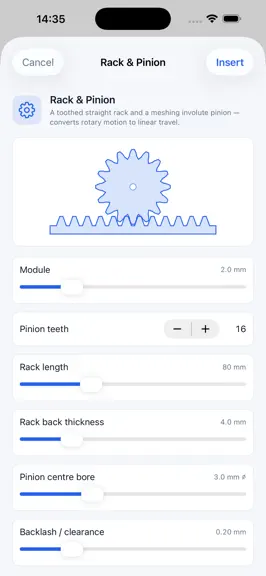
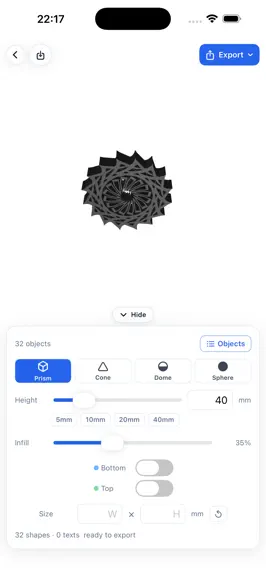
DrawPad Pro.stl turns your 2D sketches into 3D-printable models right on iPad. Draw a shape, tap Extrude, and watch the canvas itself tilt into a live 3D view — then export a watertight binary .stl file ready for your slicer. Built for makers, not five-year-olds. A precise outline pen, shape snap for exact primitives, layered text in any system font, and a real polygon triangulator that handles h…
Trends & analysis
Chart rank trend
US · overallWhy it's surfacing
Scout 36Ratings & velocity
★ 0 in windowGeographic reach
best rank · 0 storefrontsRevenue & downloads trend
monthly estimateUpdate history
2 updates tracked- v1.46d ago
The 3D Workshop grows up — this one's for the printing hobbyists who've been with us from the start. New: • Vertical Split is here. Designs wider than your printer's bed now split into 2–5 side-by-side segments with puzzle interlocks carved right into the cut: knobs for alignment, tabs for registration, or dovetails that slide together from above and lock against pulling apart. The female side of every joint is sized by your chosen fit (Loose / Press / Glue), cuts automatically steer around holes in you design, and rings split into C-pieces — not solid halves. Export the set and print one segment per plate. • Fitting keys. Flip one toggle and instead of carved joints, BOTH sides of every cut get sockets and separate key pieces print alongside — dowel pins for stacked splits, bowtie keys for vertical ones — bridging each joint for a solid, positive-locking assembly with flush cut faces. Keys export as their own STL in the set. • A real build plate. Your model now sits on a 220 × 220 mm bed with a millimetre grid, just like your slicer — so you can tell at a glance how big the print is and whether it fits. • View buttons. Jump straight to Top, Front, Side, or 3D views, or tap Fit to frame your model — no more orbiting off into space. • Tap any object to select it (it glows blue) and a full properties panel appears: spin, tilt on two axes with 15° snapping, scale, and 1 mm nudge arrows. • Drop to Plate and Lay Flat buttons put your part flat on the bed, ready to print — perfect after tilting or importing a model. • Live dimensions. A readout shows the exact width × depth × height in millimetres for the selected object or the whole scene — the same numbers your slicer will report. • Models render with realistic physically-based shading, so the preview finally looks like the print. Fixed: • What you arrange is now what you print. Moves, rotations, scales, duplicates, hidden objects, and imported 3D files are all baked into the exported STL. Previously the export quietly ignored the workshop arrangement. • Rotating an object now spins it in place. It used to swing around a far-off point like a tetherball. • Two-finger drag now moves objects across the plate and follows your finger from any camera angle. Dragging used to lift parts into the air and invert after orbiting. • Duplicates no longer vanish when you adjust a slider. • Imported 3D files land where the file says they should, and they export along with everything else. • Orbit below the plate and it fades away so you can inspect the underside of your model. Thanks for printing with DrawPad Pro.stl.
- v1.3.21mo ago
Version 1.3.2 — Stability Update This release focuses on iPad reliability. We squashed a batch of crashes and visual glitches reported by users: • Undo no longer blanks the canvas. Tapping the back/undo button while working with multiple layers used to occasionally wipe the canvas to white. Fixed. • Zoom is rock-solid. Pinch-zooming and the +/− zoom buttons no longer crash the app, even during rapid gestures or right after launch. • Finger panning works again. Moving strokes with the Hand tool no longer crashes when panning with your finger on iPad. • Importing photos as layers is reliable. Large photos from the camera roll no longer crash the app, and failed imports now show a clear message instead of failing silently. Photos are also now downsampled for faster, smoother editing. • Text extrusion improvements. Extruding text that includes Chinese, Japanese, Korean, emoji, or other scripts no longer crashes. Thanks for the bug reports — please keep them coming.
DrawPad Pro.stl — FAQ
How many downloads does DrawPad Pro.stl get?
DrawPad Pro.stl sees an estimated 0 downloads per month on the App Store, per AppCurrents modeling.
Is DrawPad Pro.stl free?
DrawPad Pro.stl is a paid app priced at $9.99 on the App Store.
When was DrawPad Pro.stl released?
DrawPad Pro.stl launched on the App Store on 15.04.2026. Its latest version shipped 12.06.2026.
Apps like DrawPad Pro.stl
See all alternatives → Kling AI: AI Image&Video MakerGraphics & Design · $840k–$3.4M/mo
 ThemePack: Widgets & WallpaperGraphics & Design · $490k–$2.0M/mo
 PicTrace: AR Drawing & SketchGraphics & Design · $360k–$1.5M/mo
 ReShoot: AI Photos & EditsGraphics & Design · $290k–$1.2M/mo
 Artrace: AR Drawing & SketchGraphics & Design · $280k–$1.2M/mo
 Doodle Magic: Glow Art DrawingGraphics & Design · $250k–$1.1M/mo