DrawPad
DrawPad generates an estimated $0/month in revenue from 0 downloads/month on the App Store, according to AppCurrents estimates (updated 2026-06-18).
| Est. revenue / month | $0 |
|---|---|
| Est. downloads / month | 0 |
| Estimate confidence | low |
| Pricing | Paid $0.99 |
| Rating | 0.00 ★ (0 ratings) |
| Category | Graphics & Design |
| Released | 13.03.2026 |
| App last updated | 22.05.2026 |
| Platform | iOS |
Modeled monthly estimate · rating velocity · low confidence

About
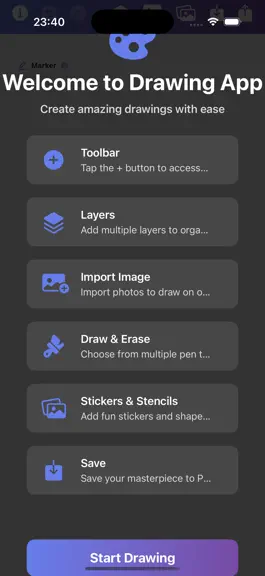
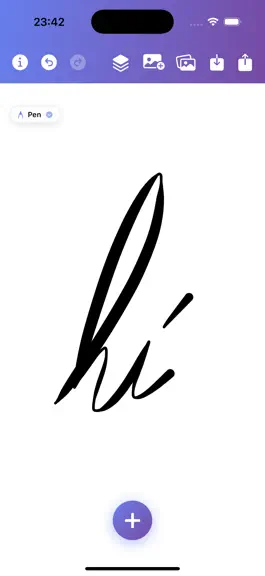
Perfect for Young Artists: - 11 different brushes including pencil, marker, crayon, and watercolor - Rainbow mode for colorful creations - Easy-to-use color palette with 24 colors - Fun stencil shapes (stars, hearts, circles, and more!) - Sticker collection to decorate drawings - Layer system for advanced young artists - Symmetry mode for creating beautiful patterns - Undo/redo to fix mistakes **…
Trends & analysis
Chart rank trend
US · overallWhy it's surfacing
Scout 28Ratings & velocity
★ 0 in windowGeographic reach
best rank · 0 storefrontsRevenue & downloads trend
monthly estimateUpdate history
1 update tracked- v1.627d ago
Version 1.6 — Smoother strokes, your palettes, and a reference pin that follows you around. NEW • Stroke Stabilizer — a new slider in the Brush controls that smooths shaky lines for steadier strokes. Off by default; turn it up as far as you want. • Custom Color Palettes — save your favourite colours as named palettes from the new palette menu, and switch between them with a tap. Your recents become the starting point for any new palette. • Reference Image Pin — pin any photo as a floating, draggable, resizable overlay on top of the canvas to sketch from. Lives outside your layers so it's never part of the export. • Apple Pencil double-tap — double-tap your Pencil to swap between brush and eraser without leaving the canvas. Respects your iOS Settings preference. FIXED • iPhone: when adding or switching layers, the previously-active drawing no longer shrinks and shifts into the corner. Layers now render at the same scale as you drew them, on every device. • iPhone: the Layers panel's active layer row no longer hides its name and stretches tall — the row, name, and "Visible" indicator now lay out cleanly. • Timelapse playback no longer flashes through a 5-minute session in a single second. Frames now play back at their recorded pacing (scaled by the speed picker), and exported timelapse videos honour the same timing. IMPROVED • The Layers panel's Clipping Mask and Set as Background actions moved into the per-layer settings expansion, freeing up room in the row so layer names are always readable. • Timelapse exports render at the recorded canvas resolution for sharper output. Thanks for drawing with DrawPad.
DrawPad — FAQ
How many downloads does DrawPad get?
DrawPad sees an estimated 0 downloads per month on the App Store, per AppCurrents modeling.
Is DrawPad free?
DrawPad is a paid app priced at $0.99 on the App Store.
When was DrawPad released?
DrawPad launched on the App Store on 13.03.2026. Its latest version shipped 22.05.2026.
Apps like DrawPad
See all alternatives → Kling AI: AI Image&Video MakerGraphics & Design · $840k–$3.4M/mo
 ThemePack: Widgets & WallpaperGraphics & Design · $490k–$2.0M/mo
 PicTrace: AR Drawing & SketchGraphics & Design · $360k–$1.5M/mo
 ReShoot: AI Photos & EditsGraphics & Design · $290k–$1.2M/mo
 Artrace: AR Drawing & SketchGraphics & Design · $280k–$1.2M/mo
 Doodle Magic: Glow Art DrawingGraphics & Design · $250k–$1.1M/mo