
DNA Altering
DNA Altering generates an estimated $1k–$6k/month in revenue from 600–3k downloads/month on the App Store, according to AppCurrents estimates (updated 2026-06-17).
| Est. revenue / month | $1k–$6k |
|---|---|
| Est. downloads / month | 600–3k |
| Estimate confidence | high |
| Pricing | Paid $2.99 |
| Rating | 4.61 ★ (31 ratings) |
| Category | Games |
| Best chart rank | #60 Games · Simulation Paid |
| Released | 07.04.2026 |
| App last updated | 06.06.2026 |
| Platform | iOS |
Modeled monthly estimate · rating velocity · high confidence



About
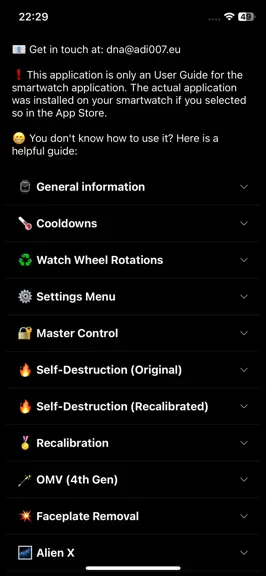
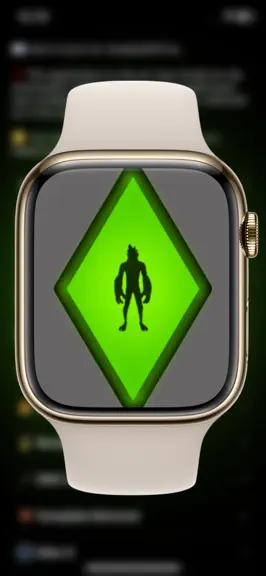
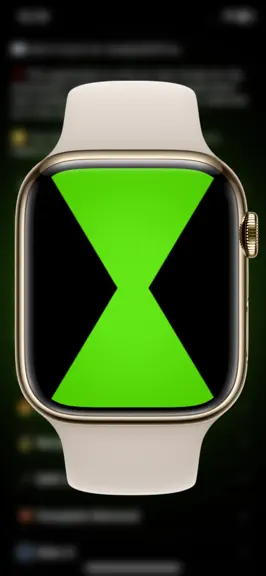
• Turn into an Alien using your Apple Watch! Open the application and become your favourite Hero! [ ! ] It is highly recommended to download the smartphone version of the app. Through it, you will find all the available instructions and functions. Only a few of them are listed below: • General information: - You can select the Hero either by turning the physical wheel of your watch, or by tappi…
Trends & analysis
Chart rank trend
US · categoryWhy it's surfacing
Scout 42Ratings & velocity
★ +0.04 in windowRating distribution
93% positive · 28 ratingsGeographic reach
best rank · 9 storefrontsRevenue & downloads trend
ARPU $2Update history
3 updates tracked- v2.1.010d ago
#When selecting an Alien in OMV (4th gen) version, the shape of the Alien will be displayed during transformation. #The damaged faceplate mode will display now a new visual (bubble-gum repaired faceplate). #You are now able to customize the entire experience using the Custom Colors! Here is how to do it: • Open app settings: L-R-R-R-R-R-R; • Search for the "Style" Option; • Navigate through the existing colors until you reach the "Custom" ones. There are 3 Custom Colors named "Custom1", "Custom2" and "Custom3", you can customize all of them; • Tap the green crayon button that shows up. It will open the Color Customization menu; • In the Color Customization menu, you can set the colors for: - General (applied to most of the elements). - OG / Recalibrated Aliens (applied only to the OG & Recalibrated Aliens). - OMV Aliens (applied only to the Aliens in the OMV versions). - OG Borders (applied to the borders of the watch in OG).
- v2.0.012d ago
You are now able to customize the entire experience using the Custom Colors! Here is how to do it: • Open app settings: L-R-R-R-R-R-R; • Search for the "Style" Option; • Navigate through the existing colors until you reach the "Custom" ones. There are 3 Custom Colors named "Custom1", "Custom2" and "Custom3", you can customize all of them; • Tap the green crayon button that shows up. It will open the Color Customization menu; • In the Color Customization menu, you can set the colors for: - General (applied to most of the elements). - OG / Recalibrated Aliens (applied only to the OG & Recalibrated Aliens). - OMV Aliens (applied only to the Aliens in the OMV versions). - OG Borders (applied to the borders of the watch in OG).
- v1.9.023d ago
Gesture Controls: • You can interact with the watch without touching the screen by using Apple Watch's hand gestures. • This feature is OFF by default. To enable it, open app settings (L-R-R-R-R-R-R) and turn ON the Gesture Controls option. • For the Clench gesture to work, you must also enable AssistiveTouch in your Watch's system settings: Settings → Accessibility → AssistiveTouch → On, then also turn ON Hand Gestures. • Clench Gesture → replaces the center-screen tap. • Wrist Flick Gesture → replaces left/right screen taps. Example, having the watch on your left wrist: - While looking at your watch, shake it down and back up to act as a Right tap. - While looking at your watch, shake it up and back down to act as a Left tap. - Works for: rotation sequences and switching Aliens in the selection screen. • OMV (4th Gen) Alien Selection via Gestures: - When in OMV (4th Gen) mode, Clench to open the Alien selection hologram (instead of long-touching the screen). - While the hologram is open and looking at the watch, tilt your wrist down to cycle Aliens to the right, or tilt it up to cycle Aliens to the left. Keep tilting to keep cycling. - Return your wrist to its initial position to stop cycling. - Clench again to pick the Alien.
DNA Altering — FAQ
How much money does DNA Altering make?
According to AppCurrents estimates, DNA Altering generates approximately $1k–$6k per month (high confidence), modeled from its the App Store chart performance, rating velocity, and monetization signals.
How many downloads does DNA Altering get?
DNA Altering sees an estimated 600–3k downloads per month on the App Store, per AppCurrents modeling.
Is DNA Altering free?
DNA Altering is a paid app priced at $2.99 on the App Store.
What is DNA Altering's rating?
DNA Altering holds a 4.61-star average from 31 ratings on the App Store. It currently ranks #60 on the Games · Simulation paid chart.
When was DNA Altering released?
DNA Altering launched on the App Store on 07.04.2026. Its latest version shipped 06.06.2026.


