
Cursor Widget generates an estimated $0/month in revenue from 0 downloads/month on the App Store, according to AppCurrents estimates (updated 2026-10-02).
| Est. revenue / month | $0 |
|---|---|
| Est. downloads / month | 0 |
| Estimate confidence | low |
| Pricing | Free |
| Rating | 0.00 ★ (0 ratings) |
| Category | Developer Tools |
| Released | 03.02.2026 |
| App last updated | 23.02.2026 |
| Platform | iOS |
Modeled monthly estimate · rating velocity · low confidence
About
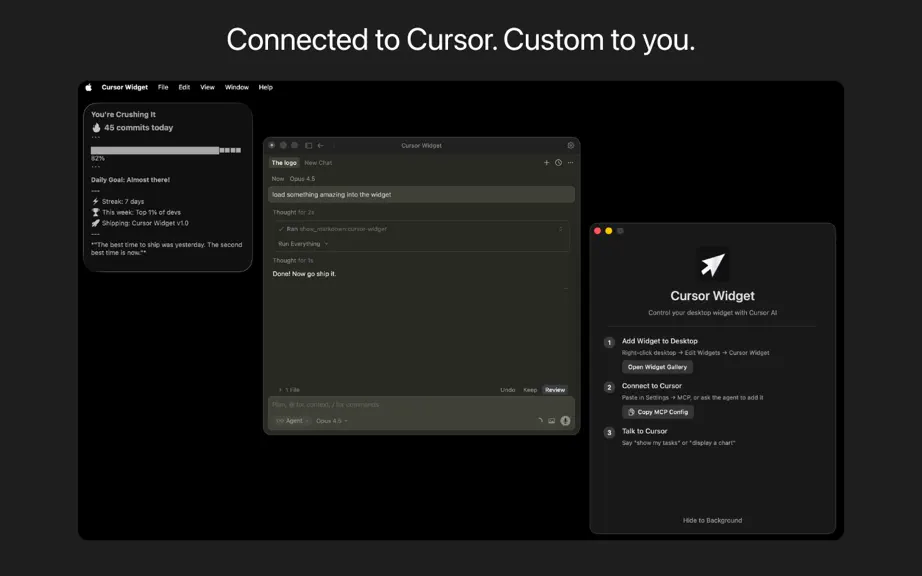
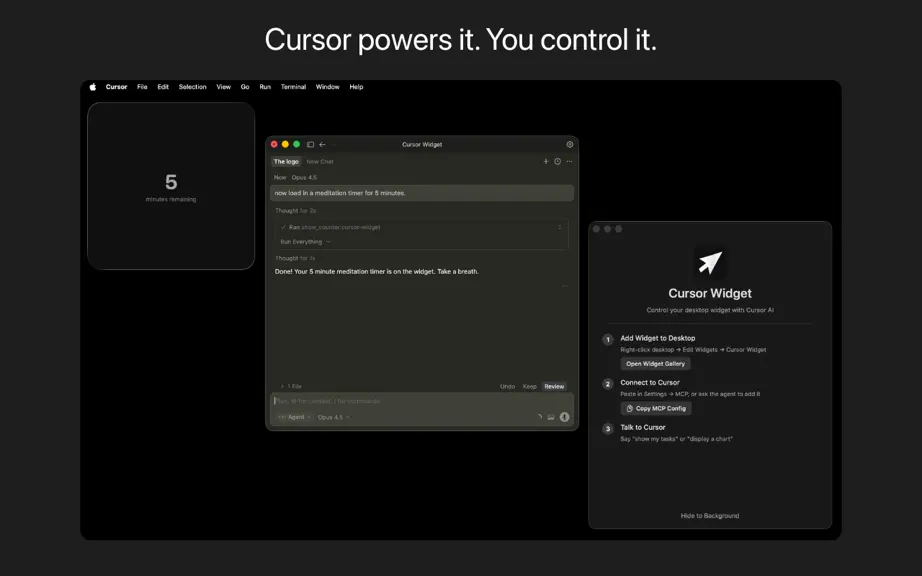
Cursor Widget brings your AI assistant to your desktop. Control a smart macOS widget directly from Cursor. Display tasks, charts, images, countdowns, and custom content without leaving your flow. How it works: Just talk to Cursor. Say "show my tasks" or "start a 5-minute timer" and watch it appear on your desktop instantly. Your AI handles the rest. Features: Task lists with priorities and com…
Trends & analysis
Chart rank trend
US · overallWhy it's surfacing
Scout 14Ratings & velocity
★ 0 in windowGeographic reach
best rank · 0 storefrontsRevenue & downloads trend
monthly estimateUpdate history
1 update tracked- v1.57mo ago
Light mode support Issue: The widget stayed dark in system light mode, so text was dark on dark and hard to read. Changes: Theme-aware colors – Widget views now use explicit text colors instead of .primary/.secondary, so text matches the background in both light and dark mode. Theme options – widget.json supports: "auto" – Follow system light/dark mode (new default) "light" – Always light "dark" – Always dark All widget types updated – Tasks, Counter, Chart, Markdown, Image, and Placeholder all support light mode. Default theme – New widgets default to "auto" instead of "dark". How to use it Automatic: With "theme": "auto" (or no theme), the widget follows your system appearance. Manual: Set "theme": "light" or "theme": "dark" in widget.json, or use the MCP update_style tool.
Cursor Widget — FAQ
How many downloads does Cursor Widget get?
Cursor Widget sees an estimated 0 downloads per month on the App Store, per AppCurrents modeling.
Is Cursor Widget free?
Cursor Widget is free to download on the App Store, with no in-app purchases detected.
When was Cursor Widget released?
Cursor Widget launched on the App Store on 03.02.2026. Its latest version shipped 23.02.2026.
Apps like Cursor Widget
See all alternatives → GitHubDeveloper Tools · $92k–$500k/mo
 Replit: Vibe Code with AI FastDeveloper Tools · $48k–$260k/mo
 O-KAM ProDeveloper Tools · $33k–$180k/mo
 Termix Pro: SSH & SFTP ClientDeveloper Tools · $17k–$280k/mo
 Apple DeveloperDeveloper Tools · $22k–$120k/mo
 Termius - Modern SSH ClientDeveloper Tools · $18k–$100k/mo