
Compass 55. Map & GPS kit.
Compass 55. Map & GPS kit. generates an estimated $200–$1k/month in revenue from 500–2k downloads/month on the App Store, according to AppCurrents estimates (updated 2026-08-02).
| Est. revenue / month | $200–$1k |
|---|---|
| Est. downloads / month | 500–2k |
| Estimate confidence | low |
| Pricing | Free + IAP |
| Rating | 4.70 ★ (1,532 ratings) |
| Category | Navigation |
| Released | 23.09.2016 |
| App last updated | 16.06.2026 |
| Platform | iOS |
Modeled monthly estimate · rating velocity · low confidence
About
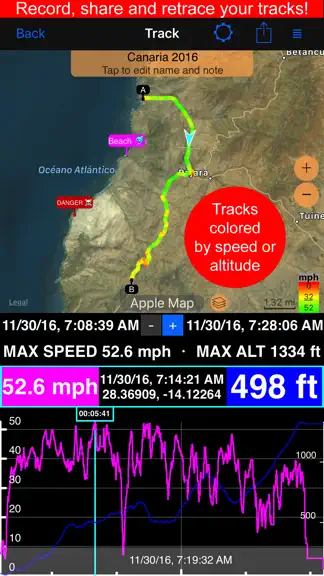
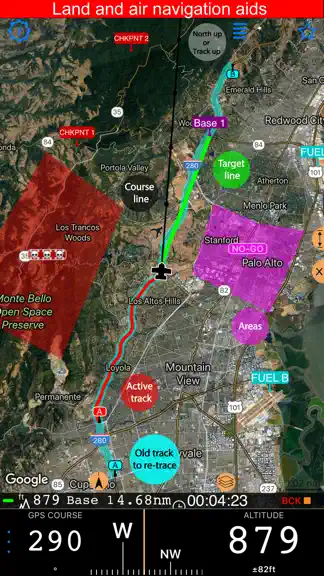
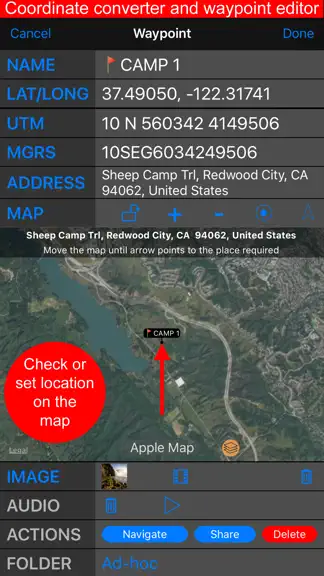
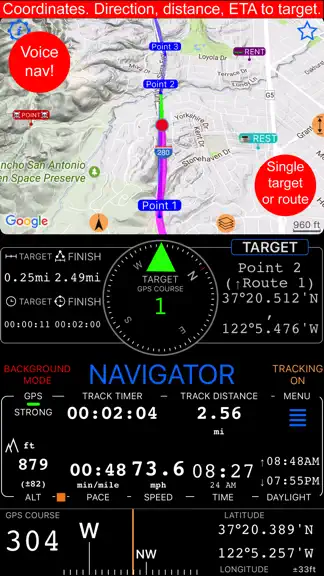
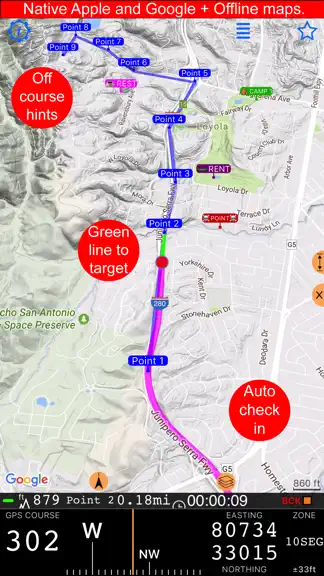
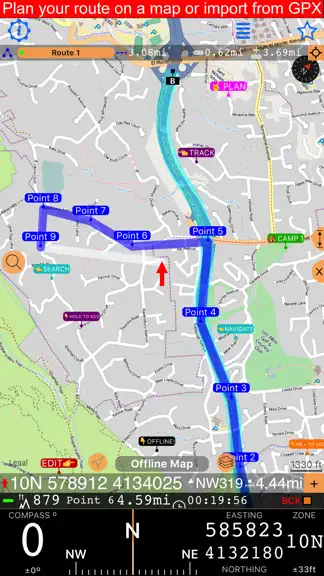
Compass 55 is an offline-capable GPS map, compass, waypoint, route, and coordinates tool for hiking, off-road travel, field work, aviation, and marine navigation. + Advanced target/waypoint editor. Can be also used as a coordinates converter. You can use map to check or set waypoint location and add photo or audio note. + Share your location via email, text message, Facebook or Twitter. This incl…
Trends & analysis
Chart rank trend
US · overallWhy it's surfacing
Scout 10Ratings & velocity
★ 0 in windowRating distribution
94% positive · 2k ratingsGeographic reach
best rank · 3 storefrontsRevenue & downloads trend
ARPU $0In-app purchases
3 tiersUpdate history
3 updates tracked- v5.71mo ago
■ Waypoint labels, your way ‣ Waypoint names can now be shown as compact or larger map labels, with either the current filled background or a clean no-background style using the waypoint color for the text. ‣ Waypoints with attached photos can show a thumbnail right above the name on the map, making photo points easier to recognize without opening the waypoint first. ‣ To set it up, open Map Settings > Common settings > Waypoint labels. Label size, Photo thumbnail, and Label background are separate visible controls.
- v5.61mo ago
■ Voice Coach and Navigation Hints ‣ Voice Coach and navigation hints now work together in one clearer setup. Configure regular coach announcements, on-course guidance, spoken target distance and bearing, and relative or absolute spoken bearings from the same place. ‣ Voice Coach can now include target navigation guidance in regular time or distance interval announcements, telling distance and bearing to the current target when one is active. ‣ New absolute spoken bearing guidance lets you keep the iPhone in your pocket and navigate by voice hints while holding a magnetic compass in your hand. ‣ Huge thanks to Steve for suggesting absolute bearing voice guidance and testing it in the wild. ■ Channels replace GPS Beacons ‣ Channels are the new way to share live location while tracking. Share by private web link with optional password protection, or use a shared group channel where members can follow each other in the app or on the web. ‣ Channels are off by default. Your location is shared only when you turn sharing on for an active or joined channel while track recording is running and not paused. ‣ Channels do not require an account or registration. They expire automatically after idling, and the creator can delete them at any time regardless of Pro Pack status. ■ Map and Track Improvements ‣ Active track line width is now configurable in Map Settings. The thinnest line is now the default for better map visibility. ‣ The purple tail is now called Location breadcrumb. It is hidden from the map menu while recording, and Pro users start with it off by default. ■ Fixes and Compatibility ‣ Improved KML and KMZ export/import compatibility, including more reliable fallback handling for waypoint descriptions and notes. ‣ Fixed issues with the course line after returning from background, the export file name pattern editor on iOS 17, and a rare Trips & Tracks filter crash on iOS 15.
- v5.52mo ago
■ More Natural Voice Guidance ‣ Navigation hints, voice coach announcements, and waypoint proximity alerts now use the best available voice automatically, with improved handling of plurals, decimals, numbers, and time or duration announcements across all supported languages. ■ Drawing Tools for GPS Camera and Ground Overlays ‣ GPS Camera drawing tools received a major update with text, dimension, and selection tools. ‣ The new drawing tools and options can now also be used when editing ground map image overlays. ‣ Drawings are no longer hardcoded into photos or ground image overlays on save, so they can be edited later. ■ Trip Tracks and Offline Maps ‣ Fixed track numbers not being shown on the map when viewing all tracks for a trip. Start and end markers now match the track numbers from the trip track list. ‣ Pinned tracks can now be shown on the offline map download screen, giving better spatial awareness when choosing which region to download. ■ Import Fixes ‣ Improved error handling when importing incomplete or corrupted trip archives. ‣ Fixed GPX import so the import options page closes correctly after import, and the Cancel button works as expected.
Compass 55. Map & GPS kit. — FAQ
How much money does Compass 55. Map & GPS kit. make?
According to AppCurrents estimates, Compass 55. Map & GPS kit. generates approximately $200–$1k per month (low confidence), modeled from its the App Store chart performance, rating velocity, and monetization signals.
How many downloads does Compass 55. Map & GPS kit. get?
Compass 55. Map & GPS kit. sees an estimated 500–2k downloads per month on the App Store, per AppCurrents modeling.
Is Compass 55. Map & GPS kit. free?
Compass 55. Map & GPS kit. is free to download on the App Store, monetizing through in-app purchases.
What is Compass 55. Map & GPS kit.'s rating?
Compass 55. Map & GPS kit. holds a 4.70-star average from 1,532 ratings on the App Store.
When was Compass 55. Map & GPS kit. released?
Compass 55. Map & GPS kit. launched on the App Store on 23.09.2016. Its latest version shipped 16.06.2026.


