CNC NEXUS PRO
CNC NEXUS PRO generates an estimated $0/month in revenue from 0 downloads/month on the App Store, according to AppCurrents estimates (updated 2026-08-02).
| Est. revenue / month | $0 |
|---|---|
| Est. downloads / month | 0 |
| Estimate confidence | low |
| Pricing | Paid $9.99 |
| Rating | 0.00 ★ (0 ratings) |
| Category | Education |
| Released | 27.05.2026 |
| App last updated | 23.06.2026 |
| Platform | iOS |
Modeled monthly estimate · rating velocity · low confidence


About
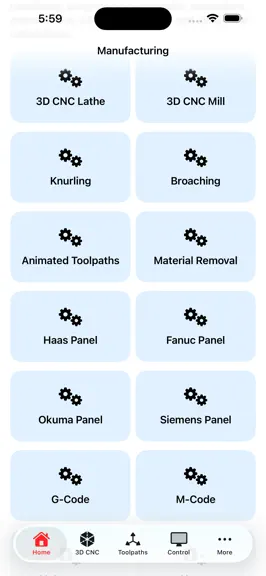
CNC Nexus Pro is a next-generation CNC manufacturing and machining platform built for machinists, CNC operators, students, programmers, engineers, shop owners, and manufacturing enthusiasts who want to understand machining in a practical, visual, and professional way. Designed with a modern industrial interface and educational tools, CNC Nexus Pro combines CNC simulation, machine operation, contro…
Trends & analysis
Chart rank trend
US · overallWhy it's surfacing
Scout 36Ratings & velocity
★ 0 in windowGeographic reach
best rank · 0 storefrontsRevenue & downloads trend
monthly estimateUpdate history
2 updates tracked- v6.01mo ago
CNC NEXUS PRO adds 7 advanced machine simulations. The app now features 72 professional tools and 17 animated machine simulations, more than any other CNC app on the App Store. 5-Axis Simultaneous Simulation All 5 axes move simultaneously: X, Y, Z, A, and B. Visualize compound angle surfaces and undercut features impossible on 3-axis machines. Toggle tool vector arrow, compare Simultaneous, 3+2, and 3-Axis modes. Adjust A-axis tilt and B-axis rotation with live sliders. Includes RTCP explanation for Fanuc G43.4, Siemens TRAORI, and Heidenhain M128 controllers. Swiss Screw Machine Simulator The first Swiss lathe simulation on the App Store. Sliding headstock feeds bar through guide bushing while tools cut at the bushing face, eliminating deflection on slender parts. Animate OD Turning with chip formation, Drilling with plunge motion, Threading, Cutoff, and Cross-Drilling. Bar diameter adjustable 2 to 32mm. Used in medical device and watch component manufacturing. EDM Simulator Wire EDM and Sinker EDM in one screen. Wire mode shows wire electrode advancing through workpiece with live spark shower, 0.3mm kerf gap, and dielectric fluid flush animation. Sinker mode shows electrode descending into a die cavity with spark erosion and growing cavity depth measurement. Live spark counter and material removed display update in real time. Voltage adjustable 20 to 150V. Centerless Grinding Simulator Grinding wheel, regulating wheel, work rest blade, and rotating part all animated simultaneously. Three modes: Through-Feed for continuous production, In-Feed for shouldered parts, and End-Feed for tapered forms. Spark shower at grinding contact and coolant droplets. Accuracy: 0.001mm diameter, roundness less than 0.001mm. No centers required. Gear Hobbing Simulator Involute gear teeth generate one by one as the hob cutter rotates and advances across the gear blank. Progress bar tracks teeth generated versus total. Live gear calculations update as you change parameters: pitch circle diameter, addendum, dedendum, whole depth, and circular pitch. Adjustable module 1 to 6 and number of teeth 8 to 72. Chip animation at the engagement zone. Cylindrical Grinding Simulator Part between centers with grinding wheel in three modes: Traverse Grinding, Plunge Grinding, and Taper Grinding. Surface finish improves pass by pass. Ra drops from 250 uin rough turning quality down to 8 uin precision ground finish. Live spark stream and coolant animation. Pass counter and Ra value update after each pass. Includes spark-out pass explanation and typical tolerance specifications. Jig Boring Simulator Five-hole precision boring sequence on a coordinate grid. Spindle automatically sequences from hole to hole at four-decimal-place accuracy. Live DRO readout updates continuously as spindle traverses between positions. Hole status table shows each position as Waiting, Boring, or Done with exact X and Y coordinates displayed. Includes explanation of how modern CNC machining centers with glass scales achieve equivalent accuracy. General All features from v5.0, 5.1, and 5.2 remain fully intact including 3D enclosed machine sim, G-Code validator, SPC Cpk calculator, chatter frequency calc, chip thinning calculator, cutting speed pro with 12 material presets, insert grade selector, job timer and cost tracker, PDF export with share sheet, blueprint reading quiz, alloy cross-reference covering AISI DIN JIS and BS standards, IT tolerance grades ISO 286, GD&T bonus tolerance calculator, drill and reamer chart with 180 entries, lathe turning simulator, quote estimator, trochoidal milling sim, tool wear progression sim, G-code step debugger, pocket milling sim, chip formation sim, thread milling sim, coordinate system visualizer, CMM probing sim, surface finish sim, and 3-2-1 workholding simulator.
- v5.01mo ago
CNC NEXUS PRO 5.0 is the biggest update yet — 20 new features, a complete app overhaul, and a brand new look. Global Search Search across everything in the app at once — G-codes, M-codes, GD&T symbols, materials, tap drill sizes, surface finishes, and troubleshooting symptoms — all from a single search bar. G-Code Program Builder Build G-code programs visually without typing. Add blocks (rapid move, linear feed, drill cycle, peck drill, tap cycle, pocket, tool change, spindle, coolant, program end), edit parameters inline, drag to reorder, and generate a complete G-code program instantly. Copy to clipboard and paste directly into your machine or CAM system. Canned Cycles in G-Code Simulator The G-code toolpath simulator now supports G73, G81, G82, G83, G84, and G85 canned cycles. Peck drill cycles (G83) render individual peck-and-retract segments in 3D so you can visualize exactly what the machine will do. 10 New Shop Floor Calculators Bolt Circle (X/Y coordinates for any hole pattern), Sine Bar (gauge block stack height), Taper (TPF, included angle, taper/inch, compound rest angle), Thread Relief (width, depth, corner radius from pitch), Drill Point (point height for through-hole programming), plus all five are also unified in a single CNC Math tab. CMM & Inspection Module Eight guided lessons on coordinate measuring machines — datum reference frame setup, flatness measurement, true position, total runout, DMIS programming, probe qualification, and CMM reporting. Tool Life Tracker Track insert life by tool, grade, and material. Log parts run against a maximum life target. Progress bar turns orange at 65% and red at 85% with an index warning. All data persists between sessions. Fixture & Workholding Guide Ten workholding methods — machine vise, 3-jaw chuck, 4-jaw chuck, collet chuck, fixture plate, soft jaws, angle plate, magnetic chuck, tailstock support, and strap clamps — each with setup guidance and best-use recommendations. CNC Career Path Guide Full career pathway from CNC Operator to Manufacturing Engineer with typical pay ranges, required skills per level, and recommended credentials including NIMS, Mastercam University, and engineering degrees. Bookmarks Save any G-code, material, tap drill size, or reference item to a persistent Bookmarks tab for instant shop-floor access. Organized by category, swipe to delete. Blueprint Dark Theme A dark navy and cyan color scheme designed for use in dim shop environments. Toggle on in Settings — affects the entire app instantly. Onboarding Tour A five-screen guided introduction shown on first launch, covering every major section of the app. Re-viewable any time from Settings. Settings Tab Centralized control for blueprint theme, haptic feedback, onboarding tour, and data management all in one place. Important Disclaimer A full legal disclaimer is now shown on first launch and must be accepted before using the app. A permanent Disclaimer tab and a Settings shortcut let users review it at any time. CNC NEXUS PRO and its developer accept no liability for errors, machine damage, or injury resulting from use of the app. General Improvements Updated dashboard with all 45+ features listed, haptic feedback on quiz answers and flashcard flips, and persistent storage across progress tracker, tool life, bookmarks, and daily challenge streak.
CNC NEXUS PRO — FAQ
How many downloads does CNC NEXUS PRO get?
CNC NEXUS PRO sees an estimated 0 downloads per month on the App Store, per AppCurrents modeling.
Is CNC NEXUS PRO free?
CNC NEXUS PRO is a paid app priced at $9.99 on the App Store.
When was CNC NEXUS PRO released?
CNC NEXUS PRO launched on the App Store on 27.05.2026. Its latest version shipped 23.06.2026.


