
Clouder for Cloudflare
Clouder for Cloudflare generates an estimated $7–$40/month in revenue from 20–90 downloads/month on the App Store, according to AppCurrents estimates (updated 2026-10-02).
| Est. revenue / month | $7–$40 |
|---|---|
| Est. downloads / month | 20–90 |
| Estimate confidence | low |
| Pricing | Free + IAP |
| Rating | 4.63 ★ (8 ratings) |
| Category | Developer Tools |
| Best chart rank | #86 Developer Tools Grossing |
| Released | 08.12.2025 |
| App last updated | 11.09.2026 |
| Platform | iOS |
Modeled monthly estimate · rating velocity · low confidence

About
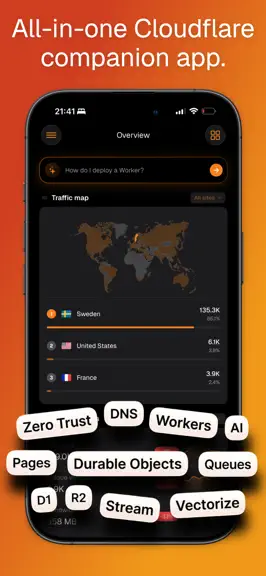
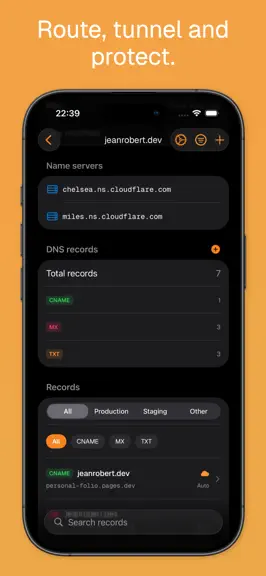
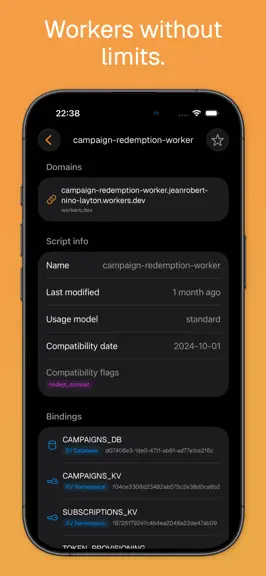
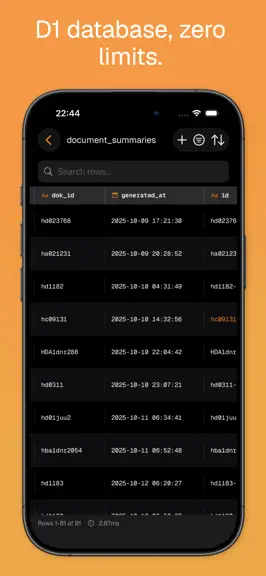
Clouder is a professional-grade client for Cloudflare, built for developers, system administrators, and DevOps teams on iPhone and iPad. Not affiliated with Cloudflare®. Manage your Cloudflare resources from anywhere with a fast, native experience. WORKERS & PAGES View Worker logs, monitor execution metrics, and manage scripts on the go. Browse Pages projects, review deployments, and track build…
Trends & analysis
Chart rank trend
US · categoryWhy it's surfacing
Scout 16Ratings & velocity
★ -0.38 in windowRating distribution
100% positive · 2 ratingsGeographic reach
best rank · 1 storefrontRevenue & downloads trend
ARPU $0In-app purchases
2 tiersUpdate history
5 updates tracked- v3.1.1220d ago
Bring Your Own Token Sign in with a Cloudflare API token that carries only the permissions you choose. Clouder no longer needs the right to create tokens for you. Pick what it may access and Clouder opens Cloudflare with exactly those permissions preselected, so you review everything before the token is created. Anything you leave off simply stays unavailable in the app. Token Permissions A new screen in Settings shows exactly what your token covers. Features it cannot reach are greyed out with a plain explanation instead of failing quietly. Re-check permissions after changing them in the Cloudflare dashboard, or paste a new token in place, without signing out and without touching your accounts, settings, or data. Use Your Own OpenAI Key Clouder Pro subscribers can now point the Clouder Agent at their own OpenAI API key. Usage is billed to your OpenAI account and Clouder's chat limits no longer apply. The key is stored only on your device and is sent only with your own chat requests. For everyone else, agent conversations can now run considerably longer than before. Web Analytics Breakdowns Web Analytics goes well beyond page views and visits. See your top countries with flags and localized names, plus top referrers, browsers, operating systems, and device types across the time range you choose. Web Analytics Widget A new Home Screen widget brings page views, visits, and a traffic sparkline for any of your Web Analytics sites, in small, medium, and large sizes. Choose which site each widget follows. Widgets in Cloudflare Orange Every Clouder widget now wears Cloudflare orange, tuned separately for light and dark mode so your numbers stay easy to read on any wallpaper. Fixes and Refinements Web Analytics now loads for accounts whose token was missing a permission it quietly needed. Country lists show real country names and flags instead of two-letter codes, the Token Permissions screen is translated into all 43 languages, and the small widget header no longer truncates its title. A Faster Overview The dashboard now builds only the cards you can actually see, and prepares its data once instead of rebuilding it as you scroll. Charts covering a long history no longer draw every single point, and the traffic map is prepared a single time rather than again each time it scrolls back into view. Scrolling is smoother and the pauses are shorter, and the busier your account is, the bigger the difference. Opening a Card Opening a card from the dashboard now shows just the back arrow. The menu button no longer sits next to it.
- v3.1.1122d ago
Bring Your Own Token Sign in with a Cloudflare API token that carries only the permissions you choose. Clouder no longer needs the right to create tokens for you. Pick what it may access and Clouder opens Cloudflare with exactly those permissions preselected, so you review everything before the token is created. Anything you leave off simply stays unavailable in the app. Token Permissions A new screen in Settings shows exactly what your token covers. Features it cannot reach are greyed out with a plain explanation instead of failing quietly. Re-check permissions after changing them in the Cloudflare dashboard, or paste a new token in place, without signing out and without touching your accounts, settings, or data. Use Your Own OpenAI Key Clouder Pro subscribers can now point the Clouder Agent at their own OpenAI API key. Usage is billed to your OpenAI account and Clouder's chat limits no longer apply. The key is stored only on your device and is sent only with your own chat requests. For everyone else, agent conversations can now run considerably longer than before. Web Analytics Breakdowns Web Analytics goes well beyond page views and visits. See your top countries with flags and localized names, plus top referrers, browsers, operating systems, and device types across the time range you choose. Web Analytics Widget A new Home Screen widget brings page views, visits, and a traffic sparkline for any of your Web Analytics sites, in small, medium, and large sizes. Choose which site each widget follows. Widgets in Cloudflare Orange Every Clouder widget now wears Cloudflare orange, tuned separately for light and dark mode so your numbers stay easy to read on any wallpaper. Fixes and Refinements Web Analytics now loads for accounts whose token was missing a permission it quietly needed. Country lists show real country names and flags instead of two-letter codes, the Token Permissions screen is translated into all 43 languages, and the small widget header no longer truncates its title. A Faster Overview The dashboard now builds only the cards you can actually see, and prepares its data once instead of rebuilding it as you scroll. Charts covering a long history no longer draw every single point, and the traffic map is prepared a single time rather than again each time it scrolls back into view. Scrolling is smoother and the pauses are shorter, and the busier your account is, the bigger the difference. Opening a Card Opening a card from the dashboard now shows just the back arrow. The menu button no longer sits next to it.
- v3.1.101mo ago
Bring Your Own Token Sign in with a Cloudflare API token that carries only the permissions you choose. Clouder no longer needs the right to create tokens for you. Pick what it may access and Clouder opens Cloudflare with exactly those permissions preselected, so you review everything before the token is created. Anything you leave off simply stays unavailable in the app. Token Permissions A new screen in Settings shows exactly what your token covers. Features it cannot reach are greyed out with a plain explanation instead of failing quietly. Re-check permissions after changing them in the Cloudflare dashboard, or paste a new token in place, without signing out and without touching your accounts, settings, or data. Use Your Own OpenAI Key Clouder Pro subscribers can now point the Clouder Agent at their own OpenAI API key. Usage is billed to your OpenAI account and Clouder's chat limits no longer apply. The key is stored only on your device and is sent only with your own chat requests. For everyone else, agent conversations can now run considerably longer than before. Web Analytics Breakdowns Web Analytics goes well beyond page views and visits. See your top countries with flags and localized names, plus top referrers, browsers, operating systems, and device types across the time range you choose. Web Analytics Widget A new Home Screen widget brings page views, visits, and a traffic sparkline for any of your Web Analytics sites, in small, medium, and large sizes. Choose which site each widget follows. Widgets in Cloudflare Orange Every Clouder widget now wears Cloudflare orange, tuned separately for light and dark mode so your numbers stay easy to read on any wallpaper. Fixes and Refinements Web Analytics now loads for accounts whose token was missing a permission it quietly needed. Country lists show real country names and flags instead of two-letter codes, the Token Permissions screen is translated into all 43 languages, and the small widget header no longer truncates its title.
- v3.0.102mo ago
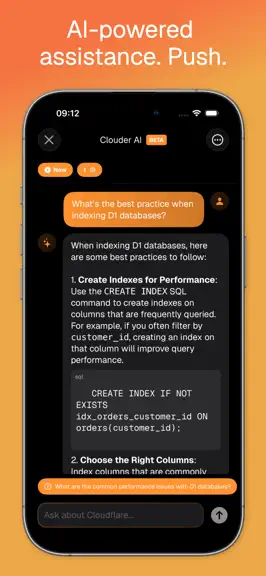
Clouder Agent Meet the Clouder Agent, a built-in assistant you can talk to in plain language. It reads your zones, DNS, traffic, security settings, Workers, Pages, and storage to answer questions about your account, and it can take action for you, like creating or updating DNS records, purging cache, or setting the security level. It always asks for your approval before it changes anything. Live Incidents Clouder can now watch your zones and alert you the moment something breaks. Anomaly detection spots unusual traffic and origin errors on its own, opens an incident, and builds a live timeline of what happened and when. Go straight from an alert to one-tap mitigations like Under Attack mode, cache purges, and resolving the incident, and follow the whole response on your Lock Screen with a Live Activity on Clouder Pro. Email Routing Create and manage Email Routing rules right from your phone. Add destination addresses, set up a catch-all, and forward, drop, or send incoming mail to a Worker. Load Balancing Keep an eye on your load balancers, origin pools, and health monitors. See which origins are healthy at a glance and review steering and fallback settings for each zone. Turnstile Manage your Turnstile widgets on the go. Create, edit, and delete widgets, choose Managed, Non-interactive, or Invisible mode, and control which domains they protect from bots. SSL/TLS Controls Take charge of encryption for every zone. Switch the SSL/TLS mode between Flexible, Full, and Full (Strict), review edge certificates and certificate packs, set a minimum TLS version, and toggle Always Use HTTPS. Web Analytics Track privacy-first Web Analytics for your sites, with page views, visits, top pages, and Core Web Vitals like LCP, INP, and CLS across the time range you choose. Expanded Workers, Pages, and DNS Deeper management across the board, with more control over Workers, Pages projects, and DNS records without reaching for the dashboard. Real-Time Tail Logs Pro users get live Worker tail logs and extended analytics, so you can watch requests and errors stream in as they happen. A Fresh New Look The whole app has been refreshed with a cleaner, more consistent interface built on the new Geist design. 43 Languages Clouder now speaks 43 languages, hand-translated across every feature surface. Feature Request Board A new public feature request board lets you suggest ideas and vote on what we build next.
- v2.1.124mo ago
Ad-Free for Everyone Ads are gone. The free experience is now completely ad-free for every user. Cloudflare Registrar Search, register, and manage domains right inside Clouder. Look up WHOIS details on any name, check availability and pricing, and jump straight to the Cloudflare dashboard for the deeper registrar flows, all without leaving the app. Pages Project Editing Take full control of your Pages projects on the go. Edit custom domains, manage bindings, tweak build configuration, and update git settings. Every project setting that used to require the web dashboard is now a tap away. Redesigned Overview Dashboard Eight brand-new cards land on your Overview: Pages, WAF, Tunnels, Zero Trust, Queues, Stream, Images, and Alerts. The WAF card has been redesigned with a compact total and per-event breakdown so you can spot threats at a glance. Tunnels Ingress Rule Editor Build and edit Cloudflare Tunnel ingress rules from your phone. Add public hostnames, set host, path, and service routing, reorder rules with drag-and-drop, and configure the catch-all, with clear notices when a tunnel is managed by local config. DNSSEC Management Secure any zone with DNSSEC in seconds. Enable or disable signing, view your DS record, and copy the values you need to hand off to your domain registrar, all from Zone Settings. 12 New Languages Clouder now speaks Bengali, Persian, Filipino, Portuguese (Portugal), Tamil, Catalan, Croatian, Spanish (Mexico), French (Canada), Urdu, Bulgarian, and Telugu, all hand-translated across every feature surface, from Workers and D1 to Stream, Tunnels, and Zero Trust. Pro Experience Refinements Pro users now default to write mode on first launch.
Clouder for Cloudflare — FAQ
How much money does Clouder for Cloudflare make?
According to AppCurrents estimates, Clouder for Cloudflare generates approximately $7–$40 per month (low confidence), modeled from its the App Store chart performance, rating velocity, and monetization signals.
How many downloads does Clouder for Cloudflare get?
Clouder for Cloudflare sees an estimated 20–90 downloads per month on the App Store, per AppCurrents modeling.
Is Clouder for Cloudflare free?
Clouder for Cloudflare is free to download on the App Store, monetizing through in-app purchases.
What is Clouder for Cloudflare's rating?
Clouder for Cloudflare holds a 4.63-star average from 8 ratings on the App Store. It currently ranks #86 on the Developer Tools grossing chart.
When was Clouder for Cloudflare released?
Clouder for Cloudflare launched on the App Store on 08.12.2025. Its latest version shipped 11.09.2026.
Apps like Clouder for Cloudflare
See all alternatives → GitHubDeveloper Tools · $92k–$500k/mo
 Replit: Vibe Code with AI FastDeveloper Tools · $48k–$260k/mo
 O-KAM ProDeveloper Tools · $33k–$180k/mo
 Termix Pro: SSH & SFTP ClientDeveloper Tools · $17k–$280k/mo
 Apple DeveloperDeveloper Tools · $22k–$120k/mo
 Termius - Modern SSH ClientDeveloper Tools · $18k–$100k/mo