
Clip Studio Paint for iPhone
Clip Studio Paint for iPhone generates an estimated $1k–$7k/month in revenue from 3k–12k downloads/month on the App Store, according to AppCurrents estimates (updated 2026-08-02).
| Est. revenue / month | $1k–$7k |
|---|---|
| Est. downloads / month | 3k–12k |
| Estimate confidence | low |
| Pricing | Free + IAP |
| Rating | 4.37 ★ (1,644 ratings) |
| Category | Graphics & Design |
| Best chart rank | #97 Graphics & Design Free |
| Released | 04.12.2019 |
| App last updated | 30.07.2026 |
| Platform | iOS |
Modeled monthly estimate · rating velocity · low confidence


About
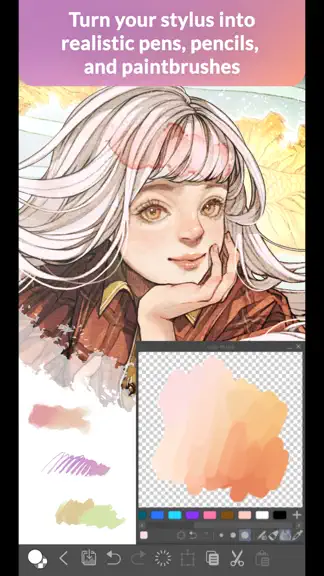
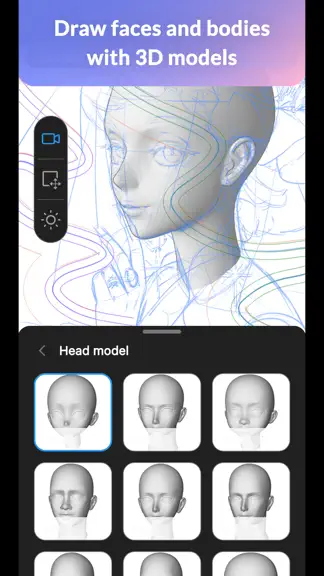
Draw with unlimited features for free for 30 hours monthly with no ads! Now with new, powerful features! Clip Studio Paint makes drawing a piece of cake, in any style! Whether you are a beginner or a pro, Clip Studio Paint will improve every aspect of your art experience, while helping you grow as an artist. Unlimited amount of brushes at your fingertips to recreate any style - Use brushes with…
Trends & analysis
Chart rank trend
US · categoryWhy it's surfacing
Scout 12Ratings & velocity
★ +0.01 in windowRating distribution
84% positive · 2k ratingsGeographic reach
best rank · 9 storefrontsRevenue & downloads trend
ARPU $0In-app purchases
6 tiersUpdate history
3 updates tracked- v5.1.15d ago
・ Several issues have been fixed.
- v5.1.07d ago
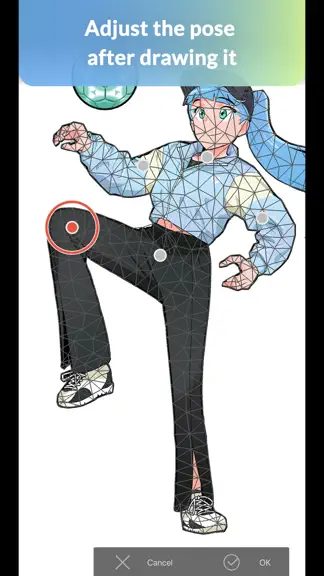
・ Now supports Lab color space. Sliders for the Lab color space have been added to the Color Sliders, and color values in the Lab color space can now be displayed in the Color Wheel palette and others. ・ Inflate has been added to the Filter menu > Effect. You can use this for a puffy, inflated effect. This filter can also be accessed from Quick Effects. ・ Drop Shadow has been added to the Filter menu > Effect. You can use this to add shadows behind your drawing. This filter can also be accessed from Quick Effects. ・ Glow has been added to the Filter menu > Effect. You can use this to add a glow effect to the brightest parts of your image. This filter can also be accessed from Quick Effects. ・ "Vivid" has been added as a Watercolor Edge style in the Advanced Tool Settings for brushes. This allows you to create bright and saturated edges. ・ You can now change the number of grid points for Mesh Transformation with the Tool Settings or Advanced Tool Settings palettes even after moving part of the mesh. ・ When multiple grid points are selected for Mesh Transformation, the bounding box now appears aligned with the direction of the mesh. ・ You can now use Smart Shape from menu commands. Use it when you want by registering it to shortcut keys and the command bar. ・ "Duplicate Set" has been added to the Quick Access palette menu. You can now duplicate Quick Access sets.
- v5.0.43mo ago
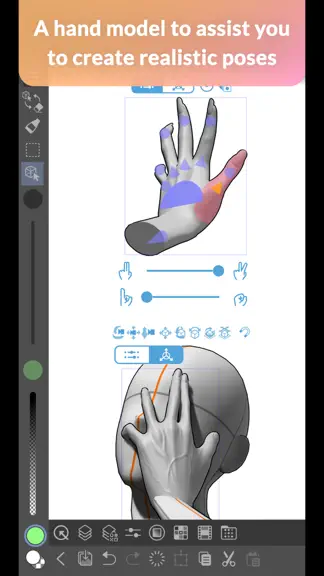
・ When tapping Edit on the Smart Shape launcher, the shape converted at the start of the Smart Shape now appears at the left end of the launcher. ・ If a shape is initially converted to an ellipse or triangle with Smart Shape, it can now always be converted to a perfect circle or equilateral triangle. Also, quadrilaterals can now always be converted to a rectangle or a standard square. ・ When switching to edit mode for Smart Shape, you can now snap to fixed angles when moving shapes or control points while holding down the Shift key. ・ Changed some specifications of the sliders for adjusting fingers in the 3D hand model's slider mode. When you select a handle for editing fingers, the slider for bending the fingers now appears on top. Also, moving the slider to the left bends the fingers, and moving it to the right extends them. ・ Improved behavior when drawing on a vector layer using a brush with multiple image materials registered to its tip shape, while Save recovery data for every operation is turned on in the Preferences dialog.
Clip Studio Paint for iPhone — FAQ
How much money does Clip Studio Paint for iPhone make?
According to AppCurrents estimates, Clip Studio Paint for iPhone generates approximately $1k–$7k per month (low confidence), modeled from its the App Store chart performance, rating velocity, and monetization signals.
How many downloads does Clip Studio Paint for iPhone get?
Clip Studio Paint for iPhone sees an estimated 3k–12k downloads per month on the App Store, per AppCurrents modeling.
Is Clip Studio Paint for iPhone free?
Clip Studio Paint for iPhone is free to download on the App Store, monetizing through in-app purchases.
What is Clip Studio Paint for iPhone's rating?
Clip Studio Paint for iPhone holds a 4.37-star average from 1,644 ratings on the App Store. It currently ranks #97 on the Graphics & Design free chart.
When was Clip Studio Paint for iPhone released?
Clip Studio Paint for iPhone launched on the App Store on 04.12.2019. Its latest version shipped 30.07.2026.
Apps like Clip Studio Paint for iPhone
See all alternatives → Cricut Design SpaceGraphics & Design · $410k–$2.3M/mo
 Reface: AI Photo & Face EditorGraphics & Design · $270k–$1.5M/mo
 Nomad SculptGraphics & Design · $140k–$2.4M/mo
 Home AI - AI Interior DesignGraphics & Design · $230k–$1.3M/mo
 Artrace: AR Drawing & SketchGraphics & Design · $190k–$1.1M/mo
 ThemePack: Widgets & WallpaperGraphics & Design · $160k–$900k/mo