
Clic for Sonos
Clic for Sonos generates an estimated $200–$1k/month in revenue from 200–900 downloads/month on the App Store, according to AppCurrents estimates (updated 2026-06-19).
| Est. revenue / month | $200–$1k |
|---|---|
| Est. downloads / month | 200–900 |
| Estimate confidence | medium |
| Pricing | Free + IAP |
| Rating | 4.39 ★ (251 ratings) |
| Category | Music |
| Released | 24.10.2023 |
| App last updated | 01.06.2026 |
| Platform | iOS |
Modeled monthly estimate · rating velocity · medium confidence
About
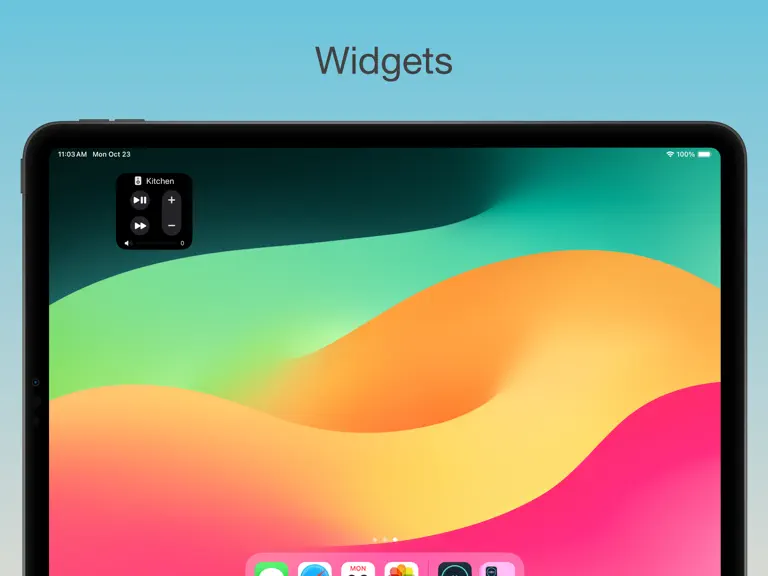
Designed for Apple devices from the ground up, Clic brings your music and speakers together across iPhone, iPad, Apple Watch, Mac, and Apple TV. DEEP APPLE INTEGRATION Control playback from the Lock Screen, Dynamic Island, and Control Center. Use Live Activities and wrist controls on Apple Watch. Access instant playback controls from the Mac menu bar while you work. Widgets and Lock Screen contr…
Trends & analysis
Chart rank trend
US · overallWhy it's surfacing
Scout 9Ratings & velocity
Rating distribution
83% positive · 251 ratingsGeographic reach
best rank · 2 storefrontsRevenue & downloads trend
ARPU $1In-app purchases
3 tiersUpdate history
1 update tracked- v2026.417d ago
Share to Sonos from anywhere. New Dock menu. New Control Center widget for playback. –– Bug Fixes & Improvements –– - Restored Live Activity to its former glory with 5 volume steps - Dock Menu: Volume Up / Down now adjusts by 2% by default; hold Option for a 5% jump - Clic Mini: Menu bar window now smoothly grows and shrinks when expanding a group's per-speaker volume controls - Fixed Custom Sleep Timer not showing - Fixed Apple Music links without a slug failing to open - Fixed Apple Music station links not parsing in the share sheet, Shortcuts, or "Open in Clic" — station name is now derived from the URL when richer metadata isn't available - Open in Clic now falls back gracefully when the share extension can't resolve a link, letting the main app handle lookup - New "View in Clic" routes auto-detect artist vs album/playlist content and open the right detail screen; stations open the room picker since they have no detail page - Spotify Library: Playlists now navigate to playlist detail instead of playing immediately - Spotify Library: Albums and Liked Songs lists no longer show unnecessary alphabetical section index - Spotify Library: "See All" for Playlists now navigates to the full playlist browser - Improved list pagination: next page loads earlier as you scroll, instead of waiting until the very last item - Removed loading overlay on playable lists for smoother, faster navigation - Plex Search: Playlists now appear in search results when a library filter is active - Fixed a rare crash that could occur when adjusting room volume, using filters, or deleting alarms - Fixed a long-standing crash that could occur during background speaker updates, especially when groups changed while the app was loading status - Fixed Song Radio and Artist Radio not starting - Fixed Clic Mini reordering on playback buffering. - Fixed sleeping speakers (like Move and Move 2) not appearing in the room list, which also prevented them from being woken automatically - Speaker row now always shows the battery icon with the right level glyph, plus a warmer tint when low or charging — not just when plugged in - Sleeping/off speakers now display the sleep icon, status, and a relative "last seen" time on the row - Local Network permission is now requested only after you start onboarding, not on first launch - Speaker Settings list now uses the speaker icon and shows the model name as a subtitle - Queue header now shows the count inline as "Queue (50)"; Up Next reports how many tracks are left instead of the full queue size - Clic Mini: Redesigned the keyboard-shortcut notification — a cleaner now-playing card with larger artwork, song, and artist, plus a brief skip indicator when you change tracks - Clic Mini: Volume and track-skip notifications now appear instantly when you press the shortcut instead of lagging behind - Clic Mini: Tap the notification to dismiss it - Fixed the Clic Mini notification sometimes disappearing abruptly instead of fading out
Clic for Sonos — FAQ
How much money does Clic for Sonos make?
According to AppCurrents estimates, Clic for Sonos generates approximately $200–$1k per month (medium confidence), modeled from its the App Store chart performance, rating velocity, and monetization signals.
How many downloads does Clic for Sonos get?
Clic for Sonos sees an estimated 200–900 downloads per month on the App Store, per AppCurrents modeling.
Is Clic for Sonos free?
Clic for Sonos is free to download on the App Store, monetizing through in-app purchases.
What is Clic for Sonos's rating?
Clic for Sonos holds a 4.39-star average from 251 ratings on the App Store.
When was Clic for Sonos released?
Clic for Sonos launched on the App Store on 24.10.2023. Its latest version shipped 01.06.2026.


