
Cardman
Cardman generates an estimated $5–$30/month in revenue from 10–50 downloads/month on the App Store, according to AppCurrents estimates (updated 2026-08-02).
| Est. revenue / month | $5–$30 |
|---|---|
| Est. downloads / month | 10–50 |
| Estimate confidence | low |
| Pricing | Free + IAP |
| Rating | 4.47 ★ (19 ratings) |
| Category | Business |
| Released | 18.04.2022 |
| App last updated | 29.07.2026 |
| Platform | iOS |
Modeled monthly estimate · rating velocity · low confidence

About
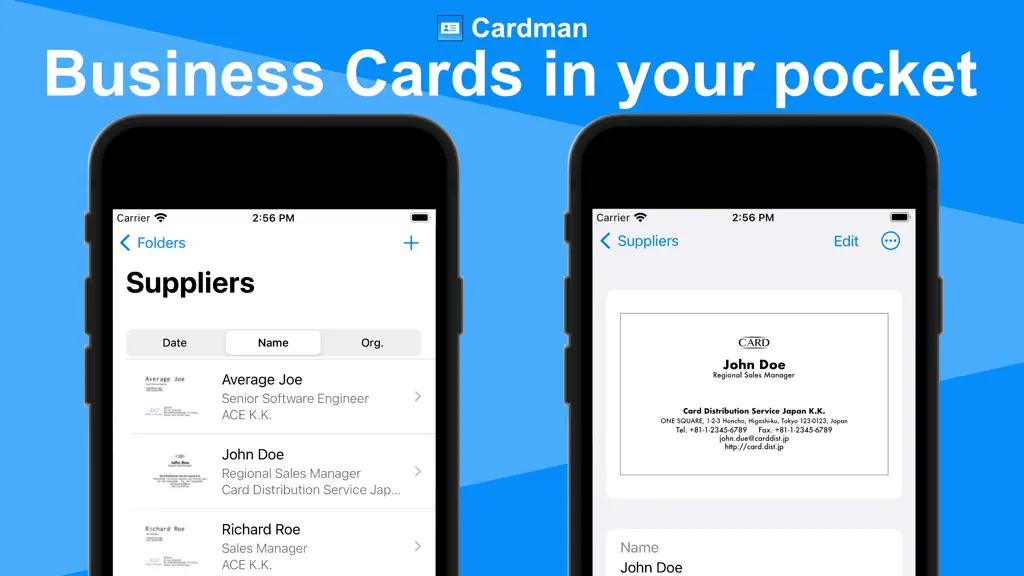
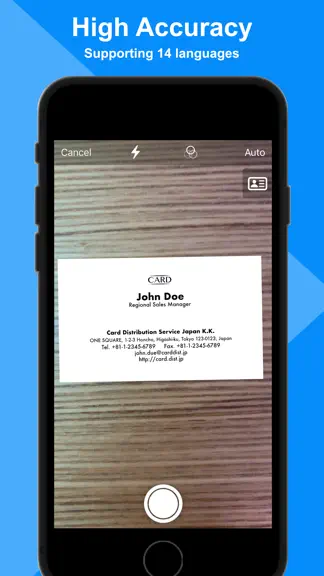
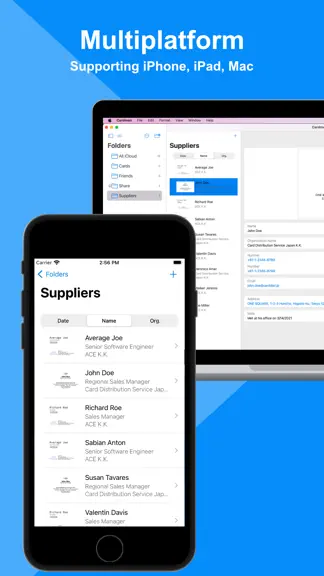
Cardman is a powerful and secure business card management app that scans cards with high accuracy, and stores and syncs data with iCloud. ■Cardman features - High Accuracy Card Scanning Cardman can scan business cards from cameras, photos, image files, and PDF files at high speed and with high accuracy. * Mac app only supports scan from photos and files. - Secure Cardman automatically backs up…
Trends & analysis
Chart rank trend
US · overallWhy it's surfacing
Scout 6Ratings & velocity
★ 0 in windowRating distribution
89% positive · 19 ratingsGeographic reach
best rank · 1 storefrontRevenue & downloads trend
ARPU $1In-app purchases
3 tiersUpdate history
2 updates tracked- v4.6.06d ago
- Improved UIs - iOS 15 is no longer supported. ver. 4.5 - Fixed a minor issue with the organization index. ver. 4.4 - Improved recognition accuracy for Japanese organization names and job titles. ver. 4.3 - Improved recognition accuracy for Japanese and Chinese names. ver. 4.2 - iOS 26 is now supported. ver. 4.1 - Improved stability ver. 4.0 - Pro users can now import business card data from CSV and other service formats. - App instructions have been added to help users understand how to use the app. ver. 3.9 - Improved recognition accuracy for Japanese names. ver. 3.8 - Cards folder can now be hidden. - A creation date column has been added when exporting files. ver. 3.6, 3.7 - Improved stability ver. 3.5 - Displaying suggestions when entering phonetic names or company name is now supported. - Improved UIs and stability ver. 3.4 - Rotating saved images by 90 degrees is now supported. - Improved UIs and stability ver. 3.3 - It is now possible to read and edit the last name and first name separately. - It is now possible to save the last name and first name to contacts and export them to a file. ver. 3.2 - You can now lock the app, and unlock it with Face ID/Touch ID. ver. 3.1 - Improved UIs and stability ver. 3.0 - Reading cards from image files and PDF files is now supported. - Improved accuracy of Japanese OCR on iOS 17 devices. ver. 2.9 - Improved further accuracy. - You can now select multiple business cards and duplicate, move, or delete them. ver. 2.8 - Improved further accuracy. ver. 2.7 - Replacing the front image of cards is now supported. - Optimized the image size of cards ver. 2.4-2.6 - Improved UIs and stability ver. 2.3 - Scanning both sides of cards now adds information from the back side to fill in missing data on the front side. - The order of folders and company names has now been updated to the Finder-like order. - It is now easier to share business card data via email or messaging apps (by tapping the icon in the top right corner of the business card details screen and selecting "Send Copy"). ver. 2.2 - Improved further accuracy and stability ver. 2.1 - You can now choose which map app to open when you tap an address ver. 2.0 - The business card list screen and search field have been redesigned to make it easier to find business cards. ver. 1.7-1.9 - Improved further accuracy and stability ver. 1.6 - Scanning the front and back of cards is now supported. - Recognition and input of job titles and deparment names are now supported. ver. 1.5 - Recognition and input of phone number types (mobile, fax, etc.) are now supported. ver. 1.4 - Simplified Chinese UI is now supported. ver. 1.3 - Organization names are now displayed with names on the card list screen. - Folder names can now be renamed. - Business card data can now be exported in Excel or CSV format for Pro users. ver. 1.2 - Significantly Improved accuracy and speed of Japanese OCR on iOS 16 devices. - Supported OCR in Cantonese, Korean, Russian, and Ukrainian on iOS 16 devices.
- v4.5.03mo ago
- Fixed a minor issue with the organization index. ver. 4.4 - Improved recognition accuracy for Japanese organization names and job titles. ver. 4.3 - Improved recognition accuracy for Japanese and Chinese names. ver. 4.2 - iOS 26 is now supported. ver. 4.1 - Improved stability ver. 4.0 - Pro users can now import business card data from CSV and other service formats. - App instructions have been added to help users understand how to use the app. ver. 3.9 - Improved recognition accuracy for Japanese names. ver. 3.8 - Cards folder can now be hidden. - A creation date column has been added when exporting files. ver. 3.6, 3.7 - Improved stability ver. 3.5 - Displaying suggestions when entering phonetic names or company name is now supported. - Improved UIs and stability ver. 3.4 - Rotating saved images by 90 degrees is now supported. - Improved UIs and stability ver. 3.3 - It is now possible to read and edit the last name and first name separately. - It is now possible to save the last name and first name to contacts and export them to a file. ver. 3.2 - You can now lock the app, and unlock it with Face ID/Touch ID. ver. 3.1 - Improved UIs and stability ver. 3.0 - Reading cards from image files and PDF files is now supported. - Improved accuracy of Japanese OCR on iOS 17 devices. ver. 2.9 - Improved further accuracy. - You can now select multiple business cards and duplicate, move, or delete them. ver. 2.8 - Improved further accuracy. ver. 2.7 - Replacing the front image of cards is now supported. - Optimized the image size of cards ver. 2.4-2.6 - Improved UIs and stability ver. 2.3 - Scanning both sides of cards now adds information from the back side to fill in missing data on the front side. - The order of folders and company names has now been updated to the Finder-like order. - It is now easier to share business card data via email or messaging apps (by tapping the icon in the top right corner of the business card details screen and selecting "Send Copy"). ver. 2.2 - Improved further accuracy and stability ver. 2.1 - You can now choose which map app to open when you tap an address ver. 2.0 - The business card list screen and search field have been redesigned to make it easier to find business cards. ver. 1.7-1.9 - Improved further accuracy and stability ver. 1.6 - Scanning the front and back of cards is now supported. - Recognition and input of job titles and deparment names are now supported. ver. 1.5 - Recognition and input of phone number types (mobile, fax, etc.) are now supported. ver. 1.4 - Simplified Chinese UI is now supported. ver. 1.3 - Organization names are now displayed with names on the card list screen. - Folder names can now be renamed. - Business card data can now be exported in Excel or CSV format for Pro users. ver. 1.2 - Significantly Improved accuracy and speed of Japanese OCR on iOS 16 devices. - Supported OCR in Cantonese, Korean, Russian, and Ukrainian on iOS 16 devices.
Cardman — FAQ
How much money does Cardman make?
According to AppCurrents estimates, Cardman generates approximately $5–$30 per month (low confidence), modeled from its the App Store chart performance, rating velocity, and monetization signals.
How many downloads does Cardman get?
Cardman sees an estimated 10–50 downloads per month on the App Store, per AppCurrents modeling.
Is Cardman free?
Cardman is free to download on the App Store, monetizing through in-app purchases.
What is Cardman's rating?
Cardman holds a 4.47-star average from 19 ratings on the App Store.
When was Cardman released?
Cardman launched on the App Store on 18.04.2022. Its latest version shipped 29.07.2026.


