
Callipeg Studio: 2D Animation
Callipeg Studio: 2D Animation generates an estimated $0/month in revenue from 0 downloads/month on the App Store, according to AppCurrents estimates (updated 2026-10-03).
| Est. revenue / month | $0 |
|---|---|
| Est. downloads / month | 0 |
| Estimate confidence | low |
| Pricing | Paid $29.99 |
| Rating | 0.00 ★ (0 ratings) |
| Category | Graphics & Design |
| Released | 29.06.2026 |
| App last updated | 28.09.2026 |
| Platform | iOS |
Modeled monthly estimate · rating velocity · low confidence
About
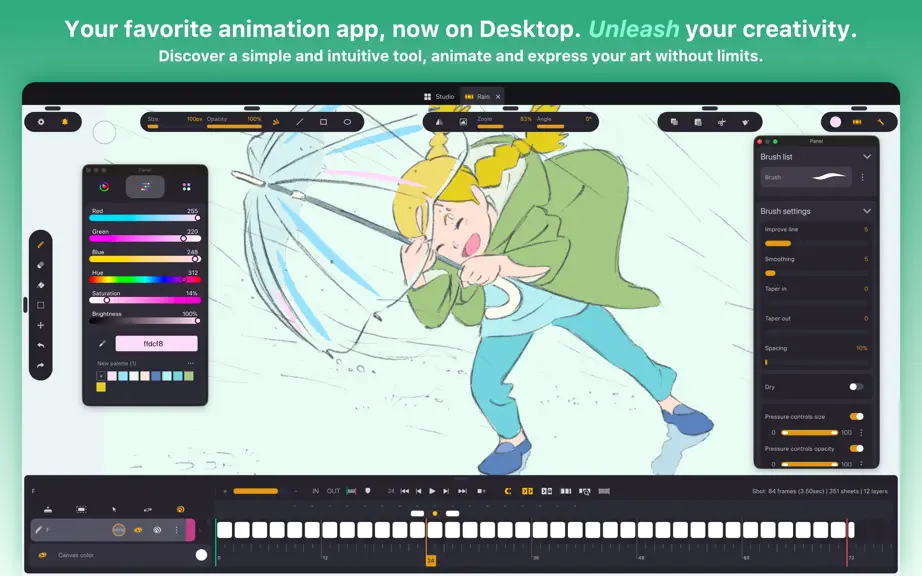
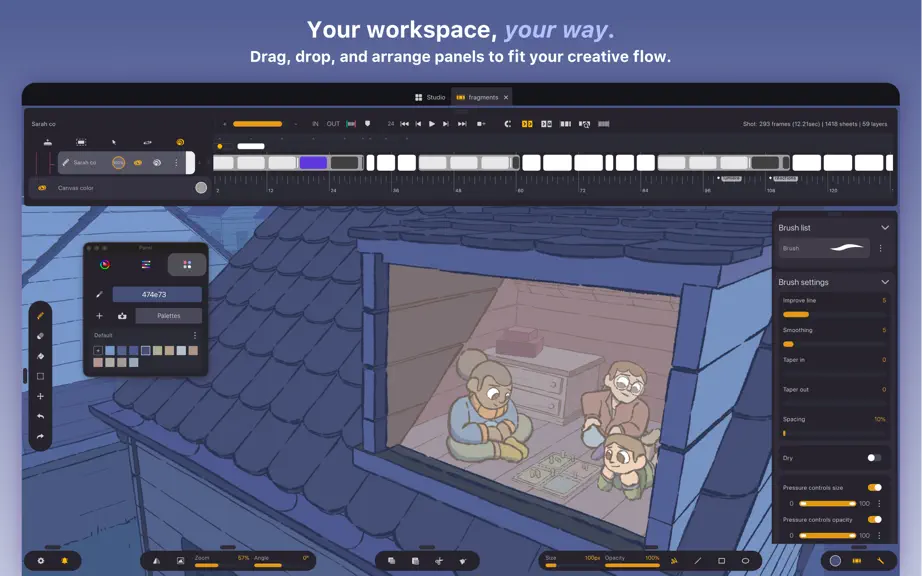
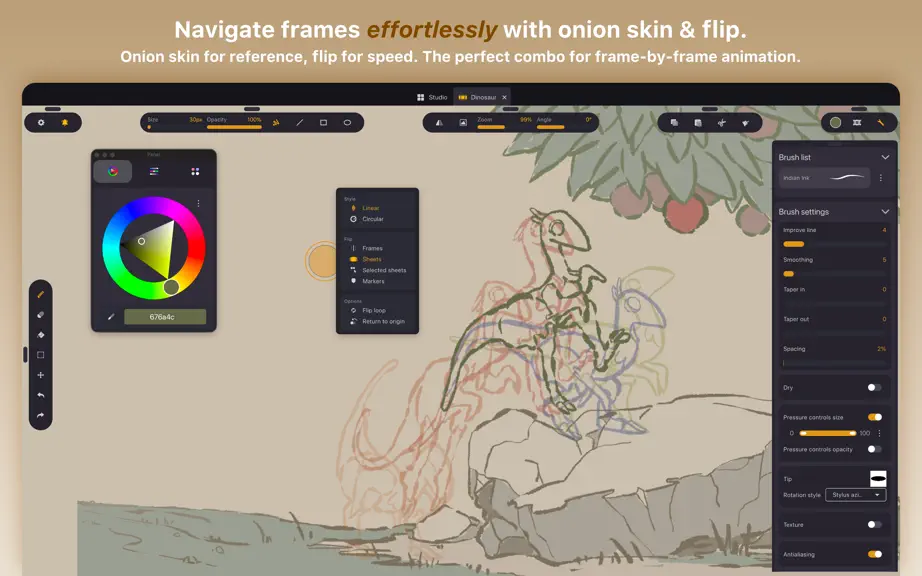
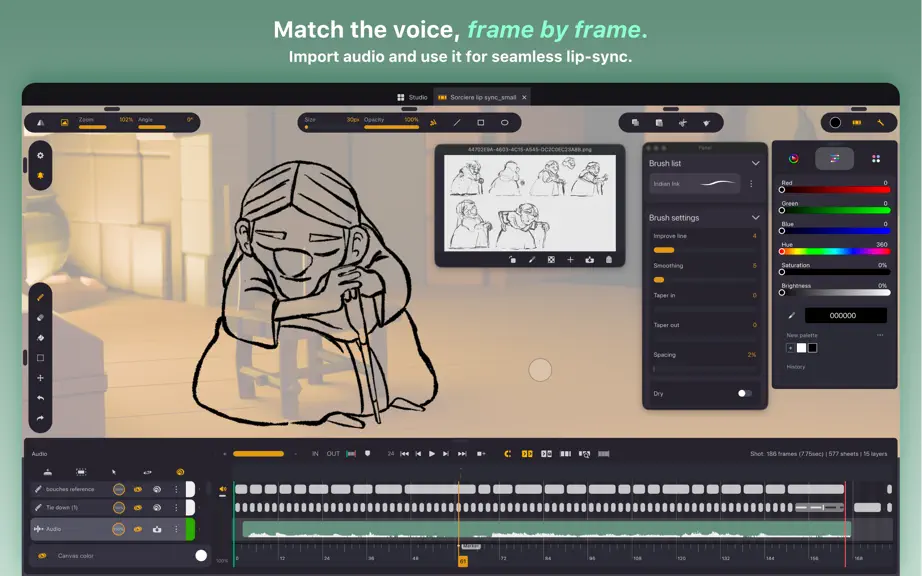
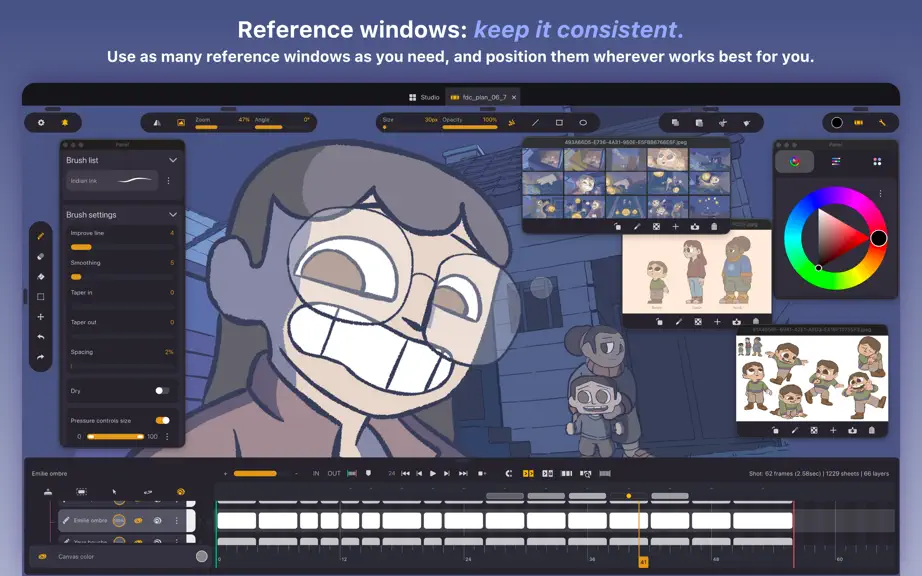
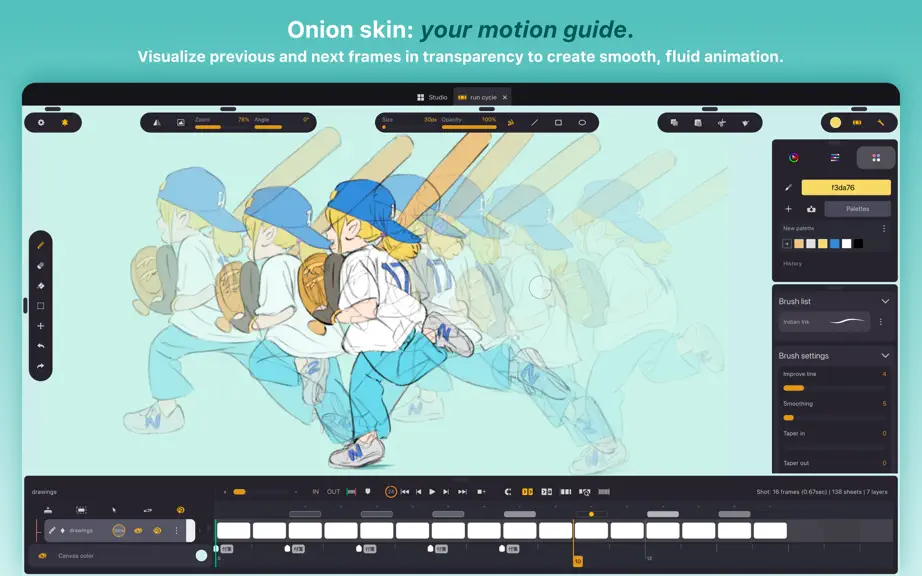
Callipeg Studio is a professional 2D animation app, built for hand-drawn frame-by-frame animation and keyframe animation. Originally developed for iPad, Callipeg Studio has been carefully adapted for computer use to deliver a true desktop animation experience with greater precision, performance, and flexibility. Enjoy a one-time purchase with no subscription required. Designed for both profession…
Trends & analysis
Chart rank trend
US · overallWhy it's surfacing
Scout 28Ratings & velocity
★ 0 in windowGeographic reach
best rank · 0 storefrontsRevenue & downloads trend
monthly estimateUpdate history
5 updates tracked- v2.7.04d ago
What's new - Drawing guides: a new guide layer with line, ellipse, right-angle, perspective and image guides. - Warp transformation: free-form warp over a control net of up to 12×12 handles. - Perspective and warp transformation for transformation layers: Transform layers can now have a perspective and warp 8x8 transformation mode. - New paint bucket: New fill algorithm that can handle small gaps and expand/shrink under art lines. - Colour mix and smudge: Brought from the original iOS engine, color mix is now available on Studio. - Clipping masks: clip a layer to the one below from the layer menu or the selection, with clipped layers marked in the timeline. The base can be a group or a transformation layer. - Step interpolation: hold a keyframe stepped, and choose how finely each segment samples: on 2s, 3s or any N. - Keyframes across layers: copy, cut and paste keyframes on any layer that keyframes, perspective and warp included. - Remappable shortcuts, mouse and stylus buttons: several chords per action, remappable canvas pan / zoom / rotate modifiers, mouse and stylus buttons usable as keys, and a paint/eraser toggle on press or on hold. - Turn the stylus over to erase: the pen's tail erases, but can be remapped to any action. - Whole-layer copy and paste: including from one project to another. - System clipboard: copy and paste images between Callipeg and the rest of the desktop. - Audio recording: record onto an audio layer - New menu bar: the Windows menu bar is now drawn in-app, both menu trees are complete, and the bar can be hidden. - Drop an image onto the clip: it imports onto the current sheet, placed as a live transformation you can keep adjusting. - Transformation panel rework: interpolation quality per layer, channel-pair locks, the editor moved into the tool panel. - Timeline: follows the playhead during playback, pans in 2D with the hold key, pinch-zooms on a trackpad. - Onion skin blend modes: a blend mode per side, on both render styles. - Also: a recent-projects list per working directory, image references that stay on screen and auto-fit, and a rebuilt What's new panel with video. Fixes - Import: a damaged .peg is repaired and imported instead of discarded, and names what it could not restore; an import that brought nothing in no longer leaves an empty project behind; PSD files with unusual geometry read correctly. - Shapes: the Line shape no longer flips into fill mode, the ghost ellipse that flashed offset at release is gone, and shape fills repaint immediately instead of waiting for the next change. - Brushes and blends: no more streaks around rotated stamps, Hard Light matches the other implementations, and the tint / saturation / colour / luminosity tool previews are back. - HUDs past a quarter turn: snapping and the hover brush preview keep working when the view is rotated more than 90°, handles catch a touch wider than they draw, and the transform pivot handle is visible again. - Popups and panels: modal popups dismiss on a stylus press outside, popups open on the right screen and downward when there is no room above and keep their transparency, and detached panels maximize to the work area, stay maximized and resize with a stylus. ...and more
- v1.23.02mo ago
Fixes - Projects are saved safely — a save interrupted by the app being killed or running out of memory no longer leaves an empty or truncated project. Each save is written in full before it replaces the previous one, and a project left half-written is recovered on open instead of refusing to open at all. - Work lost after playing a clip — pressing play on a very short clip, or exporting while playback was running, could silently stop that clip from saving for the rest of the session, so anything drawn afterwards was lost on close. - Shape fills appear right away — filling with the freehand, rectangle or ellipse tool now shows on the canvas immediately instead of waiting for the next unrelated change, and repaints the correct area on moved, rotated or out-of-pegs layers. - Phantom line while filling — drawing a filled freehand shape just after a stroke no longer paints a leftover stroke line across the shape while you drag. - Playback after a cancelled stroke — cancelling a stroke no longer disables the playback cache for the rest of the session. Stability - Fixed the app freezing or being closed at the end of a stroke when queued brush work could never finish — most often after opening the Options panel, switching clips, or returning to the gallery and opening a new one. - Fixed a crash when opening a project whose data file could not be read, and a crash in the curve editor when the pointer moved over another curve editor mid-drag. Graphics-driver hangs are now identified rather than reported as anonymous freezes.
- v1.22.02mo ago
Fixes: - Stylus and an undocked timeline - drawing no longer stops responding when the timeline is in its own window: strokes landing near the top of the canvas are registered again, and the pen keeps working after closing a popup over the timeline. - Fast sliders with a pen - pressing a fast-slider button and dragging with a stylus now highlights graduations and picks a value, as it already did with a mouse. - Swatch color wheel - the wheel is round again and fully inside its popup, instead of squashed into an ellipse with its bottom edge cut off. - Duplicating - cancelling a duplication no longer freezes the whole interface, and the timeline is adjusted properly after a successful duplicate. - Progress feedback - progress bars advance while a long operation runs, instead of only moving once the work is already done. Stability: - Fixed a crash and an occasional freeze when undoing - including after drawing during playback, drawing with several cels selected, or applying a transform and then drawing on an empty frame. Undo in those cases no longer discards recent strokes either. - Fixed the app hanging at the end of a stroke when queued brush work was left undrained, and a crash caused by looking up a missing translated text.
- v1.2.02mo ago
What's new: - Wacom multi-touch gestures (macOS) - Pinch to zoom, rotate, and pan the canvas with two fingers directly on Wacom Cintiq displays. - GPU-accelerated lasso fills - Freehand lasso fills now rendered on the GPU. Fixes: - Custom working directory - Your chosen files location now persists on Windows instead of being wiped on every launch (which had also made the first-launch setup screen reappear each time), and app data is kept tidily inside a "Callipeg Studio" subfolder of the folder you pick rather than scattered loose across it. - Backups - Backups no longer silently fail or land outside your workspace when the backup folder is missing or unreachable; Callipeg now falls back to the default Backups folder and clears invalid custom paths. - Crisp pixels at high zoom (Windows) - Zooming past ~3√ó now uses nearest-neighbor sampling on the Vulkan canvas, matching macOS, so pixels stay sharp instead of blurry. - Smoother drawing during background caching - Drawing no longer stutters while the play cache renders uncached frames in the background. - Faster large-canvas editing and undos - Undos now only operates on the edited sections when drawing, making it faster on high resolution projects.
- v1.0.13mo ago
Many stability fixes and UI tweaks post release
Callipeg Studio: 2D Animation — FAQ
How many downloads does Callipeg Studio: 2D Animation get?
Callipeg Studio: 2D Animation sees an estimated 0 downloads per month on the App Store, per AppCurrents modeling.
Is Callipeg Studio: 2D Animation free?
Callipeg Studio: 2D Animation is a paid app priced at $29.99 on the App Store.
When was Callipeg Studio: 2D Animation released?
Callipeg Studio: 2D Animation launched on the App Store on 29.06.2026. Its latest version shipped 28.09.2026.
Apps like Callipeg Studio: 2D Animation
See all alternatives → Cricut Design SpaceGraphics & Design · $410k–$2.3M/mo
 Reface: AI Face Swap & EditorGraphics & Design · $270k–$1.5M/mo
 AI Maker: Photo Video FiltersGraphics & Design · $250k–$1.4M/mo
 Nomad SculptGraphics & Design · $100k–$1.7M/mo
 ThemePack: Widgets & WallpaperGraphics & Design · $160k–$850k/mo
 Artmate: Drawing TogetherGraphics & Design · $150k–$810k/mo