
BusyCal: Calendar & Reminders
BusyCal: Calendar & Reminders generates an estimated $0/month in revenue from 0 downloads/month on the App Store, according to AppCurrents estimates (updated 2026-10-02).
| Est. revenue / month | $0 |
|---|---|
| Est. downloads / month | 0 |
| Estimate confidence | low |
| Pricing | Free + IAP |
| Rating | 0.00 ★ (0 ratings) |
| Category | Productivity |
| Released | 21.11.2016 |
| App last updated | 15.09.2026 |
| Platform | iOS |
Modeled monthly estimate · rating velocity · low confidence

About
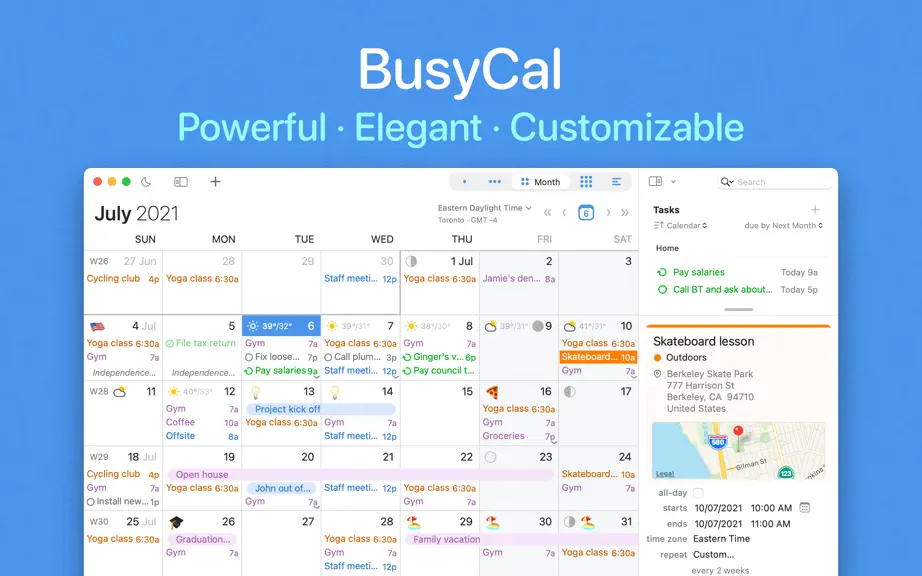
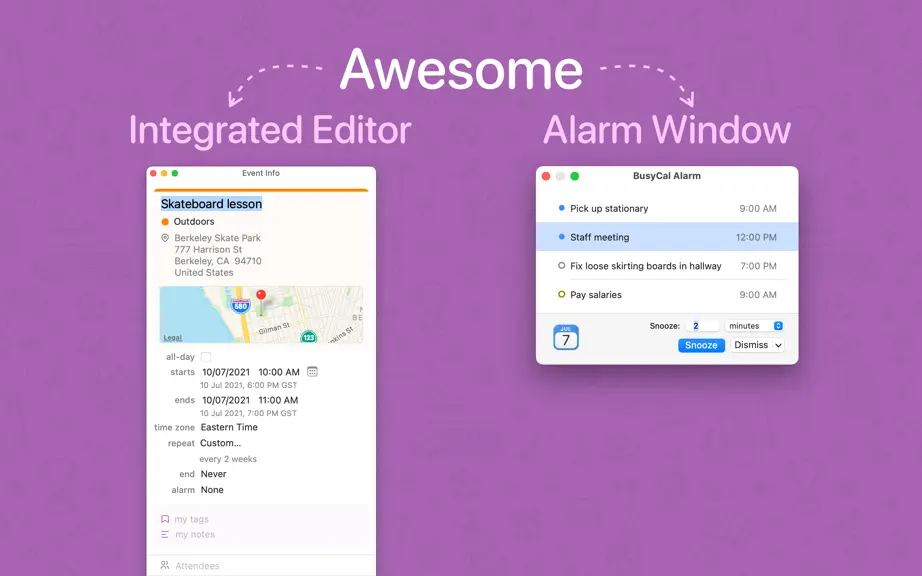
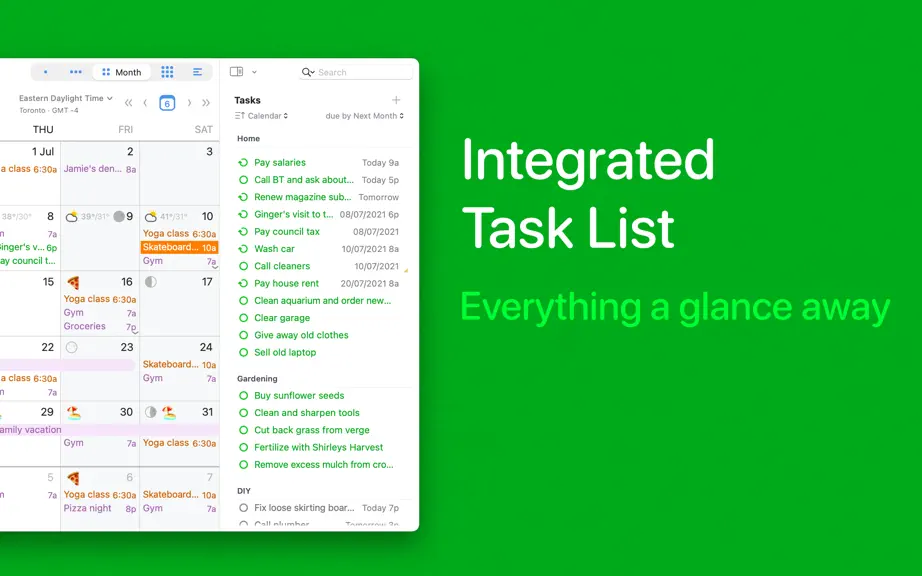
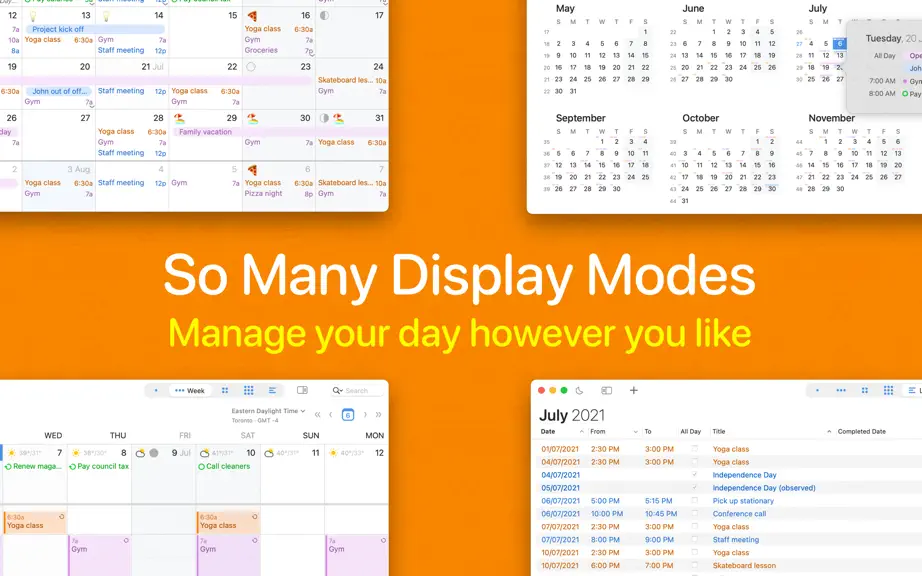
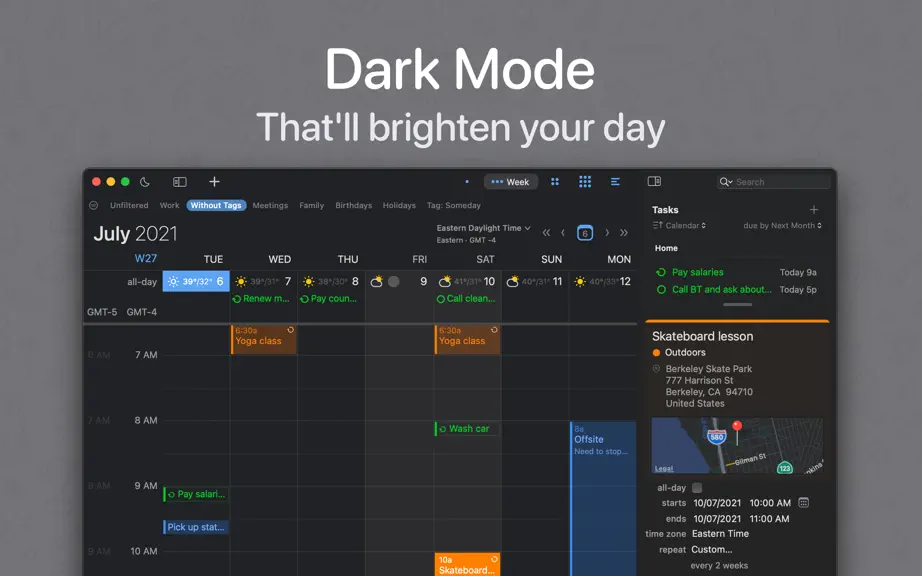
BusyCal is the calendar for people who live by their schedule. It shows events and tasks together, connects to every account you use, and lets you shape each view to the way you work. Type an event the way you would say it, block travel time, and keep every device in step. Free to use for everyday calendaring. A 14-day trial unlocks the full app, and one subscription covers your whole family thro…
Trends & analysis
Chart rank trend
US · overallWhy it's surfacing
Scout 4Ratings & velocity
★ 0 in windowGeographic reach
best rank · 0 storefrontsRevenue & downloads trend
monthly estimateIn-app purchases
4 tiersUpdate history
3 updates tracked- v2026.3.317d ago
· [NEW] macOS 27 support, along with the new Siri AI and Shortcuts related improvements and additions · [NEW] Added support for Google Calendar’s expanded palette and custom event colors · [NEW] New Task list font setting in Settings Appearance Fonts · [NEW] New Hide Info Panel when nothing is selected option in Settings Info Panel, giving your tasks the full sidebar until you select an event or task · [NEW] Find & Replace window now supports regular expressions, with capture groups and backreferences for rearranging matches · [NEW] New Year Planner option to align weekdays across months, wall-planner style · [NEW] Add guests to Google meetings you've been invited to, when the organizer allows it · [NEW] New Settings screen with built-in search, making it faster and easier to find the options you need · [NEW] New advanced setting lets you choose which app opens when you click a phone number · [NEW] New Remove Blocking command in the Block on Calendar menu, which now also checkmarks the calendars an event is already blocked on · [NEW] New Include All-Day Tasks setting to show or hide all-day tasks in the calendar · [NEW] Added Russian localization · Improved calendar imports to better handle invalid .ics files · Improvements to BusyCal's MCP support for assigning priorities to tasks · Today's border in Year view now pulses when switching to Year view or clicking Today · Improvements to the date picker · Faster display and redraw of events with graphics · Day and Week views size the time column to its content, leaving more room for events · Improvements to LAN sync performance and reliability · Improved reliability of database upgrades so attachments and custom graphics are preserved · Improved syncing events on shared Google calendars · A lot of improvements for Office 365 accounts when handling meeting responses and cancellations · Improved overall reliability of Google Calendar syncing for meetings, RSVPs, and shared calendars · Microsoft Outlook categories now sync more frequently to keep your categories up to date · Fixed Google Tasks not moving to their new list in BusyCal when moved in Google · Fixed bug where month-view multi-selection drags would not keep each event's day offsets · Changing the privacy of an existing Google Calendar event from BusyCal now syncs correctly · Fixed a rare timing issue where the calendar and menu bar app would briefly showing outdated information for a few seconds after a sync · Fixed the Dock badge for Today's Remaining Items showing zero or too few appointments until an event was edited or BusyCal was relaunched · Fixed blocking events created by automatic rules not being removed when the original event no longer qualifies · Fixed meeting invitations on Microsoft 365 and Outlook accounts not appearing in the Inbox when the invite was sent to a group or distribution list · Fixed an issue where temperatures could appear on the wrong date · Fixed the weather forecast missing from the Shortcuts agenda action · Fixed imported events with no attendees, such as Facebook event files, incorrectly showing an editable "Attending" status · Fixed the Info Panel showing a repeating event's first occurrence one day late for events using a floating time zone · Fixed times entered in 24-hour format, such as 0600 or 0950, being changed to PM in the time picker · Fixed directory search and attendee autocomplete not returning results reliably for password-based CalDAV accounts · Ongoing stability and performance enhancements
- v2026.3.11mo ago
· [NEW] Powerful new Find and Replace dialog · [NEW] Reimagined, redesigned and improved Availability Viewer for ease of use, better clarity and enhanced functionality. · [NEW] New natural language support for creating recurring events from phrases like every day, every month, or every year · [NEW] Added Natural Language support in Quick Entry for Japanese · [NEW] The Dock icon now supports Clear and Default Icon & Widget System styles in both Light and Dark Mode (See System Settings Appearance Icon & Widget Style) · [NEW] New and improved in-app updater. BusyCal no longer uses Package Installer for updates, making the update process faster and smoother · [NEW] Reminders syncing now syncs only the last 12 months of completed tasks to improve sync performance. Older completed tasks remain available in the Reminders app · Keyboard shortcuts added to Date Picker for common dates such as Today, Tomorrow and Next Week · Improved CalDAV sync to detect and apply account setting changes made after the initial sync · Improvements to Outlook sync when syncing with Microsoft Todo Lists · Improved date picker suggestions, entering 1d now offers In 1 day above other suggestions · Info panel scrollbars now appear automatically when the mouse is over the scroll track area. Helps when using wacom tablets · Improved to Simplified Chinese localization · Improved detection of Teams meeting support in Microsoft Office accounts · Fixed an issue where accepted Microsoft 365 meeting invitations could remain marked as Tentative in BusyCal · Fixed an issue where changing the end time of a multi-day timed event would also shift the end-date · Fixed Move to Time Zone not preserving an event's actual moment in time and sometimes collapsing its duration · Fixed a window activation issue with detached Info Panels, where clicking on the Title field would not immediately activate the window · Fixed a bug in Day view where using keyboard navigation to move to the previous day would require two keystrokes · Fixed a bug in Day view where the CMD+N shortcut would use the current date instead of the date of the selected day when a default time was set · Fixed a bug where the Alarm window would inadvertently dismiss snoozes as expired after a few hours · Fixed a bug where the Menu app could at times hang immediately after a restart · Fixed a bug where weather would not refresh after a day if the time zone changed · Fixed a bug where a deleted tag would resurrect briefly during sync, causing an unnecessary disruptive UI refresh · Fixed a bug where location services would cause the app to hang during launch at times · Moving an all-day event to a specific time now correctly updates the event with a default alarm, when configured · Fixed a bug where a blocking event on a Microsoft Graph calendar would at times replicate itself after sync · Fixed an issue with Microsoft Graph task time zone handling when mailbox settings could not be retrieved · Fix detached info panel date insertion · Ongoing stability and performance enhancements
- v2026.2.35mo ago
· [NEW] Automatic time-blocking, across calendars! You can now configure a calendar to automatically create time-blocking events on another - across accounts. · [NEW] Automatic time-blocking rules sync across all copies of BusyCal on macOS and iOS. Editing rules is currently available on macOS only · [NEW] Travel time in blocking events. A new Advanced preference lets time-blocking events on other calendars start earlier to cover an event's travel time. See Settings Advanced Other. · [NEW] Alarm Window's Snooze button now offers many presets for faster snoozing, including End of Working Hours. · [NEW] Added a 'Go To Event' button to the Info Panel's bottom toolbar when opened in a separate window, making it easy to jump to the event in the calendar · [NEW] Currently selected items in BusyCal can now be retrieved via AppleScript and Claude Desktop. · [NEW] Holding the previous or next buttons in month view now scrolls continuously · Improvements to the new date picker, including smarter date-only and time-only heuristics · Improved compatibility with third-party CalDAV servers · Further improvements to automatically updating linked time-blocking events when the main event changes during sync · Day & Week view no longer apply a directional lock when click-dragging to create a new event · Additional conference calls are now detected to show the Join button · Classic banner style has been replaced with Rounded for better consistency in both Light and Dark modes as well as other parts of the app · Fixed bug where dragging an event into the Task List would not convert the event into a task at times · Fixed a UI glitch where the window toolbar could appear partially transparent when certain system accessibility settings were enabled · Fixed a bug where task lists could show more than one line of notes preview · Fixed a bug where the date picker would not always appear immediately when clicking the date field while switching between events · Fixed a bug with Task regeneration style 'completion date' · Fixed a bug where System Text Replacements would automatically stop working after some time within Notes and the Title fields · Fixed an issue where email addresses in MS Graph Sharing settings could reappear after deletion · Fixed a bug where the Meeting Import dialog could report 'No Event Imported' after a successful import · Fixed an issue where a calendar's shared status did not update immediately after its effective sharing access changed during background sync · Fixed week-day label color for non-working days in the mini calendar · Fixed CMD+Clicking the checkmark within the Info Panel's completion date now marks the task partially complete · Fixed a bug where the Alarm Window could reappear even when hidden if there were snoozed items but no active alarms · Ongoing stability and performance enhancements
BusyCal: Calendar & Reminders — FAQ
How many downloads does BusyCal: Calendar & Reminders get?
BusyCal: Calendar & Reminders sees an estimated 0 downloads per month on the App Store, per AppCurrents modeling.
Is BusyCal: Calendar & Reminders free?
BusyCal: Calendar & Reminders is free to download on the App Store, monetizing through in-app purchases.
When was BusyCal: Calendar & Reminders released?
BusyCal: Calendar & Reminders launched on the App Store on 21.11.2016. Its latest version shipped 15.09.2026.


