
BrainWave: Neuro Trainer ™
BrainWave: Neuro Trainer ™ generates an estimated $200–$4k/month in revenue from 100–800 downloads/month on the App Store, according to AppCurrents estimates (updated 2026-10-02).
| Est. revenue / month | $200–$4k |
|---|---|
| Est. downloads / month | 100–800 |
| Estimate confidence | medium |
| Pricing | Paid $3.99 |
| Rating | 4.83 ★ (367 ratings) |
| Category | Health & Fitness |
| Released | 02.12.2010 |
| App last updated | 11.09.2026 |
| Platform | iOS |
Modeled monthly estimate · rating velocity · medium confidence

About
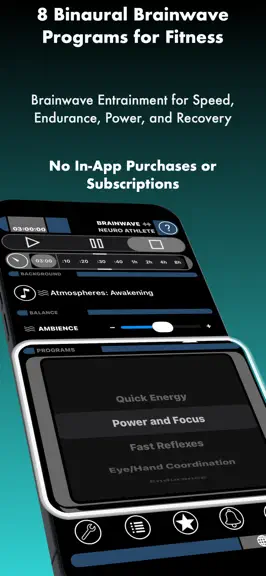
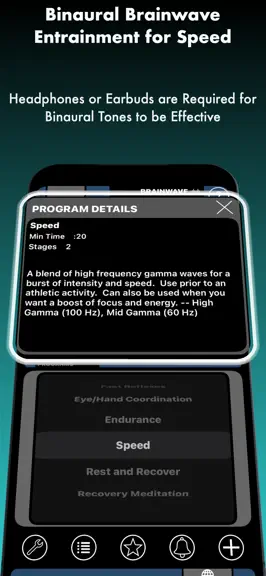
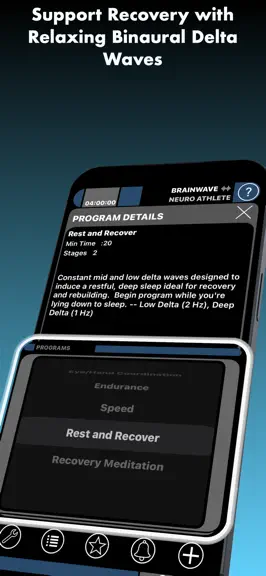
Advanced Binaural Brainwave Entrainment developed specifically for neuro athletic training. Features 8 Multi-Stage Binaural Programs developed from the ground up for athletes. This app is unlike any other brainwave entrainment application. Other brainwave and binaural beat applications use only a single brainwave frequency and carrier signal. The Progressive Brainwave Entrainment algorithms d…
Trends & analysis
Chart rank trend
US · categoryWhy it's surfacing
Scout 16Ratings & velocity
★ 0 in windowRating distribution
97% positive · 365 ratingsGeographic reach
best rank · 0 storefrontsRevenue & downloads trend
ARPU $3Update history
2 updates tracked- v11.0.120d ago
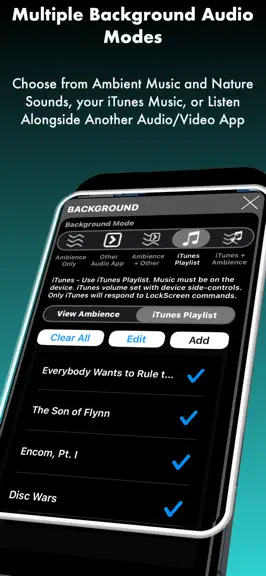
Thank you for supporting BrainWave Neuro Athlete! * Affordable One-time Purchase with No Subscriptions or In-App Purchase * This update includes minor fixes, improvements, new settings, and support for additional languages. - Supports Family Share - Combine Brainwaves with Ambience and Another App by selecting background mode 'Ambience + Other App' - To use Another App for the Background Audio choose 'Other App'. - When using background modes that allow other audio apps or iTunes Music to be playing, the lock screen controls will only affect iTunes or the other app. - If the audio stops when the app is backgrounded or the screen locks please restart the device with a full shutdown as this is the result of low RAM memory which causes iOS to suspend background audio. * New Languages * - If the app is not in your preferred language you can change it in the Settings. - Settings can be accessed by tapping the wrench button in the bottom left of the main screen. * New Settings * - Clear Lock Screen after Stop: This option is enabled by default and clears the app from the device lock screen after the Stop button is tapped. This option is only relevant when the Background Mode is set to "Ambience Only", as this is the only mode for which iOS places the app on the lock screen. This feature was added to help prevent car audio systems from resuming the app upon connection. Most car audio systems automatically send a Bluetooth play command upon connection, which causes any audio/video app present on the lock screen to begin playing. - Auto-Resume after Interrupt: This setting causes the app to resume playing if it was interrupted by a short call. * New Color Noise Background Audio * - Gray, Green, and Velvet Noise * How it Works * During the entrainment process, two different carrier tones are played into the left and right ears. The frequency difference between these tones matches the brainwave frequency of the target state of mind. The listener will hear these carrier tones as an audible tone, however, when processing these two different tones the human brain will perceive the small frequency difference between the tones as an inaudible periodic beat. When exposed to this beat the listener's brainwaves will begin to synchronize with the beat frequency. What allows the human brain to perceive this beat is our directional hearing system, located in the brain stem. The brain's directional hearing system calculates frequency shifts between sound entering the left and right ear to quickly locate the direction of a sound, but when that difference is rhythmic, as with binaural tones, the brain synchronizes with the pattern. This process is more effective in the presence of background noise or ambience, which allows humans to hear and locate even subtle sounds. As an example, the human ear can't directly perceive the 1 - 2 Hz Delta-wave frequencies associated with deep sleep because it is well below the human hearing range, but if you wear headphones or earbuds with one side playing a 135 Hz tone and the other playing a 136 Hz tone your brain will perceive the 1 Hz difference between those frequencies as a periodic beat, in this case matching a low delta wave frequency associated with sleep. As you listen, your own brainwaves will begin to match that frequency. Warning: Do not use this app while driving or operating machinery. Note: If your vehicle Auto-Plays connected devices use the Ambience+Other background mode.
- v10.0.33.0y ago
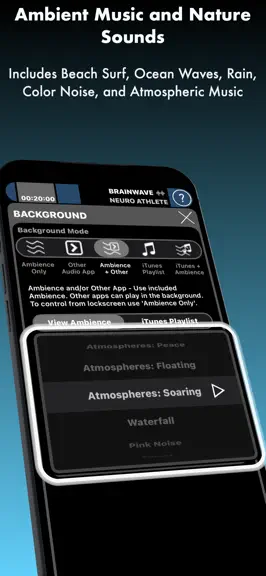
This update includes UI improvements for iPad. The 10.0 update also includes several new settings as well as new binaural programs and background audio. The new options are located in the app's General Settings, which is accessed by tapping the wrench-button on the main screen: * Reduce Other App Volume - Option to enable audio ducking which instructs iOS to reduce the volume of other apps by 50% while this app is playing. iOS does not allow the volume reduction to be customized. * Wave Amplitude Boost - Option to boost the amplitude of the binaural carrier waves by a fixed amount to provide an additional increase in volume. This option is provided as an on/off toggle setting. * Carrier Signal (2 Options)- Option to switch between the default low-frequency binaural carrier wave and a medium carrier wave of ~250 Hz. This will not alter the frequency of the binaural tones. Example: A 1 Hz tone on a low-frequency carrier uses 121 Hz Left and 120 Hz Right, but with a Mid-carrier uses 221 Hz Left and 220 Hz Right. * Option to export time spent listening to Relaxation and Meditation programs to the Apple Health App as Mindful Minutes. * New Backgrounds * - White Noise - Brown Noise - Energy Flow - Solar Waves - Supports Family Share - Combine Brainwaves with Ambience and Another App by selecting background mode 'Ambience + Other App' - To use Another App for the Background Audio choose 'Other App'. - When using background modes that allow other audio apps or iTunes Music to be playing Lockscreen controls will only affect iTunes or the other app. - If the audio stops when the app is backgrounded or the screen locks please restart the device with a full shutdown as this is the result of low RAM memory which causes iOS to suspend background audio. * How it Works * During the entrainment process, two different carrier tones are played into the left and right ears. The frequency difference between these tones matches the brainwave frequency of the target state of mind. The listener will hear these carrier tones as an audible tone, however, when processing these two different tones the human brain will perceive the small frequency difference between the tones as an inaudible periodic beat. When exposed to this beat the listener's brainwaves will begin to synchronize with the beat frequency. What allows the human brain to perceive this beat is our directional hearing system, located in the brain stem. The brain's directional hearing system calculates frequency shifts between sound entering the left and right ear to quickly locate the direction of a sound, but when that difference is rhythmic, as with binaural tones, the brain synchronizes with the pattern. This process is more effective in the presence of background noise or ambience, which allows humans to hear and locate even subtle sounds. As an example, the human ear can't directly perceive the .5 - 2 Hz Delta-wave frequencies associated with deep sleep because it is well below the human hearing range, but if you wear headphones or earbuds with one side playing a 135 Hz tone and the other playing a 136 Hz tone your brain will perceive the 1 Hz difference between those frequencies as a periodic beat, in this case matching a low delta wave frequency associated with sleep. As you listen, your own brainwaves will begin to match that frequency. Warning: Do not use this app while driving or operating machinery. Note: If your vehicle Auto-Plays connected devices use the Ambience+Other background mode.
BrainWave: Neuro Trainer ™ — FAQ
How much money does BrainWave: Neuro Trainer ™ make?
According to AppCurrents estimates, BrainWave: Neuro Trainer ™ generates approximately $200–$4k per month (medium confidence), modeled from its the App Store chart performance, rating velocity, and monetization signals.
How many downloads does BrainWave: Neuro Trainer ™ get?
BrainWave: Neuro Trainer ™ sees an estimated 100–800 downloads per month on the App Store, per AppCurrents modeling.
Is BrainWave: Neuro Trainer ™ free?
BrainWave: Neuro Trainer ™ is a paid app priced at $3.99 on the App Store.
What is BrainWave: Neuro Trainer ™'s rating?
BrainWave: Neuro Trainer ™ holds a 4.83-star average from 367 ratings on the App Store.
When was BrainWave: Neuro Trainer ™ released?
BrainWave: Neuro Trainer ™ launched on the App Store on 02.12.2010. Its latest version shipped 11.09.2026.
Apps like BrainWave: Neuro Trainer ™
See all alternatives → Scrambly: Earn Money WalkingHealth & Fitness · $1.4M–$8.0M/mo
 Pacer Pedometer Step CounterHealth & Fitness · $1.3M–$7.4M/mo
 Yoga | Down DogHealth & Fitness · $1.3M–$7.3M/mo
 StepUp Pedometer Step CounterHealth & Fitness · $1.1M–$6.4M/mo
 Planet FitnessHealth & Fitness · $920k–$5.0M/mo
 Zero: Fasting & Food TrackerHealth & Fitness · $740k–$4.0M/mo