
Booklover - eBook Reader
Booklover - eBook Reader generates an estimated $800–$14k/month in revenue from 600–3k downloads/month on the App Store, according to AppCurrents estimates (updated 2026-10-02).
| Est. revenue / month | $800–$14k |
|---|---|
| Est. downloads / month | 600–3k |
| Estimate confidence | medium |
| Pricing | Paid $3.99 |
| Rating | 4.60 ★ (57 ratings) |
| Category | Books |
| Best chart rank | #31 Books Paid |
| Released | 07.01.2015 |
| App last updated | 15.09.2026 |
| Platform | iOS |
Modeled monthly estimate · rating velocity · medium confidence
About
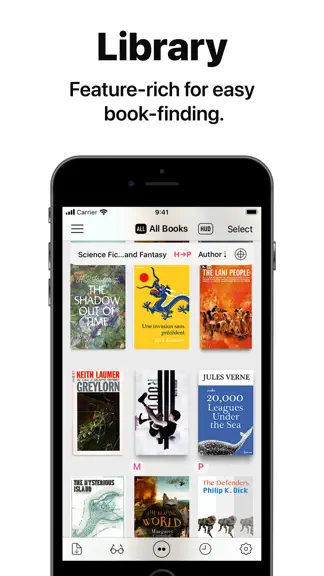
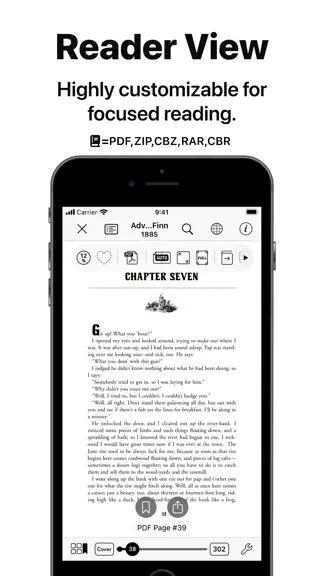
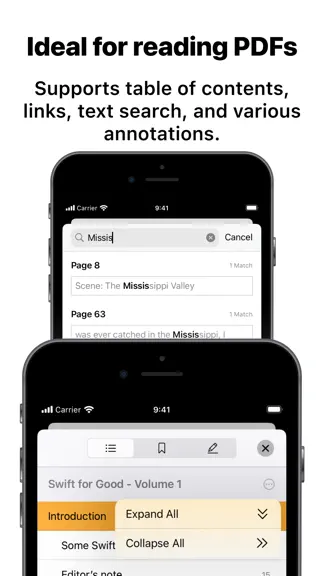
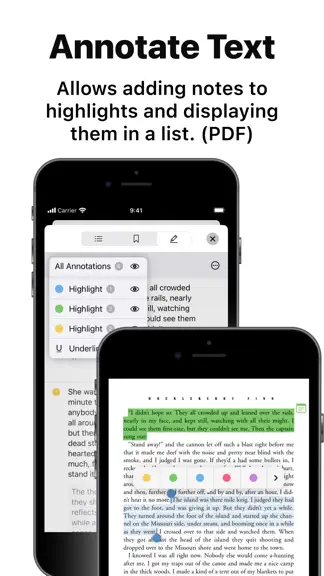
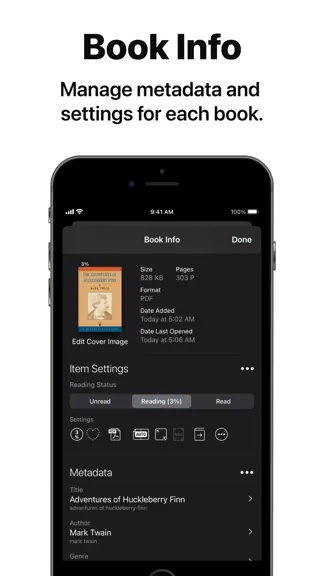
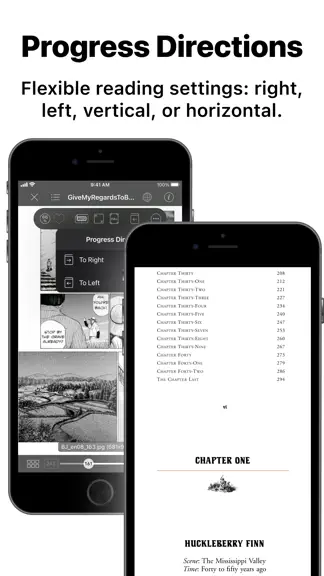
Booklover is a highly responsive and robust eBook reader. It excels at handling PDFs, manga, and scanned books. The metadata-driven library management system makes it easy to organize and enjoy a large collection of books in PDF, ZIP/CBZ, and RAR/CBR formats. Seamlessly integrated with iCloud Drive, books in the iCloud Drive/Booklover folder automatically appear in the app’s library and can be d…
Trends & analysis
Chart rank trend
US · categoryWhy it's surfacing
Scout 17Ratings & velocity
★ +0.01 in windowRating distribution
91% positive · 57 ratingsGeographic reach
best rank · 1 storefrontRevenue & downloads trend
ARPU $3Update history
8 updates tracked- v3.9.016d ago
This version supports iOS 27 and Liquid Glass, with a refreshed user interface. Revisions • Support for iOS 27 / iPadOS 27 and Liquid Glass • Updated side menu using the system-standard sidebar • [Library Settings] Sidebar layout options in landscape (Overlay / Side by Side) • [Reader View] System-standard PDF annotation note icons on iOS 27 and later Improvements • Other miscellaneous user experience improvements Fixes • Miscellaneous bug fixes
- v3.8.529d ago
This version fixes a navigation issue that could occur in certain circumstances. Fixes • Fixed an issue where "General Settings" view could not be dismissed under specific conditions upon first content file addition Others: • As previously announced, the in-app "User Authentication" feature has been removed. Please use the operating system's built-in "Lock or Hide Apps" feature instead of Booklover's user authentication. • "Give My Regards to Black Jack" is no longer provided within the Booklover app. Please download it from the official website of its author, Shuho Sato, at https://densho810.com/free/.
- v3.8.41mo ago
This version introduces the ability to adjust the spacing between image-rendered pages in a double-page spread layout. It also includes other minor improvements. New Features • [Reader/Book Settings] Added "Adjust Page Spread Gap" option under "Page Layout" settings when in double-page spread mode (image-rendered pages only) Improvements • [Library/Search] Added a Reset button in "Filter by Tags" view • [Library] Improved layout for the context menu displayed by long-press on a book • Other miscellaneous user experience improvements Fixes • Miscellaneous bug fixes Others: • As previously announced, the in-app "User Authentication" feature has been removed. Please use the operating system's built-in "Lock or Hide Apps" feature instead of Booklover's user authentication. • "Give My Regards to Black Jack" is no longer provided within the Booklover app. Please download it from the official website of its author, Shuho Sato, at https://densho810.com/free/.
- v3.8.31mo ago
This version includes user interface improvements across multiple areas, as well as a few bug fixes. Improvements • [Library] Long-pressing selected book(s) now displays context menu (single or multiple selections) • [Library/Search] Added "Locate in All Books" to context menu displayed when long-pressing a book in search results • [Genre/Tag Assignments] When assigning a genre or tags to books, items can now be filtered by typing in text field at the top • Other miscellaneous user experience improvements Revisions • [Library] Actions previously shown in toolbar when selecting books have been consolidated into menu accessed via "..." button at the bottom right Fixes • Miscellaneous bug fixes Others: • As previously announced, the in-app "User Authentication" feature has been removed. Please use the operating system's built-in "Lock or Hide Apps" feature instead of Booklover's user authentication. • "Give My Regards to Black Jack" is no longer provided within the Booklover app. Please download it from the official website of its author, Shuho Sato, at https://densho810.com/free/.
- v3.8.22mo ago
This version includes further improvements to the Cover Image Editor, along with several bug fixes. For information regarding new features introduced in version 3.8.0, please check the version history of the app. Improvements • [Cover Image Editor] Preview can now be moved to corners of screen by dragging • [Cover Image Editor] Loupe position can now be changed by dragging • Other miscellaneous user experience improvements Fixes • [Library] Fixed an issue where corresponding item counts in side menu would not update immediately after changing genre or status of multiple selected books • [Cover Images] Fixed an issue where cropping of cover images generated from book's image resources was not reflected when "Book Composition" was set to "No Cover Section" in book settings • [Cover Image Editor] Fixed an issue where Source Image picker views may not be presented under certain conditions • Other miscellaneous bug fixes Others: • As previously announced, the in-app "User Authentication" feature has been removed. Please use the operating system's built-in "Lock or Hide Apps" feature instead of Booklover's user authentication. • "Give My Regards to Black Jack" is no longer provided within the Booklover app. Please download it from the official website of its author, Shuho Sato, at https://densho810.com/free/.
Booklover - eBook Reader — FAQ
How much money does Booklover - eBook Reader make?
According to AppCurrents estimates, Booklover - eBook Reader generates approximately $800–$14k per month (medium confidence), modeled from its the App Store chart performance, rating velocity, and monetization signals.
How many downloads does Booklover - eBook Reader get?
Booklover - eBook Reader sees an estimated 600–3k downloads per month on the App Store, per AppCurrents modeling.
Is Booklover - eBook Reader free?
Booklover - eBook Reader is a paid app priced at $3.99 on the App Store.
What is Booklover - eBook Reader's rating?
Booklover - eBook Reader holds a 4.60-star average from 57 ratings on the App Store. It currently ranks #31 on the Books paid chart.
When was Booklover - eBook Reader released?
Booklover - eBook Reader launched on the App Store on 07.01.2015. Its latest version shipped 15.09.2026.


