BeanBook: Coffee Tracker
BeanBook: Coffee Tracker generates an estimated $50–$300/month in revenue from 90–400 downloads/month on the App Store, according to AppCurrents estimates (updated 2026-08-02).
| Est. revenue / month | $50–$300 |
|---|---|
| Est. downloads / month | 90–400 |
| Estimate confidence | low |
| Pricing | Free + IAP |
| Rating | 4.83 ★ (24 ratings) |
| Category | Food & Drink |
| Released | 17.06.2025 |
| App last updated | 15.07.2026 |
| Platform | iOS |
Modeled monthly estimate · rating velocity · low confidence

About
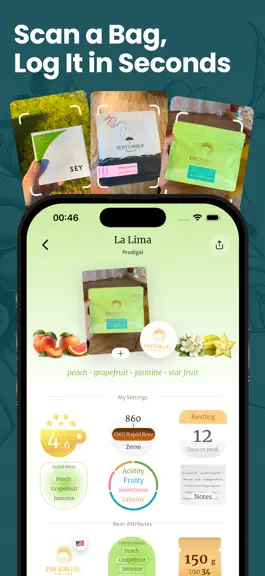
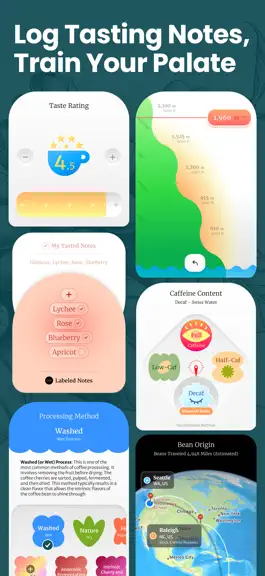
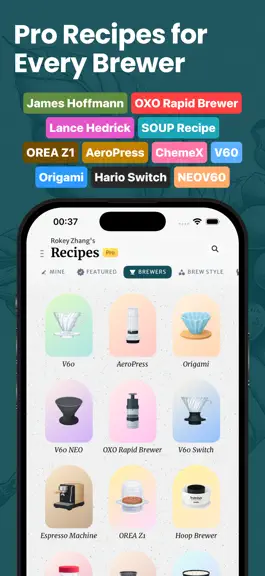
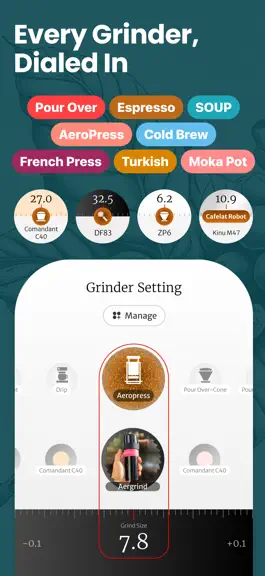
BeanBook is the modern specialty coffee journal and discovery app. Discover new coffee drops from top roasters, track your favorite beans, save brew recipes, scan coffee bags with AI, and build a beautiful memory of every cup you drink. No more screenshots, spreadsheets, or forgotten grind settings. BeanBook helps specialty coffee lovers organize, explore, and remember their coffee journey in on…
Trends & analysis
Chart rank trend
US · overallWhy it's surfacing
Scout 11Ratings & velocity
★ +0.02 in windowRating distribution
95% positive · 21 ratingsGeographic reach
best rank · 7 storefrontsRevenue & downloads trend
ARPU $1In-app purchases
3 tiersUpdate history
6 updates tracked- v1.7.420d ago
New(6) - Tap any Brew Calc number to type the exact value. - Ratio and dose accept decimals — 1:16.5, 15.3 g. - Ratio ceiling raised to 1:40 for slow-drip styles. - Bloom ratio adds a gentler ×2 option. - A short message explains any brew value that gets adjusted. - Date Format setting: ISO, US, or EU, applied across the whole app. Updated(4) - Pour structure shown as clean round dots. - Pour-by-pour numbers are easier to scan. - Roaster logos fit their circles without cropping. - Fresh icons for the Feed and BeanStats tabs. Fixes(4) - Bean pages open with details showing instantly — no placeholder flash. - Fixed a rare double paywall that couldn't be closed. - Backing out of the roaster picker returns straight to your bean. - Share stays off until a bean has a photo or roaster.
- v1.7.326d ago
- New beans get a textured cover, a roaster slot, and five color themes. - Every empty bean attribute now has a fresh, redesigned icon. - Swipe down to close a bean from the Feed now works every time. - Bag weight and price now sit under a clearer "Size & Price" label. - Fixed a display glitch in the bean color picker.
- v1.7.228d ago
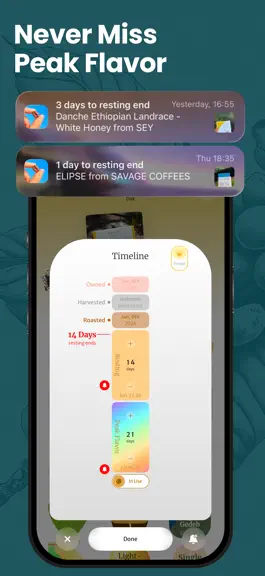
New Features: - BeanStats world map: your roasters pinned across the globe. - Switch the map between your roasters and your bean origins. - Bean timeline shows resting and peak-flavor windows in weeks. Improve: - "Days since roast" now skips finished beans. - Tap the active tab to jump a recipe list back to the top. Fixes: - Fixed: select a roaster you created when tagging a bean.
- v1.7.01mo ago
New Features: - Water mode: set your water and ratio, and the calculator finds the dose. - Double Bloom: split the bloom into two pours with Double Bloom. - Dial your dose in half-grams with the new 0.5g toggle. - Redesigned bean page — cutout cover photo and swipeable images. - Flavor notes show in a row right on the bean page. - The bean timeline now reads in weeks. - Tap the "Roasted Xd" chip to read roast age at a glance. - Pro users can save up to 6 grinder settings. Improves: - Recipes reopens to the tab you used last. - Tap the Recipes tab again to jump back to the top. - Brew timer is easier to read, with bigger pause and stop controls. - Deleting a bean animates smoothly as the shelf reflows. - The brew timer moves up to the title bar, with a count-up and pause. - Switching between dose and water flips the card to reveal the other number. - Finished beans keep their status when you flip the data chip to "days since roast" Fixes: - The Recipes-tab sheet now layers correctly, and a duplicated press-down button is gone. - Purchases now show a success screen every time. - Restore Purchases reports honestly. - Permissions ask before acting, not after. - Adding a grinder setting works on the first tap.
- v1.6.91mo ago
New: - See every bean's age at a glance - Tap any bean's **date chip** to flip your shelf to **"Roasted Xd"** — days since roast. Improved: - Brew timer — bigger and smoother - Bigger, easier-to-hit **pause and stop** buttons while timing. - Heavier, clearer timer numerals. - The calculator opens right away, and start/stop feels smoother. Fixes: - "Turn on" for Photos and Camera now grants access instead of dead-ending. - Brewer and roaster covers load right away — no app restart needed. - The brew timer no longer flickers as it grows and shrinks. - The success screen now shows after every subscription, not just trials.
BeanBook: Coffee Tracker — FAQ
How much money does BeanBook: Coffee Tracker make?
According to AppCurrents estimates, BeanBook: Coffee Tracker generates approximately $50–$300 per month (low confidence), modeled from its the App Store chart performance, rating velocity, and monetization signals.
How many downloads does BeanBook: Coffee Tracker get?
BeanBook: Coffee Tracker sees an estimated 90–400 downloads per month on the App Store, per AppCurrents modeling.
Is BeanBook: Coffee Tracker free?
BeanBook: Coffee Tracker is free to download on the App Store, monetizing through in-app purchases.
What is BeanBook: Coffee Tracker's rating?
BeanBook: Coffee Tracker holds a 4.83-star average from 24 ratings on the App Store.
When was BeanBook: Coffee Tracker released?
BeanBook: Coffee Tracker launched on the App Store on 17.06.2025. Its latest version shipped 15.07.2026.
Apps like BeanBook: Coffee Tracker
See all alternatives → ReciMe: Recipes & Meal PlannerFood & Drink · $420k–$2.3M/mo
 Tasty: Recipes, Cooking VideosFood & Drink · $330k–$1.8M/mo
 TREAT: Play & impact REAL dogsFood & Drink · $120k–$640k/mo
 NYT Cooking: Quick Tasty MealsFood & Drink · $84k–$450k/mo
 EpicuriousFood & Drink · $75k–$410k/mo
 Vivino: Drink The Right WineFood & Drink · $62k–$340k/mo