
Automatic Time Clock
Automatic Time Clock generates an estimated $90–$500/month in revenue from 100–700 downloads/month on the App Store, according to AppCurrents estimates (updated 2026-08-02).
| Est. revenue / month | $90–$500 |
|---|---|
| Est. downloads / month | 100–700 |
| Estimate confidence | low |
| Pricing | Free + IAP |
| Rating | 4.58 ★ (64 ratings) |
| Category | Business |
| Released | 25.02.2016 |
| App last updated | 31.07.2026 |
| Platform | iOS |
Modeled monthly estimate · rating velocity · low confidence
About
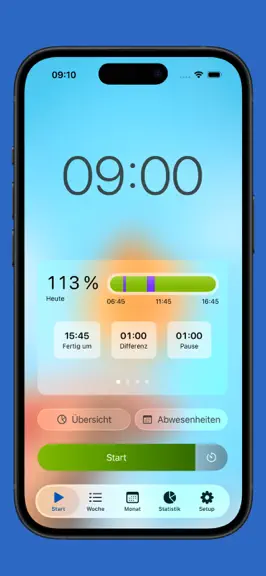
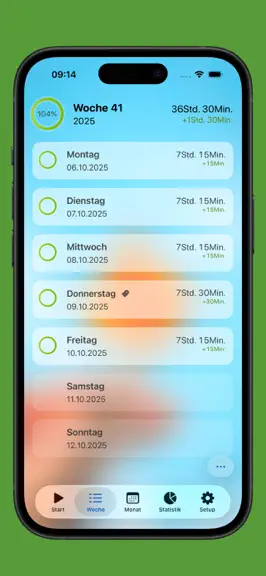
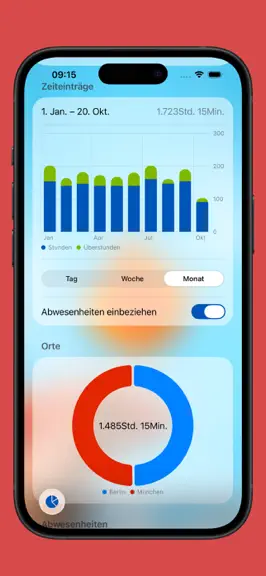
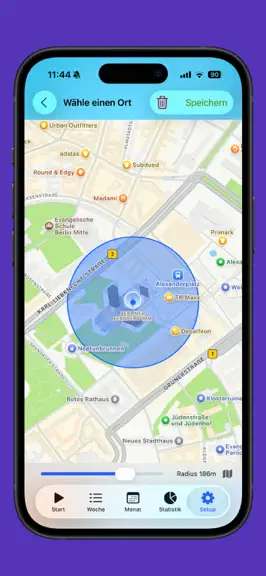
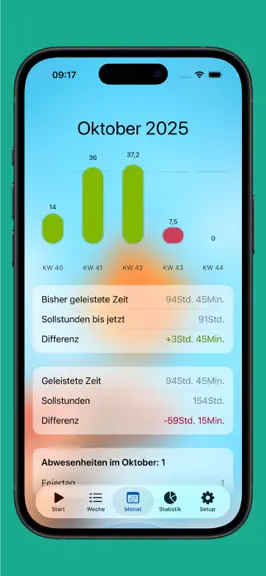
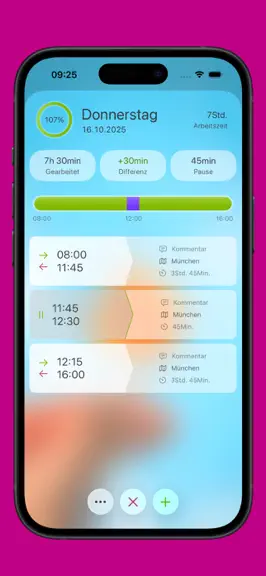
+++ The app stores data exclusively on your device +++ StempelUhr is your simple and reliable time tracking app—perfect for keeping an eye on work hours, overtime, and breaks. Whether you manage flex time, time off in lieu, or flexible schedules, StempelUhr gives you control. Your privacy is our top priority: All data stays on your device. Free version features: • Absences (vacation/sick days)…
Trends & analysis
Chart rank trend
US · overallWhy it's surfacing
Scout 9Ratings & velocity
★ +0.02 in windowRating distribution
90% positive · 63 ratingsGeographic reach
best rank · 1 storefrontRevenue & downloads trend
ARPU $1In-app purchases
5 tiersUpdate history
4 updates tracked- v8.0.24d ago
After the update, the app may have appeared empty on first launch due to a migration issue. This has now been fixed.
- v8.0.16d ago
Version 8.0.1 - Fixed: Colors from very old versions could become invisible, causing the accent color and some icons in the bar to appear blank. These are now replaced with a visible color. - Improvement: Archived locations are no longer monitored, so the app won’t unnecessarily request background location access. - UI Update: Actions when entering or leaving a location are now easier to read and no longer cramped on smaller screens.
- v8.0.08d ago
- Multiple Jobs: Manage multiple jobs side by side—each with its own schedule, settings, exports, and stats. Switch between them anytime. - Vacation Planner: Automatically find the best bridge days to use your remaining time off. Select how many days you'd like to schedule and add suggestions to your absences with a tap. - Perceived Effort: Rate the effort of each timer block using the scientific Borg CR-10 scale, or set the day’s overall effort. Your daily average appears in the summary. - Location-Based Notifications: Now, scheduled notifications can be linked to a location and will only trigger if the active timer is assigned to that place. - Custom Colors: Pick your own colors for different states like under time, almost reached, exact match, and overtime so your overview fits your style. - Industrial Minutes Export: New export field that rounds your logged hours to 15-minute increments (e.g., 8.25)—perfect for payroll and industry time tracking. - Tags Per Time Entry in Export: New export field listing each entry’s tags in separate rows instead of combining them. - Large Widget with Tags: A new large Home Screen widget shows your tags alongside tracked time. - Clearer Live Activity: Live Activity adjusts its background for better readability on light lock screens, and we’ve fixed a freeze that could require a restart. - Various Bug Fixes & Improvements: More reliable backup import/export, better handling of breaks, correct decimal input in work schedules, accurate export filenames across the new year, and comments are now saved as you type.
- v7.5.23mo ago
Bug fixes
Automatic Time Clock — FAQ
How much money does Automatic Time Clock make?
According to AppCurrents estimates, Automatic Time Clock generates approximately $90–$500 per month (low confidence), modeled from its the App Store chart performance, rating velocity, and monetization signals.
How many downloads does Automatic Time Clock get?
Automatic Time Clock sees an estimated 100–700 downloads per month on the App Store, per AppCurrents modeling.
Is Automatic Time Clock free?
Automatic Time Clock is free to download on the App Store, monetizing through in-app purchases.
What is Automatic Time Clock's rating?
Automatic Time Clock holds a 4.58-star average from 64 ratings on the App Store.
When was Automatic Time Clock released?
Automatic Time Clock launched on the App Store on 25.02.2016. Its latest version shipped 31.07.2026.


