
Atter AI: Transcribe Meetings
Atter AI: Transcribe Meetings generates an estimated $200–$2k/month in revenue from 500–2k downloads/month on the App Store, according to AppCurrents estimates (updated 2026-08-02).
| Est. revenue / month | $200–$2k |
|---|---|
| Est. downloads / month | 500–2k |
| Estimate confidence | low |
| Pricing | Free + IAP |
| Rating | 4.35 ★ (20 ratings) |
| Category | Productivity |
| Released | 03.07.2025 |
| App last updated | 18.07.2026 |
| Platform | iOS |
Modeled monthly estimate · rating velocity · low confidence
About
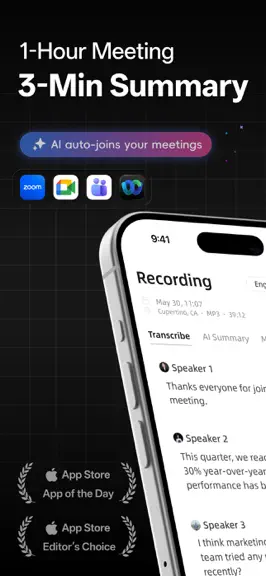
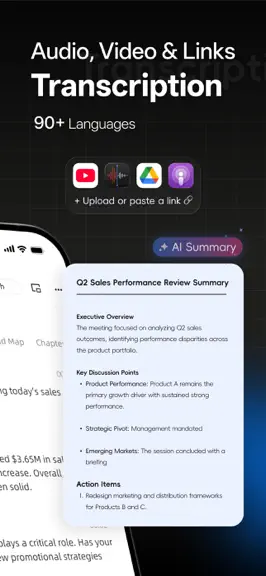
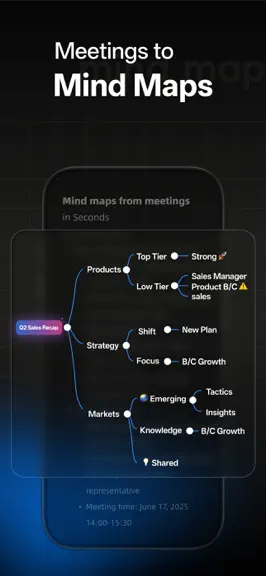
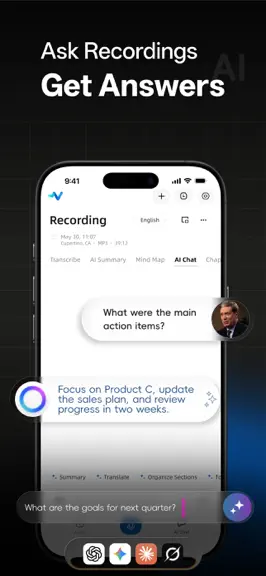
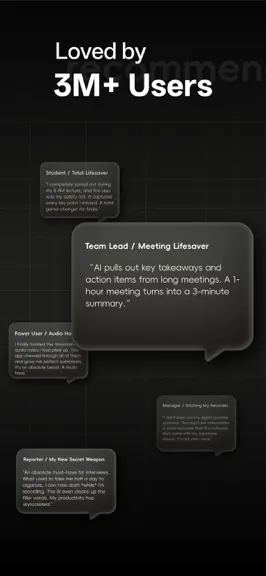
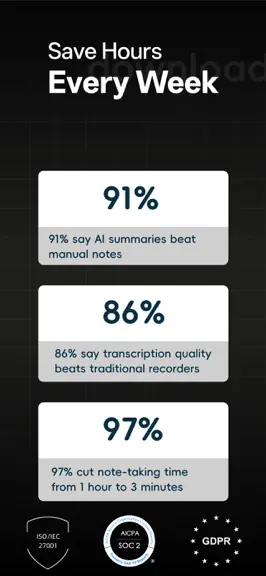
Atter AI is a meeting transcription and AI notes app for professionals. Record any meeting and automatically get accurate transcripts, clear summaries, action items, and visual mind maps. Stop typing. Start leading the conversation. Stay present in every meeting. Walk away with the work already done. Atter is your AI meeting assistant — it records conversations, transcribes every word, and turns…
Trends & analysis
Chart rank trend
US · overallWhy it's surfacing
Scout 13Ratings & velocity
★ -0.25 in windowRating distribution
93% positive · 15 ratingsGeographic reach
best rank · 2 storefrontsRevenue & downloads trend
ARPU $1In-app purchases
7 tiersUpdate history
4 updates tracked- v3.5.817d ago
What's New 1. Updated the sample audio for a clearer and more intuitive introduction to the app. 2. Made the folder switcher on the Home screen more visible and easier to find. 3. Refined localized text and interface layouts across multiple languages. 4. Improved language matching so zh-SG, zh-MO, and other Chinese locales correctly use Chinese instead of falling back to English. 5. Reworked live transcription data handling by removing per-result uploads, reducing requests and lag in transcripts with thousands or tens of thousands of characters. 6. You can now share a video directly from Photos to Atter for transcription. Bug Fixes 7. Fixed Home tab labels occasionally switching to English after changing the system theme or moving the app to the background. 8. Fixed files with uppercase extensions such as MP3, M4A, and MP4 being incorrectly marked as unsupported. 9. Fixed video filenames being reset with spaces in English, French, German, and other language environments, which prevented audio conversion and import. 10. Updated the iOS file-sharing integration to restore Voice Memos imports. Fully verified on iOS 18, iOS 26, and iOS 27 Beta. 11. Fixed an issue introduced in an earlier version that prevented completed transcripts from being cleared.
- v3.5.719d ago
What's New 1. Transcript search: find any moment instantly by searching keywords, no matter how long the recording is. 2. AI Overview: organize an entire folder in one tap and grasp the key points of all your files at a glance. 3. Custom vocabulary: add up to 50 boost words for live recording and file transcription, improving accuracy for names, brands, and technical terms. 4. Speaker renaming: customize speaker names in file transcriptions for clearer attribution. 5. Speaker avatars: avatars are now shown even in very long transcripts, making conversations easier to follow. 6. Two list views: choose between Detailed and Compact views on the home screen; Detailed view shows a summary of each file at a glance. 7. Dark mode: enjoy a new dark interface that is easier on the eyes in low-light environments. Improvements 8. Smoother scrolling: greatly improved scrolling performance for long transcripts on the audio detail page. 9. Faster lists: optimized performance on the home, search, batch actions, and file picker screens when you have many files. 10. Sync indicator: edits to notes, paragraphs, and speakers take about 5 seconds to sync; a new indicator confirms your changes are being saved. 11. Cleaner home screen: Meeting Bot has moved to a sub-page, keeping core features front and center. 12. Better Word export: improved document generation for greater compatibility. 13. Refreshed onboarding: getting started is now easier for new users. 14. Improved localization: refined translations, layouts, and display across multiple languages. Bug Fixes 15. Fixed PDF exports showing Simplified Chinese when the app language is Traditional Chinese. 16. Fixed edited paragraphs not updating until the transcript was reopened; changes now apply instantly. 17. Fixed some bottom tabs not following the selected app language. 18. Fixed pull-to-refresh occasionally looping endlessly on the home screen. 19. Fixed photo library imports being mislabeled as "Local Files". 20. Fixed tapping paragraph text hiding the transcript area on Android. 21. Fixed the tab bar scrolling to the wrong position when swiping horizontally on iOS. 22. Fixed an issue preventing users from signing in with a Microsoft account. 23. Fixed inconsistent hour, minute, and second alignment when selecting times for audio trimming and splitting.
- v3.5.524d ago
What's New 1. Transcript search: find any moment instantly by searching keywords, no matter how long the recording is. 2. AI Overview: organize an entire folder in one tap and grasp the key points of all your files at a glance. 3. Custom vocabulary: add up to 50 boost words for live recording and file transcription, improving accuracy for names, brands, and technical terms. 4. Speaker renaming: customize speaker names in file transcriptions for clearer attribution. 5. Speaker avatars: avatars are now shown even in very long transcripts, making conversations easier to follow. 6. Two list views: choose between Detailed and Compact views on the home screen; Detailed view shows a summary of each file at a glance. Improvements 7. Smoother scrolling: greatly improved scrolling performance for long transcripts on the audio detail page. 8. Faster lists: optimized performance on the home, search, batch actions, and file picker screens when you have many files. 9. Sync indicator: edits to notes, paragraphs, and speakers take about 5 seconds to sync; a new indicator confirms your changes are being saved. 10. Cleaner home screen: Meeting Bot has moved to a sub-page, keeping core features front and center. 11. Better Word export: improved document generation for greater compatibility. 12. Refreshed onboarding: getting started is now easier for new users. Bug Fixes 13. Fixed PDF exports showing Simplified Chinese when the app language is Traditional Chinese. 14. Fixed edited paragraphs not updating until the transcript was reopened; changes now apply instantly. 15. Fixed some bottom tabs not following the selected app language. 16. Fixed pull-to-refresh occasionally looping endlessly on the home screen. 17. Fixed photo library imports being mislabeled as "Local Files". 18. Fixed tapping paragraph text hiding the transcript area on Android. 19. Fixed the tab bar scrolling to the wrong position when swiping horizontally on iOS.
- v3.5.23mo ago
A major upgrade to speech recognition and multilingual transcription. New • New high-accuracy AI model with support for 90 languages • Automatic language detection, including mixed-language recordings • New browser extension for desktop • Export transcripts and summaries as PDF Improvements • Faster results with smart caching for repeated files • Color-coded speakers for better readability • Improved language selection UI • Clearer export guidance Fixes • Fixed issues with folder deletion • Fixed multi-folder deletion errors • Fixed empty folder name issue
Atter AI: Transcribe Meetings — FAQ
How much money does Atter AI: Transcribe Meetings make?
According to AppCurrents estimates, Atter AI: Transcribe Meetings generates approximately $200–$2k per month (low confidence), modeled from its the App Store chart performance, rating velocity, and monetization signals.
How many downloads does Atter AI: Transcribe Meetings get?
Atter AI: Transcribe Meetings sees an estimated 500–2k downloads per month on the App Store, per AppCurrents modeling.
Is Atter AI: Transcribe Meetings free?
Atter AI: Transcribe Meetings is free to download on the App Store, monetizing through in-app purchases.
What is Atter AI: Transcribe Meetings's rating?
Atter AI: Transcribe Meetings holds a 4.35-star average from 20 ratings on the App Store.
When was Atter AI: Transcribe Meetings released?
Atter AI: Transcribe Meetings launched on the App Store on 03.07.2025. Its latest version shipped 18.07.2026.


