MediBang Paletta:Drawing App
MediBang Paletta:Drawing App generates an estimated $800–$5k/month in revenue from 2k–9k downloads/month on the App Store, according to AppCurrents estimates (updated 2026-08-02).
| Est. revenue / month | $800–$5k |
|---|---|
| Est. downloads / month | 2k–9k |
| Estimate confidence | low |
| Pricing | Free + IAP |
| Rating | 4.51 ★ (971 ratings) |
| Category | Graphics & Design |
| Released | 11.01.2024 |
| App last updated | 21.07.2026 |
| Platform | iOS |
Modeled monthly estimate · rating velocity · low confidence
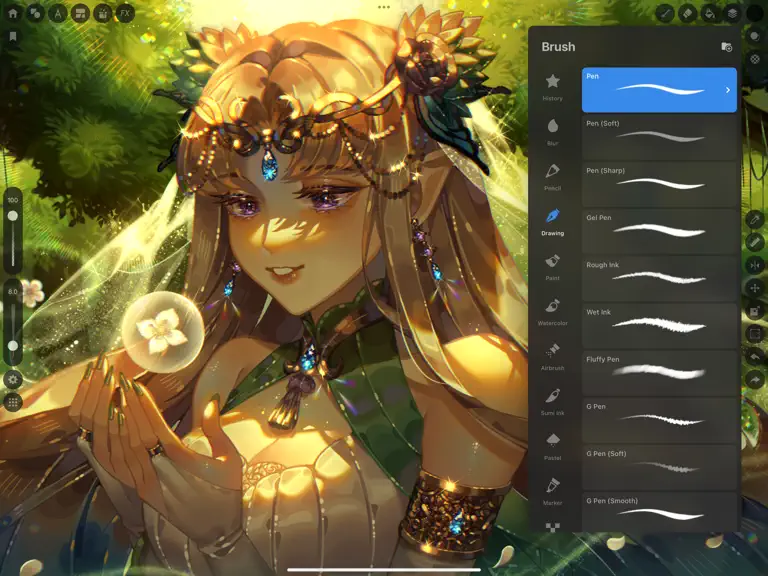
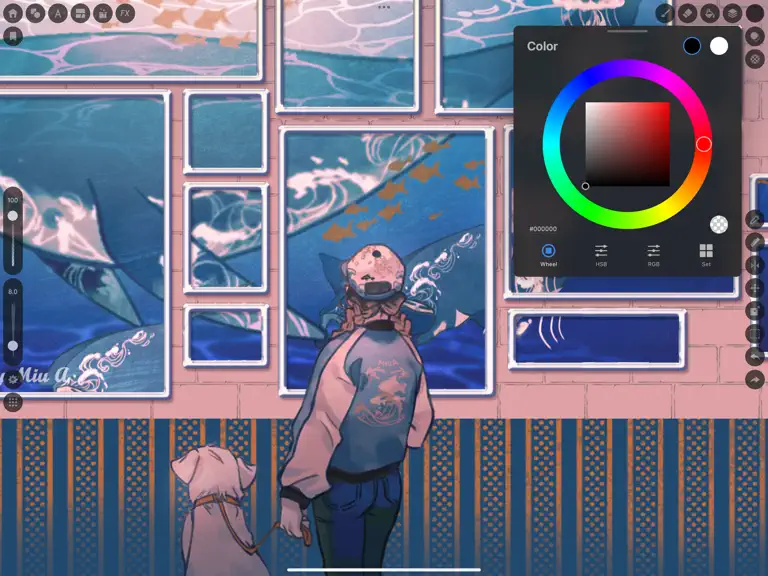


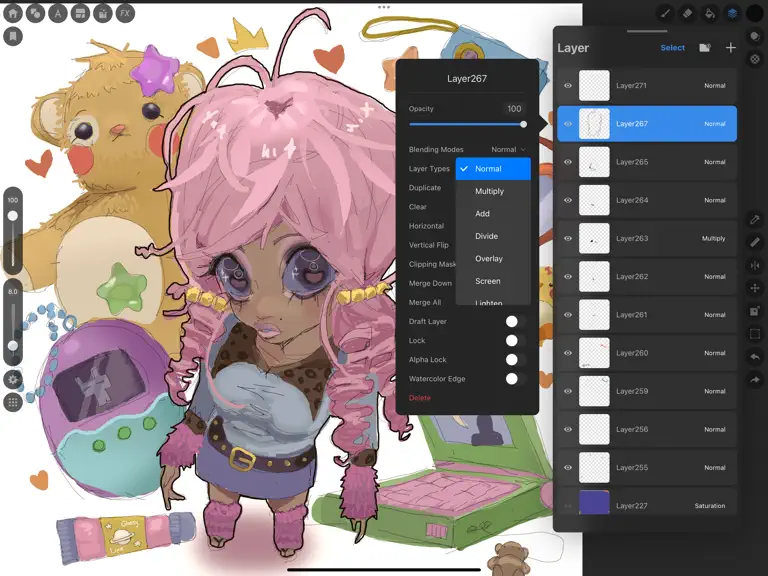

About
No intrusive ads to interrupt your flow. Free for 2 hours daily, with unlimited use afterward by watching ads. Prefer to buy? Get a lifetime license with a one-time purchase. Draw for yourself, in your time, by you like. MediBang Paletta is the painting app for you. We made this for you. The latest work in the MediBang Paint series, which boasts 100 million downloads. This is a new proposal from…
Trends & analysis
Chart rank trend
US · overallWhy it's surfacing
Scout 12Ratings & velocity
★ +0.01 in windowRating distribution
87% positive · 862 ratingsGeographic reach
best rank · 1 storefrontRevenue & downloads trend
ARPU $0In-app purchases
1 tiersUpdate history
4 updates tracked- v4.1415d ago
[Improvements] - Reduced app size by removing unused assets - Improved the smooth display of size previews when operating the brush slider on iOS 26 iPads [Bug Fixes] - Fixed an issue where the system UI would remain displayed when swiping from the edge of the screen on iOS 26 iPads - Fixed a bug that could cause a crash when editing the vertices of a shape brush - Fixed a bug that could cause a crash when generating a blur background for floating windows on devices with low memory - Fixed a bug that could cause a crash when modal screens were displayed twice on the home screen - Fixed a bug where colors acquired with the gesture eyedropper were added to the color history - Fixed a bug where previews overlapped when operating the brush slider on small screen sizes such as Split View or iPhones
- v4.1325d ago
[New Features] - Added a function to remember the display state of the reference window for each file. - Added a function to return to the previous display magnification, angle, and position when you tap [Rotation Clear] twice. - Improved UI to follow window size changes for Split View / Stage Manager, etc. [Improvements] - Redesigned the text tool's options panel with tabs (Text/Style/Border/Placement). - Adjusted the text tool's specifications to add text to the location tapped on the canvas while the text tool is selected. - Adjusted the display position of the magnification and movement values when using the transform tool. - Changed the options bar to always be displayed when the bucket tool is selected. - Improved the display color of the color window to follow when using the eyedropper tool. - Improved the blend mode dropdown in the layer list to be closed by tapping again. [Bug Fixes] - Fixed an issue where the application could crash when displaying the brush size preview. - Fixed an issue where the application could crash when changing the preset name of the tool slot. - Fixed an issue where the application could crash after operating the filter window. - Fixed an issue where some brush category names were fixed in Japanese. - Fixed an issue where some brushes were not displayed in search results when the device was set to English. - Fixed the display of the payment screen button when there was remaining time in the free trial period. - Fixed an issue where floating layers moved to the top left after applying filters in iPhone portrait mode. - Fixed an issue where gaps appeared in gradients. - Fixed the display position of the customization settings panel in iPad portrait mode.
- v4.12.11mo ago
- Reduce app size (clean out unnecessary ad SDKs)
- v4.111mo ago
- Added a preset function to canvas customization (allows selection, saving, switching, and deletion of presets). - Added tolerance setting to the bucket tool. - Changed the position adjustment panel of the transform tool to the shortcut area. - Fixed a bug where the eraser's normal view would sometimes not close during drawing. - Fixed a bug where shortening the setting time for the long-press eyedropper would make it difficult to move the reference window. - Fixed a bug where the previous color would be displayed when reopening the color settings after changing the text color (font/border). - Fixed a bug where the settings window would appear in the upper left corner of the screen after creating a panel layout on iPad.
MediBang Paletta:Drawing App — FAQ
How much money does MediBang Paletta:Drawing App make?
According to AppCurrents estimates, MediBang Paletta:Drawing App generates approximately $800–$5k per month (low confidence), modeled from its the App Store chart performance, rating velocity, and monetization signals.
How many downloads does MediBang Paletta:Drawing App get?
MediBang Paletta:Drawing App sees an estimated 2k–9k downloads per month on the App Store, per AppCurrents modeling.
Is MediBang Paletta:Drawing App free?
MediBang Paletta:Drawing App is free to download on the App Store, monetizing through in-app purchases.
What is MediBang Paletta:Drawing App's rating?
MediBang Paletta:Drawing App holds a 4.51-star average from 971 ratings on the App Store.
When was MediBang Paletta:Drawing App released?
MediBang Paletta:Drawing App launched on the App Store on 11.01.2024. Its latest version shipped 21.07.2026.
Apps like MediBang Paletta:Drawing App
See all alternatives → Cricut Design SpaceGraphics & Design · $410k–$2.3M/mo
 Reface: AI Photo & Face EditorGraphics & Design · $270k–$1.5M/mo
 Nomad SculptGraphics & Design · $140k–$2.4M/mo
 Home AI - AI Interior DesignGraphics & Design · $230k–$1.3M/mo
 Artrace: AR Drawing & SketchGraphics & Design · $190k–$1.1M/mo
 ThemePack: Widgets & WallpaperGraphics & Design · $160k–$900k/mo