
CollX: Sports Card Scanner
CollX: Sports Card Scanner generates an estimated $21k–$120k/month in revenue from 82k–330k downloads/month on the App Store, according to AppCurrents estimates (updated 2026-09-08).
| Est. revenue / month | $21k–$120k |
|---|---|
| Est. downloads / month | 82k–330k |
| Estimate confidence | medium |
| Pricing | Free + IAP |
| Rating | 4.58 ★ (47,656 ratings) |
| Category | Sports |
| Best chart rank | #25 Sports Grossing |
| Released | 10.01.2022 |
| App last updated | 27.08.2026 |
| Platform | iOS |
Modeled monthly estimate · rating velocity · medium confidence
About
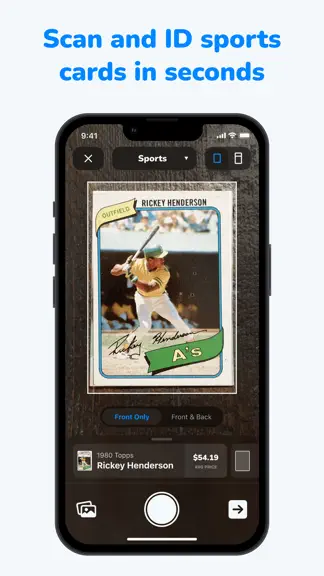
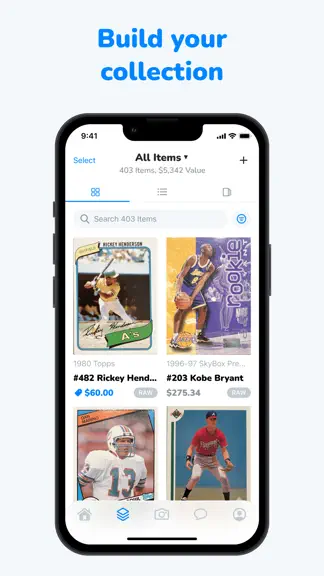
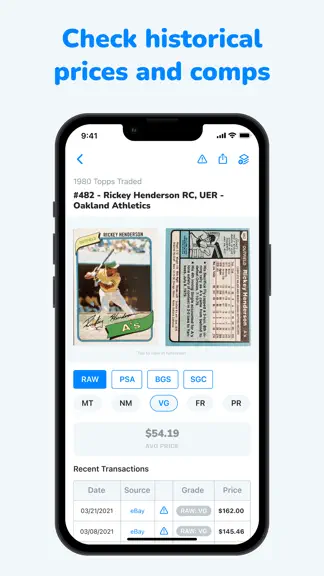
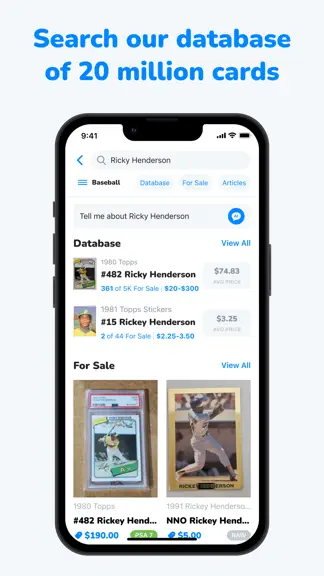
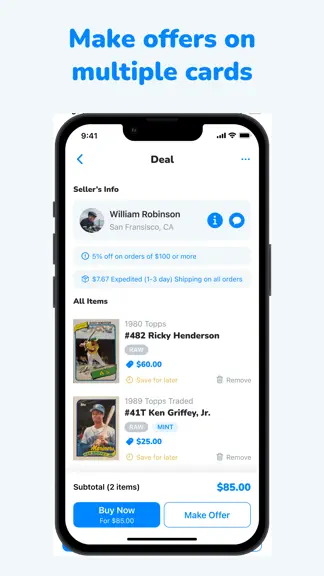
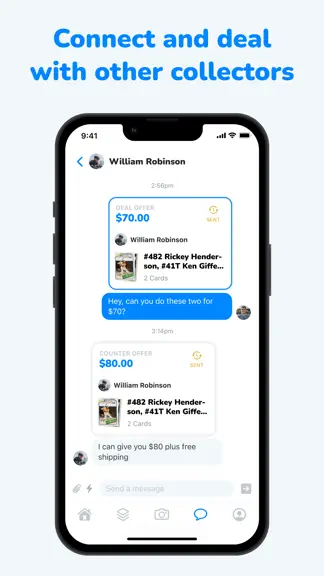
CollX (pronounced "collects") answers the question every collector has: "What's it worth?" The app lets you scan virtually any sports, trading card game, or non-sport card! That includes baseball, basketball, football, wrestling, hockey, soccer, MMA, boxing, golf, tennis— as well as TCG cards like Pokemon, Magic, Yu-Gi-Oh!, Flesh & Blood, One Piece, Disney Lorcana, and even Non-Sport categories li…
Trends & analysis
Chart rank trend
US · categoryWhy it's surfacing
Scout 36Ratings & velocity
★ +0.03 in windowRating distribution
89% positive · 43k ratingsGeographic reach
best rank · 2 storefrontsRevenue & downloads trend
ARPU $0In-app purchases
5 tiersUpdate history
12+ updates tracked- v4.0.612d ago
New Features • View Deal From Buyer Stacks: After you add a card from a Stack to a deal, a View Deal button appears right on the card so you can jump straight to that deal. Add to Deal got a refreshed look to match. Improvements • Simpler Seller Stack Browsing: The seller Stack Deck now uses clean left and right arrows to move through cards, replacing the old bottom controls. • Filters Persist with Search: Your applied filters are now included when you perform a new search. • Spotlight Now Includes All Product Types: Sealed Products and other new product types now are featured in the Spotlight. Bug Fixes • Asking Price Required: Setting an item in Scan Results to For Sale now asks for an asking price before the card is added to your collection. • Listing prices must be > $0 : Prices that round down to $0 are no longer accepted when listing a card.
- v4.0.518d ago
• Saved Stacks: Save any Stack while you're browsing it, then find everything you've saved in one place under the new Stacks tab on your Saves screen — with the creator, thumbnail, and card count at a glance. Stacks now show unique saves and views, so creators can see how their Stacks are landing. • Customize Your Scan Results: Tap the Preferences icon on the Scan Result screen to choose exactly which fields you see — Listing Status, Asking Price, Grader, Condition, and Location. Your setup sticks for every scan after that. Improvements: • More Featured Stacks on Home: The Featured Stacks carousel now surfaces up to 10 curated Stacks instead of 4, so there's more to discover without leaving the home screen. • Your Full Photo Library in Messages: Attaching a photo to a message now opens your device's native photo picker, so you can browse albums, search your library, and scroll through everything you've got — not just your most recent shots. Bug Fixes: • Reliable Profile Access From DMs: Tapping View Profile in a direct message now opens that member's profile every time. • Send Button: Fixed an issue where the Send button remained disabled after typing a message into the input field.
- v4.0.429d ago
New: • Listing Details Everywhere You Add a Card: Set listing status, asking price, quantity, purchase price and date, location, and shipping method directly from Scan Results and the manual Add Item flow on your Collection screen. • Multi-Select Category and Team Filters: Follow more than one sport? Select multiple categories and teams at once and see everything that matches in a single view. Improvements: • Improved Stack Animations: Enjoy a faster animation when opening a stack • More Stack Actions: Quickly add more cards or edit stack info directly from your stack via the action sheet menu • Blocking Now Covers Deal Updates: Blocking someone now applies to deal updates too, so a blocked member can't reach you by revising an older offer. • Improved Sign Up and Sign In: A streamlined sign up path and an obvious distinction between creating an account and signing back in, so returning collectors always know where they are. Bug Fixes: • No Gold Prompts for Gold Members: Members with an active Gold subscription no longer see the Gold upgrade screen, including right after listing a card for sale. • Messaging Preferences Are Now Respected Everywhere: If someone has messaging turned off or limited to followers, the message option is hidden across the app — including from card listings and card details — so your preferences hold no matter where a conversation starts. • Fixed Pricing Bottom Sheet: The pricing bottom sheet has been reworked so pricing your cards feels quick and natural again. • Improved App Launch from Deeplinks: Opening a CollX link now takes you straight to the card, collection, or profile it points to, even when the app is fully closed. • Steadier Browsing Through Large Collections: Scrolling through sellers with hundreds of listings now stays smooth and stable from start to finish. • Reliable Match Editing: Editing a card match while typing now keeps every character you enter and stays stable throughout. • Smooth Return From the Background: Coming back to CollX after it's been in the background — including on the camera screen — now picks up right where you left off. • Tapping on WIC player in profile directs you to marketplace search or collection results • What I'm Collecting Toggles Save Correctly: Card option toggles respond and preserve your selections. • Condition Included When Adding via Search: Cards added through search now carry their condition through to your collection. • Card Attachments Stay Put While You Type: Attaching a card in chat now holds its place while you compose your message, and sends only once. • Fixed Type direction bug: Typing mid-sentence now keeps text flowing left to right as expected.
- v4.0.21mo ago
What's New • Send a Card in Chat: Tap the message button on any card and it’s carried straight into your chat as an attachment — preview it, add a note, and send the card and message together in one go. Improvements • Faster Stacks: Stacks now load quicker and more smoothly. • Smoother Stack Navigation: Cleaner navigation throughout Stacks, and cancelling a deal opened from a Stack now returns you right back to it. Bug Fixes • View Deal: Fixed display issue when viewing deals from batch. • Easy Price: Fixed bug when adding Easy Price. • Deleting stacks: Deleting a Stack now correctly frees up one of your two free Stack slots. • Visual Polish: Fixed card alignment and cleaned up spacing and backgrounds on Stack action buttons.
- v4.0.11mo ago
• Stacks: Stacks now hold up to a maximum of 50 products. • Stacks: Stack detail view now shows the stack creator's name — tap it to visit their collection. • Stacks: Fixed bug where collection filters not working when using "add to stack" flow. • Copy card details: Copying a card now grabs the full card details, not just the year and set.
CollX: Sports Card Scanner — FAQ
How much money does CollX: Sports Card Scanner make?
According to AppCurrents estimates, CollX: Sports Card Scanner generates approximately $21k–$120k per month (medium confidence), modeled from its the App Store chart performance, rating velocity, and monetization signals.
How many downloads does CollX: Sports Card Scanner get?
CollX: Sports Card Scanner sees an estimated 82k–330k downloads per month on the App Store, per AppCurrents modeling.
Is CollX: Sports Card Scanner free?
CollX: Sports Card Scanner is free to download on the App Store, monetizing through in-app purchases.
What is CollX: Sports Card Scanner's rating?
CollX: Sports Card Scanner holds a 4.58-star average from 47,656 ratings on the App Store. It currently ranks #25 on the Sports grossing chart.
When was CollX: Sports Card Scanner released?
CollX: Sports Card Scanner launched on the App Store on 10.01.2022. Its latest version shipped 27.08.2026.


