
Anytune Pro: Music Trainer
Anytune Pro: Music Trainer generates an estimated $1k–$21k/month in revenue from 200–1k downloads/month on the App Store, according to AppCurrents estimates (updated 2026-10-02).
| Est. revenue / month | $1k–$21k |
|---|---|
| Est. downloads / month | 200–1k |
| Estimate confidence | medium |
| Pricing | Paid $14.99 |
| Rating | 4.90 ★ (453 ratings) |
| Category | Music |
| Released | 05.04.2011 |
| App last updated | 19.08.2026 |
| Platform | iOS |
Modeled monthly estimate · rating velocity · medium confidence

About
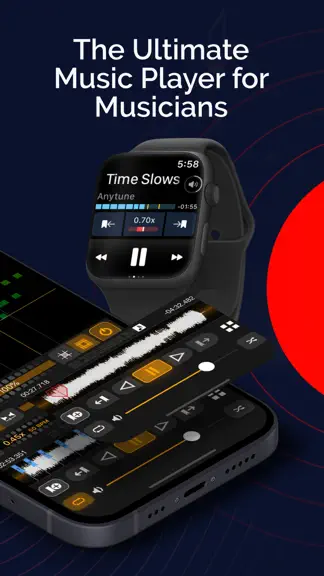
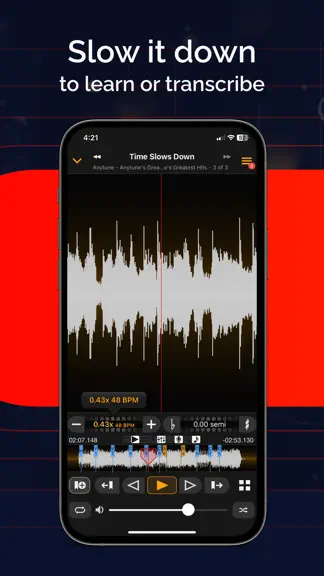
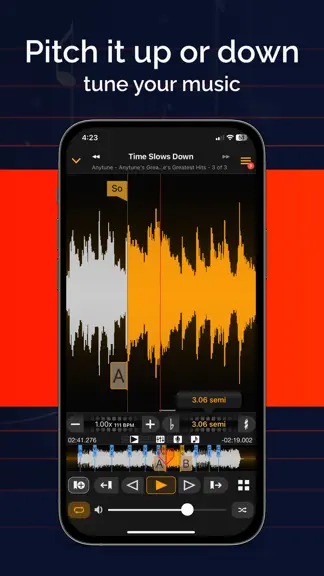
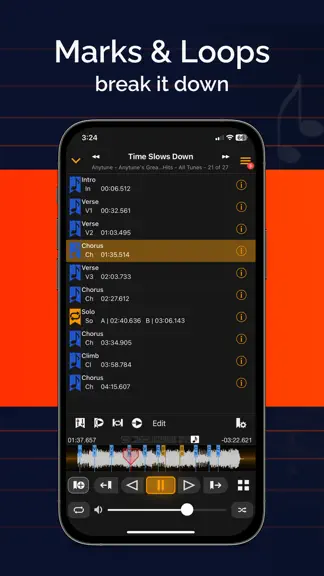
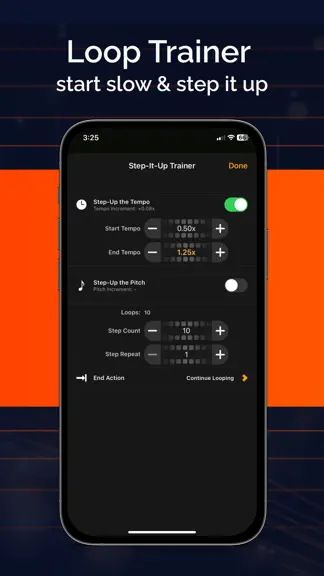
Transform Your Music Journey with Anytune™! Discover a new way to learn, practice, and teach music with Anytune™ – the ultimate music practice app. Learn faster, transcribe easier, and play along at your pace to make practice more fun. A complete suite of tools to practice better. For over a decade, Anytune has been changing the lives of musical artists worldwide. With tons of user-requested feat…
Trends & analysis
Chart rank trend
US · categoryWhy it's surfacing
Scout 16Ratings & velocity
★ 0 in windowRating distribution
98% positive · 444 ratingsGeographic reach
best rank · 0 storefrontsRevenue & downloads trend
ARPU $10In-app purchases
2 tiersUpdate history
6 updates tracked- v4.9.51mo ago
Dieses Update verbessert die Leistung bei der Arbeit mit importierten Audiodateien, die in iCloud Drive gespeichert sind. Es enthält außerdem die mit Anytune 4.9 eingeführten neuen Funktionen. Importierte Audiodateien synchronisieren Du kannst jetzt in den Anytune-Einstellungen auswählen, wo importierte Mediendateien gespeichert werden. Behalte Dateien unter „Auf diesem Gerät“ und verwalte sie selbst, oder wähle „iCloud Drive“, um importierte Audiodateien über iCloud zwischen deinen Geräten zu synchronisieren. Du entscheidest weiterhin selbst, ob deine Anytune-Daten über Anytune Cloud synchronisiert werden. Rich-Text-Songtexte Anytune unterstützt jetzt Songtexte mit Rich-Text-Formatierung. Passe deine textbasierten Tabs und scrollenden Songtexte mit Formatierungen wie Farbe, Größe und Hervorhebung an. Markiere Songtext in Anytune und verwende die Formatierungswerkzeuge oder füge Rich Text aus einer anderen App ein. Neue Tune-Info Tippe im Player auf einen Songtitel, um den neuen Tune-Info-Bildschirm zu öffnen. Zeige Songdetails einfacher an und bearbeite sie, und greife schnell auf Aktionen wie das Hinzufügen von Songs zu Playlists und das Kopieren von Markierungen zu.
- v4.9.42mo ago
Dieses Update behebt ein Problem, bei dem bearbeitete Songtitel wieder auf ihren ursprünglichen Namen zurückgesetzt wurden. Außerdem enthält es die neuen Funktionen aus Anytune 4.9. Importierte Audiodateien synchronisieren Sie können jetzt in den Anytune-Einstellungen auswählen, wo importierte Mediendateien gespeichert werden. Behalten Sie sie „Auf diesem Gerät“ und verwalten Sie sie selbst oder wählen Sie „iCloud Drive“, um importierte Audiodateien über iCloud zwischen Ihren Geräten zu synchronisieren. Sie behalten weiterhin die Kontrolle darüber, ob Ihre Anytune-Daten über Anytune Cloud synchronisiert werden. Rich-Text-Liedtexte Anytune unterstützt jetzt Rich-Text-Liedtexte. Gestalten Sie Ihre Texttabs und scrollenden Liedtexte mit Formatierungen wie Farbe, Größe und Hervorhebungen. Markieren Sie Text in Anytune und verwenden Sie den Formatierer oder fügen Sie Rich-Text aus einer anderen App ein. Neue Titelinfos Tippen Sie im Player auf einen Songtitel, um den neuen Bildschirm „Titelinfos“ zu öffnen. Zeigen Sie Songdetails einfacher an und bearbeiten Sie sie, und greifen Sie schnell auf Aktionen wie das Hinzufügen zu Wiedergabelisten oder das Kopieren von Markierungen zu.
- v4.9.32mo ago
Dieses Update enthält wichtige Fehlerbehebungen für bearbeitete Songtitel, die wieder auf ihren ursprünglichen Namen zurückgesetzt wurden, sowie für ein Startproblem. Außerdem enthält es die neuen Funktionen aus Anytune 4.9. Importierte Audiodateien synchronisieren Du kannst jetzt in den Anytune-Einstellungen auswählen, wo importierte Mediendateien gespeichert werden. Behalte Dateien „Auf diesem Gerät“ und verwalte sie selbst, oder wähle „iCloud Drive“, um importierte Audiodateien mit iCloud auf deinen Geräten zu synchronisieren. Du behältst weiterhin die Kontrolle darüber, ob deine Anytune-Daten über Anytune Cloud synchronisiert werden. Songtexte mit Rich Text Anytune unterstützt jetzt Songtexte mit Rich Text. Passe deine textbasierten Tabs und mitlaufenden Songtexte mit Formatierungen wie Farbe, Größe und Hervorhebung an. Markiere Liedtext in Anytune und verwende das Formatierungswerkzeug, oder füge Rich Text aus einer anderen App ein. Neue Tune Info Tippe im Player auf einen Songtitel, um den neuen Tune Info-Bildschirm zu öffnen. Zeige Songdetails einfacher an und bearbeite sie, und greife schnell auf Aktionen zu, zum Beispiel Songs zu Playlists hinzufügen oder Markierungen kopieren. Diese Version enthält außerdem viele Fehlerbehebungen und Verbesserungen der Benutzererfahrung.
- v4.9.23mo ago
This update adds highly requested features, helpful enhancements, and many improvements inspired by your feedback. Thank you for helping make Anytune better. Sync Imported Audio Files You can now choose where imported media files are stored in Anytune Settings. Keep files “On This Device” and manage them yourself, or choose “iCloud Drive” to sync imported audio files across your devices using iCloud. You still control whether your Anytune data syncs through Anytune Cloud. Rich Text Lyrics Anytune now supports rich text lyrics. Customize your textual tabs and scrolling lyrics with formatting such as color, size, and emphasis. Highlight lyric text in Anytune and use the formatter, or paste rich text from another app. New Tune Info Tap a song title in the player to open the new Tune Info screen. View and edit song details more easily, and quickly access actions such as adding songs to playlists and copying marks. This release also includes many bug fixes and user experience improvements.
- v4.9.13mo ago
This update adds highly requested features, helpful enhancements, and many improvements inspired by your feedback. Thank you for helping make Anytune better. Sync Imported Audio Files You can now choose where imported media files are stored in Anytune Settings. Keep files “On This Device” and manage them yourself, or choose “iCloud Drive” to sync imported audio files across your devices using iCloud. You still control whether your Anytune data syncs through Anytune Cloud. Rich Text Lyrics Anytune now supports rich text lyrics. Customize your textual tabs and scrolling lyrics with formatting such as color, size, and emphasis. Highlight lyric text in Anytune and use the formatter, or paste rich text from another app. New Tune Info Tap a song title in the player to open the new Tune Info screen. View and edit song details more easily, and quickly access actions such as adding songs to playlists and copying marks. This release also includes many bug fixes and user experience improvements.
Anytune Pro: Music Trainer — FAQ
How much money does Anytune Pro: Music Trainer make?
According to AppCurrents estimates, Anytune Pro: Music Trainer generates approximately $1k–$21k per month (medium confidence), modeled from its the App Store chart performance, rating velocity, and monetization signals.
How many downloads does Anytune Pro: Music Trainer get?
Anytune Pro: Music Trainer sees an estimated 200–1k downloads per month on the App Store, per AppCurrents modeling.
Is Anytune Pro: Music Trainer free?
Anytune Pro: Music Trainer is a paid app priced at $14.99 on the App Store.
What is Anytune Pro: Music Trainer 's rating?
Anytune Pro: Music Trainer holds a 4.90-star average from 453 ratings on the App Store.
When was Anytune Pro: Music Trainer released?
Anytune Pro: Music Trainer launched on the App Store on 05.04.2011. Its latest version shipped 19.08.2026.


