
Anchor Alert
Anchor Alert generates an estimated $3–$20/month in revenue from 7–30 downloads/month on the App Store, according to AppCurrents estimates (updated 2026-10-02).
| Est. revenue / month | $3–$20 |
|---|---|
| Est. downloads / month | 7–30 |
| Estimate confidence | low |
| Pricing | Free + IAP |
| Rating | 4.67 ★ (12 ratings) |
| Category | Navigation |
| Released | 28.03.2023 |
| App last updated | 17.09.2026 |
| Platform | iOS |
Modeled monthly estimate · rating velocity · low confidence
About
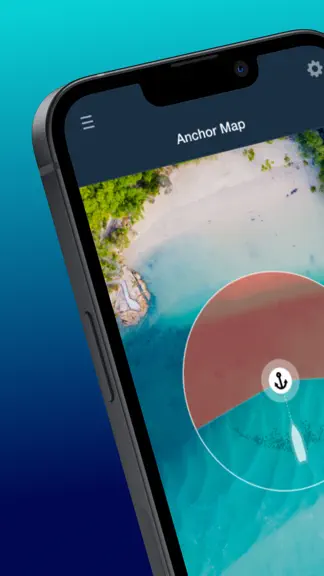
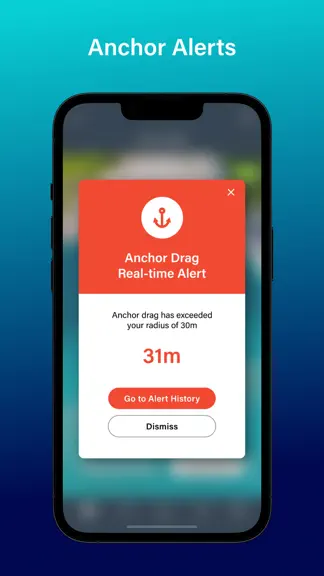
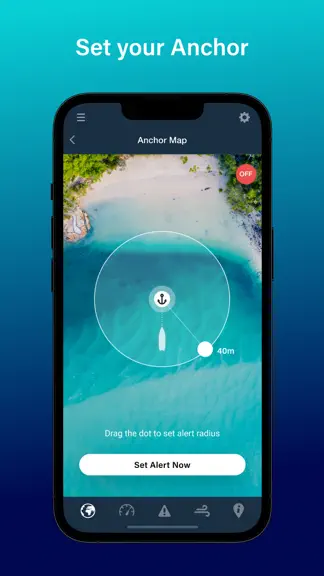
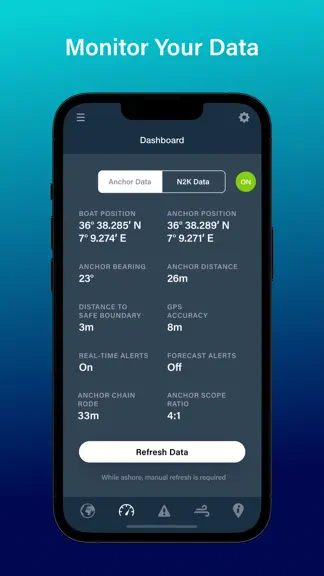
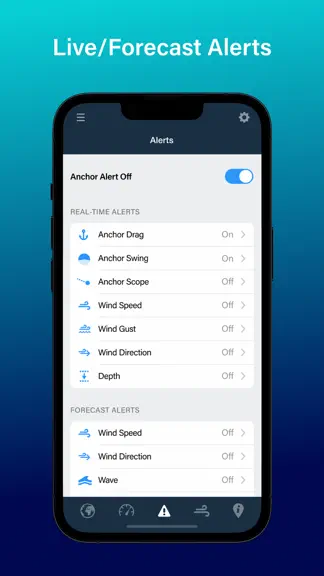
Get the best and newest Anchor App developed by the trusted world leaders in marine forecasting - PredictWind Monitor your boat from anywhere on your phone. Set alerts & monitor your boat at anchor, view live N2K data and weather forecasts, on or off the boat. Customise your alerts, then relax knowing your boat is in good hands, with Anchor Alert. * Monitor your Anchor and Boat Position - Set y…
Trends & analysis
Chart rank trend
US · overallWhy it's surfacing
Scout 6Ratings & velocity
★ +0.03 in windowRating distribution
0% positive · 3 ratingsGeographic reach
best rank · 0 storefrontsRevenue & downloads trend
ARPU $0In-app purchases
3 tiersUpdate history
5 updates tracked- v2.0.714d ago
New Features - App setup requests Local Network permission so that Starlink / Peplink and Other Wi-Fi users' Anchor Alert app can find the DataHub the first time they start monitoring through any Wi-Fi network other than DataHub Wi-Fi. - Settings > DataHub Connect > new field "Login Status" - this field shows you whether Anchor Alert has logged into DataHub successfully or not, separately from NMEA Connection Status. This way, if the Wi-Fi radio bars on the Anchor Map top left are red/disconnected, you can clearly see whether this is because of an issue with the NMEA feed or the DataHub app login. Default Setting Change - Anchor Alert Settings > Map View Type > Hybrid. Changed from Satellite View because it adds local place names, which is more useful than the standard Satellite View. Other minor bug fixes.
- v2.0.61mo ago
Minor changes to setup screens.
- v2.0.51mo ago
New in this version: - Anchor Set Preference 'Advanced' is now 'DataHub' - Default settings for 'DataHub' setup IMPORTANT: Anchor Alert Pro requires DataHub Firmware 4.54 or later. To update your DataHub / DataHub Pro Firmware to 4.54: 1. Go to Services > Settings > Software Updates 2. Click the CHECK button. 3. Follow the prompts to complete the Firmware update. **Anchor Alert Pro Setup Notes** - If you are prompted to update to 4.52, do this first, wait 15 minutes, then reconnect to DataHub Wi-Fi and update your DataHub firmware again. - Ensure the DataHub / DataHub Pro remains powered on. A power loss during a firmware update will permanently damage your DataHub. - If you are updating Anchor Alert on your iPhone or iPad, and your current version is older than version 2.0.3, delete the app and reinstall it.
- v2.0.31mo ago
IMPORTANT: 1. Delete the Anchor Alert app from your device first, then reinstall this new version. 2. Update your DataHub or DataHub Pro to firmware version 4.53, found here: Settings > Software Updates > Alternate > 4.53 Some of the things we have been working on are 1. Easier login with Apple, Google and Facebook. Existing users should select Continue with Email. If using Apple, share your real email address so we can link your existing PredictWind account. 2. Faster, simpler installation and setup. 3. More reliable Critical Alert sounds, including when the phone is in Silent Mode, Do Not Disturb, or the volume is set to zero. 4. More reliable communication between the app and DataHub. 5. Clearer and more complete Alert Detail History. 6. Change alert settings without restarting the session when connected to DataHub Wi-Fi or boat Wi-Fi. 7. Zoom controls when setting the anchor position. 8. Standard and Hybrid map views, as well as Satellite. Hybrid is great if you're coastal. Chain rode lengths up to 500 metres. 8. AIS proximity alerts. 9. Minimum and maximum depth alerts. 10. Improvements to the free-user experience. 11. Improved breadcrumb tracking. Unfortunately, to make way for all these improvements, we have had to temporarily remove the "Use Last Known Anchor Position" and "Edit Chain Rode" features. If you used those frequently, we suggest two workarounds: 1. Use Last Anchor Position - set a waypoint on your chartplotter when dropping the anchor. If you need to restart monitoring, start the session, then tap the Anchor > Tap to Edit and use Custom Coordinates to re-enter the Anchor Position from your marked waypoint. 2. Edit Chain Rode - Edit the Anchor Drag alert radius to add on the same amount of extra anchor chain.
- v2.0.25mo ago
ACTION REQUIRED: Update your DataHub Pro firmware to version 4.50 BEFORE updating this app to ensure it connects correctly. What's new in Anchor Alert 2.0.2 This update delivers significantly more reliable DataHub connections, clearer on-screen guidance when things go wrong, and easier sign-in for new users. New Features - Easier sign-in: New users can now sign in with Google, Apple, or Facebook — no separate password to remember. Existing users: tap "Continue with Email" and use your PredictWind account credentials. - Clearer connection status: The radio waves icon (top-left of the Anchor Map) now turns green only when the app is fully connected to the DataHub AND receiving live NMEA data. If login fails, a clear error message is shown. Allow up to 10 seconds for the icon to turn green after opening the app. Improvements & Fixes - Connection reliability: Improved stability when starting and stopping alert sessions, including faster recovery from dropped connections. A new Connect button on the Anchor Map makes it quick to reconnect after a Wi-Fi or password issue. - Session persistence: The app now automatically resumes your session when reopened — even after a force-close, reboot, or phone restart. - N2K data improvements: Wind speed (TWS) conversion fixed and buffer reduced for faster sync with your chartplotter. Auto-refresh every 60 seconds has been added in Remote Mode on the Anchor Map and Dashboard pages. - Drag Alert: Fixed a unit conversion error affecting metric-to-imperial radius calculations. - Clearer error messages: Error messages now explain on-boat and off-boat states more clearly, with Retry buttons added to login and cancel failure prompts. - Remote Mode: Alert Settings are locked when you're away from the boat, with a clear explanation displayed in the app. - Alert display: Fixed text errors in alert messages and the Alert History detail view. - Security: App credentials are now stored securely in the iOS Keychain. - UI polish: Larger tap targets on the "Tap to Edit" screen to reduce mis-taps; Anchor Custom Coordinates updated to handle edge cases correctly. - App stability: Resolved rare crash conditions. Coming in the Next Update - We're actively working on these for the next release: - Wind Direction Alert is not working in this version due. - Enabling or disabling an alert type while a session is active does not work. As a workaround, stop your current session and start a new one to add alert types (e.g. Depth). Changing the value of an active alert (e.g. adjusting depth from 10m to 14m) works as normal. - False alerts when Wi-Fi drops: If the app loses connection to the DataHub while your phone is connected to any Wi-Fi network, it may temporarily fall back to phone GPS and generate false Drag or Swing alerts. To resolve: reconnect your device to Wi-Fi, and the false alerts will stop.
Anchor Alert — FAQ
How much money does Anchor Alert make?
According to AppCurrents estimates, Anchor Alert generates approximately $3–$20 per month (low confidence), modeled from its the App Store chart performance, rating velocity, and monetization signals.
How many downloads does Anchor Alert get?
Anchor Alert sees an estimated 7–30 downloads per month on the App Store, per AppCurrents modeling.
Is Anchor Alert free?
Anchor Alert is free to download on the App Store, monetizing through in-app purchases.
What is Anchor Alert's rating?
Anchor Alert holds a 4.67-star average from 12 ratings on the App Store.
When was Anchor Alert released?
Anchor Alert launched on the App Store on 28.03.2023. Its latest version shipped 17.09.2026.
Apps like Anchor Alert
See all alternatives → Google MapsNavigation · $750k–$4.0M/mo
 Transit • Subway & Bus TimesNavigation · $710k–$3.8M/mo
 onX Hunt: GPS Hunting MapsNavigation · $190k–$640k/mo
 onX Offroad: Trail Maps & GPSNavigation · $110k–$620k/mo
 Trucker Path: Truck GPS & FuelNavigation · $48k–$260k/mo
 Speedometer SimpleNavigation · $48k–$260k/mo