Albums: Music Library Player
Albums: Music Library Player generates an estimated $20–$90/month in revenue from 100–800 downloads/month on the App Store, according to AppCurrents estimates (updated 2026-06-19).
| Est. revenue / month | $20–$90 |
|---|---|
| Est. downloads / month | 100–800 |
| Estimate confidence | medium |
| Pricing | Free + IAP |
| Rating | 4.68 ★ (347 ratings) |
| Category | Music |
| Released | 25.08.2019 |
| App last updated | 15.06.2026 |
| Platform | iOS |
Modeled monthly estimate · rating velocity · medium confidence
About
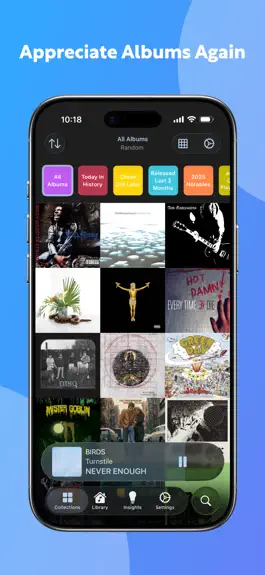
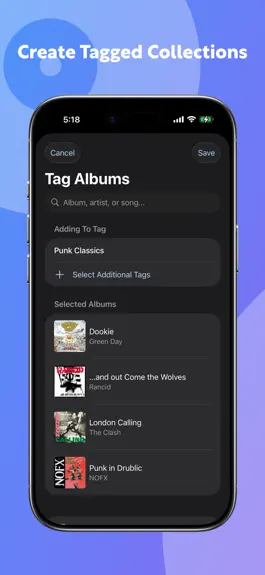
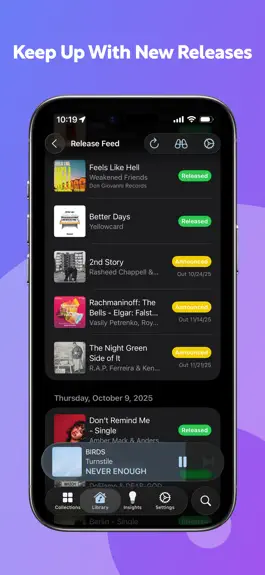
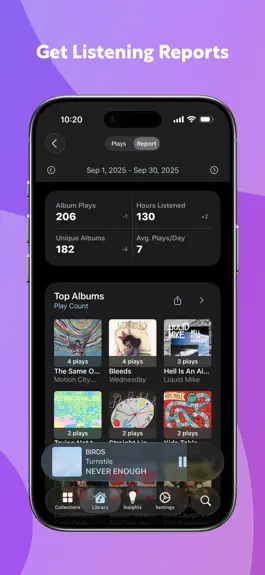
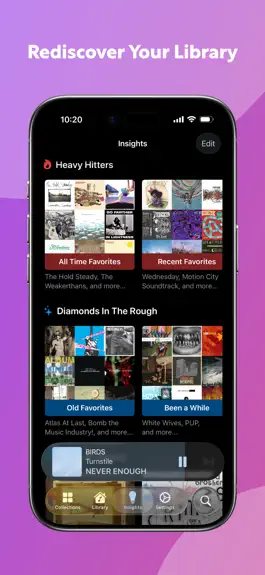
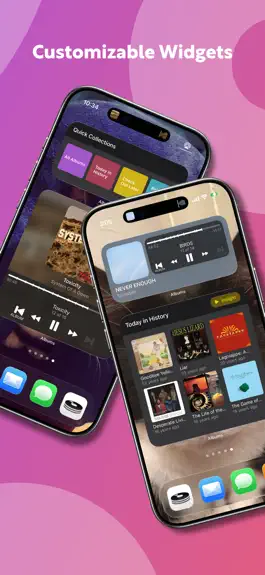
Albums is the Apple Music player that puts you in control of your music. Whether you just want to throw on album shuffle or spend hours meticulously sorting and filtering your collection, Albums cares about your music library as much as you do. Free Features: QUICK SELECTION Just press “shuffle,” scroll through a grid of album art, or browse your library to select an album, and easily skip to th…
Trends & analysis
Chart rank trend
US · overallWhy it's surfacing
Scout 9Ratings & velocity
Rating distribution
92% positive · 345 ratingsGeographic reach
best rank · 0 storefrontsRevenue & downloads trend
ARPU $0In-app purchases
10 tiersUpdate history
2 updates tracked- v7.1.44d ago
Features: - Per-track embedded Composer data is now displayed on the Info pane Fixes: - If you make updates to your CarPlay pinned albums, pinned collections, or dock order on your phone while it’s connected to the CarPlay app, those updates will now be shown in CarPlay immediately rather than requiring you to relaunch the app - Improvements to artwork loading/performance caching - Fixed yet another edge case that could cause a resumed session to split into two. - The queue now gracefully skips to the next playable album when it encounters an album without any playable tracks - Fixed an issue where playing partial albums from the Apple Music catalog could fail on the Mac - Fixed an issue where toggling between alternate versions of an album did not update the Stats pane and kept showing the stats from the first version you viewed - Fixed an issue where the Apple Music section was empty on Artist pages in Art View - Fixed an issue where bulk adding albums to your library could fail - Fixed an issue where an album’s current tint color might not be available in the color picker in its album settings - Fixed an issue where it might take 24 hours for Albums to reflect album/song metadata changed in Music.app - Fixed an issue where the Mac app might continue displaying albums you’ve removed from your library
- v7.1.31mo ago
Features: - A new “Include non-library items” toggle has been added to the Quick Collection configuration screen when the source collection is “All Albums” and any of the added filters include collections that can display Apple Music catalog albums. Before this feature, if you had tagged non-library albums, then tried to make a Quick Collection with the source collection as “All Albums” and a filter for albums with that tag, it would only have displayed albums in your library. Fixes: - Fixed a regression introduced in 7.1.2 where playlists could appear blank in album mode - Fixes for cloud sync edge cases that could cause incorrect listening history data - Fixed an issue where the bulk library add screen displayed incorrectly on macOS - Misc. crash fixes
Albums: Music Library Player — FAQ
How much money does Albums: Music Library Player make?
According to AppCurrents estimates, Albums: Music Library Player generates approximately $20–$90 per month (medium confidence), modeled from its the App Store chart performance, rating velocity, and monetization signals.
How many downloads does Albums: Music Library Player get?
Albums: Music Library Player sees an estimated 100–800 downloads per month on the App Store, per AppCurrents modeling.
Is Albums: Music Library Player free?
Albums: Music Library Player is free to download on the App Store, monetizing through in-app purchases.
What is Albums: Music Library Player's rating?
Albums: Music Library Player holds a 4.68-star average from 347 ratings on the App Store.
When was Albums: Music Library Player released?
Albums: Music Library Player launched on the App Store on 25.08.2019. Its latest version shipped 15.06.2026.


